
Vgate vLinker FS USB
Vgate vLinker FS USB OBD2 Diagnostic Tool User Manual
Model: vLinker FS USB
1. 서론
The Vgate vLinker FS USB is a high-performance OBD2 to USB car diagnostic tool designed to interface with your vehicle's On-Board Diagnostics system. It allows users to read and clear diagnostic trouble codes, view live data, and perform various vehicle-specific functions, particularly optimized for use with FORScan software. This manual provides comprehensive instructions for setting up, operating, and maintaining your vLinker FS USB device.

그림 1: Vgate vLinker FS USB OBD2 진단 도구
2. 주요 특징
- Determines cause of Check Engine Light and clears DTCs.
- Reads live data and hard memory data.
- Collects vehicle information.
- Custom-designed for use with FORScan and recommended by the FORScan Team.
- MS-CAN & HS-CAN toggle switch for convenient access and configuration.
- Supports USB 2.0 and USB 3.0 interfaces.
- Transfer rate and baud rate up to 3Mpbs and 3Mhz, significantly faster than other devices.
- Compatible with a variety of third-party apps and software.
3. 패키지 내용
패키지를 열 때 모든 구성품이 들어 있고 상태가 양호한지 확인하세요.
- Vgate vLinker FS USB OBD2 Adapter
- 사용 설명서 / 빠른 시작 가이드
영상 1: 언박싱 및 종료view of the Vgate vLinker FS USB adapter and its included quick start guide.
4. 설정 가이드
4.1 드라이버 설치
Before connecting the vLinker FS USB to your computer, it is crucial to install the necessary drivers. Drivers can typically be found on the official Vgate website or the FORScan website, as recommended. Follow the on-screen instructions during installation.
- Download the latest drivers for your operating system (Windows XP/Vista/7/8/8.1/10 are supported).
- 설치 프로그램을 실행하고 안내에 따라 진행하세요.
- 메시지가 나타나면 컴퓨터를 다시 시작하세요.
4.2 컴퓨터에 연결하기
Once drivers are installed, connect the vLinker FS USB to your computer using the integrated USB cable. The device should be recognized by your system.
4.3 차량에 연결하기
Locate your vehicle's OBD2 port, typically found under the dashboard on the driver's side. Plug the vLinker FS USB adapter firmly into the OBD2 port. Ensure a secure connection.
4.4 Software Installation (FORScan Examp르)
For optimal performance, especially with Ford, Mazda, Lincoln, and Mercury vehicles, it is recommended to use FORScan software. Download and install FORScan from their official web대지.
- Download the FORScan application for Windows.
- 컴퓨터에 응용 프로그램을 설치하세요.
- Launch FORScan. The software should detect the vLinker FS USB adapter.
- 차량의 시동 스위치를 "ON" 위치(엔진 꺼짐)로 돌리십시오.
- Follow the software prompts to connect to your vehicle and begin diagnostics.

Figure 2: Vgate vLinker FS USB connected for dealership-level diagnostics.
5. 사용 설명서
5.1 기본 진단 기능
With the vLinker FS USB connected to your vehicle and computer, and your diagnostic software launched, you can perform various functions:
- DTC 읽기/지우기: Access the "Diagnostic Trouble Codes" section of your software to read current, pending, and historic codes. Use the "Clear Codes" function to turn off the Check Engine Light after repairs.
- 라이브 데이터 스트림: Monitor real-time sensor data such as engine RPM, vehicle speed, oxygen sensor readings, fuel system status, etc. This is crucial for diagnosing intermittent issues.
- 프레임 데이터 고정: View a snapshot of sensor readings at the moment a Diagnostic Trouble Code (DTC) was set, providing context for the fault.
- 차량 정보: Retrieve vehicle identification number (VIN), calibration IDs, and calibration verification numbers.
5.2 MS-CAN & HS-CAN Toggle Switch
The vLinker FS USB features a toggle switch to select between MS-CAN (Medium Speed CAN) and HS-CAN (High Speed CAN) networks. This allows access to different modules within your vehicle, enabling comprehensive diagnostics and configuration of as-built data. Ensure the switch is in the correct position for the module you intend to access.
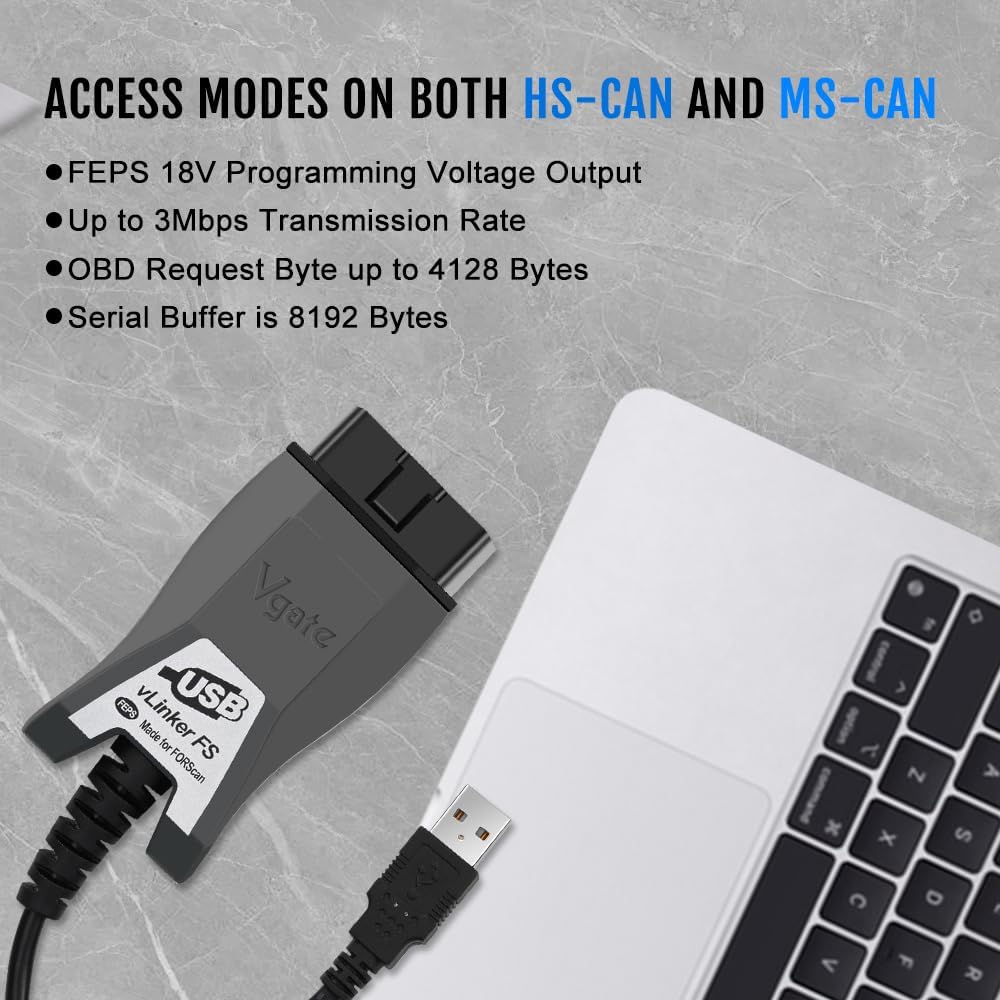
Figure 3: Device highlighting MS-CAN and HS-CAN access modes.
5.3 지원 소프트웨어
Beyond FORScan, the vLinker FS USB is compatible with various third-party diagnostic applications. Always ensure the software you choose is compatible with the vLinker FS USB and your vehicle's make/model.

그림 4: 예amples of supported diagnostic software.
6. 유지관리
- 기기를 깨끗하게 유지하고 먼지와 습기가 없도록 하세요.
- 사용하지 않을 때는 시원하고 건조한 곳에 보관하세요.
- Avoid excessive force when connecting or disconnecting the adapter.
- 정기적으로 제조업체를 확인하세요 website for firmware updates for the vLinker FS USB and software updates for your diagnostic application to ensure optimal performance and compatibility.
7. 문제 해결
문제가 발생하면 다음의 일반적인 문제와 해결 방법을 참조하세요.
| 문제 | 가능한 원인 | 해결책 |
|---|---|---|
| Device not found / Not recognized by computer. | Missing or incorrect USB drivers; faulty USB port/cable. | Ensure USB drivers are correctly installed from the official website. Try a different USB port on your computer. Check the USB cable for damage. |
| 차량 ECU에 연결할 수 없습니다. | Ignition not in "ON" position; loose OBD2 connection; incorrect software settings; vehicle not supported. | Turn ignition to "ON" (engine off). Ensure the adapter is firmly plugged into the OBD2 port. Verify software settings (e.g., COM port, baud rate). Confirm vehicle compatibility. |
| Slow data transfer or freezing. | Outdated drivers; software conflicts; high system load. | Update drivers to the latest version. Close unnecessary applications on your computer. Ensure your computer meets the software's minimum requirements. |
| "OBD plug hard to insert into port!" (from review) | Manufacturing tolerance; tight fit in specific vehicle ports. | Apply gentle, firm pressure. Ensure correct orientation. If consistently difficult, inspect the OBD port for obstructions. |
8. 사양
| 상표 | Vgate |
| 모델 | vLinker FS USB |
| 연결성 | USB2.0, USB3.0 |
| 지원되는 프로토콜 | SAE J1850-PWM, SAE J1850-VPW, ISO 9141-2, ISO 14230-4 (slow), ISO 14230-4 (fast), ISO 15765-4 (CAN), ISO 1939 (CAN), ISO 11898 (raw CAN), Medium Speed CAN (MS-CAN) |
| 전송 속도 | 최대 3Mpbs |
| 전송 속도 | 최대 3Mhz |
| 지원되는 운영 체제 | Windows XP, Windows 2000/Vista/7/8/8.1/10 |
| 치수 | 5.91 x 4.92 x 1.57 인치 |
| 무게 | 5.3 온스 |
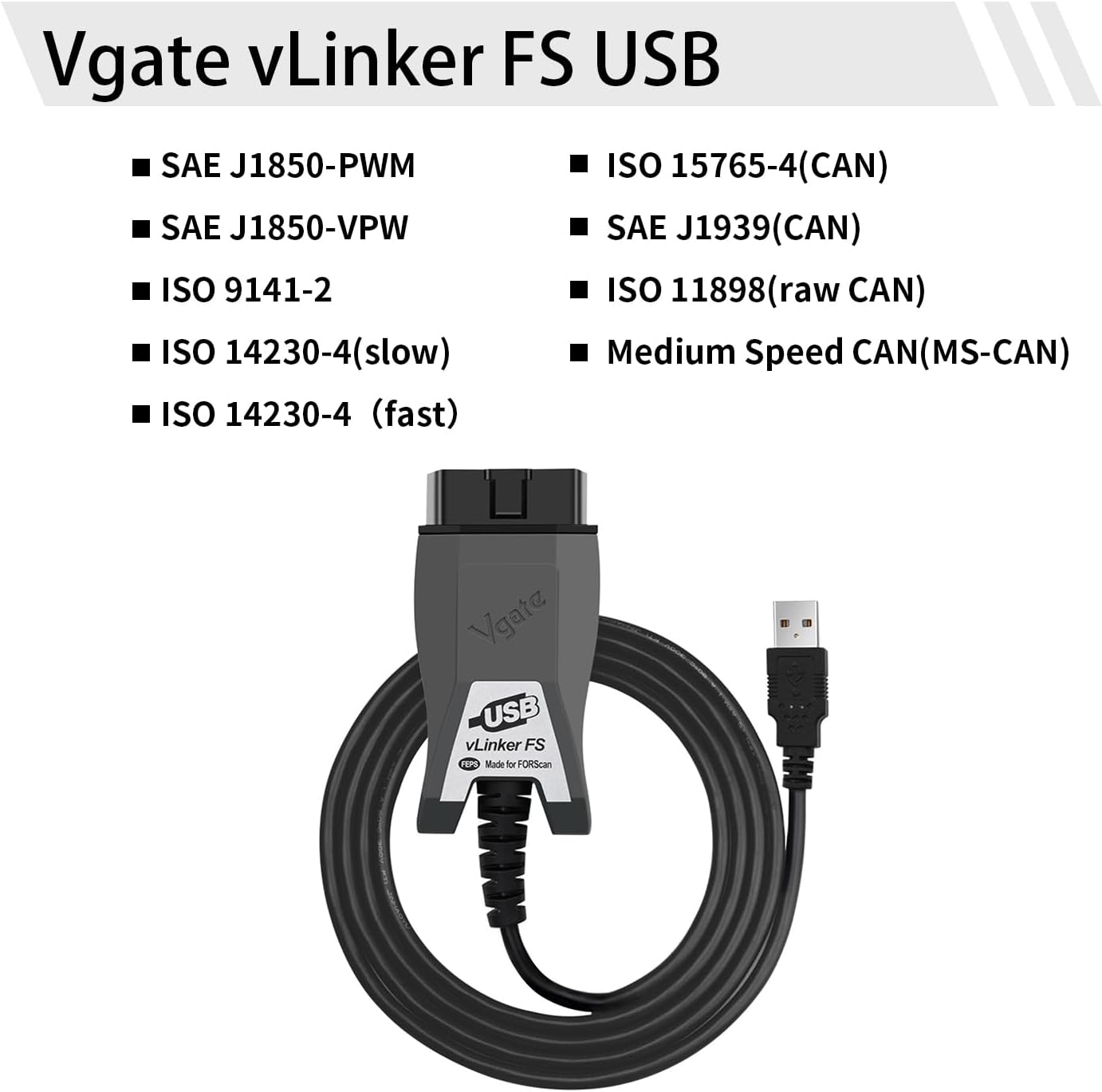
Figure 5: Supported communication protocols for vLinker FS USB.
9. 보증 및 지원
Vgate products are designed for reliability and performance. For warranty information, technical support, or further assistance, please refer to the contact details provided on the product packaging or visit the official Vgate web대지. 보증 청구를 위해 구매 영수증을 보관하십시오.
Ask a question about this manual
Ask about setup, troubleshooting, compatibility, parts, safety, or missing instructions. Manuals+ will review the question and use this page’s manual context to help answer it.