
1. 서론
Thank you for choosing the WORKPRO Portable Tire Inflator W125218A. This device is designed for convenient and efficient inflation of tires for cars, motorcycles, bicycles, and various sports balls. It features a digital display, auto shut-off, multiple inflation modes, an LED light, and a power bank function. Please read this manual thoroughly before use to ensure safe and optimal operation.

Image: The WORKPRO Portable Tire Inflator is suitable for a wide range of applications, including car tires, motorcycle tires, bicycle tires, swimming rings, and various sports balls.
2. 안전 정보
부상이나 장치 손상을 방지하려면 항상 다음 안전 예방 조치를 준수하세요.
- 작동 중에는 인플레이터를 방치하지 마십시오.
- Ensure the correct pressure setting for the item being inflated to avoid over-inflation, which can cause bursting and serious injury.
- The inflation hose and nozzle may become hot during prolonged use. Allow them to cool before handling.
- 기기를 어린이와 애완동물의 손이 닿지 않는 곳에 보관하세요.
- 습한 환경이나 가연성 액체 또는 가스 근처에서 인플레이터를 작동하지 마십시오.
- 제공된 액세서리와 어댑터만 사용하십시오.
- If the device overheats, allow it to cool down before resuming operation.
- Wear appropriate eye and hearing protection during use.
3. 패키지 내용
패키지에 모든 품목이 들어 있는지 확인하세요.
- WORKPRO Portable Tire Inflator
- 인플레이션 호스
- 니들 밸브 어댑터(볼용)
- 프레스타 밸브 어댑터 (일부 자전거용)
- Wide Nozzle Adapter (for inflatables)
- USB 충전 케이블
- 보관 가방

Image: The WORKPRO Portable Tire Inflator shown with its included accessories: inflation hose, various nozzle adapters, USB charging cable, and a storage bag.
4. 제품 오버view
타이어 공기 주입기의 구성 요소를 숙지하십시오.
- 디지털 디스플레이: 현재 압력, 목표 압력, 배터리 잔량 및 선택된 모드를 표시합니다.
- 제어 버튼: Power, Mode selection, Pressure adjustment (+/-).
- 인플레이션 항구: 공기 주입 호스가 연결되는 부분입니다.
- LED 조명: 조명이 어두운 환경에서 조명을 위해 사용됩니다.
- USB-C 충전 포트: 기기를 충전합니다.
- USB-A 출력 포트: Functions as a power bank.

이미지: 자세한 view of the inflator's digital display, showing pressure readings, battery indicator, and the three-color LED indicators for pressure status (red, yellow, green).
5. 설정
5.1 초기 충전
Before first use, fully charge the tire inflator. The device is powered by three 2500mAh rechargeable batteries.
- Connect the provided USB charging cable to the USB-C charging port on the inflator.
- USB 케이블의 다른 쪽 끝을 적합한 USB 전원 어댑터(별도 구매) 또는 전원이 공급되는 USB 포트에 연결하십시오.
- The battery indicator on the digital display will show charging progress. A full charge typically takes 3 to 5 hours.
- 완전히 충전되면 충전 케이블을 분리하세요.

Image: The inflator connected to a car tire, highlighting its 7500 mAh battery capacity, capable of inflating multiple car tires on a single charge.
6. 사용 설명서
6.1 전원 켜기/끄기
- To power on, press and hold the power button (usually the 'O' button) for a few seconds.
- 전원을 끄려면 전원 버튼을 다시 길게 누르세요. 또한 일정 시간 동안 사용하지 않으면 기기가 자동으로 꺼집니다.
6.2 인플레이션 모드 선택
The inflator offers 4 smart preset modes and 1 manual mode:
- Press the 'M' (Mode) button to cycle through the available modes: Car, Motorcycle, Bicycle, Ball, and Manual.
- Each preset mode has a default pressure value (e.g., Car: 36 PSI, Motorcycle: 35 PSI, Bicycle: 45 PSI, Ball: 8 PSI, Manual: 60 PSI).
- In any mode, you can adjust the target pressure using the '+' and '-' buttons. The maximum adjustable pressure is 150 PSI.
- To change pressure units (PSI, BAR, KPA), press the 'M' button and '+' button simultaneously.

Image: The inflator's screen showing the selection of different inflation modes (Car, Motorcycle, Bicycle, Ball, Manual) with their respective default PSI values.
6.3 Connecting to the Item for Inflation
- Screw the inflation hose securely into the inflation port on the top of the device.
- For car, motorcycle, or bicycle (Schrader valve) tires, attach the other end of the hose directly to the tire valve stem. Ensure a tight connection to prevent air leakage.
- For Presta valves (some bicycles), balls, or other inflatables, attach the appropriate adapter to the inflation hose before connecting to the item.
- Once connected, the digital display will show the current pressure of the item.
6.4 인플레이션의 시작과 종료
- After setting the desired pressure and connecting the hose, press the power button (usually the 'O' button) to start inflation.
- The inflator will automatically stop when the preset target pressure is reached. This is the auto shut-off feature.
- To manually stop inflation at any time, press the power button again.
- After inflation, carefully disconnect the hose from the item and then from the inflator. Be aware that the hose may be hot.

Image: The inflator in use, demonstrating its fast inflation capability for a 195/60R16 car tire, indicating inflation from 25-35 PSI in under 1 minute and 0-35 PSI in under 5 minutes.
6.5 Pressure Indicator Lights
The device features three-color LED indicators for real-time pressure status:
- 녹색불: Pressure is between 90% and 110% of the preset value.
- 황색 신호등: Pressure is below 90% of the preset value.
- 빨간불: Pressure exceeds 110% of the preset value.
6.6 LED 손전등 기능
The built-in LED light can be used for illumination:
- Press the dedicated light button (if available, or a combination of buttons as per device markings) to turn on the flashlight.
- Cycle through different modes: steady light, flashing light, and SOS emergency mode.
- 버튼을 다시 누르면 불이 꺼집니다.
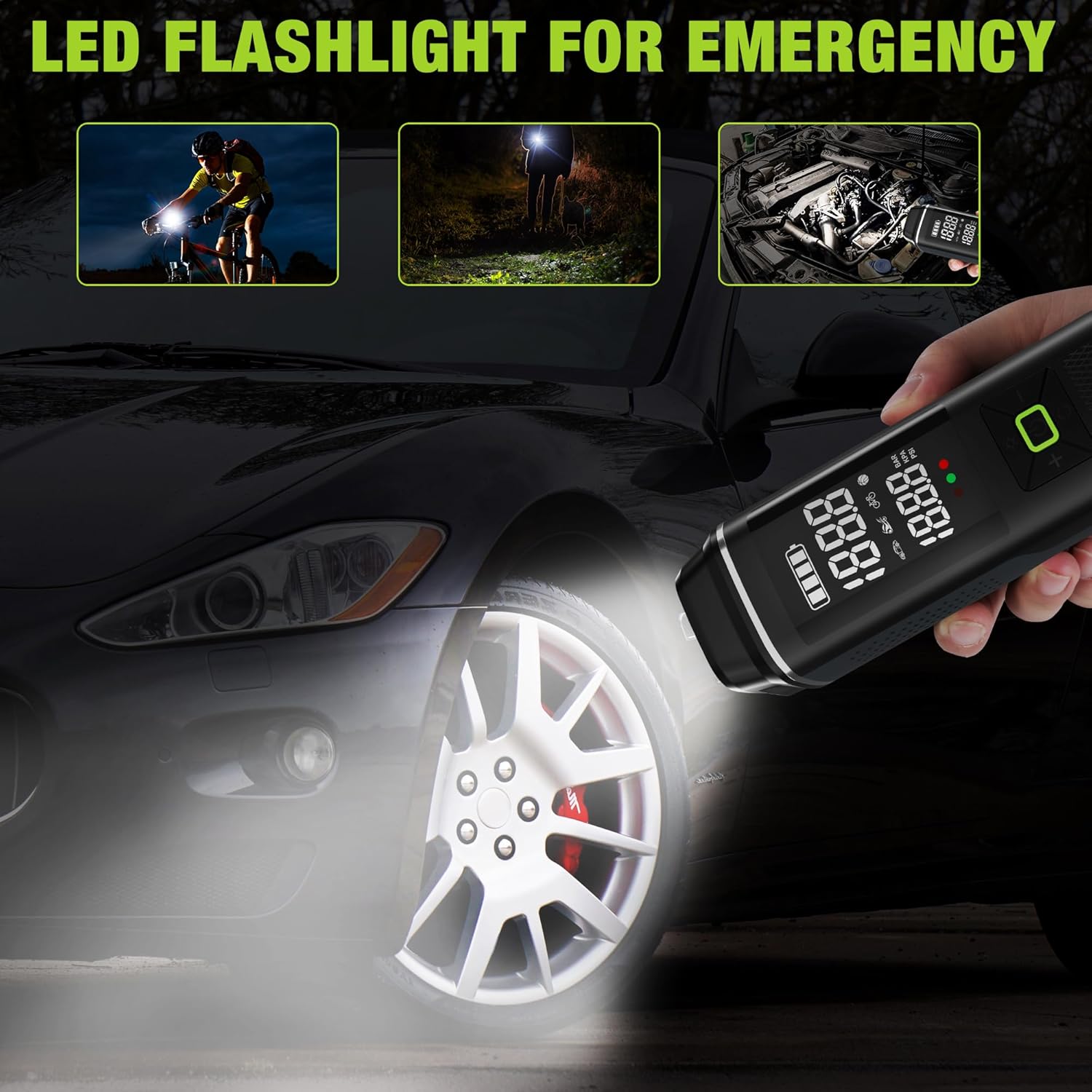
Image: The inflator's LED flashlight function demonstrated for night cycling, general illumination, and under-hood car inspection.
6.7 Portable Power Bank Function
The inflator can also serve as a power bank to charge electronic devices:
- Ensure the inflator is powered on.
- Connect your electronic device (e.g., smartphone) to the USB-A output port using a compatible charging cable (not included).
- 인플레이터가 기기 충전을 시작합니다.
- Disconnect your device when charging is complete or when the inflator's battery is low.

Image: The inflator being used to charge a smartphone via its USB output port, illustrating its portable power bank capability.
7. 유지관리
- 청소: 부드러운 천으로 장치를 닦으십시오. damp 천을 사용하십시오. 독한 화학 약품이나 연마성 세척제를 사용하지 마십시오. 청소하기 전에 기기의 전원이 꺼져 있고 전원 콘센트에서 분리되어 있는지 확인하십시오.
- 저장: 인플레이터와 부속품을 제공된 보관 가방에 넣어 직사광선과 극한의 온도를 피해 시원하고 건조한 곳에 보관하세요.
- 배터리 관리 : To prolong battery life, avoid fully discharging the battery frequently. Recharge the device periodically if not used for extended periods (e.g., every 3-6 months).
8. 문제 해결
| 문제 | 가능한 원인 | 해결책 |
|---|---|---|
| 인플레이터가 켜지지 않습니다. | 배터리가 부족합니다. | 장치를 완전히 충전하십시오. |
| Slow inflation or weak airflow. | Low battery; hose not securely connected; item too large for continuous inflation. | Ensure battery is fully charged. Check hose connections for leaks. For large items, inflate in stages, allowing the device to cool. |
| 사용 중에 기기가 과열됩니다. | 장시간 연속 작동. | Stop operation and allow the device to cool down for at least 10-15 minutes before resuming. Avoid continuous use for more than 5 minutes. |
| 연결 부위에서 공기가 새어 나옵니다. | Hose not tightened properly; worn adapter. | Ensure the inflation hose and adapters are screwed on very tightly. Replace worn adapters if necessary. |
| 압력 측정값이 정확하지 않습니다. | 접촉 불량; 센서 문제. | Ensure the connection to the tire valve is secure. If the issue persists, contact customer support. |
9. 사양
| 모델명 | 타이어 인플레이터 |
| 모델 번호 | W125218A |
| 상표 | 워크프로 |
| 권tage | 12 볼트 |
| 전원 | Corded Electric (for charging), Battery Powered (for operation) |
| 배터리 용량 | 3 x 2500mAh (총 7500mAh) |
| 최대 압력 | 150파운드 |
| 충전 시간 | 3-5시간 |
| Continuous Inflation Time | Over 30 minutes (on full charge) |
| 재료 | 플라스틱, 알루미늄 |
| 품목 무게 | 930g |
| 한국어: | 820909686958 |
10. 보증 및 지원
For warranty information, technical support, or service inquiries, please contact WORKPRO customer service. Refer to the product packaging or the official WORKPRO web연락처 정보 사이트.
보증 청구를 위해 구매 증명서를 보관하십시오.