
1. 서론
Thank you for choosing the ITOTIN Wireless Lavalier Microphone system. This compact and versatile microphone system (Model ITT-S16I) is designed for high-quality audio recording, live streaming, interviews, vlogging, and other content creation. It features intelligent noise reduction, a long working time, and a simple plug-and-play setup for seamless integration with compatible devices.
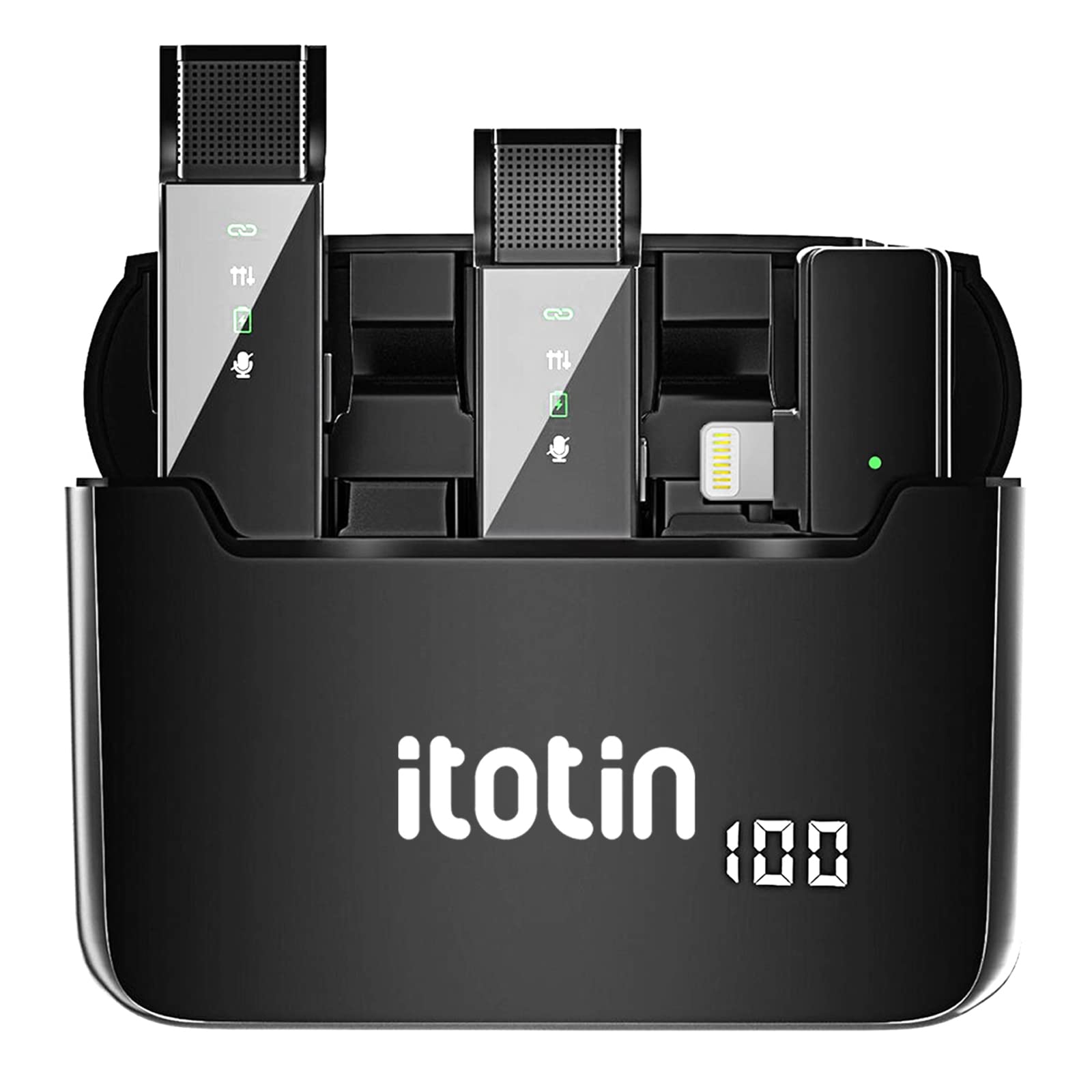
Figure 1: ITOTIN Wireless Lavalier Microphone System (ITT-S16I)
2. 패키지 내용
모든 구성품이 들어 있는지 확인하려면 상자를 풀 때 패키지 내용물을 확인하세요.
- 2 x Wireless Lavalier Microphone Transmitters (TX)
- 무선 수신기(RX) 1개
- 1 x 휴대용 충전 케이스
- 1 x 사용자 설명서
- 1 x 충전 케이블(USB)

그림 2: 패키지 내용view
3. 제품 특징
The ITOTIN Wireless Lavalier Microphone system offers several key features to enhance your audio recording experience:
- 지능형 소음 감소: Built-in DSP noise reduction chip for clear and clean voice capture.
- 배터리 수명 연장: 한 번 충전으로 최대 6시간 연속 녹화가 가능합니다.
- 플러그 앤 플레이 작동: No pairing or additional apps required for quick setup.
- 360° Sound Reception: Omnidirectional pickup pattern for comprehensive audio capture.
- 2.4G 무선 전송: 안정적이고 신뢰할 수 있는 무선 연결.
- 휴대용 충전 케이스 : Provides convenient storage and multiple recharges for on-the-go use.

그림 3: 주요 제품 기능

그림 4: 지능형 소음 감소 기능 작동 모습

Figure 5: 6 Hours Working Time
4. 설정 가이드
The ITOTIN Wireless Lavalier Microphone system is designed for quick and easy setup. Follow these steps to begin recording:
- 기기를 충전하세요: Ensure both the transmitters and the receiver are fully charged using the provided charging case and USB cable. The charging case itself should also be charged.
- 수신기를 연결하십시오: Plug the receiver into the charging port of your smartphone or compatible device. The receiver will automatically power on.
- 송신기 전원 켜기: Take the microphone transmitters out of the charging case. They will automatically power on and attempt to pair with the receiver. A green indicator light on both the transmitter and receiver will confirm a successful connection.
- 마이크를 연결하세요: Clip the lavalier microphone transmitter to your clothing, ensuring it is positioned close to your mouth for optimal sound capture.

Figure 6: Plug & Play Setup Steps
5. 사용 설명서
Once set up, operating the ITOTIN Wireless Lavalier Microphone is straightforward:
5.1 전원 켜기/끄기
- 송신기: Automatically power on when removed from the charging case. Press and hold the power button to manually turn off or on.
- 수화기: Automatically powers on when plugged into a device. Unplug to power off.
5.2 녹음
Open your preferred recording application (e.g., camera app, voice recorder, live streaming app) on your smartphone. The system will automatically be recognized as the audio input source. Begin recording as usual.
5.3 노이즈 감소
The intelligent noise reduction feature is active by default. For optimal performance, ensure the microphone is positioned correctly and avoid direct exposure to strong wind or excessive background noise.
5.4 사용 시나리오
This microphone system is suitable for various applications:
- 비디오 녹화
- 라이브 스트리밍
- 인터views
- 블로깅
- 온라인 코스
- 팟캐스트

Figure 7: Multi-scene Application Examp레
비디오 1: 끝view and demonstration of the ITOTIN Wireless Lavalier Microphone system, showing its components, setup, and use in various recording environments.
6. 유지관리
To ensure the longevity and optimal performance of your ITOTIN Wireless Lavalier Microphone, follow these maintenance guidelines:
- 청소: Use a soft, dry cloth to clean the microphone transmitters, receiver, and charging case. Avoid using liquid cleaners or abrasive materials.
- 저장: 먼지와 물리적 손상으로부터 보호하기 위해 사용하지 않을 때는 충전 케이스에 넣어 보관하십시오. 직사광선과 극한 온도 변화를 피해 서늘하고 건조한 곳에 보관하십시오.
- 충전 중: Regularly charge the devices, even if not in frequent use, to maintain battery health. Avoid overcharging or completely draining the battery for extended periods.
- 습기를 피하세요: 기기를 물이나 높은 습도에 노출시키지 마십시오. 내부 부품이 손상될 수 있습니다.
7. 문제 해결
If you encounter any issues with your ITOTIN Wireless Lavalier Microphone, refer to the following troubleshooting tips:
| 문제 | 가능한 원인 | 해결책 |
|---|---|---|
| 소리가 나지 않거나 볼륨이 작음 | Microphone not powered on; Receiver not properly connected; Device volume too low; Microphone too far from source. | Ensure transmitters are powered on (green light solid); Re-plug receiver firmly into device; Increase device volume; Position microphone closer to the sound source. |
| Intermittent connection or static | Interference from other wireless devices; Out of range; Low battery. | Move away from other 2.4GHz devices; Ensure transmitter and receiver are within effective range; Recharge transmitters and receiver. |
| 송신기가 충전되지 않습니다 | Improper placement in charging case; Charging case battery low; Faulty cable. | Ensure transmitters are correctly seated in the charging slots; Charge the charging case; Try a different USB charging cable. |
| Device not recognizing receiver | Receiver not fully inserted; Device compatibility issue. | Ensure receiver is fully inserted into the device's charging port; Verify your device is compatible with external USB audio input. |
8. 사양
Technical specifications for the ITOTIN Wireless Lavalier Microphone (Model ITT-S16I):
- 모델 번호: ITT-S16I
- 상표: 이토틴
- 연결 기술 : 2.4G Wireless, USB
- 커넥터 유형: USB (Lightning for iPhone/iPad models)
- 호환 장치: 스마트폰, 태블릿
- 마이크 폼 팩터: 라발리에
- 극성 패턴: 전방위
- 채널 수: 2
- 전원: 배터리 구동
- 신호 대 잡음비 : 70데시벨
- 품목 무게: 4.6 온스
- 패키지 크기: 5.79 x 3.15 x 1.26 인치
- 한국어: 651810106859
9. 보증 및 지원
ITOTIN products are manufactured to high-quality standards. For warranty information, please refer to the documentation included with your purchase or contact ITOTIN customer support.
If you require further assistance or have questions not covered in this manual, please contact our customer support team through the official ITOTIN website or your retailer's support channels. Please have your model number (ITT-S16I) and purchase details ready when contacting support.