
ASUS PRO WS W680-ACE IPMI
ASUS Pro WS W680-ACE IPMI 워크스테이션 마더보드 사용자 설명서
Model: PRO WS W680-ACE IPMI
소개
The ASUS Pro WS W680-ACE IPMI Workstation Motherboard is engineered for demanding professional applications such as AI training, deep learning, animation, 3D rendering, and media production. It offers robust features including expandable graphics, extensive storage options, advanced connectivity, and high reliability. This manual provides essential information for setting up, operating, maintaining, and troubleshooting your motherboard.
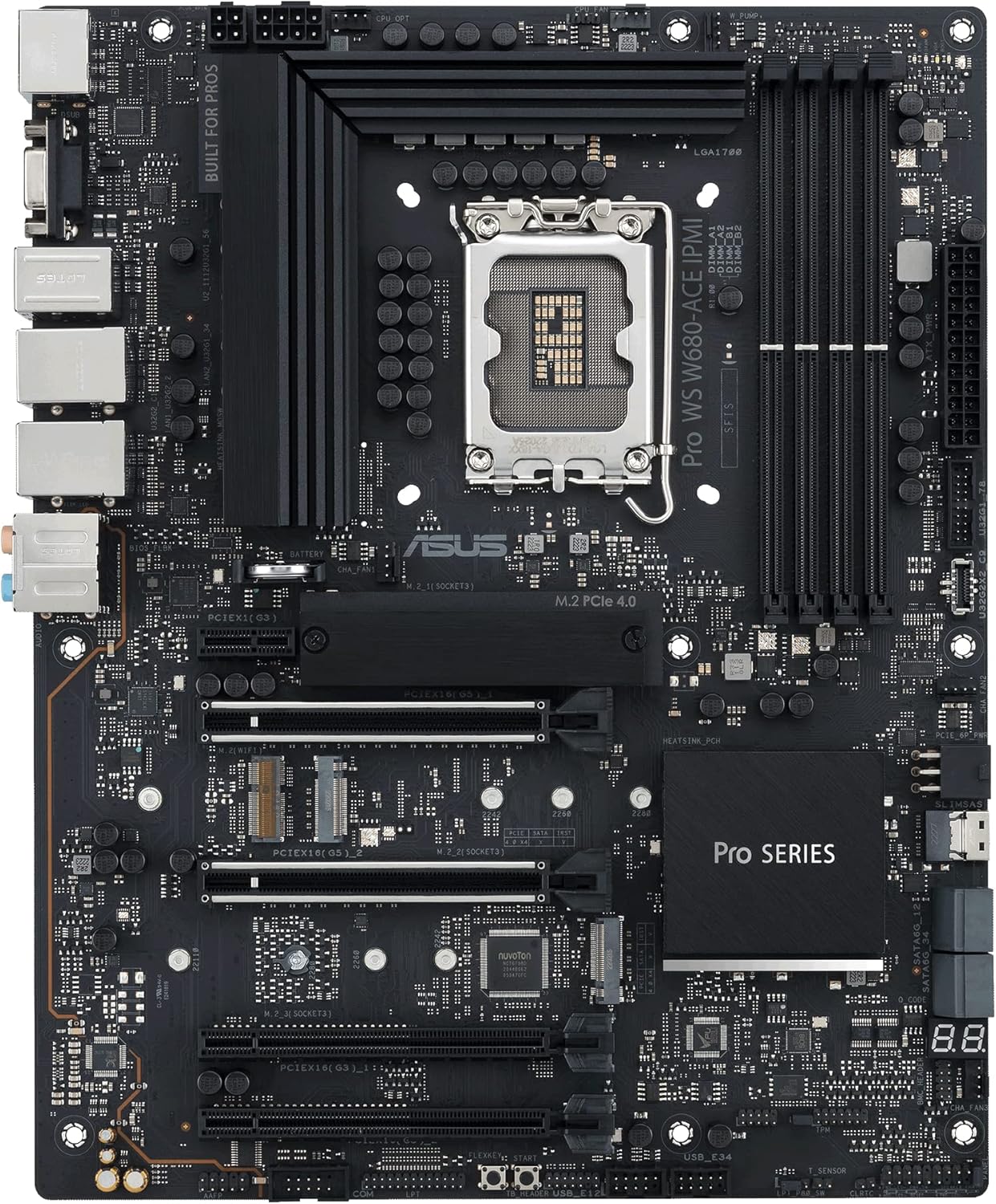
그림 1: 이상view of the ASUS Pro WS W680-ACE IPMI Workstation Motherboard, showcasin레이아웃과 주요 구성 요소를 살펴보세요.
설정 및 설치
Before beginning installation, ensure your workspace is clean and static-free. Always handle the motherboard by its edges and avoid touching components directly.
1. CPU 설치
This motherboard supports Intel LGA 1700 socket processors (13th Gen Intel Core, 12th Gen Intel Core, Pentium Gold, and Celeron Processors). Carefully align the CPU with the socket's triangle marker and gently place it into the socket. Close the load plate and secure the retention lever.
Figure 2: The LGA 1700 CPU socket, ready for processor installation.
2. 메모리(RAM) 설치
The motherboard features DDR5 memory slots and supports ECC memory. Open the clips on both ends of the DIMM slot. Align the memory module with the slot key and press firmly until the clips snap into place. For optimal performance, refer to the motherboard's manual for recommended memory configurations (e.g., dual-channel setup).

Figure 3: Illustration of the DDR5 memory slots, highlighting proper module insertion.
3. 저장 장치 설치
This motherboard includes 3 x M.2 PCIe 4.0 slots and SlimSAS for storage. For M.2 SSDs, insert the drive into the slot at an angle and secure it with the M.2 Q-Latch mechanism. For SATA drives, connect the SATA data cable to the motherboard's SATA ports and the power cable from your power supply.

Figure 4: M.2 slots for high-speed NVMe SSDs.
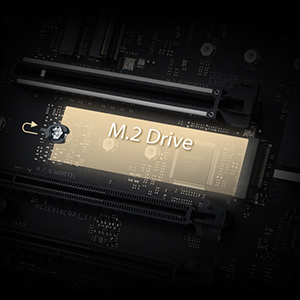
Figure 5: The innovative M.2 Q-Latch for tool-less SSD installation.
4. 확장 카드 설치
The motherboard features Dual PCIe 5.0 Safeslots and dual PCIe 3.0 slots. Insert your graphics card or other expansion cards firmly into the appropriate PCIe slot until it clicks into place. Secure the card with a screw to the chassis.
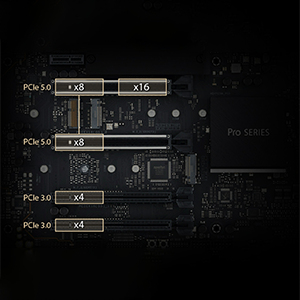
Figure 6: PCIe 5.0 and PCIe 3.0 slots for various expansion cards.
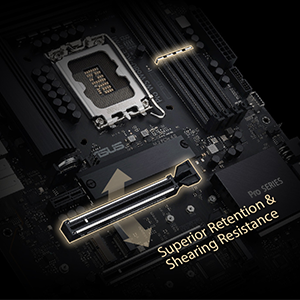
Figure 7: PCIe SafeSlot design for enhanced retention and shearing resistance.
5. 전원 연결
Connect the 24-pin ATX power connector and the 8-pin (or 4+4 pin) CPU power connector from your power supply to the corresponding ports on the motherboard. Ensure all connections are secure.
6. 전면 패널 및 후면 I/O 연결
Connect your chassis' front panel connectors (power button, reset button, USB ports, audio jacks) to the appropriate headers on the motherboard. Connect peripherals such as monitors, keyboards, and mice to the rear I/O panel ports.
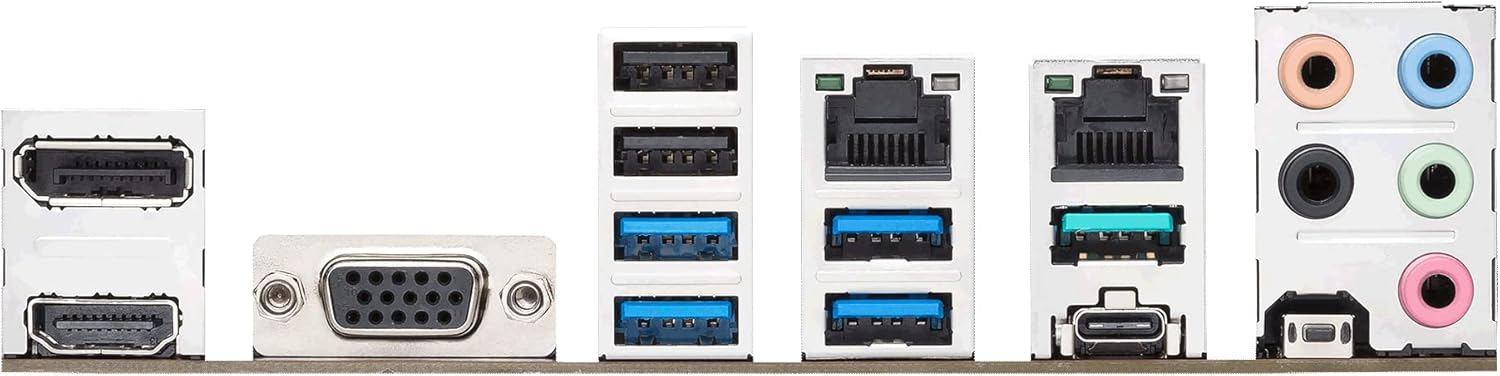
Figure 8: The rear I/O panel featuring various connectivity options including USB, LAN, and audio ports.

Figure 9: Dual Intel 2.5Gb Ethernet ports for high-speed network connectivity.
작동 지침
1. 초기 부팅 및 BIOS/UEFI 설정
처음 부팅 시, 다음을 누르십시오. 델 or F2 key during the POST (Power-On Self-Test) to enter the BIOS/UEFI setup utility. Here you can configure boot order, system time, and various hardware settings. Save changes and exit to continue booting into your operating system installer.
2. IPMI/BMC Functionality
The ASUS Pro WS W680-ACE IPMI motherboard includes an Integrated Platform Management Interface (IPMI) for remote management. This allows for out-of-band control, monitoring, and troubleshooting of the system, even when the main operating system is not running. Connect the dedicated IPMI LAN port to your network. Access the IPMI web 인터페이스를 통해 web browser using the assigned IP address. Default login credentials are typically provided in a separate IPMI manual or on a sticker on the IPMI card.
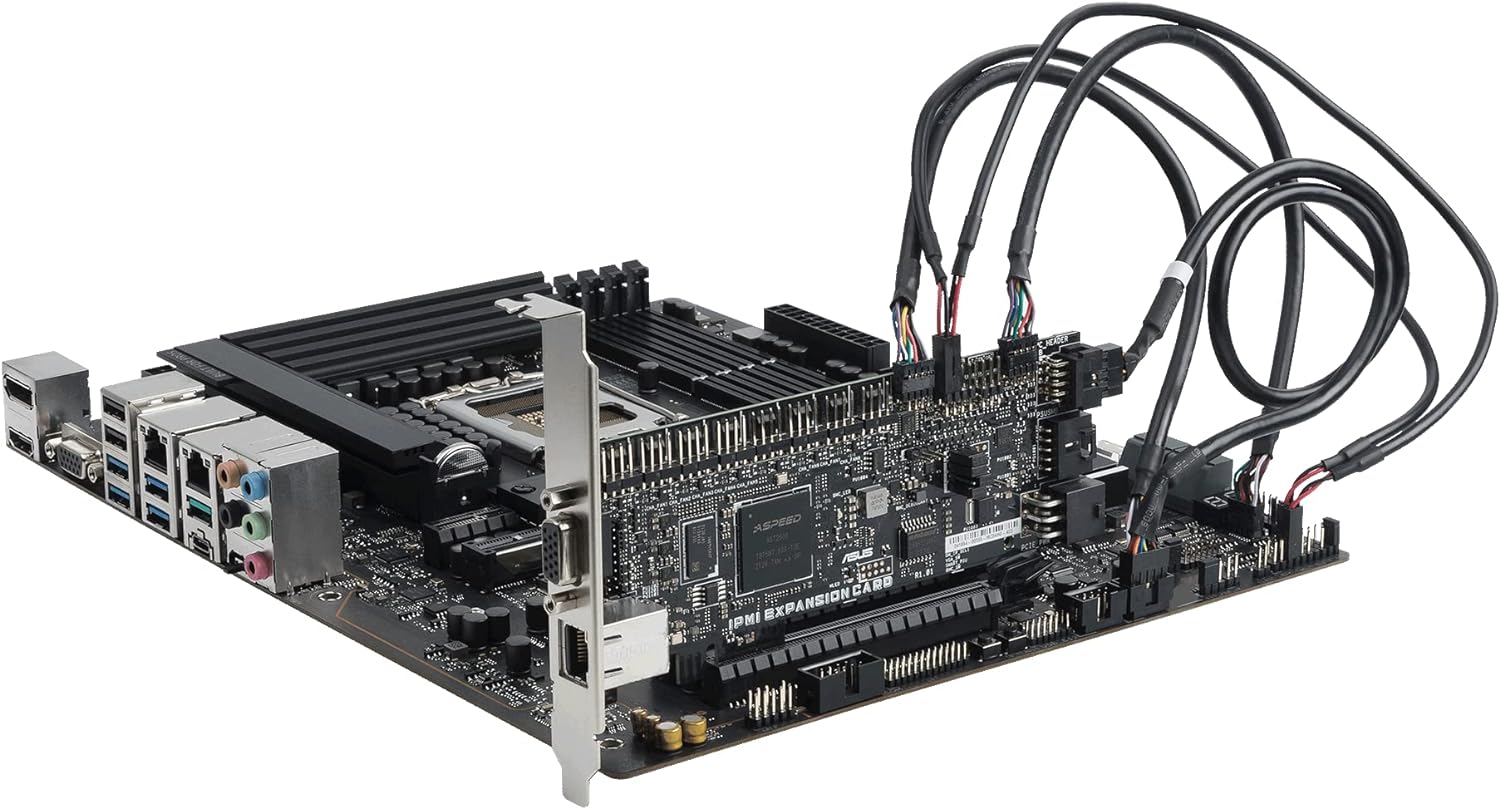
Figure 10: The motherboard with the IPMI expansion card, enabling advanced remote management capabilities.
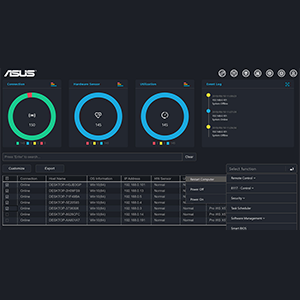
그림 11: example of a remote management interface, providing system monitoring and control.
For advanced security management, the motherboard supports features like USB port management, software blacklisting, and Regedit on/off controls via ASUS Control Center Express.
3. 드라이버 설치
운영 체제를 설치한 후 ASUS 지원 웹사이트에서 필요한 드라이버를 설치하십시오. website or the included driver DVD/USB drive. This includes chipset drivers, LAN drivers, audio drivers, and any other specific drivers for integrated components.
유지
1. 청소
Regularly clean your system to prevent dust buildup, which can lead to overheating and component failure. Use compressed air to remove dust from heatsinks, fans, and other components. Ensure the system is powered off and unplugged before cleaning.
2. BIOS 업데이트
정기적으로 ASUS 지원을 확인하세요 website for BIOS updates. BIOS updates can improve system stability, compatibility, and performance. Follow the instructions provided by ASUS carefully when performing a BIOS update. Note that some updates may require updating Intel ME firmware prior to the BIOS update, which might necessitate a Windows operating system environment.
3. 드라이버 업데이트
Keep your system drivers updated to ensure optimal performance and compatibility with new software and hardware. Drivers can be downloaded from the official ASUS support web대지.
문제 해결
일반적인 문제 및 솔루션
- 시스템 부팅 실패:
- Check all power connections (24-pin ATX, 8-pin CPU, PCIe power for graphics card).
- RAM 모듈을 다시 장착하십시오. RAM 모듈 하나만 설치한 상태로 부팅을 시도해 보십시오.
- Reseat the CPU. Inspect the CPU socket for any bent pins.
- Clear CMOS (Complementary Metal-Oxide-Semiconductor) settings by removing the CMOS battery for a few minutes or using the clear CMOS jumper.
- 디스플레이 출력 없음:
- Ensure the monitor is connected to the correct display output (integrated graphics or discrete graphics card).
- 그래픽 카드가 PCIe 슬롯에 제대로 장착되어 있고 전원이 충분히 공급되고 있는지 확인하십시오.
- 다른 모니터나 디스플레이 케이블을 사용하여 테스트해 보세요.
- IPMI/BMC Connectivity Issues:
- Ensure the dedicated IPMI LAN port is connected to the network.
- Verify network settings (IP address, subnet mask, gateway) for the IPMI interface.
- Check if the IPMI functionality is enabled in the BIOS.
- If using Linux, ensure no monitor is plugged into the server when attempting remote control via BMC, as it may interfere with primary display output.
- SlimSAS Port Not Working:
- Ensure the SlimSAS cable is correctly connected. Note that the SlimSAS-SAS port may not support SAS disks directly and might require a SAS controller card in a PCIe slot. SlimSAS to SATA connections should work.
- Check BIOS settings for options related to SlimSAS enablement, as it might not be under standard storage settings.
- Driver Related Problems:
- Reinstall drivers from the official ASUS web대지.
- Use Device Manager (Windows) or equivalent tools (Linux) to check for unrecognized devices or driver conflicts.
If you encounter persistent issues, refer to the comprehensive user manual available on the ASUS support web해당 웹사이트를 방문하거나 ASUS 고객 지원팀에 문의하십시오.
명세서
| 특징 | 세부 사항 |
|---|---|
| 상표 | 아수스 |
| 모델명 | PRO WS W680-ACE IPMI |
| CPU 소켓 | LGA 1700 |
| 호환 프로세서 | Intel Celeron, Intel Pentium Gold, 12th/13th Gen Intel Core |
| RAM 메모리 기술 | DIMM (DDR5, ECC support) |
| 메모리 클럭 속도 | 4400MHz |
| 칩셋 유형 | 인텔 W680 |
| PCIe 슬롯 | Dual PCIe 5.0 Safeslots, Dual PCIe 3.0 slots |
| M.2 슬롯 | 3 x M.2 PCIe 4.0 |
| 랜 | 듀얼 인텔 2.5Gb 이더넷 |
| USB 포트 | Front panel USB 3.2 Gen2x2 Type-C, multiple USB 2.0/3.0 ports |
| 치수(길이x너비x높이) | 8.9 x 2.36 x 7.17 인치 |
| 품목 무게 | 4.19파운드 |
| 색상 | 검은색 |
보증 및 지원
ASUS provides warranty coverage for its products. For detailed warranty terms and conditions, please refer to the warranty card included with your product or visit the official ASUS support web사이트. 구매도 고려해 보세요.asing extended protection plans, such as the 4-Year Protection Plan or Complete Protect, available through authorized retailers.
For technical assistance, driver downloads, BIOS updates, and further documentation, please visit the official ASUS support website. When contacting support, have your product model number (PRO WS W680-ACE IPMI) and serial number ready.
ASUS 지원 Web대지: https://www.asus.com/support/
Ask a question about this manual
Ask about setup, troubleshooting, compatibility, parts, safety, or missing instructions. Manuals+ will review the question and use this page’s manual context to help answer it.