
1. 서론
구매해주셔서 감사합니다asing the SODLK T300 120W Portable Bluetooth Speaker. This manual provides essential information for setting up, operating, and maintaining your speaker. Please read it thoroughly before use to ensure optimal performance and longevity of your device. Keep this manual for future reference.
2. 안전 정보
- 스피커를 극한의 온도, 직사광선 또는 높은 습도에 노출시키지 마세요.
- 스피커를 떨어뜨리거나 강한 충격을 주지 마십시오.
- 스피커를 직접 분해, 수리 또는 개조하지 마십시오. 수리가 필요할 경우 자격을 갖춘 서비스 담당자에게 문의하십시오.
- 스피커를 물이나 기타 액체에 가까이 두지 마십시오. 본 제품은 방수가 되지 않습니다.
- 충전에는 제공된 USB 케이블만 사용하세요.
- 청력 손상을 방지하기 위해 스피커를 장시간 지나치게 큰 소리로 작동시키지 마십시오.
3. 패키지 내용
다음 품목이 패키지에 포함되어 있는지 확인하세요.
- SODLK T300 블루투스 스피커
- USB 충전 케이블
- 사용자 설명서
4. 제품 오버view
The SODLK T300 is a powerful portable Bluetooth speaker designed for robust audio performance. It features a durable exterior, integrated handle, and dynamic LED lighting on the sides. The speaker incorporates advanced audio technology for a rich sound experience.

이미지: 앞면 view of the SODLK T300 Portable Bluetooth Speaker, showcasing its black finish, front grille, and side LED lights.
Internally, the T300 is equipped with a sophisticated driver system to deliver its 120W output. This includes multiple dynamic driver units and vibrating diaphragms for enhanced bass and clear audio reproduction.

이미지: 폭발된 view illustrating the internal components of the SODLK T300 speaker, highlighting the 4 dynamic driver units and DSP sound processing.
5. 설정
5.1 스피커 충전
Before first use, fully charge the speaker. Connect the provided USB charging cable to the speaker's charging port and a compatible USB power adapter (not included). The LED indicator will show charging status and turn off or change color when fully charged.
5.2 전원 켜기/끄기
- 전원을 켜려면: Press and hold the Power button for a few seconds until the LED lights illuminate and you hear an audible prompt.
- 전원을 끄려면: LED 표시등이 꺼지고 안내음이 들릴 때까지 전원 버튼을 몇 초간 다시 길게 누르세요.
6. 사용 설명서
6.1 블루투스 페어링
The SODLK T300 features Bluetooth 5.1 for a stable and efficient wireless connection.

Image: Graphic illustrating the benefits of Bluetooth 5.1 connectivity for the SODLK T300, including faster and stronger connection, lower power consumption, better sound, more stable transfer, and higher noise reduction.
- Ensure the speaker is powered on and in Bluetooth pairing mode (the LED indicator will typically flash blue).
- 기기(스마트폰, 태블릿, 컴퓨터)에서 Bluetooth를 활성화하고 사용 가능한 기기를 검색하세요.
- Select "SODLK T300" from the list of devices.
- Once paired, the speaker will indicate a successful connection, and the LED light will change.
6.2 TWS(True Wireless Stereo) 연결
To connect two SODLK T300 speakers for a stereo sound experience:
- 두 스피커 모두 전원이 켜져 있고 Bluetooth 장치에 연결되어 있지 않은지 확인하세요.
- On one speaker, press the TWS button. It will enter TWS pairing mode.
- 두 스피커는 자동으로 서로 연결됩니다. 연결되면 한 스피커는 마스터(왼쪽 채널) 역할을 하고 다른 스피커는 슬레이브(오른쪽 채널) 역할을 합니다.
- 6.1절에 설명된 대로 블루투스를 통해 기기를 마스터 스피커에 연결하세요.
6.3 Playing Music from Various Sources
The SODLK T300 supports multiple playback modes:
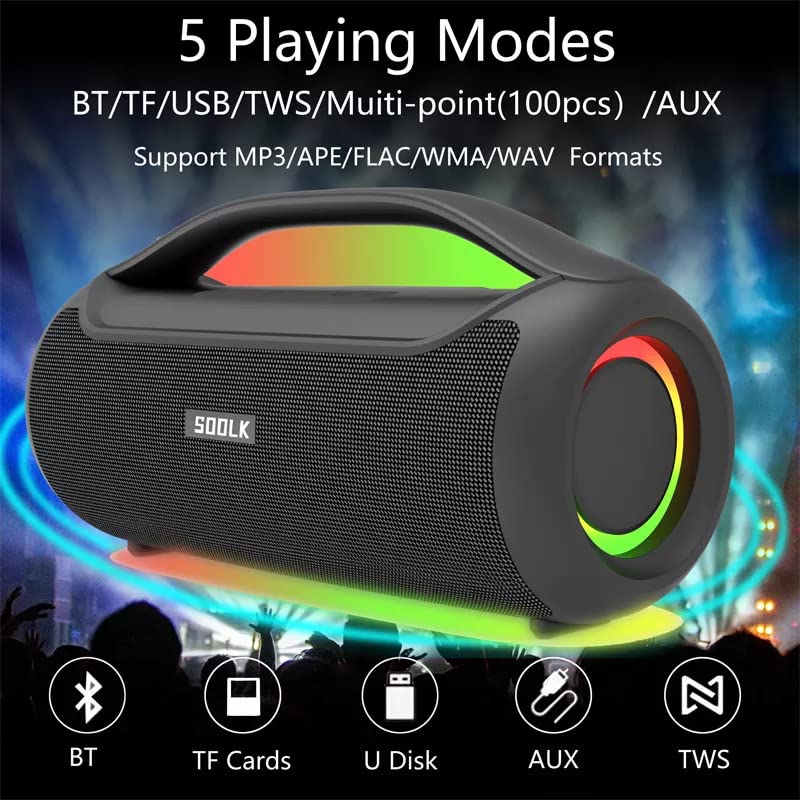
Image: Visual representation of the 5 playing modes supported by the SODLK T300: Bluetooth (BT), TF Cards, U Disk (USB), AUX, and TWS. It also indicates support for MP3/APE/FLAC/WMA/WAV formats.
- 블루투스: Connect your device wirelessly as described in section 6.1.
- TF 카드: 오디오가 있는 TF(MicroSD) 카드를 삽입하세요 fileTF 카드 슬롯에 s를 삽입하세요. 스피커가 자동으로 TF 카드 모드로 전환되어 재생을 시작합니다.
- USB 디스크 : 오디오가 있는 USB 플래시 드라이브 삽입 fileUSB 포트에 꽂으세요. 스피커가 자동으로 USB 모드로 전환되어 재생을 시작합니다.
- 보조 입력: Connect an external audio device using a 3.5mm AUX cable (not included) to the AUX port. The speaker will switch to AUX mode.
Use the speaker's control buttons to play/pause, skip tracks, and adjust volume.
6.4 EQ Playing Modes
The speaker offers three equalizer (EQ) modes to optimize your listening experience for different music genres.

Image: Graphic displaying the three EQ playing modes of the SODLK T300: HIFI 6D Surround, Vocal, and Deep Bass, with illustrative icons for each.
Press the EQ button to cycle through the following modes:
- HIFI 6D Surround: Provides an immersive, wide soundstage.
- 보컬: Enhances clarity for vocals, ideal for podcasts or acoustic music.
- 깊은 저음: Boosts low frequencies for a more impactful bass response.
6.5 LED 조명 제어
The SODLK T300 features dynamic LED lights. Press the Light button to cycle through different lighting modes or to turn the lights off.
6.6 NFC Connection (Near Field Communication)
For compatible devices, NFC allows for quick and easy Bluetooth pairing.
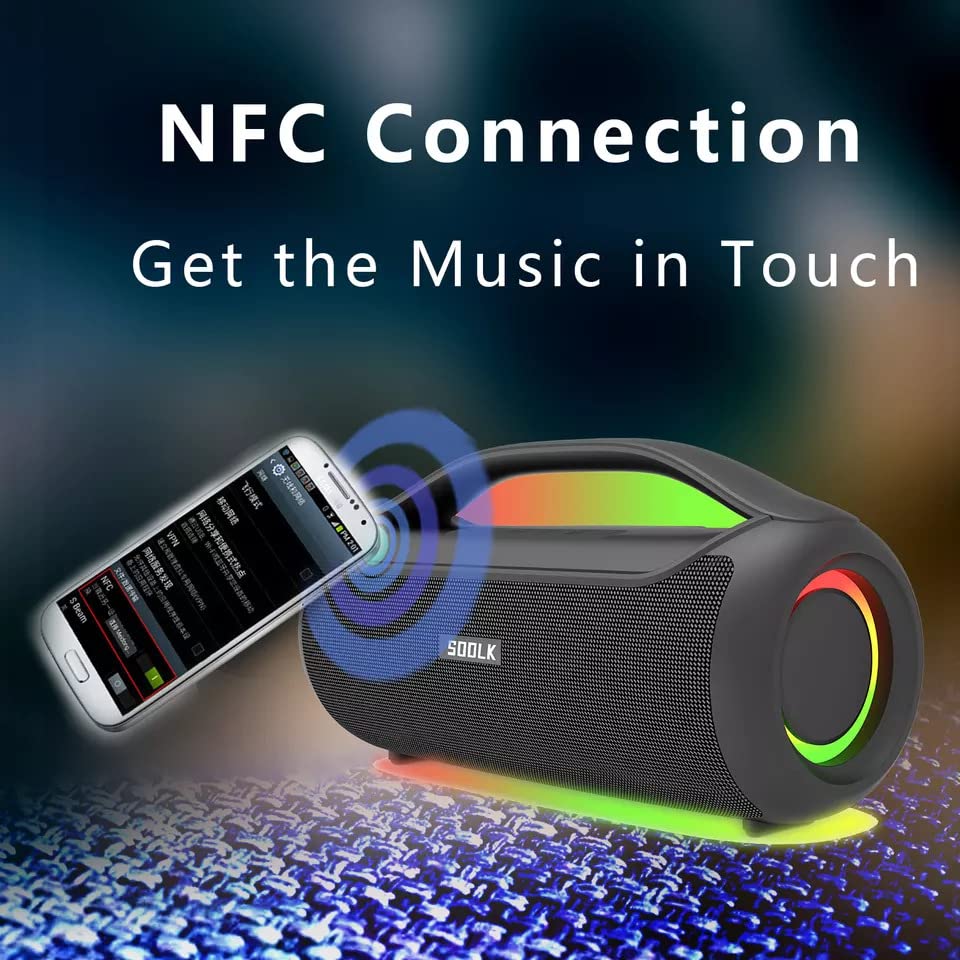
Image: A smartphone being tapped against the SODLK T300 speaker, illustrating the NFC connection process for instant music pairing.
- 스마트폰 또는 기기에서 NFC 기능이 활성화되어 있는지 확인하십시오.
- Tap your NFC-enabled device gently against the NFC area on the speaker.
- Your device will prompt you to connect via Bluetooth. Confirm the connection.
7. 유지관리
7.1 청소
부드럽고 마른 천으로 스피커를 닦으세요. 연마성 세제, 알코올 또는 기타 화학 용제는 표면을 손상시킬 수 있으므로 사용하지 마세요.
7.2 보관
장시간 사용하지 않을 경우, 직사광선과 극한의 온도를 피해 서늘하고 건조한 곳에 보관하세요. 배터리 성능 유지를 위해 최소 3개월에 한 번씩 충전하는 것이 좋습니다.
8. 문제 해결
| 문제 | 가능한 원인 | 해결책 |
|---|---|---|
| 스피커의 전원이 켜지지 않습니다. | 배터리가 부족합니다. | 스피커를 완전히 충전하세요. |
| 소리가 나지 않습니다. | Volume too low; incorrect input mode; device not paired. | Increase volume; switch to correct input mode (BT, AUX, TF, USB); re-pair Bluetooth device. |
| 블루투스 페어링에 실패했습니다. | 스피커가 페어링 모드가 아닙니다. 기기의 Bluetooth가 꺼져 있습니다. 스피커와의 거리가 너무 멀습니다. | Ensure speaker is in pairing mode; enable Bluetooth on device; move device closer to speaker. |
| TWS 연결이 실패합니다. | 스피커가 이미 다른 장치에 연결되어 있고, 너무 멀리 떨어져 있습니다. | Disconnect speakers from other devices; ensure speakers are close to each other. |
9. 사양
Detailed technical specifications for the SODLK T300 speaker:
| 특징 | 사양 |
|---|---|
| 모델명 | T300 |
| 스피커 유형 | 휴대용 스피커 |
| 특징 | Subwoofer, LED Light, TWS Connection |
| 연결 기술 | Bluetooth 5.1, Auxiliary, TF Card, USB |
| 무선 통신 | 블루투스 |
| 스피커 최대 출력 전력 | 120 와트 |
| 오디오 출력 모드 | 스테레오 재생 |
| 서라운드 사운드 채널 구성 | 6D |
| 전원 | 배터리 구동 |
| 제어 방법 | 터치 버튼 |
| 제품 치수 | 11.2D x 29.2W x 10.1H 센티미터 |
| 방수 | 아니요 |
| 포함된 구성 요소 | USB Cable, Speaker, User Manual |
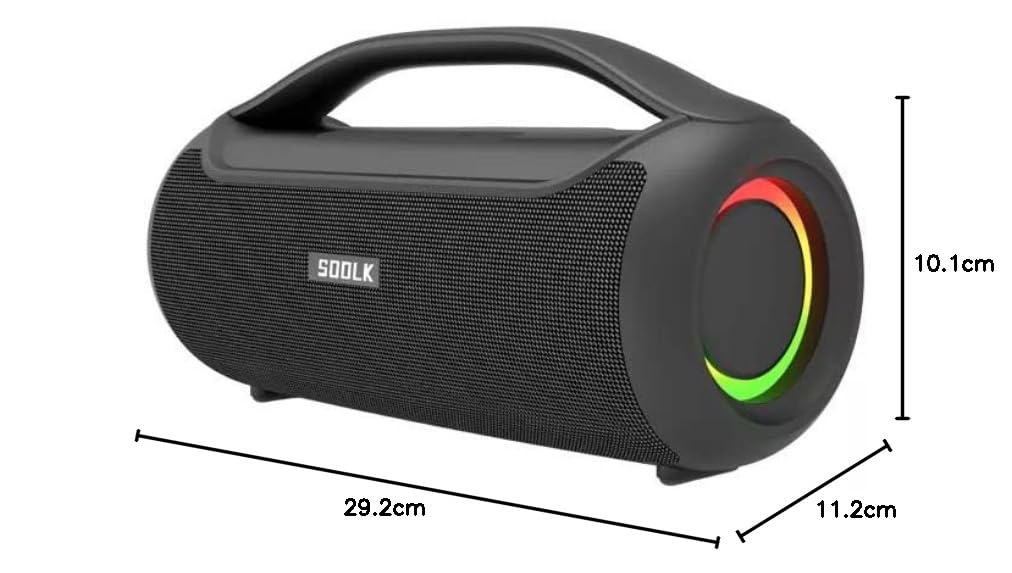
Image: Diagram showing the dimensions of the SODLK T300 speaker: 29.2cm (width), 11.2cm (depth), and 10.1cm (height).
10. 보증 및 지원
The SODLK T300 speaker comes with a 1년 보증 구매일로부터 적용됩니다. 본 보증은 정상적인 사용 조건에서 발생하는 제조상의 결함 및 불량에 적용됩니다. 단, 오용, 사고, 무단 개조 또는 정상적인 마모로 인한 손상은 보증 대상에서 제외됩니다.
For warranty claims, technical support, or any inquiries, please contact your retailer or the SODLK customer service department with your purchase details.