
제품 끝view
The DEPOW Black Surge Protector Power Strip (Model: QT560-CU) is designed to provide power and protection for multiple electronic devices. It features 5 grounded AC outlets and 4 USB ports (2 USB-A, 2 USB-C) to charge up to 9 devices simultaneously. The ultra-thin flat plug and 5-foot extension cord offer flexible placement options, while its 1700 Joules surge protection safeguards your electronics from power fluctuations.
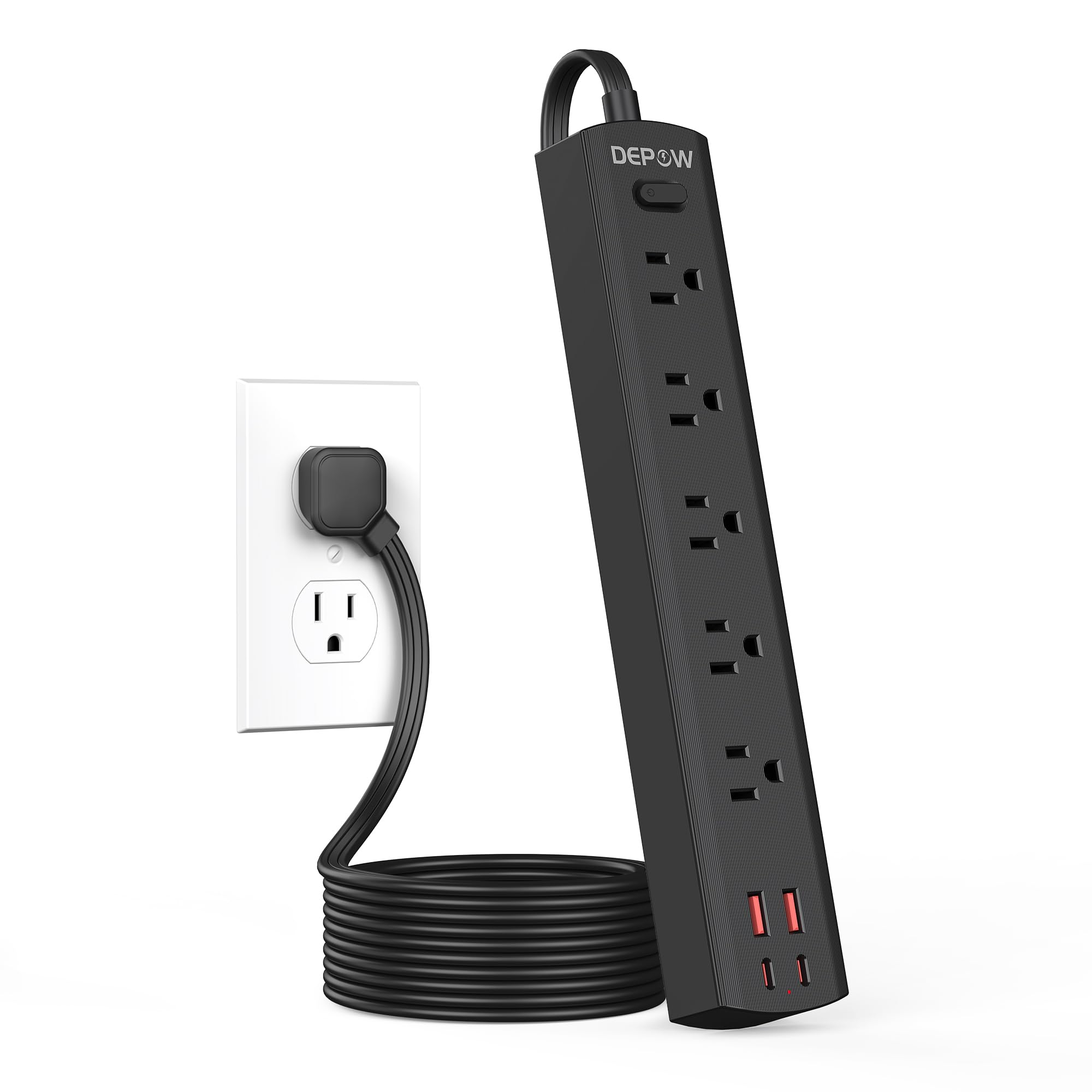
Image: The DEPOW Black Surge Protector Power Strip, showcasing its 5 AC outlets and 4 USB ports (2 USB-A, 2 USB-C) on a flat surface.
주요 특징:
- 9가지 기능을 하나로! 전력 솔루션 5 AC outlets and 4 USB ports (2 USB-A, 2 USB-C) for simultaneous charging.
- 고급 서지 보호: 1700 Joules rating protects devices from power surges and spikes.
- 공간 절약형 디자인: Ultra-thin flat plug (0.33-inch profile) with a 45° right-angle design allows placement behind furniture without blocking other outlets.
- 유연한 배치: 5-foot flat extension cord and wall-mountable design with 2 mounting holes.
- 스마트 USB 충전: USB ports deliver optimized charging (Max 3.4A/17W Shared) for smartphones, tablets, and other USB-powered devices.
- 포괄적인 안전: Features overload, short-circuit, grounded, USB over-voltage, USB over-current, USB over-heat, and flame retardant protection.
설치 지침
Follow these steps to set up your DEPOW Surge Protector Power Strip:
1. 포장 풀기 및 검사:
- 전원 스트립을 포장에서 조심스럽게 꺼내세요.
- 장치에 손상 흔적이 있는지 검사하세요. 손상된 경우 사용하지 마세요.
- Ensure all components are present: power strip, mounting screws (if applicable).

Image: The underside of the DEPOW power strip, highlighting the two mounting holes and product dimensions (10.83in length, 1.97in width).
2. 위치 선정:
- Select a dry indoor location away from water sources and heat.
- Consider using the wall-mount feature for a tidy setup, especially in offices or behind furniture.
3. 전원 연결:
- Plug the power strip's flat plug into a standard 125V AC wall outlet. The 45° right-angle design ensures it doesn't block adjacent outlets.
- 스트립의 전원 표시등에 불이 들어오면 전원이 공급되고 있음을 확인시켜 줍니다.

Image: A visual comparison demonstrating how the ultra-thin flat plug (0.33 inches) of the DEPOW power strip fits flush against a wall, unlike a thicker standard plug (2.04 inches).
4. 벽걸이 설치 (선택 사항):
- Identify the two mounting holes on the back of the power strip.
- Mark the desired screw locations on the wall, ensuring they align with the mounting holes.
- Drill pilot holes if necessary and insert the provided screws, leaving them slightly protruding.
- Align the power strip's mounting holes with the screws and slide the strip down to secure it.
작동 지침
This section details how to use your DEPOW Surge Protector Power Strip effectively.
1. 전원 켜기/끄기:
- The power strip features an On/Off switch. Press the switch to toggle power to all connected devices.
- The switch also acts as an overload protection reset button. If the strip experiences an overload (exceeding 1625W), it will automatically shut off. Press the switch to reset after reducing the load.
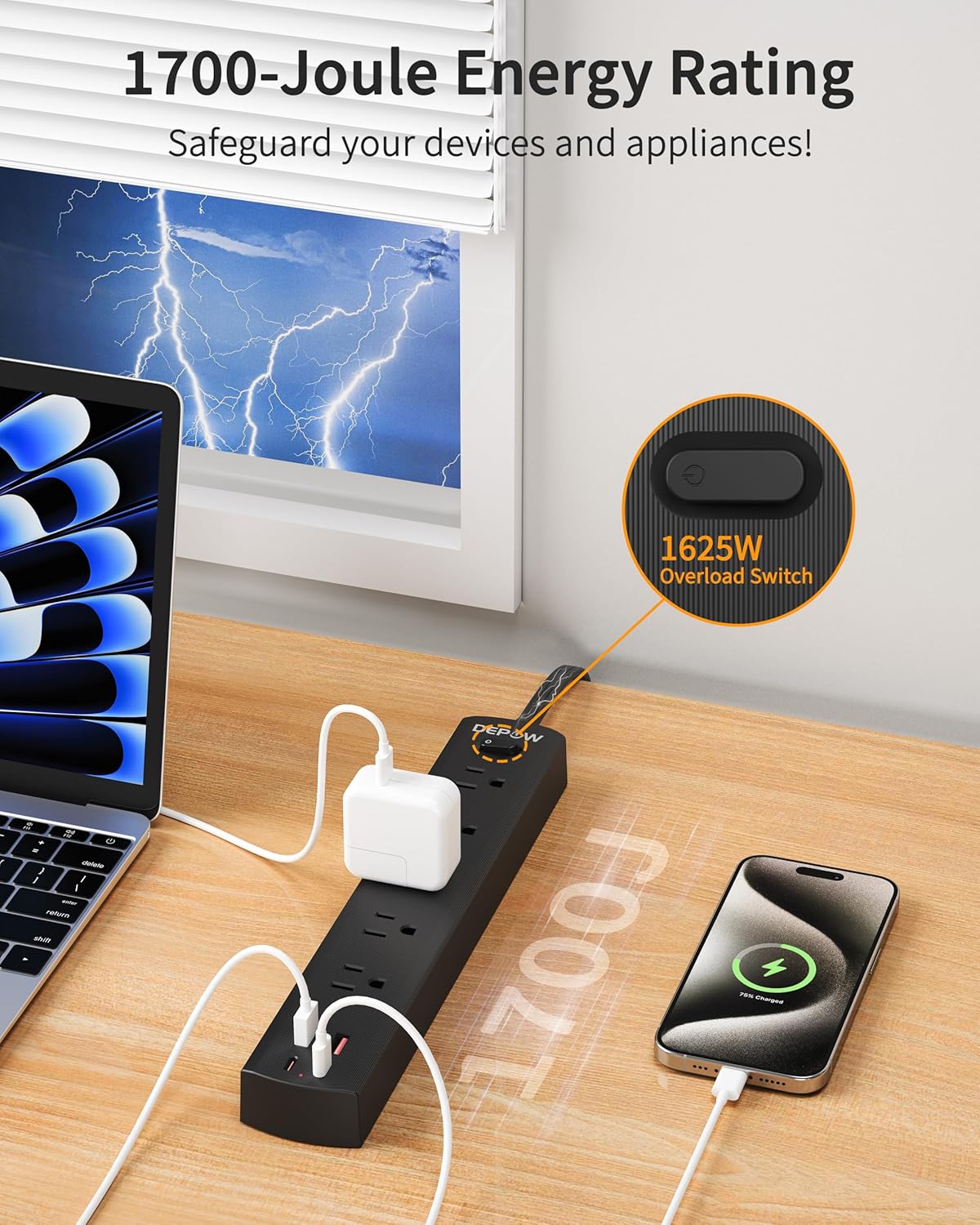
Image: The DEPOW power strip in use, highlighting the 1625W overload switch and indicating 1700 Joules of surge protection.
2. Connecting AC Devices:
- Plug your AC-powered devices into any of the 5 grounded AC outlets.
- The widely spaced outlets accommodate larger power adapters without blocking adjacent ports.
- Ensure the total power consumption of all connected AC devices does not exceed 1625W (13A at 125V).

Image: The DEPOW power strip on a desk, with various devices like laptops, phones, and chargers plugged into its AC and USB ports, demonstrating its multi-device charging capability.
3. Using USB Charging Ports:
- Connect your USB-powered devices (smartphones, tablets, smartwatches, etc.) to the 2 USB-A or 2 USB-C ports.
- The USB ports provide optimized charging with a maximum shared output of 3.4A/17W.

Image: A close-up of the DEPOW power strip's USB ports, illustrating the charging capabilities for USB-A (12W Max) and USB-C (15W Max) with a total shared output of 17W.
4. Video Demonstration:
Video: An official DEPOW video demonstrating the features and usage of the power strip, including its multiple outlets and USB ports. Note: This video title mentions "10 Ft" but the product is "5 Ft". The video content is generally applicable to the product's features.
유지
적절한 유지 관리는 멀티탭의 수명 연장과 안전한 작동을 보장합니다.
- 청소: 청소하기 전에 벽면 콘센트에서 멀티탭을 분리하세요. 마른 부드러운 천으로 표면을 닦으세요. 액체 세제나 에어로졸은 사용하지 마세요.
- 저장: 장기간 사용하지 않을 경우 멀티탭을 서늘하고 건조한 곳에 보관하십시오.
- 정기 검사: Periodically check the power cord and the unit for any signs of damage, such as frayed wires, cracks, or loose connections. If any damage is found, discontinue use immediately.
- 과부하를 피하세요: 항상 총 와트를 확인하십시오tage of connected devices does not exceed the maximum rating of 1625W to prevent tripping the overload protection.
문제 해결
If you encounter issues with your DEPOW Surge Protector Power Strip, refer to the following common problems and solutions:
| 문제 | 가능한 원인 | 해결책 |
|---|---|---|
| 장치에 전원이 공급되지 않습니다. |
|
|
| USB를 통해 충전되지 않는 기기. |
|
|
| 전원 스트립이 따뜻해요. |
|
|
기술 사양
| 특징 | 세부 사항 |
|---|---|
| 모델 번호 | QT560-CU |
| AC 콘센트 | 5개의 접지된 콘센트 |
| USB 포트 | 2개의 USB-A, 2개의 USB-C |
| USB 출력 | Max 3.4A/17W Shared |
| AC 입력/출력 | 125V~, 60Hz, 13A, 1625W Max |
| 서지 보호 | 1700 줄 |
| 코드 길이 | 5 Feet (Flat Plug) |
| 치수(길이 x 너비 x 높이) | 10.83 x 1.97 x 0.1 인치 |
| 품목 무게 | 10.8 온스 |
| 안전 기능 | Overload, Short-circuit, Grounded, USB Over-voltage, USB Over-current, USB Over-heat, Flame Retardant Protection |
보증 및 지원
보증 정보:
DEPOW products are designed for reliability and performance. This product comes with a standard manufacturer's warranty. Please refer to the product packaging or the official DEPOW web구체적인 보증 약관은 해당 사이트에서 확인하세요.
고객 지원:
For technical assistance, troubleshooting, or warranty claims, please contact DEPOW customer support through the following channels:
- 온라인: Visit the official DEPOW webFAQ 및 지원 리소스를 위한 사이트입니다.
- 이메일: 제품 포장에 있는 고객 서비스 이메일 주소를 참조하십시오.
- 핸드폰: Contact details may be available on the DEPOW web사이트 또는 제품 설명서.
Please have your model number (QT560-CU) and purchase information ready when contacting support.


