
1. 서론
Thank you for choosing the Romoss PSP10 10000mAh Power Bank. This device is designed to provide portable power for your electronic devices, ensuring you stay connected on the go. Please read this manual carefully before using the product to ensure safe and optimal performance.
2. 패키지 내용
- Romoss PSP10 10000mAh Power Bank
- USB 충전 케이블
- 사용자 설명서
3. 제품 오버view
The Romoss PSP10 features a compact design with multiple ports for versatile charging. It includes LED indicators to display the remaining battery level.
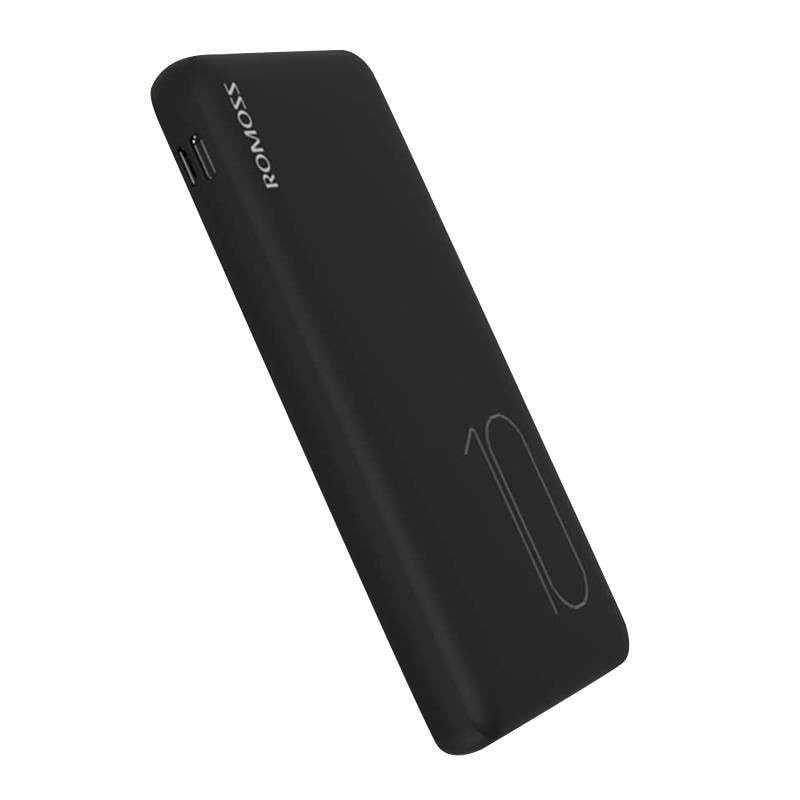
Image: Romoss PSP10 10000mAh Power Bank. This image displays the power bank's front and side profiles, highlighting its sleek black finish and the placement of its charging ports and LED indicators.
3.1. 포트 및 표시기
- 입력 포트 : Typically Micro USB and/or USB-C for charging the power bank itself.
- 출력 포트: USB-A ports for charging external devices.
- LED 표시등: Usually 4 LED lights to show the approximate remaining battery capacity (e.g., 25%, 50%, 75%, 100%).
4. 설정
4.1. 첫 번째 사용
Before using your Romoss PSP10 Power Bank for the first time, it is recommended to fully charge it. This ensures optimal battery performance and longevity.
4.2. 파워뱅크 충전하기
- Connect the provided USB charging cable to the power bank's input port (Micro USB or USB-C).
- USB 케이블의 다른 쪽 끝을 USB 벽면 충전기(별도 구매) 또는 컴퓨터의 USB 포트에 연결하십시오.
- The LED indicators will light up and flash to show the charging status. When all LEDs are solid, the power bank is fully charged.
5. 운영
5.1. 외부 장치 충전
- Connect your device's charging cable to one of the power bank's USB-A output ports.
- 케이블의 다른 쪽 끝을 장치에 연결합니다.
- 보조 배터리가 자동으로 기기 충전을 시작합니다. LED 표시등은 보조 배터리의 남은 배터리 잔량을 보여줍니다.
- 기기가 완전히 충전되었거나 더 이상 충전이 필요하지 않으면 연결을 해제하세요.
6. 유지관리
- 청소: Use a dry, soft cloth to clean the power bank. Do not use harsh chemicals or abrasive materials.
- 저장: 모바일 배터리는 직사광선, 극한의 온도, 습기를 피해 서늘하고 건조한 곳에 보관하세요.
- 배터리 관리 : 배터리 수명을 연장하려면 정기적으로 사용하지 않더라도 3개월에 한 번씩 전원 은행을 완전히 충전하세요.
7. 문제 해결
- 모바일 기기가 충전되지 않음:
- 충전 케이블이 보조 배터리와 전원에 제대로 연결되어 있는지 확인하십시오.
- 다른 USB 케이블이나 벽면 어댑터를 사용해 보세요.
- 전원이 활성화되어 있는지 확인하세요.
- 전원 은행에서 기기가 충전되지 않음:
- 보조 배터리에 충전량이 충분한지 확인하세요(LED 표시등으로 확인 가능).
- 기기와 보조 배터리를 연결하는 충전 케이블이 제대로 작동하고 단단히 연결되어 있는지 확인하십시오.
- 파워뱅크의 다른 출력 포트를 사용해 보세요.
- Confirm your device's charging port is clean and undamaged.
- 느린 충전:
- 고품질 충전 케이블을 사용하고 있는지 확인하세요.
- For charging the power bank, use a wall adapter with appropriate output (e.g., 5V/2A or higher).
- For charging devices, ensure the cable and device support faster charging if applicable.
8. 사양
| 모델 번호 | PSP10 |
| 상표 | 로모스 |
| 배터리 용량 | 10000mAh |
| 입력 Voltage | 5 볼트 |
| 출력 볼륨tage | 5 볼트 |
9. 안전 정보
- 모바일 기기를 극한의 온도, 직사광선 또는 불에 노출시키지 마세요.
- 모바일 기기를 물이나 다른 액체에 담그지 마세요.
- 파워뱅크를 직접 분해, 개조 또는 수리하려고 시도하지 마십시오.
- 어린이의 손이 닿지 않는 곳에 보관하세요.
- 보조 배터리를 떨어뜨리거나 강한 충격을 가하지 마십시오.
- 지역 규정에 따라 모바일 배터리는 책임감 있게 폐기하세요.
10. 보증 및 지원
Romoss products are designed for reliability and performance. For warranty information, technical support, or customer service inquiries, please refer to the official Romoss web해당 웹사이트를 방문하시거나 지역 대리점에 문의하십시오. 보증 청구를 위해 구매 증빙 자료를 보관해 주십시오.