
LFF 원자시계 LWC205 사용 설명서
Model: LWC205
Digital Wall Clock with Indoor/Outdoor Temperature and Wireless Sensor
1. 서론
구매해주셔서 감사합니다asing the LFF Atomic Clock LWC205. This digital clock features a large, easy-to-read display, atomic time synchronization, indoor and outdoor temperature monitoring, and an alarm function. This manual provides detailed instructions for setup, operation, maintenance, and troubleshooting to ensure optimal performance of your device.
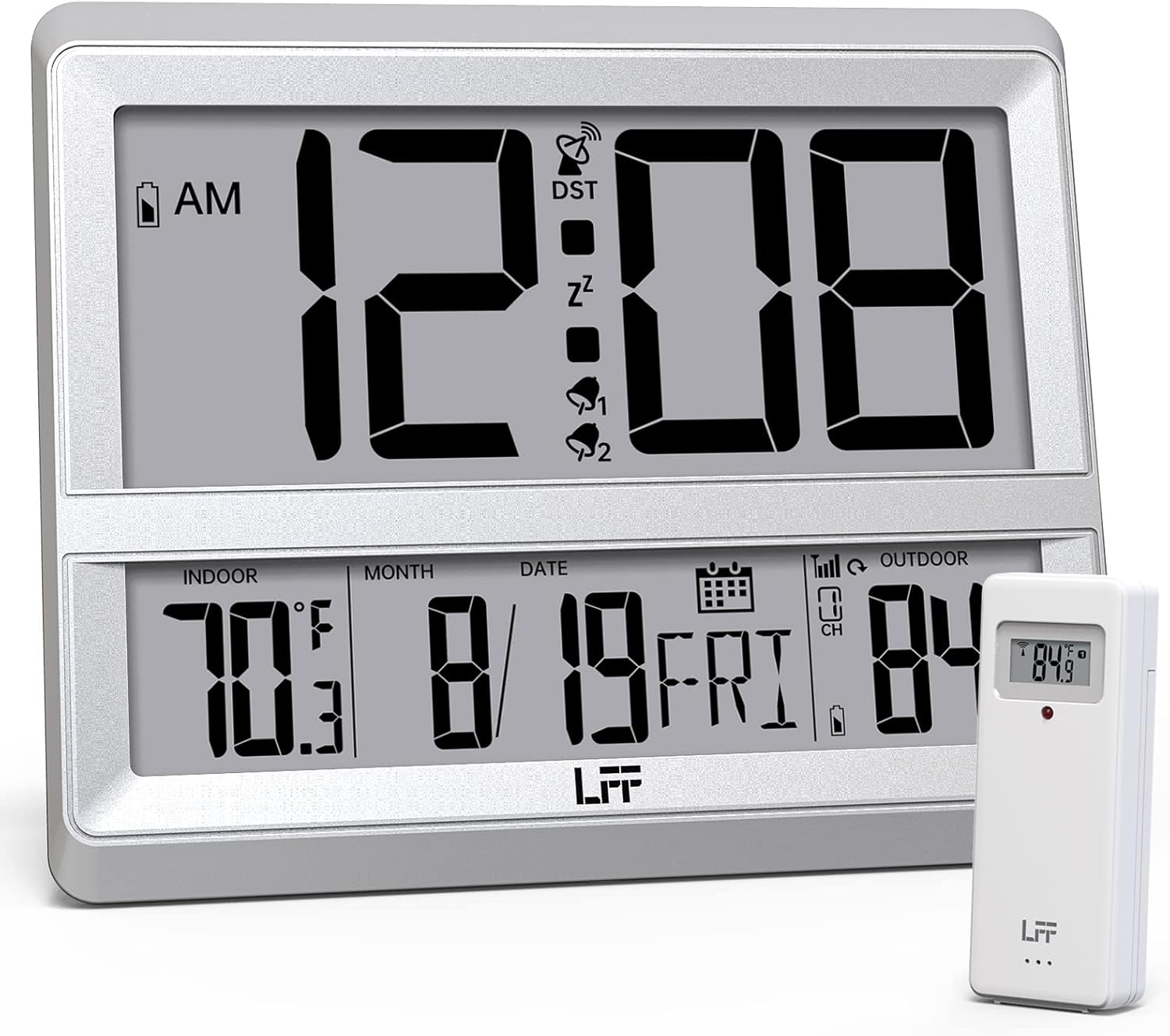
Image 1.1: The LFF Atomic Clock LWC205 main unit and its accompanying wireless outdoor sensor.
2. 제품 오버view
2.1 디스플레이 요소

Image 2.1: Detailed diagram illustrating the various display elements and control buttons on the LFF Atomic Clock LWC205. Key features include the alarm clock icon, time display, RCC reception icon, DST symbol, outdoor temperature, indoor temperature, date, and weekday.
2.2 Control Buttons (Rear View)
The control buttons are located on the back of the main clock unit:
- 설정 버튼: 설정을 입력하고 확인하는 데 사용됩니다.
- 알람 버튼: Used to set and activate/deactivate the alarm.
- 채널 버튼: Used to select the outdoor sensor channel (if multiple sensors are used).
- DOWN/WAVE/°C/°F Button: Used to decrease values during setting, manually initiate atomic time synchronization (wave), or switch between Celsius and Fahrenheit.
- UP/ALARM Button: Used to increase values during setting or activate/deactivate the alarm.
3. 설정
3.1 풀기
Carefully remove all components from the packaging. Ensure you have the main atomic clock unit and the wireless outdoor sensor.
3.2 배터리 설치
Both the main clock unit and the wireless outdoor sensor require batteries (not included).
- 메인 시계 장치: Open the battery compartment on the back of the clock. Insert AA 배터리 3개올바른 극성(+/-)을 확인합니다.
- 무선 실외 센서: Open the battery compartment on the back of the sensor. Insert AAA 배터리 2개, ensuring correct polarity (+/-). For temperatures below -4°F (-20°C), lithium batteries are recommended for the outdoor sensor.

Image 3.1: Instructions for installing 3xAA batteries in the main clock unit and 2xAAA batteries in the wireless outdoor sensor.
3.3 센서 배치
Place the wireless outdoor sensor in a shaded, dry location away from direct sunlight and precipitation. The sensor has a wireless range of up to 330 feet (100 meters) from the main unit. Ensure there are no major obstructions between the sensor and the clock for optimal signal transmission.

Image 3.2: Illustration of the 330ft wireless range between the main clock unit and the outdoor temperature sensor.
3.4 Clock Placement
The LFF Atomic Clock LWC205 offers two placement options:
- Table Clock: Use the integrated stand on the back of the unit to place it on a desk, nightstand, or shelf.
- 벽시계: Utilize the keyhole slot on the back of the unit to mount it securely on a wall.

Image 3.3: The LFF Atomic Clock can be placed on a table using its built-in stand or mounted on a wall.
4. 사용 설명서
4.1 Atomic Time Synchronization (WWVB)
The clock automatically synchronizes with the WWVB radio broadcast from Fort Collins, Colorado, ensuring accurate time. This process typically occurs overnight. For best reception, place the clock near a window and away from electronic interference.

Image 4.1: The atomic clock automatically corrects its time daily by receiving the WWVB signal, covering eight time zones and adjusting for Daylight Saving Time.
4.2 수동 시간 및 날짜 설정
In areas where the WWVB signal is weak or unavailable, you can manually set the time and date:
- 를 누르고 계세요 세트 버튼을 눌러 시간 설정 모드로 들어갑니다.
- 사용하세요 UP or 아래에 깜빡이는 값(예: 시, 분, 년, 월, 일)을 조정하는 버튼.
- 를 누르세요 세트 각 설정을 확인하고 다음 단계로 이동하려면 버튼을 누르십시오.
- The clock will exit setting mode automatically after a few seconds of inactivity or by pressing 세트 repeatedly until all settings are confirmed.
4.3 온도 표시 (°C/°F)
The clock displays both indoor and outdoor temperatures. To switch between Celsius (°C) and Fahrenheit (°F):
- 를 누르세요 DOWN/WAVE/°C/°F button to toggle the temperature unit.
4.4 12/24시간 형식
12시간제와 24시간제 시간 형식을 전환하려면:
- 를 누르세요 UP 12시간제(AM/PM 표시 포함)와 24시간제 형식을 전환하는 버튼입니다.
4.5 알람 기능
알람을 설정하려면:
- 를 누르세요 경보 버튼을 한 번 누르면 현재 알람 시간이 표시됩니다.
- 를 누르고 계세요 경보 버튼을 누르면 알람 설정 모드로 들어갑니다.
- 사용하세요 UP or 아래에 시간과 분을 조정하는 버튼입니다.
- 를 누르세요 경보 각 설정을 확인하는 버튼입니다.
알람을 활성화/비활성화하려면:
- 를 누르세요 경보 button repeatedly to cycle through alarm ON/OFF states. An alarm icon will appear on the display when activated.
5. 유지관리
5.1 배터리 교체
When the low battery indicator appears on the display, replace the batteries in the respective unit (main clock or outdoor sensor) promptly to ensure continuous operation and accurate readings. Refer to Section 3.2 for battery types and installation.
5.2 청소
Clean the clock and sensor with a soft, dry cloth. Do not use abrasive cleaners or solvents, as these may damage the display or casing.
5.3 환경 고려 사항
The outdoor sensor is designed for outdoor use but should be protected from extreme weather conditions. The recommended operating temperature range for the outdoor sensor is -58°F to 158°F (-50°C to 70°C). For temperatures below -4°F (-20°C), lithium batteries are required in the outdoor sensor for reliable performance.
6. 문제 해결
- 디스플레이 없음 / 희미한 디스플레이: Check battery installation and replace with fresh batteries if necessary. Ensure correct polarity.
- 실외 온도 측정 없음:
- 실외 센서에 배터리가 올바르게 설치되었는지 확인하세요.
- Verify the sensor is within the 330ft wireless range of the main unit.
- 를 누르세요 채널 button on the main unit to ensure it is on the correct channel (if applicable).
- Relocate the sensor or main unit to improve signal reception, avoiding large metal objects or other electronic devices.
- 잘못된 시간:
- Ensure the clock is attempting to receive the WWVB signal (look for the RCC reception icon).
- Place the clock near a window and away from electronic interference for better signal reception.
- Manually initiate a signal search by pressing the DOWN/WAVE 단추.
- If atomic synchronization fails, manually set the time as described in Section 4.2.
- Temperature Readings Seem Inaccurate:
- 실외 센서는 직사광선이나 열원에서 멀리 떨어진 그늘진 곳에 설치하세요.
- Check battery levels in both units.
7. 사양
| 특징 | 세부 사항 |
|---|---|
| 상표 | LFF 확장 |
| 모델 번호 | LWC205 |
| 디스플레이 유형 | 디지털 |
| 색상 | 은 |
| 특징 | Atomic Time, Indoor/Outdoor Temperature, Alarm |
| 제품 치수 | 폭 7.48인치 x 높이 8.66인치 |
| 전원(시계) | AA 배터리 3개(포함되지 않음) |
| 전원(센서) | AAA 배터리 2개 (포함되지 않음) |
| 실내/실외 사용 | Indoor (Clock), Outdoor (Sensor) |
| 실외 온도 범위 | -58°F ~ 158°F(-50°C ~ 70°C) |
| 실내 온도 범위 | 화씨 32도에서 화씨 122도(섭씨 0도에서 50도) |
| 무선 센서 범위 | 최대 330피트(100미터) |
| 장착 유형 | 월마운트, 탁상용 |
| 재료 | 아크릴로니트릴 부타디엔 스티렌(ABS) 플라스틱 |
| 품목 무게 | 0.9파운드(14.4온스) |
8. 보증 정보
Warranty information was not provided in the product data. Please refer to the product packaging or contact the manufacturer directly for details regarding warranty coverage and terms.
9. 고객 지원
For further assistance or inquiries, please contact LFF customer support. Contact details were not provided in the product data. Please refer to the product packaging or the official LFF web고객 서비스 연락처 정보를 제공하는 사이트입니다.