
소개
The Blackmagic Design ATEM Television Studio HD8 ISO is a powerful live production switcher designed for professional broadcast and streaming environments. This manual provides essential information for setting up, operating, maintaining, and troubleshooting your device.
Key features include ISO recording of all 8 inputs, support for up to 8 remote cameras via Ethernet (local or internet), and comprehensive tally and camera control.
설정
This section guides you through the initial setup of your ATEM Television Studio HD8 ISO.
풀기 및 검사
Carefully unpack all components and inspect for any damage. Ensure all items listed in the "What's in the Box" section are present.
전원 연결
Connect the provided AC power cable to the 'AC Power Input' on the rear panel. For redundant power, connect a DC power source to the 'DC Power Input'.
비디오 입력 연결
The ATEM Television Studio HD8 ISO features 8 SDI inputs. Connect your cameras and other video sources to these inputs.

이미지 설명: The rear panel of the ATEM Television Studio HD8 ISO. Labeled ports include AC Power Input, DC Power Input, Timecode In and Out, Ethernet, Remote, External Talkback, SDI Inputs, SDI Outputs, AUX Outputs, Program Out, HDMI Multiview Out, Stereo Audio In, and Talkback Connection.
Video Output Connections
Connect your program monitor to the 'Program Out' port. For multi-view monitoring, connect a display to the 'HDMI Multiview Out' port. Additional SDI outputs and AUX outputs are available for various monitoring and distribution needs.
오디오 연결
Connect external audio sources to the 'Stereo Audio In' ports. For talkback functionality, use the 'Talkback Connection' ports.
네트워크 연결
Connect an Ethernet cable from the 'Ethernet' port to your network for control, remote camera operation, and streaming.
USB 연결
The 'USB' port can be used for connecting external storage for ISO recording or for connecting to a computer for software control and updates.
운영
This section covers the basic operation of your ATEM Television Studio HD8 ISO.
전면 패널 컨트롤
The front panel provides direct access to all essential switching, audio, and effects controls.

이미지 설명: 하향식 view of the ATEM Television Studio HD8 ISO's control surface. It features numerous illuminated buttons for camera selection (1-8), audio control, effects, and a central display screen showing preview and program feeds.
프로그램 및 사전view 스위칭
Use the program and preview rows of buttons to select your live output and next shot. The large T-bar allows for smooth manual transitions between sources.

이미지 설명: 각진 view of the ATEM Television Studio HD8 ISO, showing the main control surface with the T-bar fader, program and preview buttons, and various effect controls.
ISO 녹화
The HD8 ISO model supports ISO recording of all 8 inputs to separate video files. This allows for post-production editing of individual camera feeds. Ensure an external USB drive is connected to the USB-C port for recording.
원격 카메라 제어
Connect up to 8 remote cameras via Ethernet for integrated tally and camera control directly from the switcher.
오디오 믹싱
The switcher includes a built-in audio mixer. Adjust audio levels for each input using the dedicated controls on the front panel or via the software control.
Effects and Transitions
Utilize various built-in effects and transitions, including dissolves, wipes, and DVE (Digital Video Effects) for dynamic live productions.
유지
청소
Keep the switcher clean by wiping it with a soft, dry cloth. Avoid using liquid cleaners or solvents. Ensure ventilation grilles are free from dust.
소프트웨어 업데이트
Blackmagic Design을 정기적으로 확인하세요 website for the latest software updates. Updates can provide new features, performance improvements, and bug fixes. Connect the switcher to a computer via USB for software updates.
문제 해결
이 섹션에서는 일반적으로 발생할 수 있는 문제에 대해 설명합니다.
비디오 출력 없음
- 모든 비디오 케이블이 제대로 연결되어 있는지 확인하십시오.
- Ensure input sources are powered on and outputting a compatible signal.
- Check the program and preview selections on the front panel.
오디오 없음
- Confirm audio input levels are correctly set on the mixer.
- Check audio connections and ensure microphones/audio sources are powered.
Remote Camera Issues
- Verify Ethernet cable connection and network configuration.
- Ensure remote cameras are powered and properly configured for network control.
명세서
| 특징 | 세부 사항 |
|---|---|
| 상표 | 블랙매직 디자인 |
| 모델 번호 | BM-SWATEMTVSTC/HD08ISO |
| 품목 무게 | 14.96파운드 |
| 제품 치수 | 23.03 x 14.76 x 6.34 인치 |
| 색상 | 검은색 |
| 임피던스 | 5옴 |
| 채널 수 | 8 |
| 최대 범위 | 100 미터 |
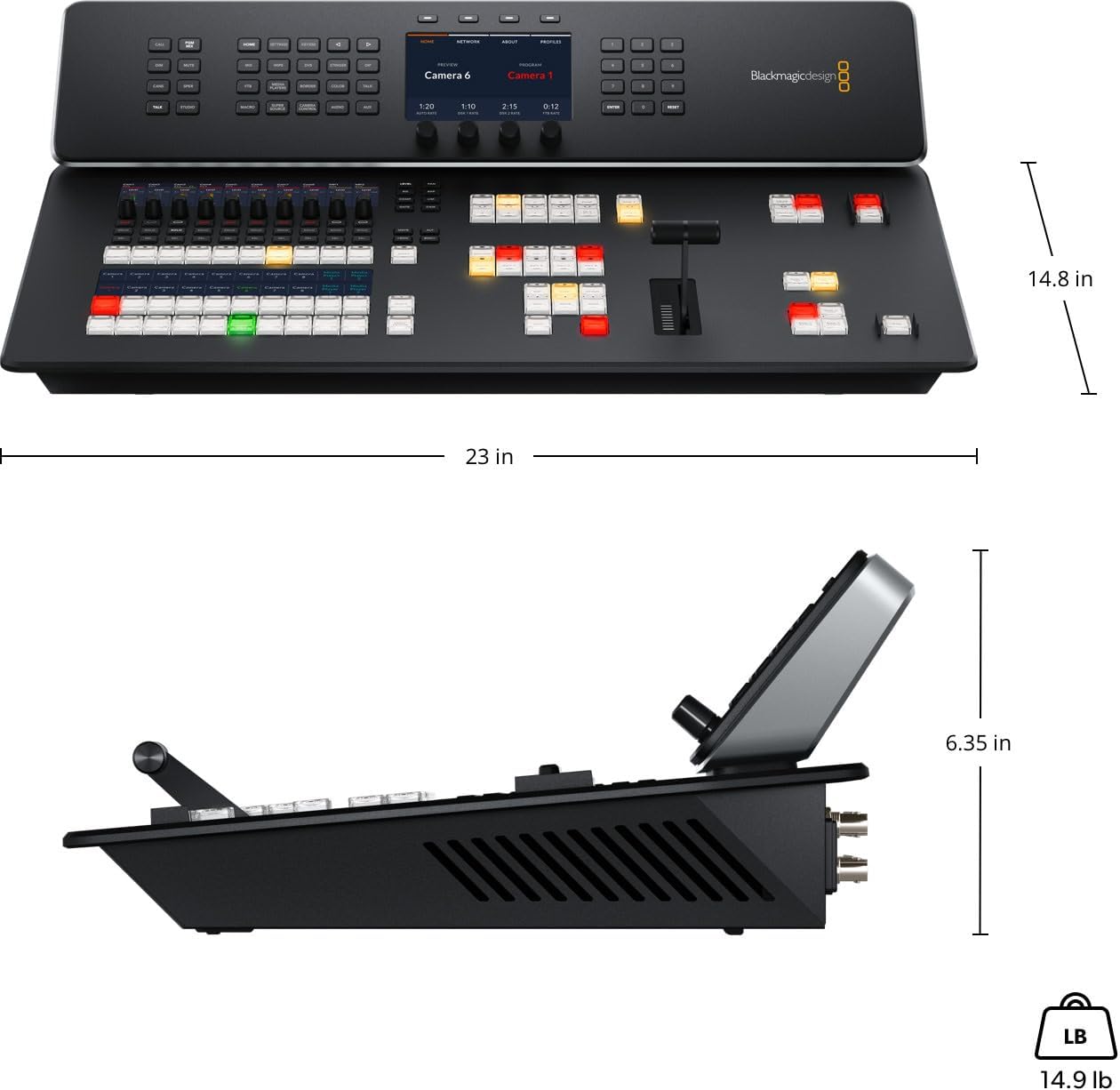
이미지 설명: A diagram illustrating the dimensions of the ATEM Television Studio HD8 ISO, showing a length of 23 inches, width of 14.8 inches, and height of 6.35 inches, with a weight of 14.9 pounds.
상자 안에 무엇이 들어있나요?
- ATEM Television Studio HD8 ISO
- Welcome wallet with QR code for software download
공식 제품 영상
OSEE Go Stream Switcher Decks Introduction
비디오 설명: This video provides an introduction to the OSEE Go Stream Switcher Decks, detailing their features, connectivity options including HDMI and SDI inputs, and overall functionality for live streaming and video production workflows.
보증 및 지원
For warranty information, technical support, and service, please refer to the documentation included with your product or visit the official Blackmagic Design web대지.