
1. 서론
The WORKPRO 24-in-1 Multi-Bit Mini Screwdriver Set is a versatile and compact tool designed for precision tasks. It features a comprehensive collection of commonly used bits, a durable S2 alloy steel construction, and an ergonomic design for comfortable and efficient operation. This manual provides essential information for the proper use, care, and maintenance of your screwdriver set.

Image: The WORKPRO 24-in-1 Multi-Bit Mini Screwdriver Set, showing the blue screwdriver handle and the assortment of precision bits.
2. 제품 특징
- 24-in-1 Mini Screwdriver Set: Includes Phillips (PH000, PH00, PH0, PH1), Slotted (SL1.5, SL2.0), Torx (T2, T3, T4), Torx Security (T5H, T6H, T8H, T9H, T10H), Hex (H1.5, H2.0, H2.5), Y-shaped (Y0.6), W-shaped (W1.5), U-shaped (U2.6), Tri-Wing (TW1), Tri-Angle (▲2.3), Pentalobe (P2, P5) bits.
- 고품질 건설: Bits are made of tough S2 alloy steel with a rust-resistant nickel coating for enhanced strength and extended service life. Precision machined tips ensure accurate fit.
- 편안함과 제어력: Features an aluminum alloy handle with an anti-slip knurling design for comfortable grip and operation. The swivel end cap allows for continuous rotation and precise control without repositioning your hand.
- 소형 및 휴대성: Lightweight design with a hollow handle for built-in storage of 12 double-ended screwdriver bits. Bits attach magnetically for quick changes.
- 다양한 용도: Ideal for electronics repairs and hobbies, including phones, computers, laptops, watches, cameras, game consoles, tablets, and eyeglasses.
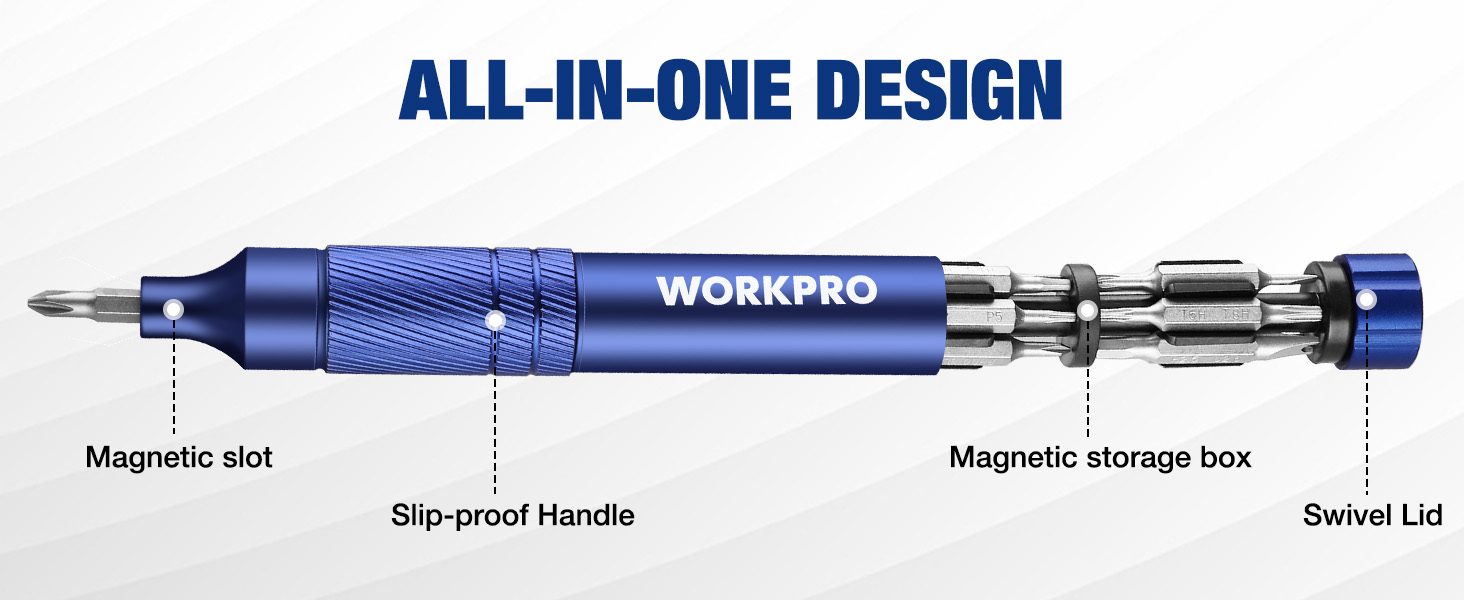
Image: Diagram illustrating the all-in-one design with magnetic slot, slip-proof handle, magnetic storage box, and swivel lid.
3. 패키지 내용
포장을 개봉할 때 모든 구성품이 있는지 확인하십시오.
- 1 x WORKPRO Mini Screwdriver Handle (Blue)
- 12 x Double-Ended S2 Alloy Steel Precision Bits (24 sizes total)
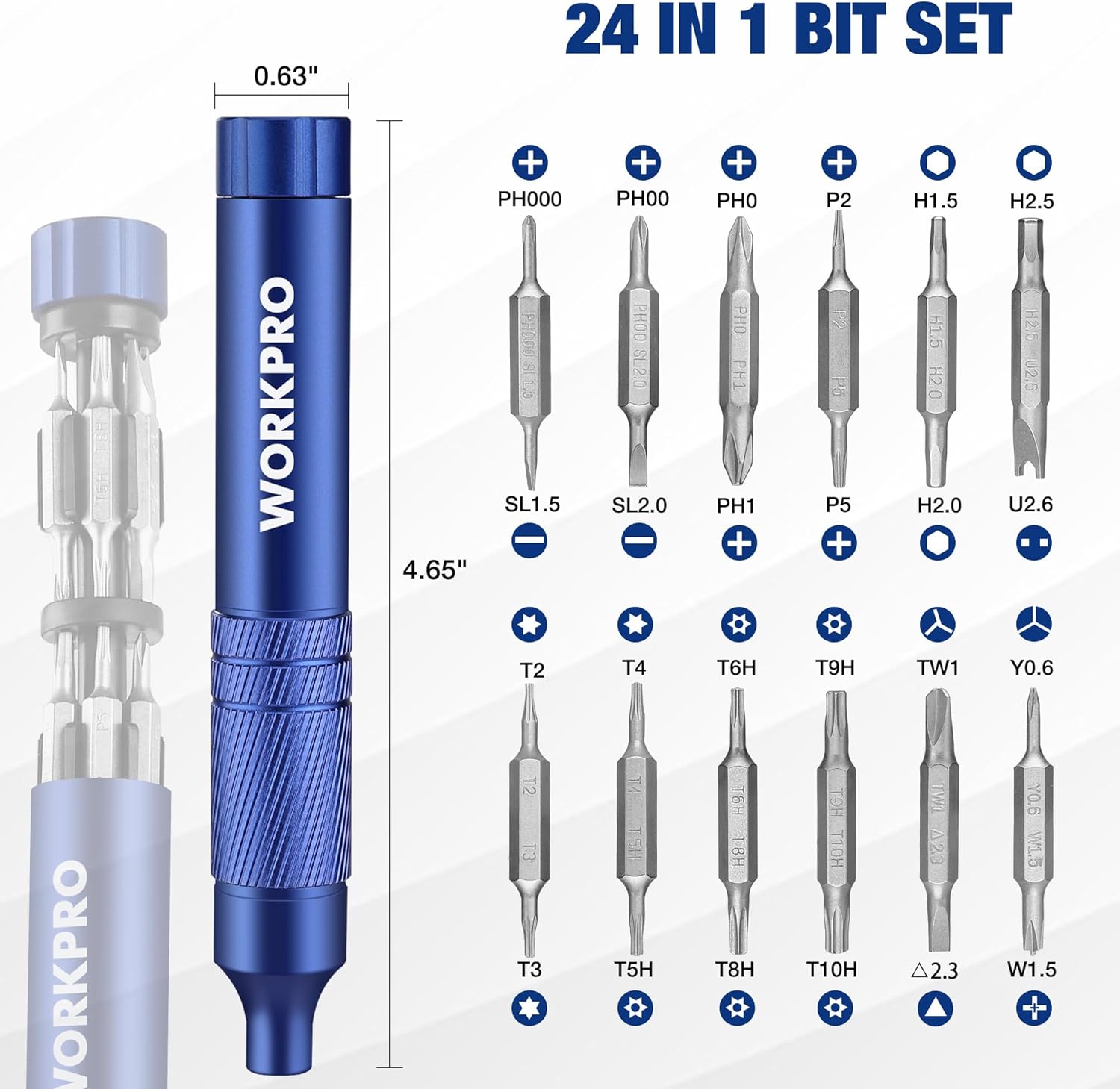
이미지: 자세한 view of the 24 precision bit types included in the set, along with the screwdriver handle and its dimensions.
4. 설정
4.1 비트 삽입 및 변경
- To access the bits, gently pull the top cap of the screwdriver handle to reveal the internal bit storage.
- Select the desired double-ended bit from the magnetic storage.
- Insert the chosen bit into the magnetic slot at the tip of the screwdriver handle. The magnetic connection will secure the bit in place.
- To change bits, simply pull the current bit out of the magnetic slot and insert a new one.
- After use, return unused bits to the internal storage and securely close the top cap.

Image: Hands demonstrating how to open the screwdriver handle to access the internal bit storage and how to insert a bit into the magnetic tip.
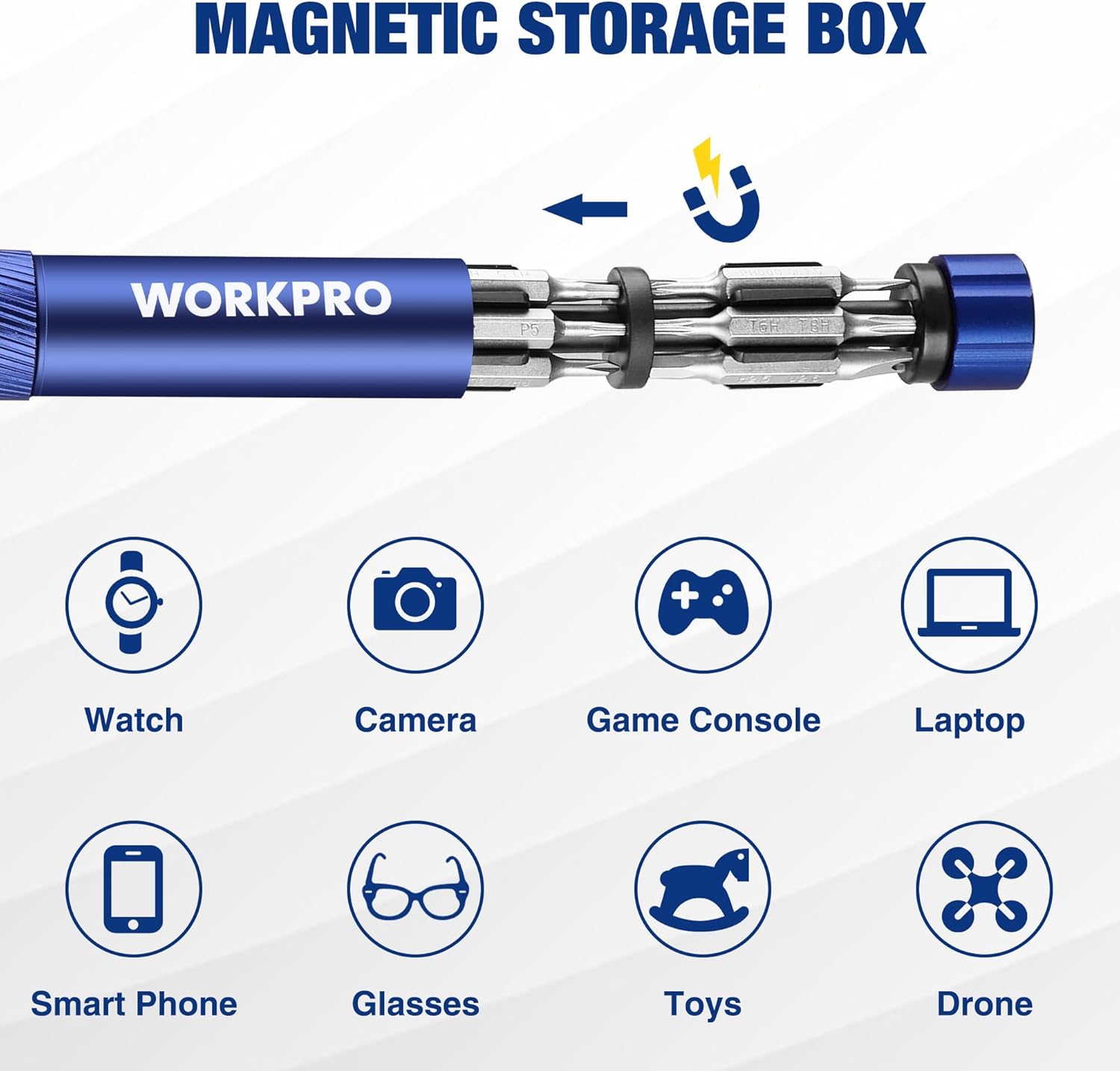
이미지: 클로즈업 view of the magnetic storage box inside the screwdriver handle, showing how bits are held securely.
5. 사용 설명서
5.1 일반적인 사용
- Select the appropriate bit size and type for the screw you intend to work with.
- Insert the selected bit into the magnetic slot of the screwdriver handle.
- Position the screwdriver tip onto the screw head, ensuring a firm and stable connection.
- For tightening, rotate the screwdriver clockwise. For loosening, rotate counter-clockwise.
- Utilize the swivel end cap by placing your palm on it while rotating the handle with your fingers. This allows for continuous rotation and precise control without repositioning your hand.
5.2 응용 프로그램
This precision screwdriver set is suitable for a variety of small electronics and delicate items:
- 스마트폰과 태블릿
- Laptops and Computers
- Eyeglasses and Sunglasses
- Watches and Jewelry
- 게임 콘솔
- 카메라
- Small household appliances and toys
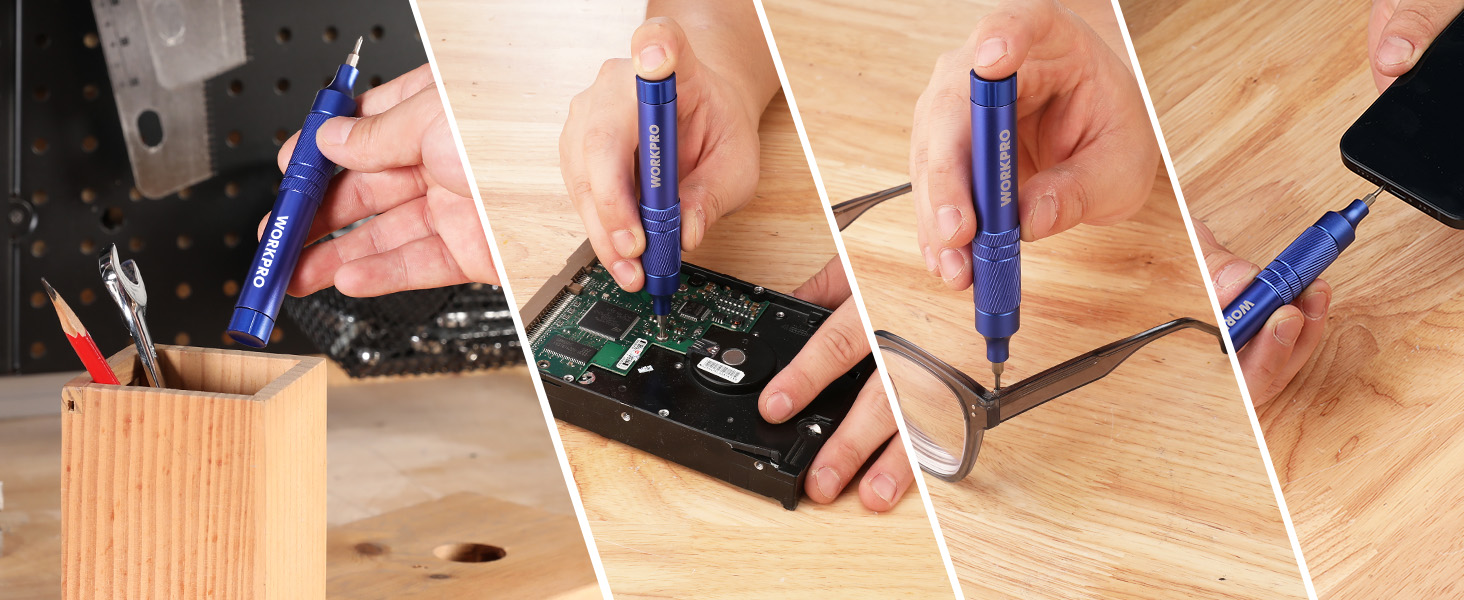
Image: Collage showing the screwdriver being used for various applications, including tightening screws on a phone, eyeglasses, and a knife.
5.3 제품 시연 영상
Video: An official demonstration of the WORKPRO 24-in-1 Precision Screwdriver, showcasing its features, bit storage, and ease of use for various small repair tasks.
6. 유지관리
- 청소: Wipe the screwdriver handle and bits with a clean, dry cloth after each use to remove dirt, oil, or debris. Avoid using abrasive cleaners or solvents.
- 저장: Always store the screwdriver set with all bits securely placed in the internal magnetic storage. Keep the tool in a dry environment to prevent rust and corrosion.
- 비트 케어: Ensure bits are clean and dry before storing. While the bits are rust-resistant, prolonged exposure to moisture can still cause damage.
7. 문제 해결
| 문제 | 가능한 원인 | 해결책 |
|---|---|---|
| 비트가 나사 머리에서 미끄러집니다 | Incorrect bit size/type, worn bit, insufficient pressure. | Ensure the correct bit is used. Apply firm, consistent pressure. Replace worn bits if necessary. |
| Bits fall out of internal storage | Top cap not securely closed, strong impact. | Ensure the top cap is fully closed and secured. Avoid dropping or strong impacts to the tool. |
| Screwdriver feels stiff or difficult to turn | Accumulation of dirt or debris in the swivel mechanism. | Clean the swivel end cap area thoroughly. A small amount of lubricant designed for precision tools may be applied if necessary. |
8. 사양
- 상표: 워크프로
- 모델: 파란색
- 항목 수: 1 (Screwdriver handle with 12 double-ended bits)
- Head Styles: Flat, Hex, Pentalobe, Phillips, Swivel, Torx, Tri-Angle, Tri-Wing, Y-shaped, W-shaped, U-shaped
- 재료: Alloy Steel (S2), Aluminum
- 색상: 파란색
- 품목 무게: 약 2.46온스(70그램)
- 패키지 크기: 약 5.47 x 1.61 x 0.94cm(13.9 x 4.1 x 2.4인치)
- 특징: Ergonomic design, Magnetic bit storage, Swivel end cap
9. 보증 및 지원
WORKPRO products are manufactured to high-quality standards. For specific warranty information, please refer to the product packaging or contact WORKPRO customer support directly. Keep your purchase receipt as proof of purchase for any warranty claims.
For further assistance or inquiries, please visit the official WORKPRO web사이트 또는 고객 서비스 부서에 문의하십시오.
제조업체: HANGZHOU GREAT STAR INDUSTRIAL CO.,LTD