
1. 서론
1.1개 제품 이상view
The NACON Meta Quest 2 A/C Adapter is designed to provide efficient and reliable power to your Meta Quest 2 VR headset. This manual contains important information regarding the safe and proper use of your adapter. Please read it thoroughly before use and retain it for future reference.

Figure 1: NACON Meta Quest 2 A/C Adapter retail packaging, showing the white charger and USB-C cable.
1.2 상자 내용물
- 1 x NACON A/C Adapter (Wall Charger)
- 1 x USB-C to USB-C Cable (1.20m)

Figure 2: Contents of the NACON Meta Quest 2 A/C Adapter package, including the white wall charger and USB-C cable.
2. 설정
- 어댑터 풀기: Carefully remove the A/C adapter and USB-C cable from their packaging.
- 케이블 연결: Insert one USB-C end of the charging cable into the USB-C port on the A/C adapter.
- 전원을 연결하세요: Insert the A/C adapter into a standard wall outlet. Ensure the outlet provides the correct voltag전자(100-240V, 50/60Hz).
- 장치에 연결: Plug the other USB-C end of the cable into the charging port of your Meta Quest 2 headset.
The adapter is now ready to charge your device.
3. 사용 설명서
Once connected as described in the "Setup" section, the NACON Meta Quest 2 A/C Adapter will automatically begin charging your Meta Quest 2 headset. The charging indicator on your Meta Quest 2 headset will typically illuminate to confirm that charging is in progress.
- Ensure the adapter and cable are securely connected at all times during charging.
- Avoid disconnecting the adapter abruptly during an active charging cycle if possible.
- The adapter is designed for continuous use but should be unplugged from the wall outlet when not in use for extended periods.
4. 유지관리
- 청소: Disconnect the adapter from the power outlet and your device before cleaning. Use a soft, dry cloth to wipe the surface of the adapter and cable. Do not use liquid cleaners or abrasive materials.
- 저장: Store the adapter and cable in a cool, dry place away from direct sunlight and extreme temperatures.
- 케이블 관리: 케이블, 특히 커넥터 부근을 과도하게 구부리거나 비틀지 마십시오. 손상을 방지할 수 있습니다.
5. 문제 해결
| 문제 | 가능한 원인 | 해결책 |
|---|---|---|
| 장치가 충전되지 않습니다. | Loose connection, faulty outlet, damaged cable/adapter. |
|
| 느린 충전. | Using a non-optimal power source, background processes on device. |
|
| 어댑터가 따뜻하게 느껴집니다. | Normal operation, excessive load. |
|
6. 사양
| 특징 | 세부 사항 |
|---|---|
| 모델 번호 | 1244252 |
| 상표 | 나콘 |
| 호환 장치 | 메타 퀘스트 2 |
| 커넥터 유형 | USB 타입 C |
| 입력 Voltage | 100-240V, 50/60Hz |
| 산출 | 5V === 3.0A (15W) |
| Amp에라 지 | 3000밀리amps (3A) |
| 총 USB 포트 | 1(USB-C) |
| 케이블 길이 | 1.20미터(약 3.94피트) |
| 제품 치수 | 3.94 x 1.97 x 0.5 inches (Adapter only) |
| 품목 무게 | 4.2 온스 |
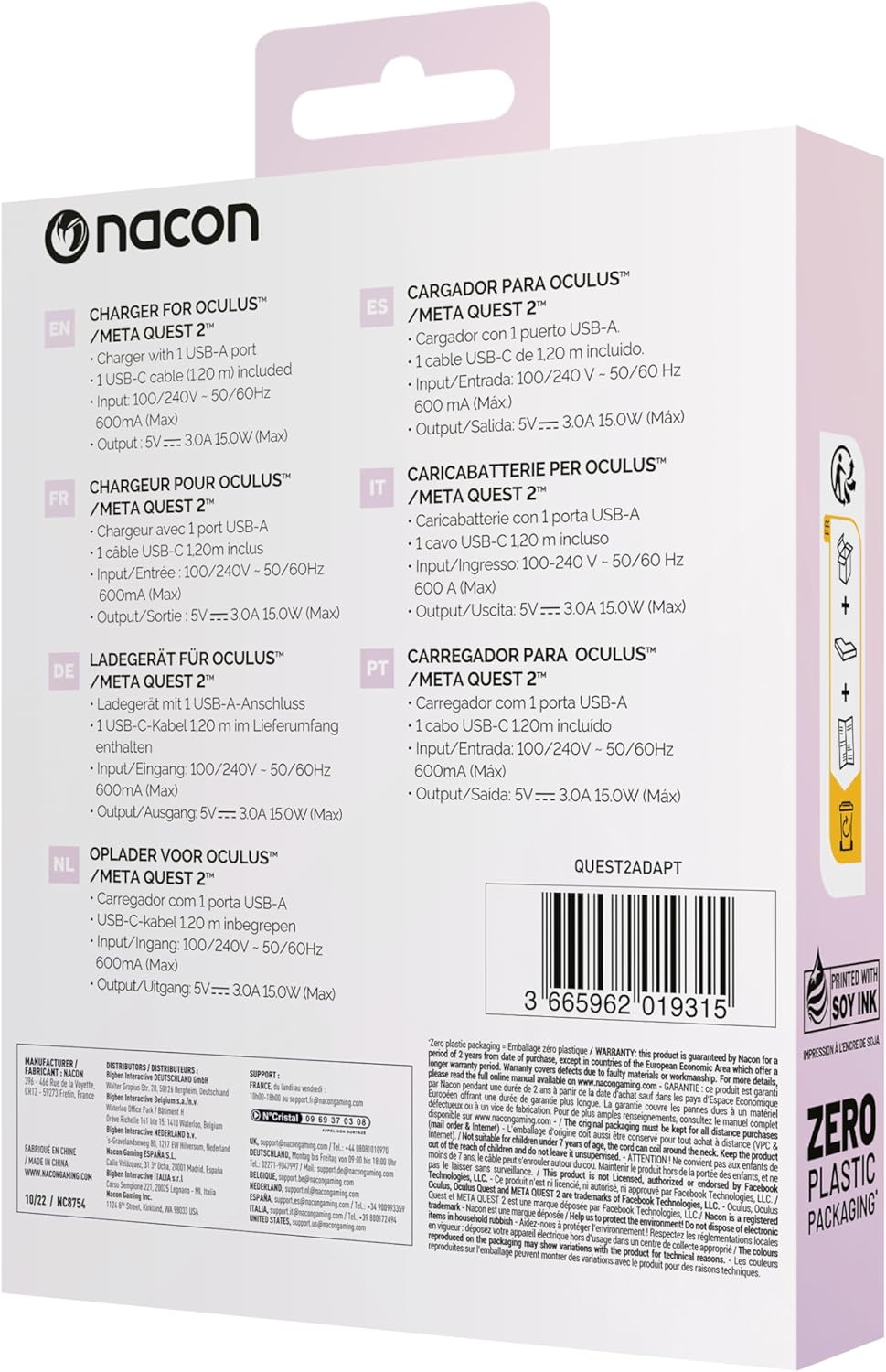
Figure 3: Back of the product packaging showing multilingual specifications, including input and output details.
7. 보증 및 지원
NACON products are manufactured to the highest standards and are warranted against defects in materials and workmanship for a specified period from the date of purchase. Please refer to your local consumer protection laws for specific warranty details.
For technical support or warranty claims, please visit the official NACON website or contact your local retailer. Keep your proof of purchase for warranty service.