
1. 서론
The LeeKooLuu LK11 OBD2 Scanner is a diagnostic tool designed to read and clear diagnostic trouble codes (DTCs) from your vehicle's engine control unit (ECU). It supports all OBD II compliant vehicles, allowing users to quickly identify the cause of a 'Check Engine' light, view freeze frame data, check I/M readiness status, and access vehicle information. This manual provides detailed instructions for the proper use and maintenance of your LK11 scanner.
2. 상자 안에 무엇이 들어있나요?
- LeeKooLuu LK11 OBD2 Scanner
3. 주요 특징
The LK11 OBD2 Scanner offers several essential diagnostic functions:
- 코드 읽기: 일반 코드(P0, P2, P3 및 U0)와 제조업체별 코드(P1, P3 및 U1)를 검색합니다.
- 코드 지우기: Clears Diagnostic Trouble Codes (DTCs) and resets the 'Check Engine' light.
- View 정지 화면: Displays a snapshot of operating conditions at the time an emission-related fault occurred.
- I/M 준비: 배출가스 관련 모니터의 상태를 점검하여 진단 테스트가 실행되고 완료되었는지 확인합니다.
- DTC 조회: 기기에서 직접 진단 문제 코드에 대한 정의를 제공합니다.
- 차량 정보: 차량 식별 번호(VIN), 교정 ID(CALID) 및 교정 확인 번호(CVN)를 검색합니다.

Image: The LK11 scanner's main menu showing options for Read Codes, Erase Codes, Freeze Frame, and Vehicle Information.
4. 설정
- OBD2 포트를 찾으세요: The 16-pin OBD2 Data Link Connector (DLC) is typically located under the dashboard on the driver's side. Refer to your vehicle's service manual for the exact location.
- 스캐너 연결: With the vehicle's ignition off, firmly plug the LK11 scanner's cable into the vehicle's OBD2 DLC.
- 점화 켜기: Turn the vehicle's ignition to the 'ON' position (do not start the engine). The scanner will power on automatically.
5. 사용 설명서
5.1. 항해
The LK11 scanner features four buttons for navigation:
- 위/아래 버튼: Used to scroll through menu options and data.
- 확인 버튼: 선택을 확인하거나 하위 메뉴로 들어갑니다.
- 종료 버튼: 이전 메뉴로 돌아가거나 기능을 종료합니다.
5.2. 코드 읽기
- From the main menu, select 'Read Codes' and press 'OK'.
- The scanner will communicate with the vehicle and display any stored DTCs.
- Use the UP/DOWN buttons to scroll through multiple codes if present.
5.3. 코드 지우기
주의: Clearing DTCs will also clear freeze frame data and reset I/M readiness monitors. Ensure you have recorded any necessary information before proceeding.
- From the main menu, select 'Erase Codes' and press 'OK'.
- Confirm your decision when prompted.
- The 'Check Engine' light should turn off if the fault is no longer present.

Image: Illustration of the 'Check Engine' light being turned off after erasing fault codes with the LK11 scanner.
5.4. View 정지 프레임
- 메인 메뉴에서 '를 선택하세요View Freeze Frame' and press 'OK'.
- The scanner will display various engine parameters recorded at the moment a fault code was set, such as Engine RPM, Vehicle Speed, Engine Load, Fuel Pressure, and Coolant Temperature.
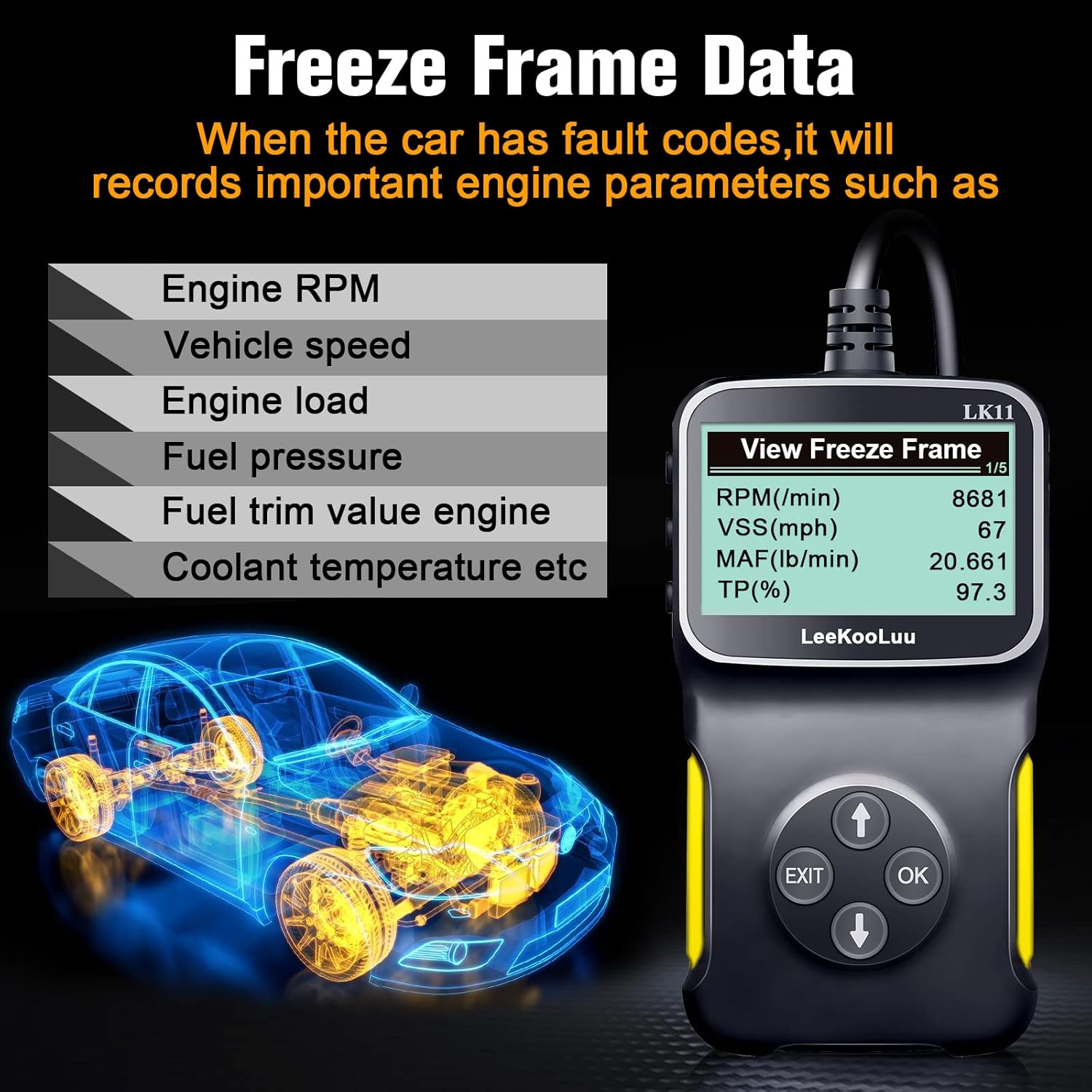
Image: The LK11 scanner displaying various engine parameters as part of Freeze Frame Data.
5.5. I/M 준비
- From the main menu, select 'I/M Readiness' and press 'OK'.
- The scanner will display the status of various emission monitors (e.g., O2 Sensor Monitor, Catalyst Monitor). 'OK' indicates the monitor has completed its test, while 'INC' (Incomplete) means it has not.

Image: The I/M Monitor Readiness function helps determine if a vehicle is ready for an emissions test.
5.6. DTC 조회
- From the main menu, select 'DTC Lookup' and press 'OK'.
- Enter the 5-character DTC using the UP/DOWN buttons to select characters and 'OK' to confirm each.
- The scanner will display a brief description of the code.

Image: The DTC Lookup feature on the LK11 scanner, explaining the structure of diagnostic trouble codes.
5.7. 차량정보
- From the main menu, select 'Vehicle Information' and press 'OK'.
- The scanner will display the VIN, CALID, and CVN of the vehicle.
6. 유지관리
- 청소: 부드러운 d를 사용하세요amp 스캐너 외부를 닦을 때는 천을 사용하십시오. 연마성 세척제나 용제를 사용하지 마십시오.
- 저장: 스캐너는 직사광선과 극한 온도 변화를 피해 건조하고 서늘한 곳에 보관하십시오.
- 케이블 관리: 손상을 방지하려면 케이블을 과도하게 구부리거나 비틀지 마십시오.
7. 문제 해결
- 스캐너 전원이 켜지지 않습니다.
- Ensure the scanner is firmly connected to the vehicle's OBD2 port.
- 차량의 시동 스위치가 'ON' 위치에 있는지 확인하십시오.
- 차량의 OBD2 포트 퓨즈를 확인하십시오(차량 설명서를 참조하십시오).
- 'Link Error' or 'No Communication':
- Confirm the vehicle is OBD II compliant (most vehicles manufactured after 1996 in the US).
- Check for a damaged OBD2 cable or connector.
- 차량 배터리에 충분한 충전량이 있는지 확인하십시오.
- Try connecting the scanner to a different OBD II compliant vehicle to rule out scanner malfunction.
- Incorrect or no data displayed:
- Ensure the vehicle's ignition is on and the engine is not running (unless specifically instructed for certain tests).
- Verify the scanner's firmware is up to date (if applicable, check manufacturer's web대지).
8. 사양
| 특징 | 세부 사항 |
|---|---|
| 모델 | LK11-1 |
| 품목 무게 | 7.4 온스 |
| 패키지 크기 | 7.83 x 5.2 x 1.46 인치 |
| 화면 크기 | 2.8 인치 |
| 지원되는 프로토콜 | SAE J1850 PWM, SAE J1850 VPW, ISO9141-2, ISO14230-4 KWP (5 Baud Init), ISO14230-4 KWP (Fast Init), ISO15765-4 CAN (11BIT ID, 500 KBAUD), ISO15765-4 CAN (29BIT ID, 500 KBAUD), ISO15765-4 CAN (11BIT ID, 250 KBAUD), ISO15765-4 CAN (29BIT ID, 250 KBAUD) |

Image: The LK11 scanner highlighting its physical design and a list of supported OBD II communication protocols.
9. 보증 정보
The LeeKooLuu LK11 OBD2 Scanner is covered by a standard manufacturer's warranty. For specific details regarding warranty duration, coverage, and claims process, please refer to the warranty card included with your product or visit the official LeeKooLuu web대지.
10. 지원
For technical assistance, troubleshooting guidance, or customer service inquiries regarding your LeeKooLuu LK11 OBD2 Scanner, please contact LeeKooLuu directly. Contact information can typically be found on the product packaging, in the included documentation, or on the official LeeKooLuu web대지.