
소개
This manual provides detailed instructions for the proper use and maintenance of your AlphaMed U80A Blood Pressure Monitor. Please read this manual thoroughly before using the device to ensure accurate measurements and safe operation. This device is designed for home use to measure blood pressure and pulse rate on the upper arm.
상자 안에 무엇이 들어있나요?

그림 1: Included components of the AlphaMed U80A Blood Pressure Monitor package.
- 1x AlphaMed Blood Pressure Monitor (Model: U80A)
- 1x Standard Upper Arm Cuff (fits arm circumference 9-17 inches)
- 1x Extra Large Upper Arm Cuff (fits arm circumference 13-21 inches)
- AAA 배터리 4개
- 1x 나일론 캐리 백
- 1x 빠른 사용자 가이드
- 1x 사용자 매뉴얼(이 문서)
제품 끝view

그림 2: The AlphaMed U80A Blood Pressure Monitor and its accompanying cuffs.
The AlphaMed U80A Blood Pressure Monitor features a large backlit LCD display for easy reading, oversized numbers, and simple operation. It is equipped with a high-accuracy algorithm for reliable measurements and adaptive pressure control technology for user comfort. The device supports two users with up to 500 memories each, totaling 1000 readings.
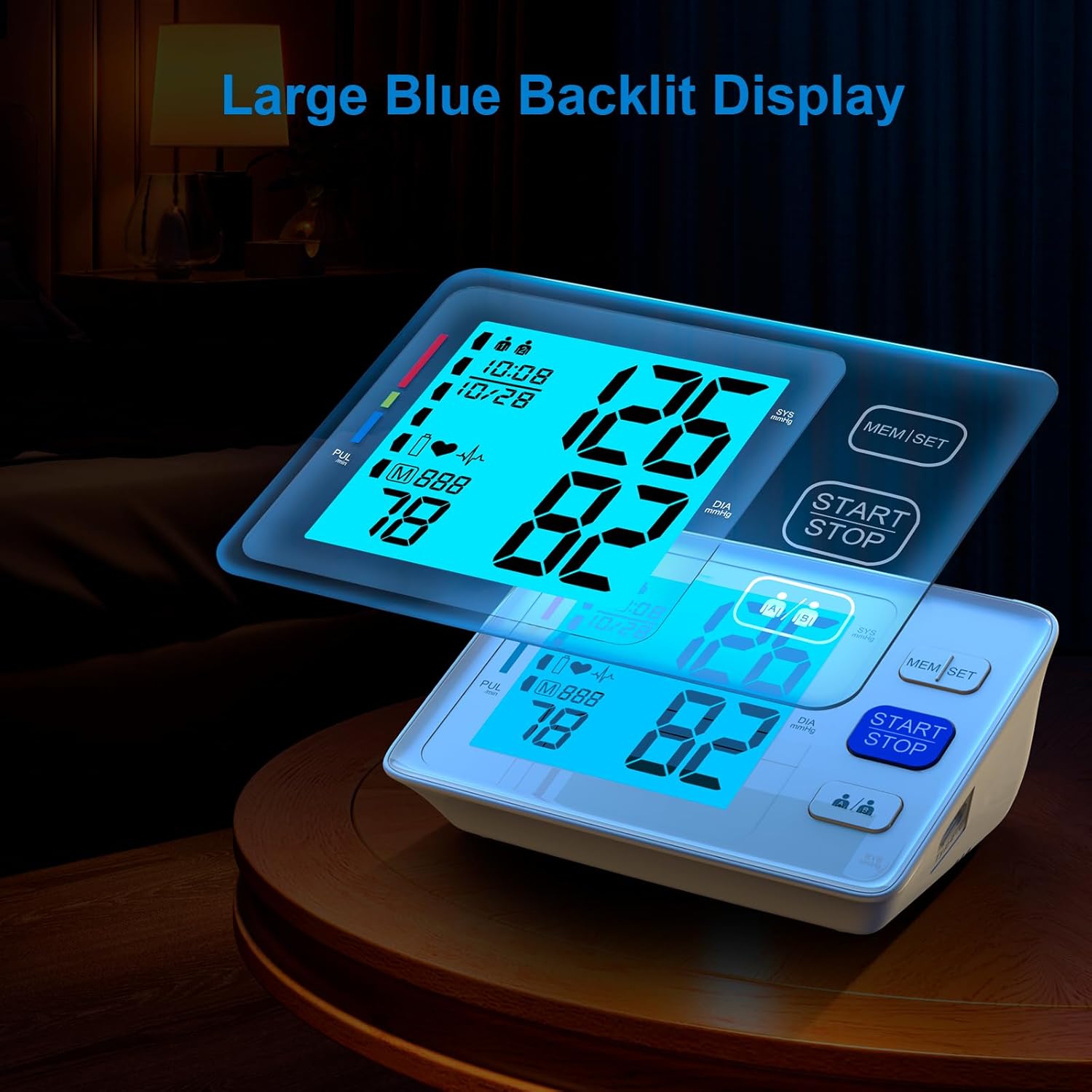
그림 3: The large, easy-to-read backlit LCD display.
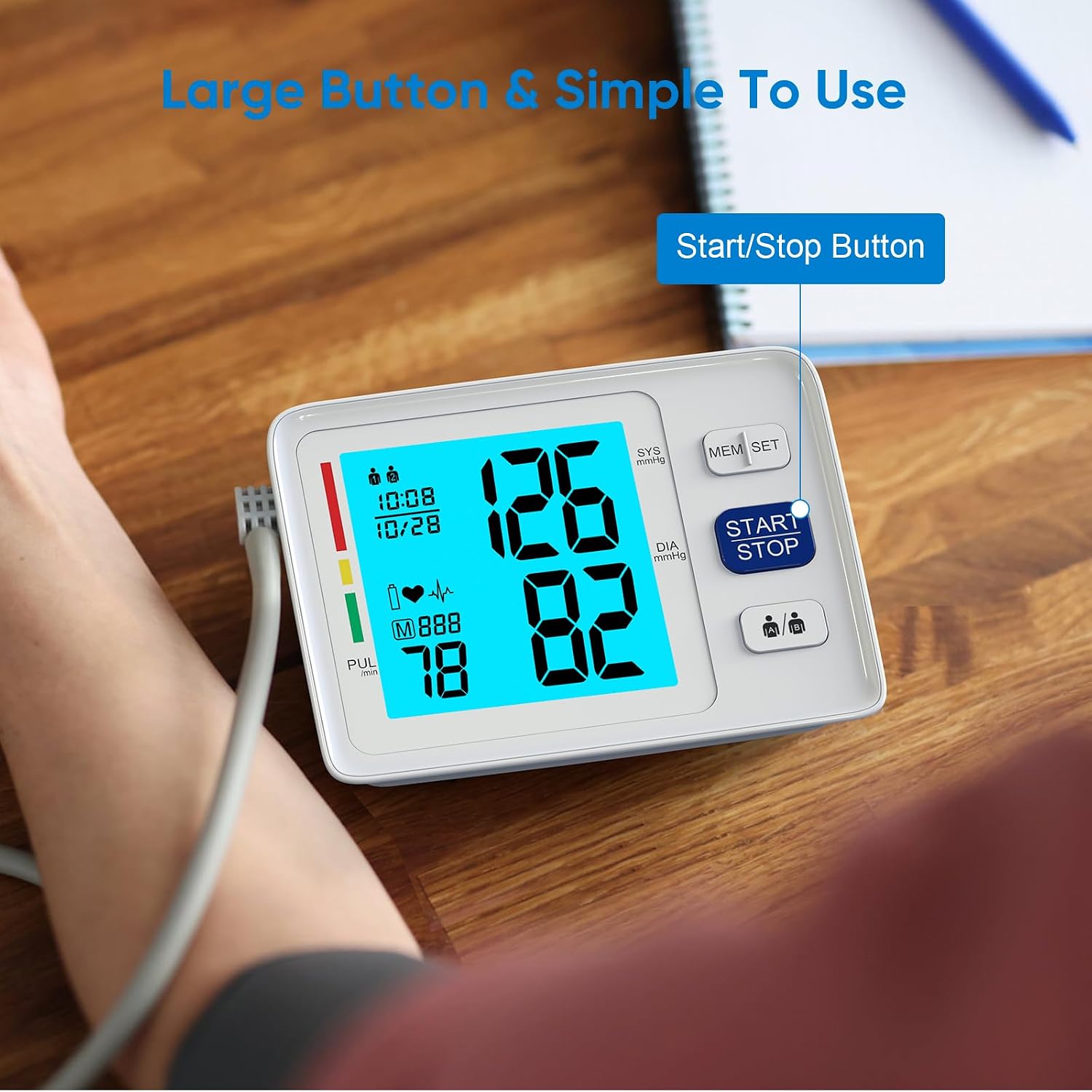
그림 4: Simplified operation with large buttons, including the Start/Stop button.
설정
전원 옵션

그림 5: The monitor supports both battery and USB power.
- 배터리 전원: Open the battery compartment on the bottom of the device. Insert four (4) AAA batteries, ensuring correct polarity (+/-). Close the battery cover securely.
- USB 전원 : Connect a Micro USB cable (not included) to the USB port on the side of the monitor and plug the other end into a compatible USB power adapter (not included) or a computer USB port.
Note: Batteries are included for immediate use. The device features a low battery indicator and an auto shut-off function to conserve power.
날짜 및 시간 설정
To ensure accurate record-keeping, set the current date and time:
- With the device off, press and hold the "MEM/SET" button for a few seconds until the year starts flashing on the display.
- Press the "MEM/SET" button repeatedly to adjust the year. Once the desired year is displayed, press the "START/STOP" button to confirm and move to the month setting.
- Repeat the process for setting the month, day, hour (in 24-hour format), and minutes.
- After setting the minutes, press "START/STOP" to save the settings and exit the setup mode.
커프 부착
Select the appropriate cuff size (Standard 9-17'' or Extra Large 13-21'') for your upper arm circumference. Connect the air tube from the cuff securely into the air jack located on the side of the monitor.

그림 6: Two adjustable cuff sizes are included to fit various arm circumferences.
작동 지침
커프 배치
정확한 측정을 위해서는 커프를 올바르게 착용하는 것이 매우 중요합니다.
- 등을 받치고 발을 바닥에 편평하게 대고 편안하게 앉으십시오.
- Place the cuff on your bare upper arm, approximately 1-2 cm above the elbow joint. Ensure the air tube runs down the center of your arm.
- The bottom edge of the cuff should be about 1 inch (2-3 cm) above the elbow.
- Wrap the cuff snugly around your arm, but not too tightly. The index line on the cuff should fall within the range indicated on the cuff itself.
- Rest your arm on a table or flat surface with the palm facing upwards, ensuring the cuff is at heart level.
측정하기
- Ensure the cuff is correctly attached to the monitor and properly placed on your arm.
- Press the large "START/STOP" button. The cuff will begin to inflate automatically.
- 측정하는 동안에는 움직이지 않고 가만히 계십시오. 말하거나 움직이지 마십시오.
- 측정이 완료되면 커프의 공기가 빠지고 수축기 혈압, 이완기 혈압 및 맥박수가 화면에 표시됩니다.
- The reading will automatically be stored in the selected user's memory.
이중 사용자 모드

그림 7: The monitor supports two users, each with separate memory storage.
- Before taking a measurement, press the user selection button (usually indicated by two person icons) to toggle between User 1 and User 2.
- Ensure the correct user is selected before initiating a measurement to store readings in the appropriate profile.
메모리 기능
다시view 과거 측정:
- Press the "MEM/SET" button when the device is off.
- The display will show the average of the last three readings.
- Press the "MEM/SET" button again to scroll through individual past readings, from most recent to oldest.
- To exit memory mode, press the "START/STOP" button or wait for the device to automatically shut off.
유지
- 청소: 모니터와 커프스를 부드럽고 마른 천으로 닦으십시오. 필요한 경우, 약간 부드러운 천을 사용하십시오.amp 순한 비누를 묻힌 천으로 닦은 후 마른 천으로 물기를 제거하십시오. 연마성 세제를 사용하거나 기기를 물에 담그지 마십시오.
- 저장: 기기를 전용 가방에 넣어 서늘하고 건조한 곳에 보관하고 직사광선과 극한 온도 변화를 피하십시오.
- 배터리 교체: Replace all four AAA batteries when the low battery indicator appears on the display. Remove batteries if the device will not be used for an extended period.
- 커프 관리: Ensure the cuff is clean and free from damage. Do not wash the cuff in a washing machine.
문제 해결
| 문제 | 가능한 원인 | 해결책 |
|---|---|---|
| 디스플레이가 켜지지 않습니다. | 배터리가 방전되었거나 잘못 삽입되었습니다. USB 케이블이 연결되어 있지 않습니다. | Check battery polarity, replace batteries, or ensure USB connection is secure. |
| 측정 중 오류 메시지가 나타났습니다. | Cuff not properly applied; movement or talking during measurement; irregular heartbeat detected. | Reapply cuff correctly, remain still and silent, consult a healthcare professional if irregular heartbeat persists. |
| 일관성 없는 판독값. | Improper cuff placement; not resting before measurement; taking multiple readings too quickly. | Ensure correct cuff placement, rest for 5 minutes before measurement, wait 3-5 minutes between readings. |
명세서
- 모델 번호: U80A
- 상표: AlphaMed
- 제품 크기: 1인치 길이 x 1인치 너비 x 1인치 두께
- 무게: 1.52 파운드
- 커프 사이즈: 9-17 inches (Standard), 13-21 inches (Extra Large)
- 전원: 4x AAA Batteries (included) or USB Powered (adapter not included)
- 디스플레이 유형: 백라이트가있는 LCD
- 메모리: 2 users x 500 memories each
- 포함된 구성 요소: Monitor, 2 Cuffs, 4 AAA Batteries, Carry Case, User Manual
- 제조업체: 심천 Urion Technology Co., Ltd.
보증 및 지원
For warranty information, technical support, or service inquiries, please refer to the contact details provided on the product packaging or visit the official AlphaMed web사이트. 보증 청구를 위해 구매 증빙 자료로 구매 영수증을 보관하세요.
법적 고지사항: 식이 보충제에 대한 진술은 FDA에서 평가하지 않았으며, 어떠한 질병이나 건강 상태를 진단, 치료, 치유 또는 예방하기 위한 것이 아닙니다.