
1. 서론
This manual provides comprehensive instructions for the setup, operation, and maintenance of your XTUGA UH-300 UHF Rechargeable Wireless Karaoke Microphone System. Please read this manual thoroughly before using the product to ensure optimal performance and longevity.
2. 패키지 내용
아래 나열된 모든 품목이 패키지에 포함되어 있는지 확인하세요. 품목이 누락되었거나 손상된 경우 고객 지원팀에 문의하세요.
- 1 x UHF 무선 수신기
- UHF 무선 마이크 2개
- 1 x 전원 어댑터(DC 5V)
- 1 x 3.5mm - 3.5mm 오디오 케이블
- 1 x 3.5mm - RCA 오디오 케이블
- 1 x USB 충전 케이블
- 1 x 사용자 설명서

영상: XTUGA UH-300 system components, including the receiver, two microphones, power adapter, and various audio cables.
3. 제품 오버view
3.1 Receiver Controls and Features

영상: 앞쪽 view of the XTUGA UH-300 receiver with two wireless microphones. The receiver features various knobs and a display screen.
- 힘: On/Off switch for the receiver.
- A-RF-B Indicator: Lights indicate signal reception for Microphone A and B.
- AF 표시기: Lights indicate audio signal presence.
- MIC VOL A/B: 마이크 A와 마이크 B의 볼륨을 각각 독립적으로 조절할 수 있습니다.
- 에코: Knob to adjust the echo effect level.
- 음악: Knob to adjust the volume of background music input (e.g., via Bluetooth or AUX).
- MIC (1/4" Jack): Input for an additional wired or wireless microphone.
- 디스플레이 화면: Shows channel information for both microphones.

영상: 상세한 view of the receiver's front panel, highlighting the 1/4" MIC jack, individual volume controls for microphones, echo control, and Bluetooth music control.
3.2 마이크 기능
- UHF Wireless: Operates on UHF frequencies for stable signal transmission.
- 충전식 배터리: Built-in lithium battery provides 3-8 hours of operation on a 2-3 hour charge.
- LED 디스플레이: Shows battery level and selected channel (e.g., CH01-CH30).
- LED 라이트 링: A cool design feature that illuminates during use.
- DC 5V 충전 포트: USB port for convenient charging.
- 주파수 버튼: Allows selection of operating channels.

영상: Close-up of the rechargeable wireless microphones, showing the LED display with channel information, and the DC5V charging port with a frequency button.
4. 설정
4.1 수신기 연결
- Connect the power adapter to the DC 5V input on the receiver and plug it into a power outlet.
- Connect the receiver's audio output to your speaker system, amplifier, or soundbar. You can use either the 1/4" (6.35mm) output or the 1/8" (3.5mm) output, depending on your audio device's input. Use the provided 3.5mm to 3.5mm or 3.5mm to RCA cables as needed.
- Ensure your speaker system is powered on and set to the correct input source.

영상: Diagram illustrating various input and output connection options for the XTUGA UH-300 system, including connections to smartphones, laptops, karaoke speakers, soundbars, and home theater systems.
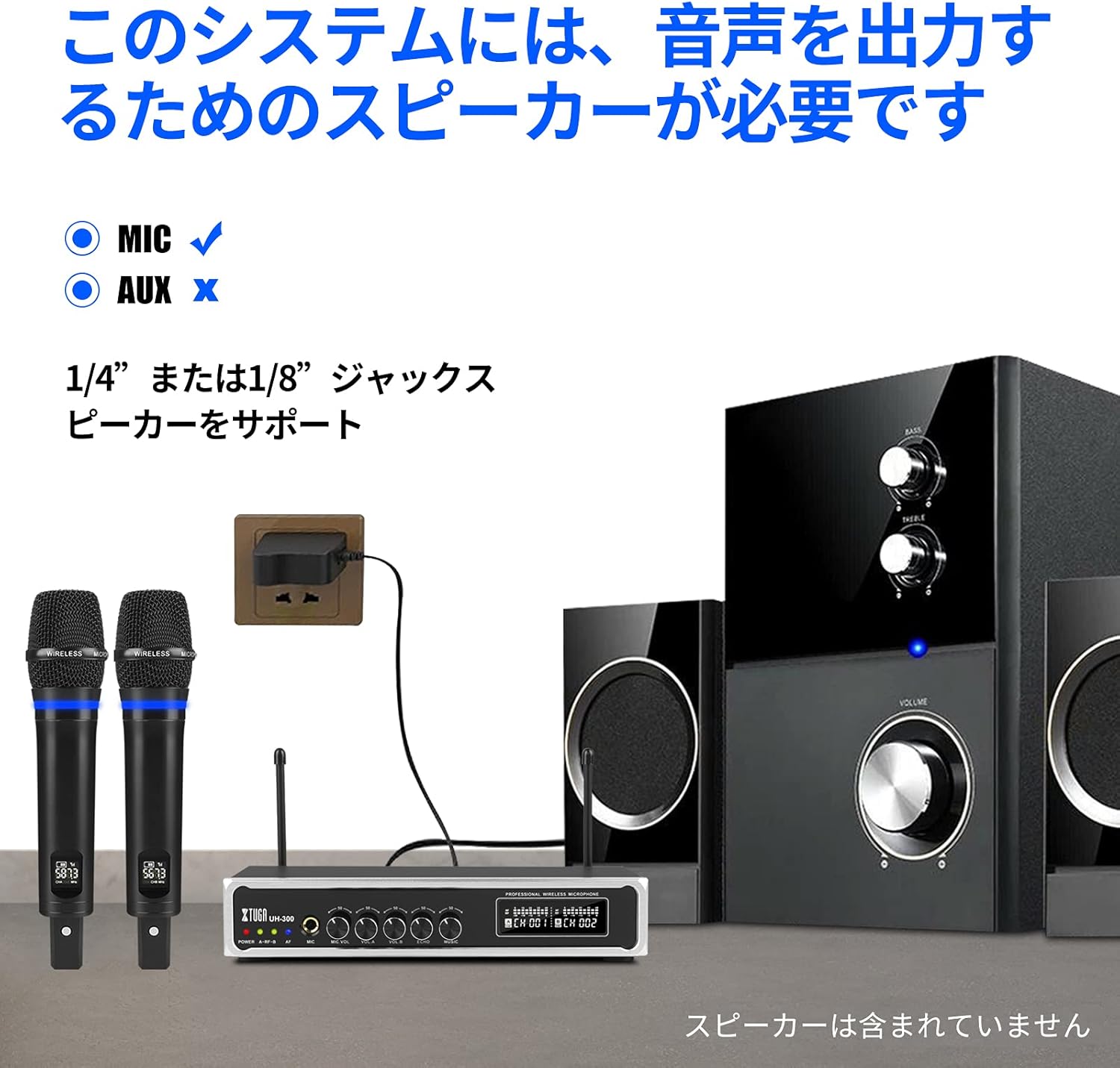
영상: The XTUGA UH-300 receiver and microphones connected to a speaker system. Note that a speaker is required for audio output and is not included with the system.
4.2 마이크 충전
The microphones have built-in rechargeable lithium batteries. Before first use, fully charge both microphones.
- Connect the USB charging cable to the DC 5V charging port on each microphone.
- Plug the other end of the USB cable into a USB power source (e.g., a USB wall adapter, computer USB port).
- Charging typically takes 2-3 hours. The microphone's display may indicate charging status.

영상: A wireless microphone being charged via its USB port, illustrating the charging process and indicating typical charging and usage times.
4.3 Microphone Pairing and Channel Selection
The microphones are typically pre-paired with the receiver. If you experience connection issues or wish to change channels:
- Turn on the receiver and the microphone.
- Press the 'SET' or 'Frequency' button on the microphone to cycle through the 50 available UHF channels (CH01-CH50).
- Select a channel that is free from interference. The receiver's display will show the corresponding channel for each microphone.
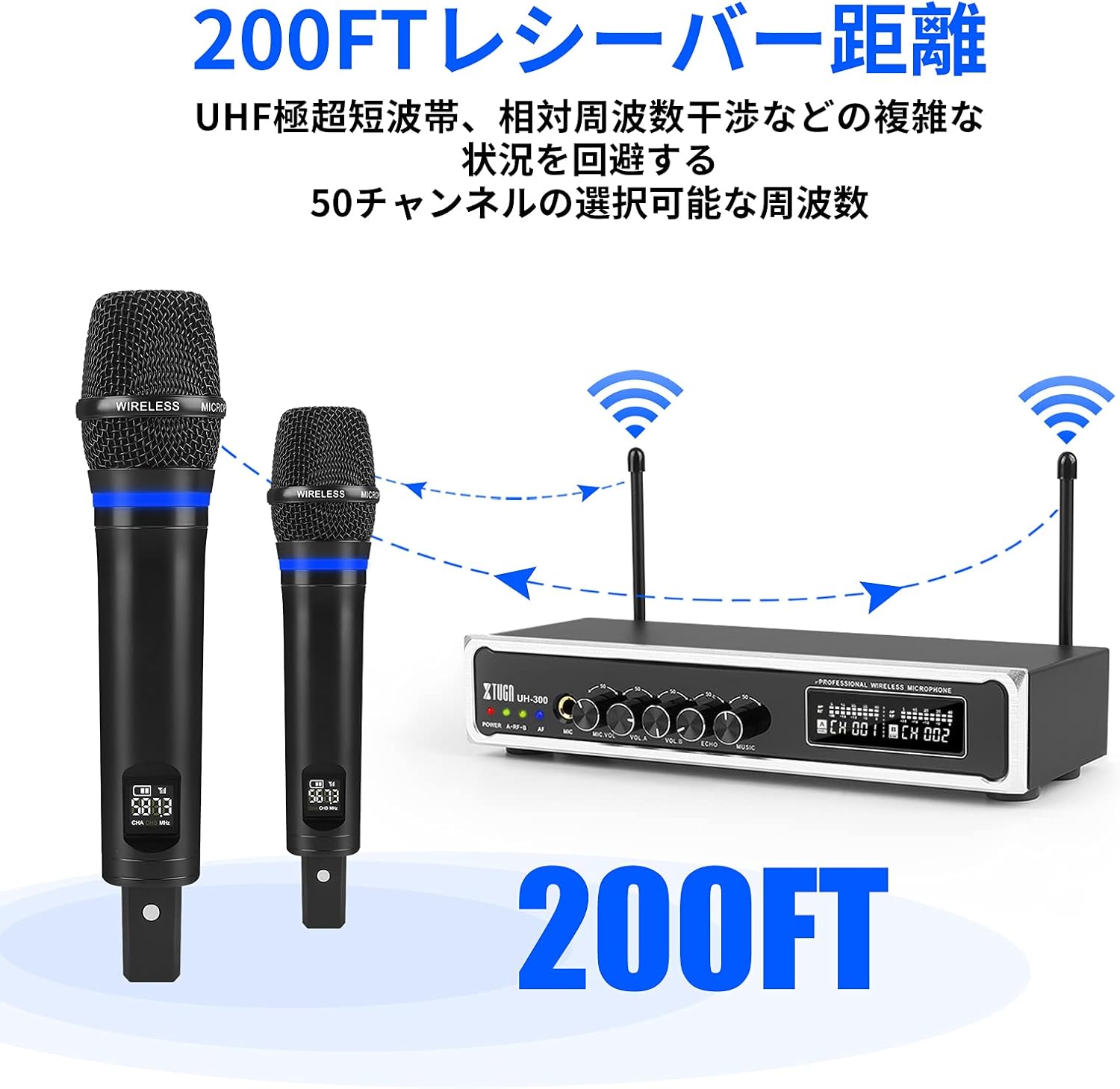
영상: Illustration of the XTUGA UH-300's wireless range (up to 200 feet) and the availability of 50 selectable channels to avoid interference.
5. 사용 설명서
5.1 기본 작업
- Power on the receiver using the POWER switch.
- Power on the wireless microphones. The A-RF-B indicators on the receiver should light up, confirming connection.
- Speak into the microphones. The AF indicators on the receiver should light up, indicating audio signal presence.
- Adjust the MIC VOL A and MIC VOL B knobs on the receiver to set the desired volume for each microphone.
- ECHO 노브를 조절하여 보컬에 에코 효과를 추가하거나 줄이세요.

영상: Close-up of the receiver's controls, showing the independent volume knobs for Microphone A and Microphone B, and the adjustable echo effect knob.
5.2 블루투스 입력 사용
The system features built-in Bluetooth for playing background music from your smart devices.
- Turn on the Bluetooth function on your smartphone, tablet, or other smart device.
- 검색 Bluetooth devices and select "X168" from the list.
- Once connected, play music from your device. The audio will be routed through the UH-300 receiver.
- Adjust the MUSIC knob on the receiver to control the background music volume.

영상: Step-by-step guide for connecting a smartphone or iPad to the XTUGA UH-300 via Bluetooth, showing the device name "X168" and the Bluetooth music volume control.

영상: Illustrates the Bluetooth receiver functionality for playing background music, indicating a range of approximately 32 feet and the connection process.
5.3 Using the 1/4" MIC Input
The receiver includes a 1/4" (6.35mm) jack for connecting an additional microphone, allowing for a third vocalist.
- Connect a wired microphone or the receiver of a third wireless microphone (not included) to the 1/4" MIC input jack on the receiver.
- Adjust the MIC VOL knob (if available for the 1/4" input) or the overall system volume to balance the sound.

영상: Close-up of the 1/4-inch microphone input jack on the receiver, indicating its function for an additional microphone.
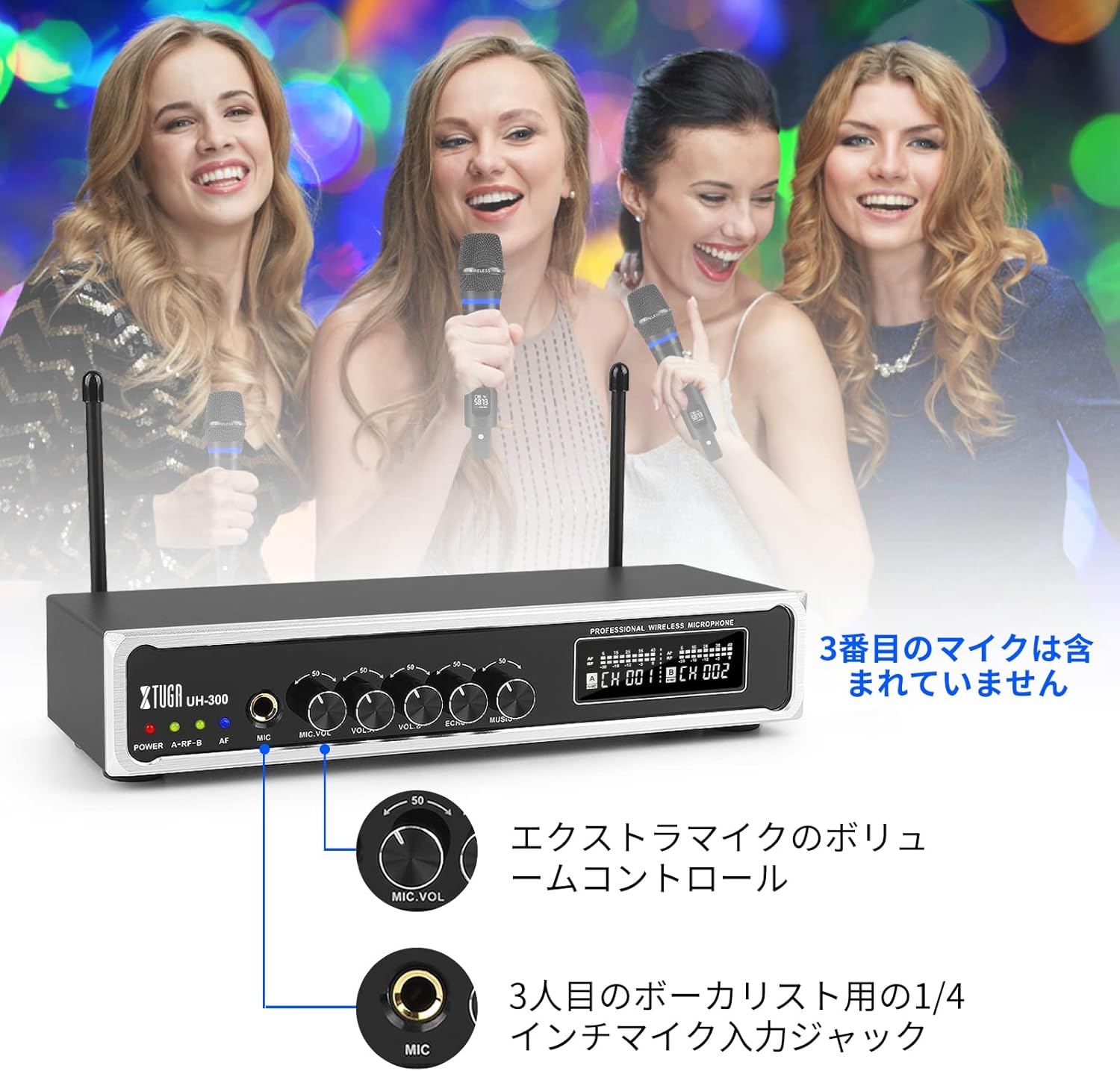
영상: Depicts a scenario with three vocalists, highlighting the 1/4-inch input jack for an additional microphone. The third microphone is not included.
6. 유지관리
- 청소: 부드럽고 마른 천으로 수신기와 마이크를 닦으세요. 액체 세척제나 연마재를 사용하지 마세요.
- 저장: 사용하지 않을 때는 직사광선과 극한의 온도를 피해 서늘하고 건조한 곳에 보관하세요.
- 배터리 관리 : For optimal battery life, fully charge the microphones before long periods of storage and recharge them every 3-6 months.
- 습기를 피하세요: Keep the system away from water and high humidity to prevent damage.
7. 문제 해결
| 문제 | 가능한 원인 | 해결책 |
|---|---|---|
| 마이크에서 소리가 나지 않음 | Microphones not powered on; Receiver not powered on; Microphones not paired; Volume too low; Speaker not connected or off. | Ensure microphones and receiver are on; Check microphone battery; Re-pair microphones if necessary; Increase MIC VOL A/B; Verify speaker connection and power. |
| 간섭 또는 정적 소음 | Other wireless devices nearby; Operating on a crowded frequency; Distance too far. | Change microphone channel using the frequency button; Move closer to the receiver; Turn off other wireless devices. |
| 블루투스가 연결되지 않습니다 | Bluetooth not enabled on device; Incorrect device selected; Device too far. | Ensure Bluetooth is on and search for "X168"; Move device closer to the receiver; Restart Bluetooth on your device. |
| Microphone battery drains quickly | 배터리가 완전히 충전되지 않았습니다. 배터리가 오래되었습니다. | Ensure full charge (2-3 hours); If battery life significantly degrades, contact support. |
8. 사양
| 특징 | 세부 사항 |
|---|---|
| 상표 | 엑스투가 |
| 모델 | UH-300 |
| 연결 기술 | UHF Wireless, Bluetooth, AUX, USB |
| 무선 주파수 | 50 selectable UHF channels |
| 무선 범위 | 최대 262피트(80미터) |
| 블루투스 범위 | 최대 32피트(10미터) |
| 마이크 배터리 | Built-in Rechargeable Lithium |
| 마이크 충전 시간 | Approx. 2-3 hours (DC 5V) |
| Microphone Operating Time | 약 3-8시간 |
| 오디오 입력 | 1/8" (3.5mm) Jack, Bluetooth |
| 마이크 입력 | 2 x UHF Wireless, 1 x 1/4" (6.35mm) Jack |
| 오디오 출력 | 1/4인치(6.35mm) 잭, 1/8인치(3.5mm) 잭 |
9. 보증 및 지원
XTUGA products are designed for reliability and performance. For warranty information, technical support, or service inquiries, please refer to the contact information provided with your purchase or visit the official XTUGA web사이트. 보증 청구를 위해 구매 증빙 자료를 보관하세요.