
소개
This manual provides detailed instructions for the safe and proper installation and operation of your USX STAR Fixed TV Wall Mount. Please read all instructions carefully before installation to ensure correct setup and to prevent damage or injury.
The USX STAR Fixed TV Wall Mount is designed for most 26-60 inch televisions, supporting a maximum weight of 99 lbs. It features a low-profile design and a quick-release lock mechanism for convenience and safety.
비디오: 오버view of the USX STAR Fixed TV Wall Mount, showcasin그 특징과 디자인.
중요한 안전 정보
- 중량 용량: 최대 하중 99파운드(45kg)를 초과하지 마십시오. 이 한도를 초과하면 심각한 부상이나 재산 피해가 발생할 수 있습니다.
- TV 크기 : This mount is designed for TVs between 26 and 60 inches. Ensure your TV falls within this range.
- 벽 유형: This mount is suitable for wood stud walls (up to 16-inch spacing), solid concrete walls, and brick walls. 석고보드에만 부착하지 마십시오.
- 전문적인 설치: 설치 과정이나 벽면 적합성에 대해 확신이 서지 않는다면 자격을 갖춘 전문가와 상담하십시오.
- 하드웨어: Use only the provided mounting hardware. If concrete anchors are needed, please contact customer service.

Image: A visual guide demonstrating how to check your wall type, including concrete, wood stud (8-16 inch spacing), and brick walls, with a critical warning not to mount on drywall alone.
패키지 내용
Verify that all components are present and undamaged before beginning installation. Refer to the included detailed instruction manual for a complete list of parts.
설정 및 설치
Follow these steps for a secure and successful installation. It is recommended to have two people for certain steps, especially when handling the TV.
1. Check TV Compatibility (VESA Pattern & Size)
- Ensure your TV screen size is between 26 and 60 inches.
- Verify your TV's VESA mounting hole pattern. This mount supports VESA patterns from 75x75 mm up to 400x400 mm.

Image: A diagram illustrating various VESA mounting patterns (e.g., 100x100mm, 200x200mm, 400x400mm) compatible with the TV mount, suitable for 26-60 inch TVs.
2. 벽을 준비하세요
- Use a stud finder to locate wood studs. This mount is compatible with wood stud spacing up to 16 inches.
- For concrete or brick walls, appropriate anchors (not always included, contact customer service if needed) must be used.
3. TV 브래킷을 TV에 부착하세요
Secure the vertical TV brackets to the back of your television using the appropriate screws and spacers from the provided hardware kit. Ensure they are firmly attached.
4. Install Wall Plate
Mount the wall plate to your chosen wall location, ensuring it is level and securely fastened to the studs or using appropriate anchors for concrete/brick. The wall plate features a 1.5x taller plate for enhanced support.

이미지: 자세한 view of the wall mount's stronger support features, highlighting the 1.5x taller plate, enhanced hooks for drop-free use, and a secure anti-drop buckle, capable of holding up to 99 lbs.
5. Hang Your TV
Carefully lift your TV and hook the attached brackets onto the wall plate. The quick-release pull straps will help secure the TV in place. Ensure the TV is properly seated and locked.

Image: A three-step visual guide for easy installation: 1) Mount TV Brackets, 2) Install Wall Plate, 3) Hang Your TV.
작동 지침
퀵 릴리스 잠금
The quick disconnect pull straps allow for easy removal of the TV from the mount when needed. Simply pull the straps to release the locking mechanism.
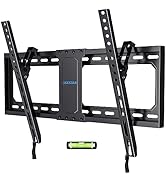
Image: A close-up of the quick release lock mechanism, demonstrating how to pull down the cord to release the TV from the mount.
Centering Your TV
After installation, you can center your TV by sliding the bracket along the wall plate for optimal view주고받음.

Image: An illustration demonstrating how to center the TV after installation by sliding the bracket along the wall plate to achieve the perfect view.
유지
- 모든 나사와 연결부를 주기적으로 점검하여 단단히 고정되어 있는지 확인하세요.
- 부드럽고 마른 천으로 마운트를 닦으십시오. 연마성 세척제나 용제를 사용하지 마십시오.
문제 해결
TV not level after installation:
Ensure the wall plate was installed level. Some mounts allow for minor post-installation leveling adjustments. Refer to the detailed manual for specific adjustment options.
Difficulty attaching TV to wall plate:
Ensure the TV brackets are correctly aligned with the wall plate hooks. Verify that no cables are obstructing the connection. The quick-release straps should be in the open position during attachment.
명세서
| 특징 | 세부 사항 |
|---|---|
| 상표 | USX 스타 |
| 모델 | B0BQ7DN3XG |
| TV 크기 호환성 | 26-60 인치 |
| Max VESA Pattern | 400x400mm |
| Min VESA Pattern | 75x75mm |
| 중량 용량 | 99파운드(45kg) |
| 장착 유형 | 고정 벽걸이 |
| 벽 거리 (로우 프로)file) | 1.3인치 |
| Wood Stud Spacing | 최대 16인치 |
| 재료 | 금속 |
| 색상 | 검은색 |
| 제품 치수 | 16 x 8.5 x 1.3 인치 |
| 품목 무게 | 2.03파운드 |
보증 및 지원
USX STAR provides ten-years after-sales service for this product. For any questions regarding compatibility, installation, or other support needs, please contact USX STAR customer service.
If you are unsure if the bracket will work with your TV, please provide the complete TV model number to customer service for assistance.
This product is sold by XStar-US and fulfilled by Amazon.