
1. 서론
Welcome to the user manual for your new Cecotec Cremmaet Macchia Super Automatic Coffee Machine. This manual provides essential information for the safe and efficient operation, maintenance, and troubleshooting of your appliance. Please read all instructions carefully before using the machine for the first time and keep this manual for future reference.
2. 안전 지침
안전한 작동을 위해 항상 다음 안전 지침을 준수하세요.
- 전기 안전: 볼륨을 확보하세요tag기기에 표시된 e는 해당 지역의 주 전원과 일치합니다.tage before connecting. Do not immerse the appliance, power cord, or plug in water or any other liquid. Do not operate the machine with a damaged cord or plug.
- Heat and Hot Surfaces: The coffee machine generates hot water and steam. Avoid contact with hot surfaces and steam to prevent burns. Always use handles and knobs.
- 어린이 및 취약계층: 이 기기는 8세 이상의 어린이와 신체적, 감각적 또는 정신적 능력이 저하되었거나 경험과 지식이 부족한 사람이 기기를 안전하게 사용하는 방법에 대한 감독이나 지침을 받고 관련 위험을 이해한 경우 사용할 수 있습니다. 어린이는 기기를 가지고 놀지 않아야 합니다. 어린이는 감독 없이 청소 및 사용자 유지 관리를 해서는 안 됩니다.
- 놓기: Place the machine on a stable, level, heat-resistant surface, away from water sources and direct sunlight. Ensure adequate ventilation around the appliance.
- 청소: Always unplug the machine before cleaning. Do not use abrasive cleaning agents or scourers.
3. 제품 오버view
Familiarize yourself with the main components of your Cecotec Cremmaet Macchia coffee machine.

그림 3.1: 앞쪽 view of the Cecotec Cremmaet Macchia coffee machine, showcasing its compact design and elegant white and rose gold finish.

그림 3.2: Close-up of the intuitive touch control panel located on the top of the machine, featuring various function icons.
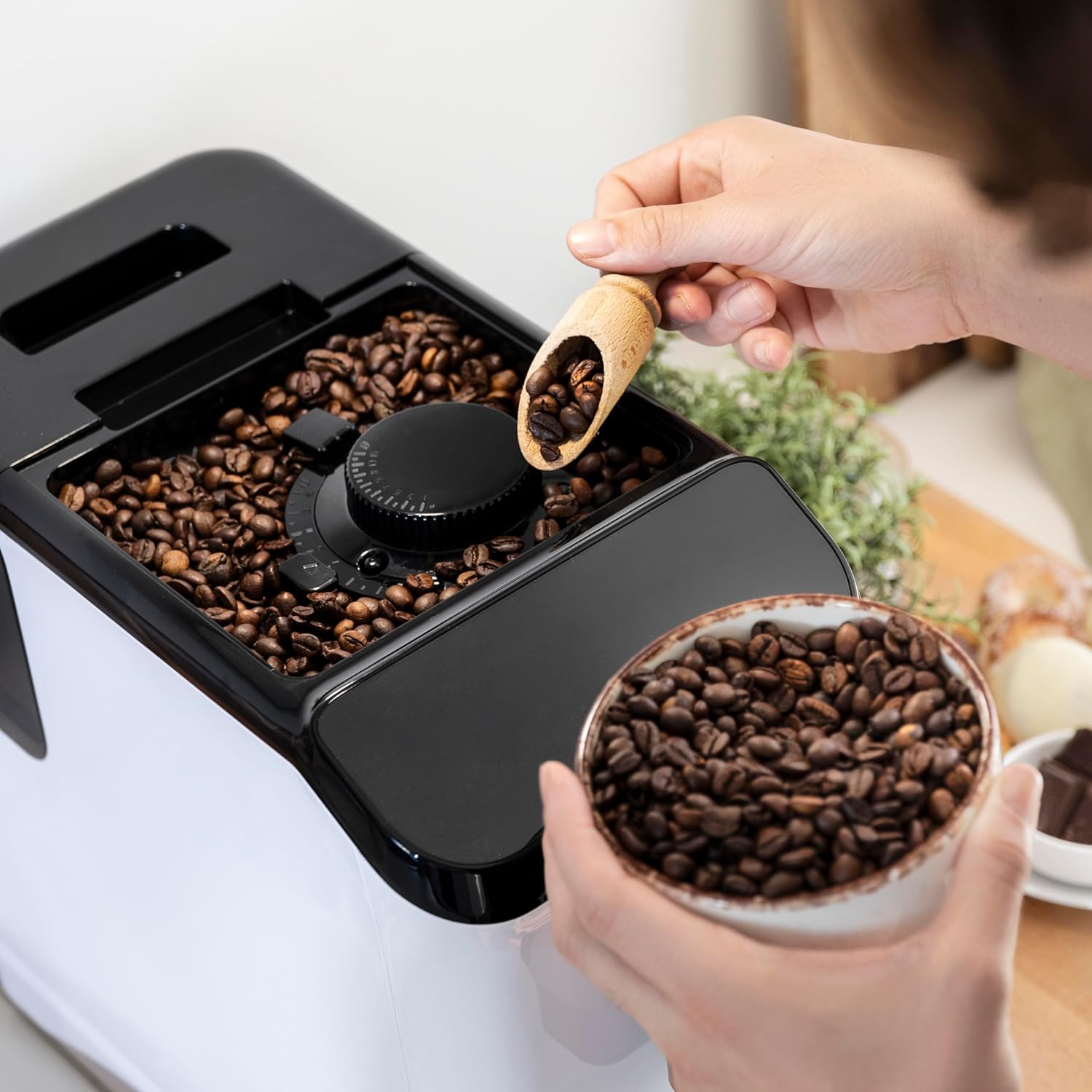
그림 3.3: The integrated coffee bean hopper with a conical grinder, allowing for fresh grinding of beans for each cup.
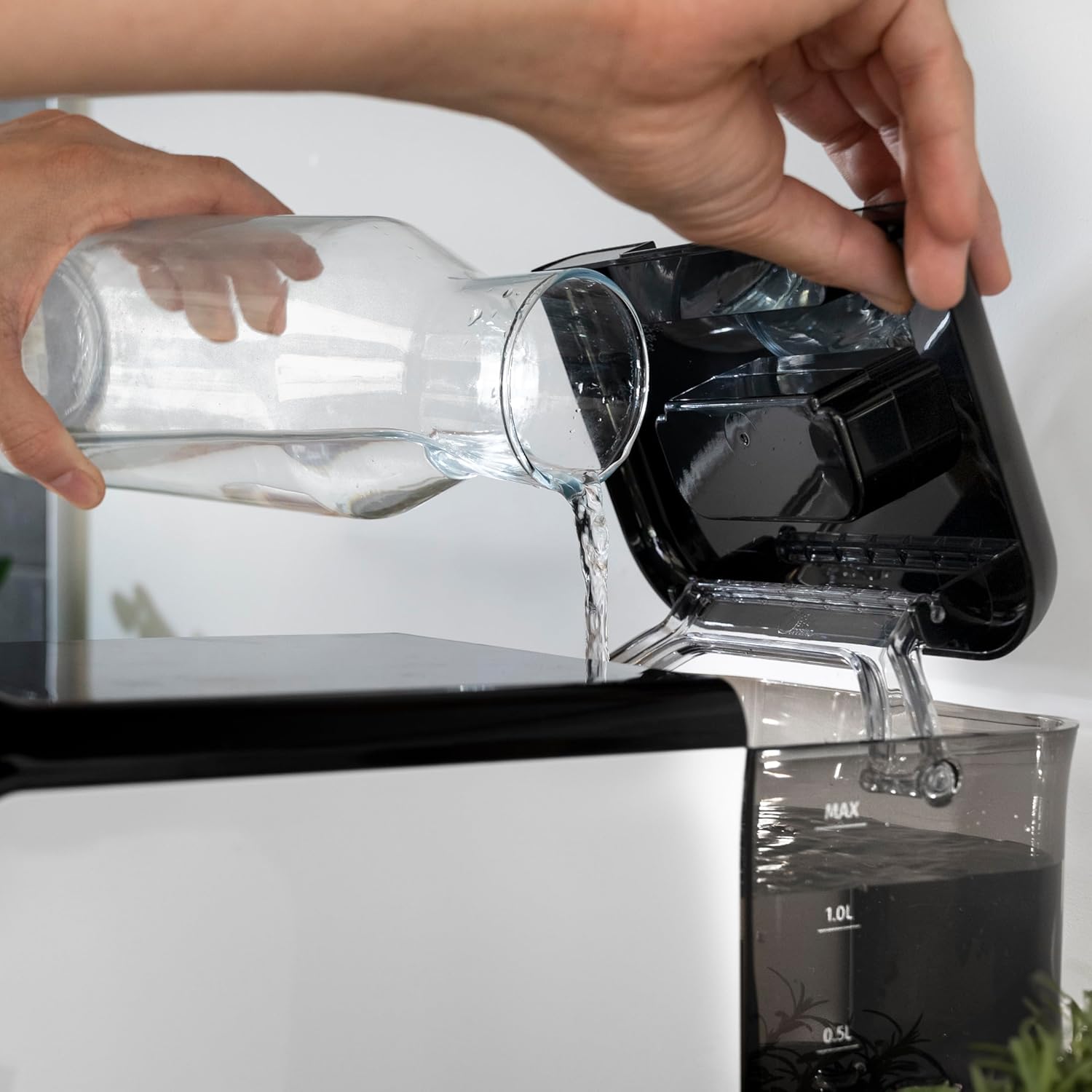
그림 3.4: The removable 1.5-liter water tank, easily accessible for refilling and cleaning.
4. 설정
커피 머신을 처음 설치하려면 다음 단계를 따르세요.
- 짐 풀기: 포장에서 기기를 조심스럽게 꺼내세요. 모든 보호 필름과 포장재를 제거하세요.
- 초기 청소: Before first use, wash the water tank, drip tray, and coffee grounds container with warm water and a mild detergent. Rinse thoroughly and dry.
- 물 탱크 채우기: Fill the removable water tank with fresh, cold drinking water up to the MAX level. Ensure the tank is properly seated in the machine.
그림 4.1: Pouring fresh water into the machine's water tank.
- 커피콩 추가: Open the lid of the bean hopper and fill it with fresh whole coffee beans. The hopper has a capacity of 200g.
그림 4.2: Adding whole coffee beans to the integrated grinder compartment.
- 플러그인: 전원 코드를 적합한 전기 콘센트에 연결합니다.
- 최초 사용/준비: The machine may perform an initial rinse cycle when first turned on or after a period of inactivity. Follow any on-screen prompts or indicator lights.
5. 사용 설명서
Your Cecotec coffee machine is designed for ease of use with its Plug & Play system.
5.1. 켜기/끄기
- Press the power button on the control panel to turn the machine on. The machine will heat up and perform a brief rinse cycle.
그림 5.1: Activating the machine by pressing the power button on the touch control panel.
- Press the power button again to turn the machine off. It will perform a final rinse cycle before shutting down.
5.2. 분쇄 설정 조정
The integrated conical grinder offers 5 levels of grinding. Adjust the grind setting by rotating the dial inside the bean hopper. It is recommended to adjust the grinder only while it is operating to prevent damage.
5.3. 커피 만들기
The machine can prepare espresso and American coffee.
- 커피 추출구 아래에 컵을 놓습니다.
- 제어판에서 원하는 커피 종류(예: 에스프레소, 아메리카노)를 선택하세요.
- 이 기계는 자동으로 커피콩을 갈아서, 커피를 내리고, 커피를 제공합니다.

그림 5.2: Selecting a coffee option on the control panel as the machine prepares the beverage.
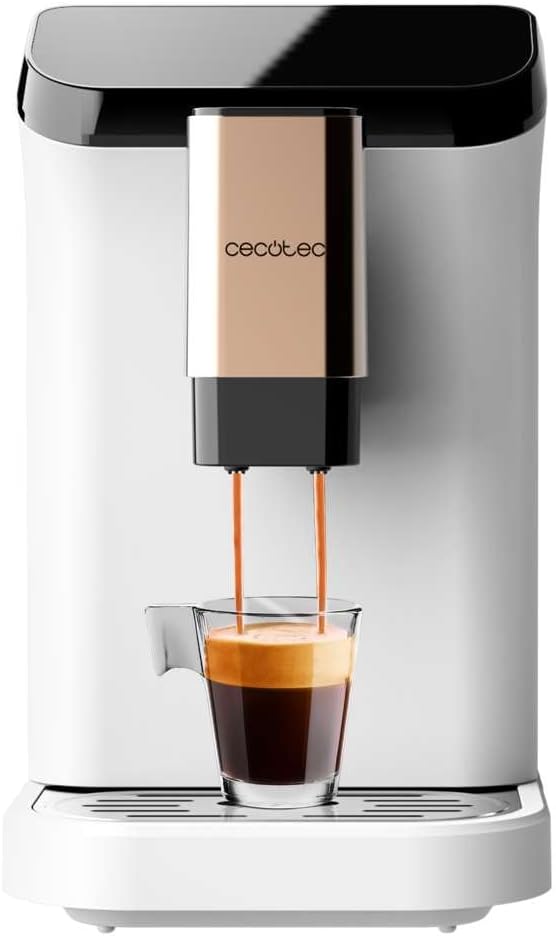
그림 5.3: The machine actively dispensing freshly brewed coffee into a cup, highlighting the rich crema.
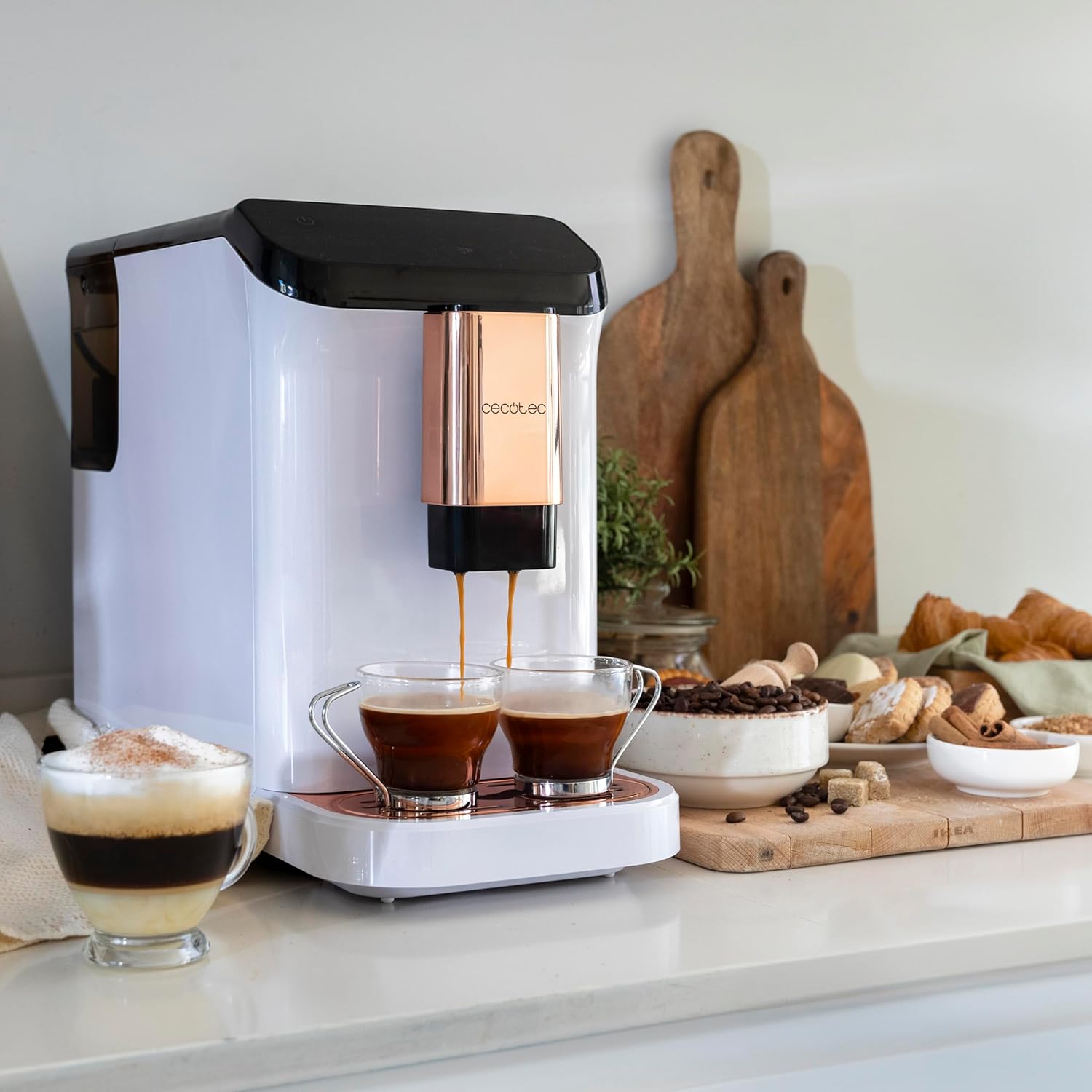
그림 5.4: The machine's capability to brew and dispense two cups of coffee at once, ideal for sharing.
5.4. Customizing Coffee
You can easily customize and memorize the amount and intensity of your coffee to suit your taste preferences. Refer to the specific icons on the control panel for these adjustments.
6. 유지관리 및 청소
정기적인 청소와 관리는 커피 머신의 수명과 최적의 성능을 보장합니다.
- 자동 청소: The machine features an automatic cleaning function to keep it clear at all times. This typically occurs upon startup and shutdown.
- Emptying Grounds Container: The machine will indicate when the coffee grounds container needs to be emptied. Remove and clean it regularly.
- 물받이 청소: The drip tray collects excess water and coffee spills. Empty and clean it frequently to prevent overflow and maintain hygiene.
- 제거 가능한 부품: Periodically remove and clean the water tank and other removable components as per the initial cleaning instructions.
- 석회질 제거 : Over time, mineral deposits can build up inside the machine. The machine will indicate when descaling is required. Use a suitable descaling solution designed for coffee machines and follow the instructions provided with the descaler.
7. 문제 해결
커피 머신에 문제가 발생하면 다음의 일반적인 문제와 해결 방법을 참조하세요.
| 문제 | 가능한 원인 | 해결책 |
|---|---|---|
| 기계가 켜지지 않음 | 플러그가 꽂혀 있지 않음; 전원이 꺼짐tage | 전원 연결 상태를 확인하고, 회로 차단기를 점검하십시오. |
| 커피가 나오지 않음 | Water tank empty; bean hopper empty; machine needs descaling. | Fill water tank; fill bean hopper; perform descaling cycle. |
| 커피가 너무 약하다 | 분쇄 설정이 너무 거칠고, 커피 양이 부족합니다. | Adjust grind to a finer setting; increase coffee intensity setting. |
| 기계에서 물이 새요 | 물탱크가 제대로 장착되지 않았습니다. 물받이가 가득 찼습니다. | 물탱크가 올바르게 삽입되었는지 확인하세요. 물받이를 비우고 청소하세요. |
| Error indicator light on | Specific issue indicated by light (e.g., grounds full, water empty). | Refer to the machine's indicator light guide for specific meaning and action. |
이러한 해결 방법을 시도한 후에도 문제가 지속되면 Cecotec 고객 지원팀에 문의하십시오.
8. 사양
Technical details for the Cecotec Cremmaet Macchia Super Automatic Coffee Machine:
- 상표: 세코텍
- 모델 번호: 01718
- 색상: White Rose
- 제품 크기: 19 x 40 x 32cm
- 품목 무게: 7.9kg
- 특별 기능: 이동식 탱크
- 커피 메이커 유형: 에스프레소 머신
- 필터 유형: 재사용 가능
- 압력 펌프: 19바
- 난방 시스템: 열 블록
- Coffee Tank Capacity: 200 g (integrated grinder)
- 물탱크 용량: 1.5리터
9. 보증 및 지원
Your Cecotec Cremmaet Macchia Super Automatic Coffee Machine comes with a manufacturer's warranty. For detailed information regarding warranty terms and conditions, please refer to the warranty card included with your product or visit the official Cecotec web본 사이트는 기술 지원, 예비 부품 또는 서비스가 필요한 경우 Cecotec 고객 서비스 센터의 공식 채널을 통해 문의해 주시기 바랍니다.