
TECWARE TWKB-P87PZT-WBR
TECWARE Phantom+ 87키 기계식 게이밍 키보드 사용 설명서
Model: TWKB-P87PZT-WBR
소개
This manual provides detailed instructions for the setup, operation, maintenance, and troubleshooting of your TECWARE Phantom+ 87 Key Mechanical Gaming Keyboard. Designed for a premium typing experience, this keyboard features customizable RGB lighting, durable PBT keycaps, and hot-swappable switches.

무엇이 포함됩니까?
패키지에 다음 항목들이 모두 들어 있는지 확인하십시오.
- TECWARE Phantom+ 87 Key Mechanical Gaming Keyboard
- Detachable 1.8m Braided USB-C Cable
- 스위치 풀러 도구
- 키캡 풀러 도구
- 예비 스위치 4개

설정
Follow these steps to set up your TECWARE Phantom+ keyboard:
- USB-C 케이블을 연결합니다. Insert the USB-C end of the braided cable into the port located on the back of the keyboard.
- 컴퓨터에 연결: 케이블의 USB-A 끝을 컴퓨터의 사용 가능한 USB 포트에 연결합니다.
- 키보드 발 조정: 키보드 밑면에 있는 조절식 받침대를 펼쳐 원하는 타이핑 각도를 만드세요.
- 드라이버 설치: The keyboard is plug-and-play. Your operating system (Windows 10 or later recommended) will automatically detect and install the necessary drivers.

작동 지침
기본 동작
The TECWARE Phantom+ functions as a standard 87-key keyboard for typing and gaming. It features N-Key Rollover, ensuring all keystrokes are registered accurately, even during rapid input.
RGB 조명 제어
The keyboard features 16.8 million color RGB lighting with 18 pre-set lighting modes. These modes can be cycled through directly on the keyboard using function key combinations (refer to the keyboard's printed legends for specific shortcuts). You can also adjust brightness and speed.

소프트웨어 기능
For advanced customization, the Phantom+ supports dedicated software. This software allows for:
- 매크로 기록 및 할당
- 최대 3명의 사용자 프로files
- Customizable Per-Key RGB Lighting
- Adjustable USB Report Rate (up to 1000Hz)

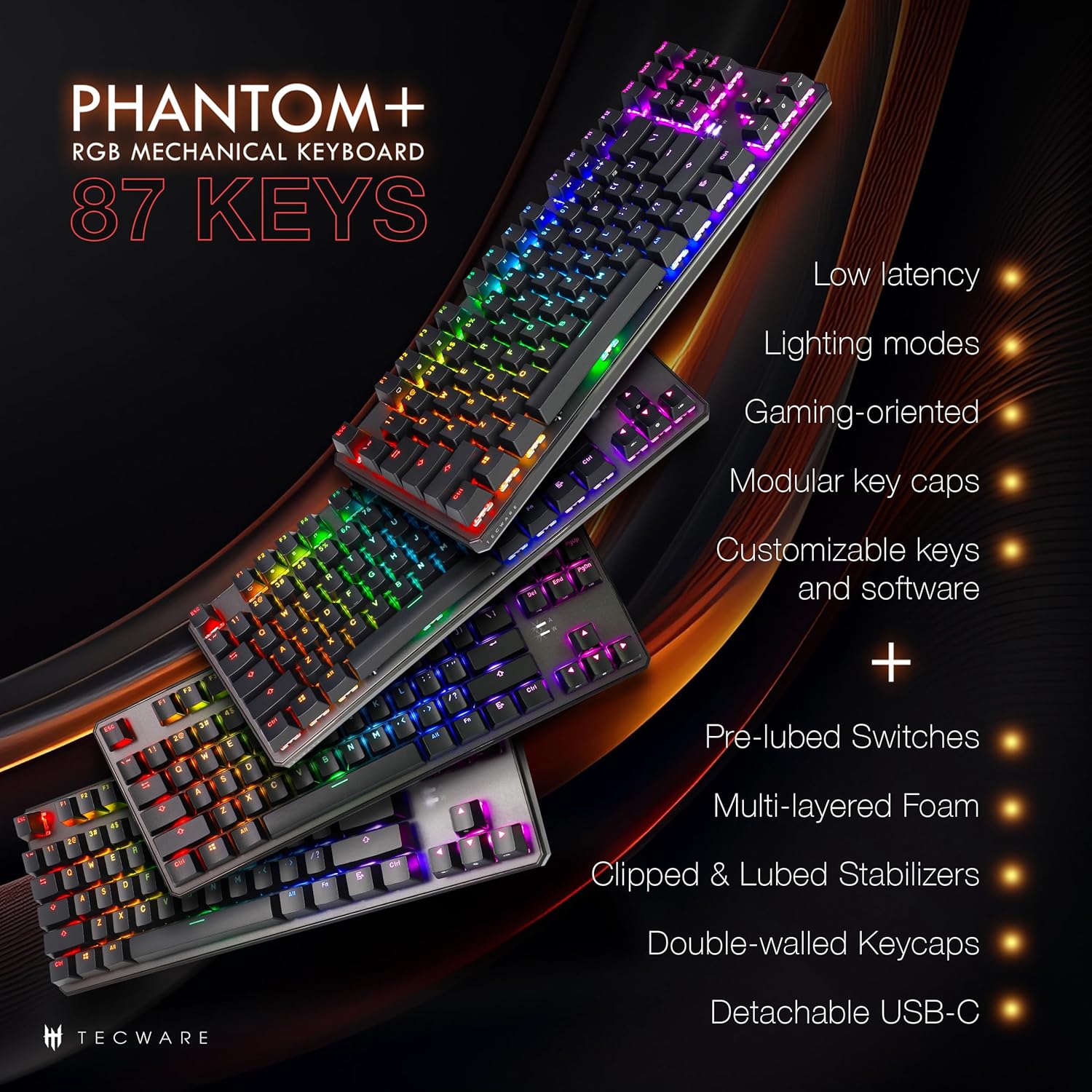
주요 기능 이상view
The Phantom+ keyboard incorporates several design and engineering features for enhanced performance and durability:
- 더블샷 PBT 키캡: Resistant to wear and fading, providing long-lasting legends.
- V3 안정기: Clipped and lubed for enhanced stability and smoother keystrokes on larger keys.
- 사운드 Dampening Technology: Reduces keyboard noise for a more pleasant typing experience.
- 1000Hz 폴링 속도: Ensures rapid response times for gaming.
- 윈도우 잠금 기능: Prevents accidental presses of the Windows key during gaming.

유지
청소
To clean your keyboard, disconnect it from your computer. Use a soft, dry cloth to wipe down the keycaps and chassis. For deeper cleaning, you may carefully remove keycaps using the provided keycap puller and use compressed air to clear debris from underneath.
스위치 교체(핫스왑 가능)
The TECWARE Phantom+ features hot-swappable switches, allowing you to replace individual switches without soldering. This is useful for customizing your typing feel or replacing a faulty switch.
- 키캡 제거: 키캡 풀러를 사용하여 교체하려는 스위치에서 키캡을 조심스럽게 분리하십시오.
- 스위치 제거: Use the switch puller tool to grasp the top and bottom clips of the switch. Apply gentle pressure and pull the switch straight up to remove it from the PCB.
- 새 스위치 삽입: 새 스위치의 핀을 PCB의 구멍에 맞추세요. 스위치가 제자리에 딸깍 소리가 날 때까지 부드럽게 눌러주세요. 핀이 구부러지지 않았는지 확인하세요.
- 키캡 교체: 새 스위치에 키캡을 단단히 고정될 때까지 눌러주세요.

문제 해결
If you encounter issues with your TECWARE Phantom+ keyboard, refer to the table below for common problems and solutions:
| 문제 | 가능한 원인 | 해결책 |
|---|---|---|
| 키보드가 응답하지 않습니다 | USB 연결 불량, 케이블 불량, 드라이버 문제. | USB 케이블이 제대로 연결되어 있는지 확인하십시오. 다른 USB 포트나 케이블을 사용해 보십시오. 컴퓨터를 재시작하십시오. |
| RGB 조명이 작동하지 않거나 불안정합니다. | Lighting mode disabled, software conflict, power issue. | Check keyboard lighting controls (Fn + keys). Ensure software is running correctly. Try reconnecting the keyboard. |
| 특정 키가 작동하지 않습니다 | 스위치에 결함이 있고 키캡 아래에 이물질이 있습니다. | Remove keycap and check for debris. If hot-swappable, try replacing the switch with a spare. |
| 소프트웨어가 키보드를 감지하지 못함 | Software not installed correctly, USB connection issue. | Reinstall the TECWARE software. Ensure the keyboard is directly connected to a USB port (avoiding hubs if possible). Run software as administrator. |
명세서
| 특징 | 세부 사항 |
|---|---|
| 모델 | TWKB-P87PZT-WBR |
| 키 | 87-Key (Tenkeyless) |
| 스위치 유형 | Wraith Brown (Tactile) - Hot-swappable |
| 키캡 | 더블샷 PBT |
| 조명 | RGB (16.8만 색상, 18가지 사전 설정 모드) |
| 연결성 | 분리형 USB-C |
| 폴링 속도 | 최대 1000Hz |
| N키 롤오버 | 지원됨 |
| 안정제 | V3 (Clipped & Lubed) |
| 치수(길이x너비x높이) | 14.21 x 5.2 x 1.65 인치 |
| 무게 | 2.71파운드 |
| 호환 OS | Windows 10 (PC, Laptop, Tablet) |
Wraith Switch Specifications
The Phantom+ keyboard comes pre-installed with TECWARE Wraith switches. The specifications for various Wraith switch types are detailed below:

보증 및 지원
For warranty information, technical support, or to access the latest software and drivers for your TECWARE Phantom+ keyboard, please visit the official TECWARE web사이트를 방문하거나 고객 서비스에 문의하세요.
자세한 정보와 지원 리소스는 다음 사이트를 방문하여 확인할 수 있습니다. Official TECWARE Store on Amazon.
Ask a question about this manual
Ask about setup, troubleshooting, compatibility, parts, safety, or missing instructions. Manuals+ will review the question and use this page’s manual context to help answer it.