
1. 서론
This manual provides detailed instructions for the setup, operation, and maintenance of your TOMLOV DM209 Digital Microscope. This device is designed for detailed observation and analysis, featuring a 7-inch IPS display, 2K HDMI output, and a 26MP Sony CMOS sensor, offering up to 1200x magnification. Please read this manual thoroughly before using the microscope to ensure proper function and longevity.
2. 안전 정보
- 현미경이 넘어지지 않도록 안정적이고 평평한 표면에 놓으십시오.
- 장치를 극한의 온도, 습도 또는 직사광선에 노출시키지 마십시오.
- Keep the microscope away from water and other liquids.
- 제공된 전원 어댑터만 사용하세요.
- Avoid touching the lens directly with your fingers. Use a soft, lint-free cloth for cleaning.
- 현미경을 직접 분해하거나 수리하려고 하지 마십시오. 도움이 필요하시면 고객 지원 센터에 문의하십시오.
3. 패키지 내용
패키지에 모든 품목이 들어 있는지 확인하세요.
- TOMLOV DM209 Digital Microscope Unit
- 조절 가능한 스탠드
- 원격 제어
- USB 케이블
- HDMI 케이블
- 전원 어댑터
- 교정 눈금자
- 사용 설명서 (본 문서)
- 32GB MicroSD 카드 (사전 설치됨 또는 별도 구매)
4. 제품 오버view
The TOMLOV DM209 Digital Microscope consists of a main microscope unit with an integrated 7-inch IPS display, a sturdy metal stand, and a base with adjustable LED lights. Key components include the focus wheel, magnification adjustment, lens, and various ports for connectivity.

Figure 4.1: Fully assembled TOMLOV DM209 Digital Microscope with its stand and adjustable lights.
5. 설정
- 스탠드 조립: Attach the microscope unit to the adjustable stand. Ensure all screws are tightened securely.
- 전원 연결: Plug the power adapter into the microscope's DC input port and then into a power outlet.
- MicroSD 카드 삽입: If not already inserted, gently push the 32GB MicroSD card into the designated slot until it clicks.
- 위치: Place the object to be observed on the base plate. Adjust the height of the microscope unit using the stand's adjustment knob to get a preliminary focus.
6. 사용 설명서
6.1 전원 켜기/끄기
Press and hold the power button on the microscope unit for a few seconds to turn it on. Repeat the action to turn it off.
6.2 확대 및 초점 조절
Rotate the focus wheel on the side of the microscope unit to achieve a clear image. The DM209 offers a magnification range from 2X to 1200X. Adjust the distance between the lens and the object for optimal magnification and clarity.

Figure 6.1: Illustration of the microscope's 2X-1200X zoom capability, showing magnified views of a fabric texture and a coin.
6.3 Using the 7-inch IPS Monitor
The integrated 7-inch IPS monitor provides a clear and wide viewing angle for direct observation. Use the buttons below the screen to navigate menus and adjust settings.
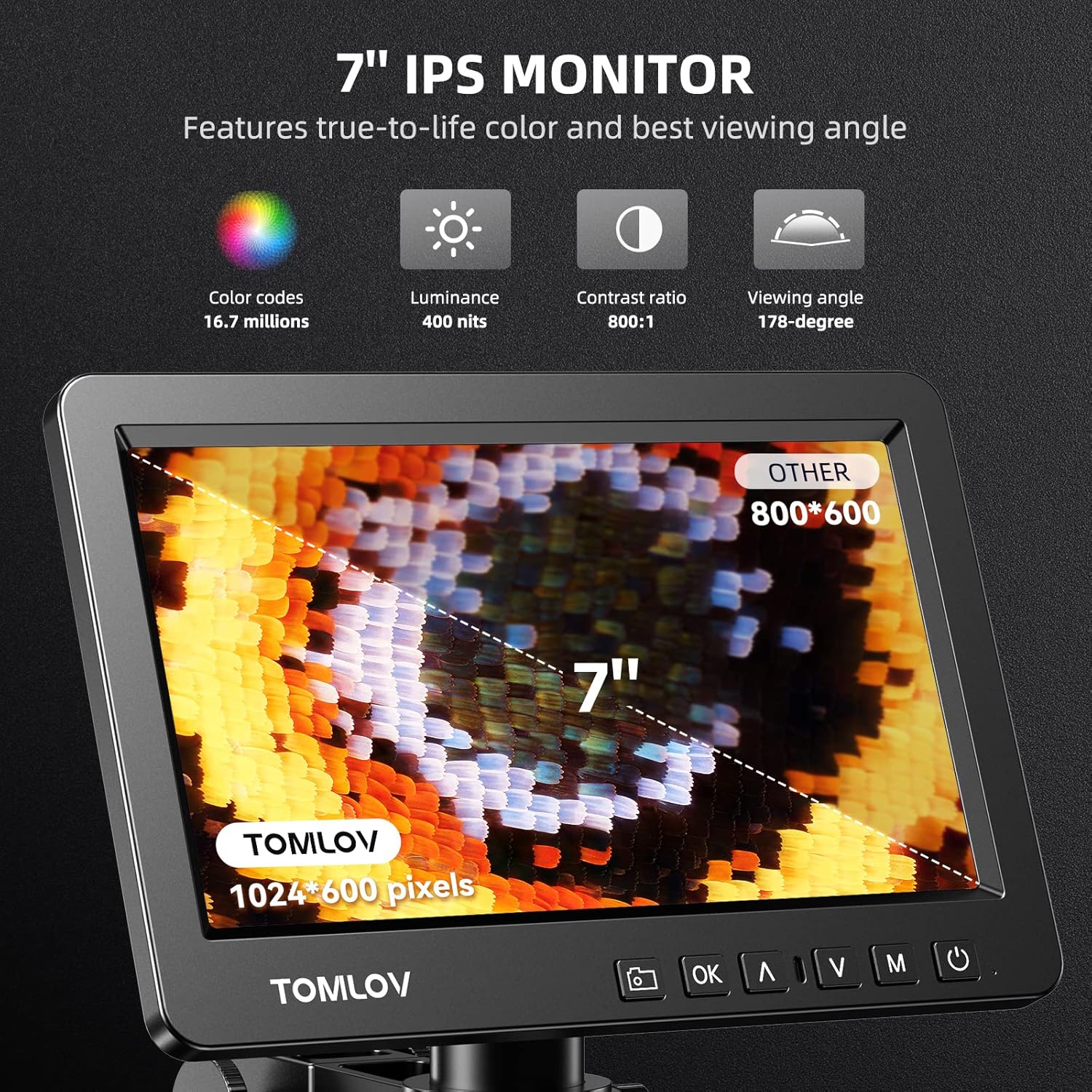
Figure 6.2: Close-up of the 7-inch IPS monitor displaying a magnified butterfly wing, highlighting its color, luminance, contrast, and viewing angle specifications.
6.4 리모콘 기능
The included remote control allows for convenient operation without touching the microscope, reducing vibrations. Functions include digital zoom, image flip, taking pictures/videos, and freezing the screen.

Figure 6.3: A hand holding the remote control for the microscope, with icons for digital zoom, image flip, capture, and freeze screen functions.
6.5 HDMI Output to External Display
Connect the microscope to a larger monitor or TV using the provided HDMI cable for a wider view and collaborative observation. Ensure both devices are powered off before connecting the HDMI cable, then power them on.

Figure 6.4: Microscope connected to an external monitor via HDMI, displaying a magnified circuit board.
6.6 USB Output for PC View
For advanced analysis and larger screen viewing on a computer, connect the microscope to your PC using the USB cable. The microscope is compatible with Windows operating systems. Install any necessary drivers or software as prompted by your computer.

그림 6.5: 사용자 viewing the microscope's output on a larger PC monitor via USB connection, demonstrating Windows compatibility.
6.7 이미지 및 비디오 캡처
Use the dedicated capture button on the microscope unit or the remote control to take still images or record videos. Files are saved directly to the inserted MicroSD card.
6.8 Trinocular Compatibility
The DM209 features C-mount compatibility, allowing it to be integrated into trinocular microscope setups for comprehensive and direct viewing, facilitating sharing and advanced applications.
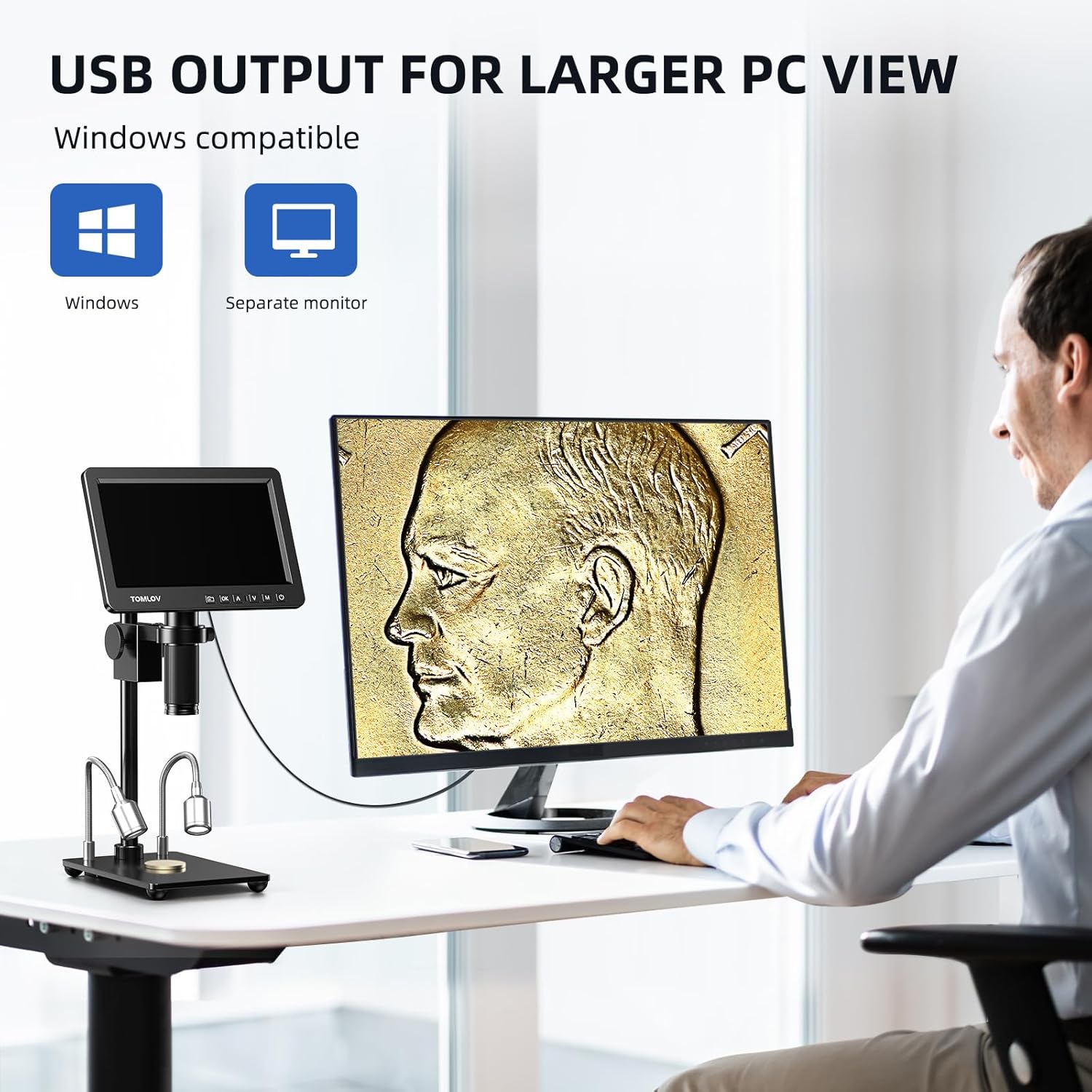
Figure 6.6: The microscope's screen displaying a magnified plant cell structure, illustrating its trinocular compatibility for comprehensive view나눔과 나눔.
7. 유지관리
- 렌즈 청소: 광학 렌즈 전용으로 제작된 부드럽고 보풀 없는 천을 사용하십시오. 잘 지워지지 않는 얼룩의 경우, 렌즈 세척액을 천에 소량 묻혀 사용하십시오 (렌즈에 직접 묻히지 마십시오).
- 본체 청소: 현미경 본체는 부드럽고 마른 천으로 닦으십시오. 연마성 세척제나 용제를 사용하지 마십시오.
- 저장: When not in use, store the microscope in a clean, dry, and dust-free environment. Use a dust cover if available.
- 배터리 관리(해당되는 경우): If the device has an internal battery, avoid fully discharging it frequently to prolong its lifespan.
8. 문제 해결
| 문제 | 가능한 원인 | 해결책 |
|---|---|---|
| 전원이 없습니다 | 전원 어댑터가 연결되지 않았습니다. 전원 콘센트가 고장났습니다. | 전원 연결 상태를 확인하고, 다른 콘센트에 연결해 보세요. |
| 이미지가 흐릿함 | Focus not adjusted; object too far/close; lens dirty. | Adjust focus wheel; adjust object distance; clean lens. |
| No image on external monitor | HDMI 케이블이 헐거워졌거나 불량일 수 있습니다. 모니터에서 잘못된 입력이 선택되었을 수 있습니다. | Check HDMI connection; select correct input source on external monitor. |
| 이미지/동영상을 저장할 수 없습니다 | MicroSD card full, faulty, or not inserted correctly. | Check MicroSD card insertion; format or replace card. |
| 리모컨이 작동하지 않습니다 | Batteries low or depleted; obstruction between remote and microscope. | Replace remote control batteries; ensure clear line of sight. |
9. 사양
| 특징 | 세부 사항 |
|---|---|
| 모델 | DM209 |
| 상표 | 톰로프 |
| 표시하다 | 7인치 IPS 화면 |
| 감지기 | Sony CMOS IMX 26MP |
| 확대 | 2배 - 1200배 |
| 비디오 출력 | 2K HDMI, USB |
| 재료 | Metal (lens, stand) |
| 치수(길이 x 너비 x 높이) | 26 x 16 x 18cm |
| 무게 | 1.41 킬로그램 |
| 권tage | 240 볼트 |
| 저장 | MicroSD 카드 지원 (32GB 포함) |
10. 보증 및 지원
For warranty information and technical support, please refer to the warranty card included with your product or visit the official TOMLOV web사이트. 직접 기기를 수리하려고 시도하지 마십시오. 보증이 무효화될 수 있습니다.