
소개
The j5create USB4 8K Multi-Function Hub (JCD403) is designed to expand the connectivity of your USB4, Thunderbolt 4, or Thunderbolt 3 host device. It provides multiple ports including HDMI for high-resolution video output, 2.5 Gigabit Ethernet for fast network access, USB-A and USB-C ports for data transfer, and Power Delivery for charging your host device. This manual provides instructions for setup, operation, and troubleshooting to ensure optimal performance.

이미지: 이상view of the j5create USB4 8K Multi-Function Hub (JCD403) highlighting its various ports and compact design.
제품 특징
- USB4 Technology: Provides up to 40Gbps data transfer rates and upgraded bandwidth for video and data. Backward compatible with Thunderbolt 4, Thunderbolt 3, and other USB-C host devices.
- 8K60 / 4K144 HDMI Output: Supports ultra-high-resolution video output up to 8K at 60Hz or 4K at 144Hz for a high-quality visual experience in both mirror and extended display modes.
- 2.5G 이더넷 포트: Offers a wired network connection with speeds up to 2500Mbps (2.5Gbps) for faster file transfers and stable streaming.
- PD(Power Delivery) 충전: Features a USB-C PD port with up to 100W power delivery to charge your host laptop. The hub consumes approximately 5W for normal operation.
- High-Speed USB Data Ports: Includes two USB-A data ports and one USB-C data port, all supporting up to 10Gbps transfer speeds for connecting various peripherals.

Image: Diagram illustrating the internal components and high-speed capabilities of the USB4 technology within the hub.
패키지 내용
- j5create USB4 8K Multi-Function Hub (JCD403)
- 사용 설명서
설치 지침
- 호스트 장치에 연결: Plug the integrated USB-C cable of the JCD403 hub into an available USB4, Thunderbolt 4, or Thunderbolt 3 port on your laptop or compatible device.
- 전원 어댑터 연결(선택 사항이지만 권장): For optimal performance and to charge your host device, connect your laptop's USB-C power adapter (up to 100W) to the USB-C PD input port on the JCD403 hub.
- HDMI 디스플레이 연결: Connect an HDMI cable from your monitor to the HDMI port on the JCD403. Ensure your monitor and HDMI cable support the desired resolution (e.g., 8K60Hz or 4K144Hz).
- 이더넷 케이블 연결: For a wired network connection, plug an Ethernet cable into the 2.5G Ethernet port on the hub.
- USB 주변 장치 연결: Connect your USB-A and USB-C devices (e.g., keyboard, mouse, external drives) to the corresponding data ports on the JCD403.

Image: The j5create JCD403 hub connected to a laptop, illustrating the various ports in use, including USB-C PD, USB-C data, USB-A data, RJ45 Ethernet, and HDMI.
작동 지침
- 자동 감지: The hub is designed for plug-and-play operation. Your operating system should automatically detect the connected devices and external display.
- 디스플레이 구성 : Access your computer's display settings to configure mirror or extended display modes, adjust resolution, and refresh rates for the connected HDMI monitor.
- 전력 공급 : When a compatible USB-C power adapter is connected to the hub's PD port, it will pass power through to charge your host laptop while the hub is in use.
- 데이터 전송: Use the USB-A and USB-C data ports to connect and transfer data with your external storage devices, keyboards, mice, and other USB peripherals.
- 네트워크 접근: The 2.5G Ethernet port provides a stable and high-speed wired internet connection. Ensure your network infrastructure supports 2.5G speeds for optimal performance.
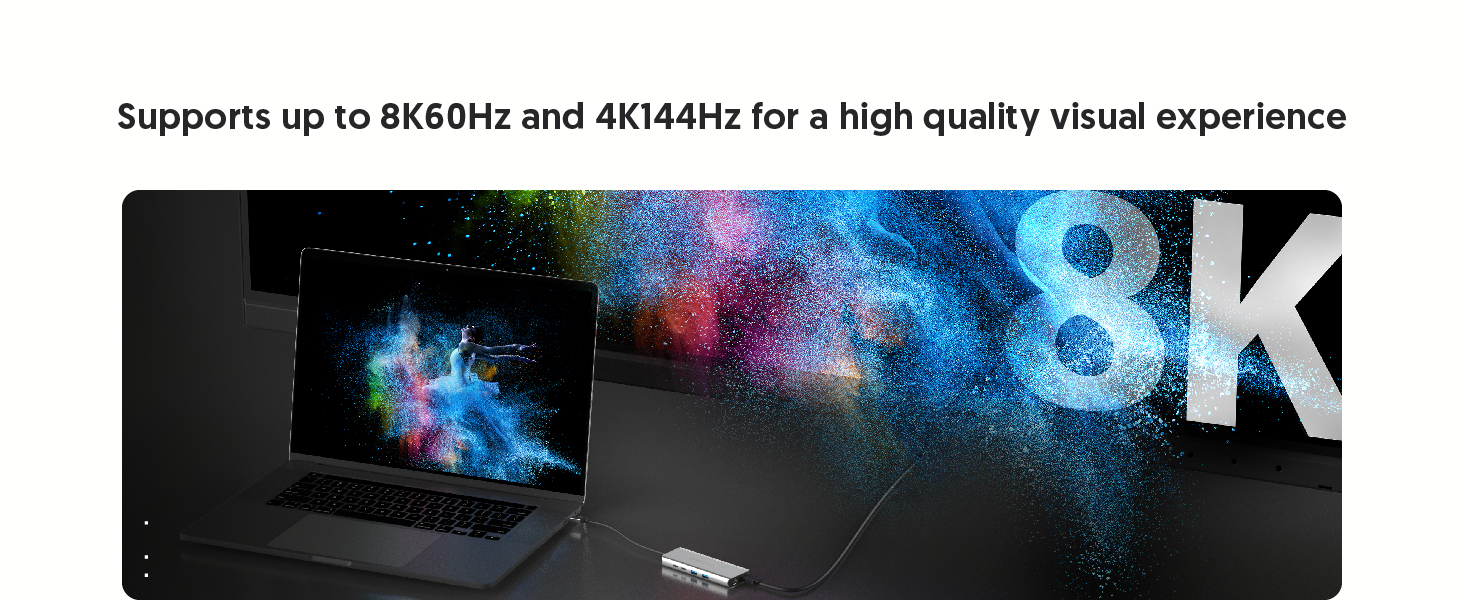
Image: A laptop connected to an external monitor via the hub, displaying an 8K resolution image, demonstrating the high-resolution HDMI output capability.
유지
- 청소: 허브 외부를 닦을 때는 부드럽고 마른 천을 사용하십시오. 액체 세척제나 용제는 사용하지 마십시오.
- 저장: 허브를 사용하지 않을 때는 직사광선과 극한 온도 변화를 피해 서늘하고 건조한 곳에 보관하십시오.
- 열 발산: The aluminum housing and vent design assist in heat dissipation. Ensure the hub is placed in a well-ventilated area to prevent overheating during prolonged use.

Image: Illustration showing the aluminum housing and vent design of the JCD403 hub, indicating its effective heat dissipation capabilities.
문제 해결
- No Display Output or Incorrect Resolution:
- HDMI 케이블이 허브와 모니터에 모두 단단히 연결되어 있는지 확인하세요.
- Verify that your host device, HDMI cable, and monitor all support the desired resolution and refresh rate.
- Check your computer's display settings to ensure the external monitor is detected and configured correctly (e.g., extended or mirrored).
- For macOS, note that HDR support with certain HDMI adapters may require specific monitor settings or EDID profile adjustments. macOS typically supports up to 4K60Hz with HDMI output.
- 이더넷 속도가 느림:
- Confirm your Ethernet cable and network infrastructure (router/switch) support 2.5G speeds.
- Ensure your host device's drivers for the Ethernet adapter are up to date.
- Test with a different Ethernet cable or port if possible.
- USB 장치가 인식되지 않거나 데이터 전송 속도가 느린 경우:
- Ensure USB devices are properly connected to the hub's ports.
- Some high-power USB devices may require external power or a powered hub.
- Verify that your host device's USB drivers are current.
- 전력 공급 문제:
- Ensure your USB-C power adapter is connected to the hub's PD input port and is capable of providing sufficient wattage (최대 100W).
- The hub itself consumes approximately 5W; ensure your power adapter provides enough wattage for both the hub and your laptop.
- Intermittent Connectivity or Device Instability:
- 허브와 호스트 장치의 연결을 해제했다가 다시 연결하십시오.
- 모든 연결이 안전한지 확인하세요.
- If experiencing system crashes on macOS, ensure your operating system is updated and try connecting the hub and peripherals in a specific sequence (e.g., hub first, then power, then display, then USB devices).
명세서
| 모델 | JCD403 |
| 제품 치수 | 7.87 x 2.01 x 5.31 인치 |
| 품목 무게 | 6 온스 |
| 하드웨어 인터페이스 | Ethernet, HDMI, Thunderbolt, USB, USB 3.0, USB Type C |
| 특징 | Fast Charging (Power Delivery up to 100W) |
| 색상 | 스페이스 그레이 |
호환성
The j5create USB4 8K Multi-Function Hub (JCD403) is compatible with a wide range of devices supporting Type-C, Thunderbolt 3, Thunderbolt 4, or USB4 interfaces. This includes:
- 2022 MacBook Pro/Air M2
- 2021 MacBook Pro 14-inch, 16-inch (M1 Pro)
- 2020 MacBook Pro/Air M1
- 2019/2018/2017/2016 MacBook Pro
- 2018년형 맥북 에어
- 2021 iMac M1, 2019/2017 iMac, iMac Pro
- 맥 미니 M1
- 2022 iPad Air M1, 2021 iPad Pro M1, 2020/2018 iPad Pro, 2020 iPad Air
- Other laptops and devices supporting Type-C, Thunderbolt 3, Thunderbolt 4, or USB4 interfaces.

Image: Two laptops, one Windows and one macOS, connected to the JCD403 hub, illustrating its broad compatibility with Thunderbolt and USB4 devices.
보증 및 지원
For warranty information and technical support, please refer to the official j5create web사이트를 방문하거나 고객 서비스에 직접 문의하세요. 보증 청구를 위해 구매 영수증을 보관하세요.


