
1. 서론
This manual provides detailed instructions for the installation, operation, and maintenance of your FLITI 110V Motion Sensor Outdoor Flood Light. Please read this manual thoroughly before installation and use to ensure proper function and safety. This hardwired security light offers 2500 lumens of brightness, an 8-meter sensing distance, and convenient remote control functionality with multiple lighting modes.
2. 제품 특징
- Super Bright Hardwired Design: 15-watt LED equivalent to 150-watt traditional halogen bulbs, providing 2500 lumens of high brightness. Requires connection to a power cord; not solar or battery-powered.
- 원격 제어 기능: Easily change lighting modes without needing to access the physical unit.
- Five Night Lighting Modes:
- Motion-activated: High brightness (2500LM) when motion is detected, then turns off.
- Motion-activated with low brightness standby: Low brightness (300LM) standby, switches to high brightness (2500LM) upon motion detection, then returns to low brightness.
- Always On (Micro Brightness): Maintains a constant micro brightness (300LM).
- Always On (Medium Brightness): Maintains a constant medium brightness (700LM).
- Always On (High Brightness): Maintains a constant high brightness (1000LM).
- Durable for Cold Climates: Designed with low-temperature resistant material, suitable for temperatures from -40°C to 0°C, making it ideal for Canadian winters.
- 유연한 회전 설계: Adjustable light heads and sensor for optimal coverage.
- IP65 방수 등급: Resistant to rain, snow, and dust for reliable outdoor use.
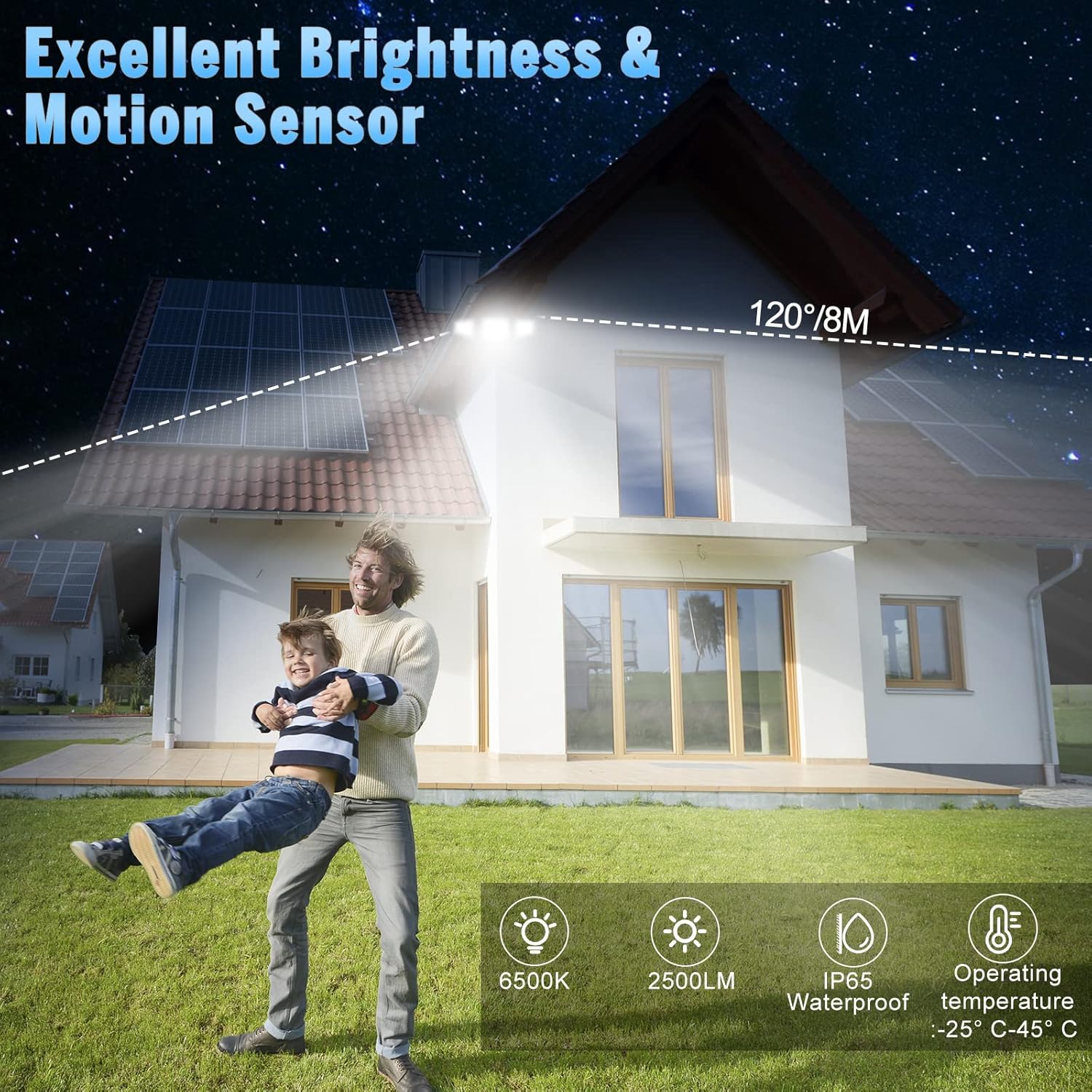
Image: The flood light illuminates a wide area with a 120-degree beam and 8-meter sensing distance. It features 6500K color temperature, 2500LM brightness, IP65 waterproof rating, and operates between -25°C and 45°C.

Image: The flood light features a flexible rotation design, allowing the light heads to adjust 360 degrees horizontally and 90 degrees vertically, and the sensor to adjust 360 degrees horizontally.
3. 안전 정보
- 설치나 정비를 하기 전에 항상 회로 차단기의 전원을 끄세요.
- 설치 과정에 대해 확신이 없다면 자격을 갖춘 전기 기술자에게 문의하세요.
- 제품을 개조하지 마십시오. 개조는 보증을 무효화하고 안전상의 위험을 초래할 수 있습니다.
- 모든 연결 부분이 안전하고 적절히 절연되어 있는지 확인하세요.
- LED 조명이 켜져 있을 때 직접 쳐다보지 마십시오. 눈 손상을 유발할 수 있습니다.
- 가연성 물질로부터 제품을 멀리 두십시오.
4. 설치
This flood light is designed for wall mounting and requires hardwired electrical connection. Professional installation is recommended.
4.1 배선 지침
- 주 회로 차단기의 전원을 끕니다.
- Remove your existing light fixture, if applicable.
- Connect the live wire (black) from the flood light to the live wire from your electrical box using a wire nut.
- Connect the neutral wire (white) from the flood light to the neutral wire from your electrical box using a wire nut.
- Connect the ground wire (green/yellow) from the flood light to the ground wire from your electrical box.
- 모든 연결이 단단하고 안전한지 확인하세요.

Image: Wiring diagram showing connections for live, neutral, and ground wires. Ensure proper insulation and secure connections.
4.2 고정물 장착
- After wiring, align the mounting plate of the flood light with the junction box.
- Secure the fixture to the wall using the provided screws. Ensure it is firmly attached.
- 조명 헤드와 동작 감지 센서를 원하는 각도로 조정하세요.
- Apply silicone sealant around the top and sides of the mounting plate to prevent water ingress, leaving the bottom open for drainage.
- 회로 차단기에서 전원을 복구하세요.

Image: Step-by-step illustration of mounting the flood light to a wall, showing wiring connections and securing the fixture.
5. 사용 설명서
The FLITI Motion Sensor Outdoor Flood Light can be controlled using the included remote control.
5.1 리모콘 기능

Image: The remote control features ON/OFF buttons and numbered buttons (1-5) corresponding to different lighting modes.
- 켜기/끄기: 불을 켜거나 끕니다.
- Mode 1 (Motion Sensor - High Brightness): Light remains off until motion is detected, then illuminates at 2500LM for a set duration (e.g., 20 seconds) before turning off.
- Mode 2 (Low Brightness Standby + Motion Sensor - High Brightness): Light stays at a low brightness (300LM) until motion is detected, then switches to 2500LM. After motion ceases, it returns to low brightness.
- Mode 3 (Always On - Micro Brightness): Light stays on continuously at 300LM.
- Mode 4 (Always On - Medium Brightness): Light stays on continuously at 700LM.
- Mode 5 (Always On - High Brightness): Light stays on continuously at 1000LM.

이미지: 시각적 examples of the five lighting modes, illustrating how the light behaves with and without motion detection at different brightness levels.
5.2 센서 조정
The motion sensor can be adjusted for sensitivity and duration. Refer to the sensor unit for specific dial settings (e.g., DISTANCE, TIME).
Video: Demonstration of Mode 1 (off to high light for 20 seconds) and Mode 2 (dim to high light for 20 seconds) in action, showing how the light responds to motion.
Video: Explanation of motion sensor settings, including adjustments for sensing distance (L, M, H) and light duration (1 min, 3 min, 10 min), and a test mode.
6. 유지관리
- 청소: 조명기구를 주기적으로 부드러운 천으로 닦아주세요.amp 천. 연마성 세척제나 용매를 사용하지 마십시오.
- 점검: Regularly inspect the wiring and housing for any signs of damage or wear.
- LED : LED 광원은 일체형으로 사용자가 교체할 수 없습니다.
7. 문제 해결
| 문제 | 가능한 원인 | 해결책 |
|---|---|---|
| 조명이 켜지지 않습니다. | 전원 없음; 배선 불량; 센서 오작동. | Check circuit breaker. Verify wiring connections. Test sensor sensitivity. |
| 모션 센서가 감지되지 않습니다. | Sensor obstructed; incorrect sensitivity setting; ambient light interference. | Clear obstructions. Adjust sensor sensitivity (DISTANCE dial). Ensure sensor is not facing direct light sources. |
| Light stays on continuously (in motion modes). | Continuous motion detected; incorrect mode selected; sensor malfunction. | Ensure no constant motion in sensor range. Verify correct mode (Mode 1 or 2). Adjust sensor settings. |
| 리모컨이 작동하지 않습니다. | Battery depleted; remote out of range; obstruction. | Replace remote battery. Ensure remote is within effective range and pointed towards the light. Remove obstructions. |
8. 사양
| 특징 | 사양 |
|---|---|
| 모델 번호 | 빛 -12.5 |
| 전원 | Electric (Hardwired) |
| 권tage | 120 볼트 |
| 왓tage | 15 와트 |
| 명도 | 2500 루멘(최대) |
| 색온도 | 6500 켈빈 |
| 제어 방법 | 원격 제어 |
| 실내/실외 사용 | 집 밖의 |
| 방수 레벨 | IP65 방수 |
| 재료 | Plastic, Glass (Shade) |
| 제품 치수 | 가로 25mm, 세로 25mm, 높이 25mm |
| 품목 무게 | 0.96 킬로그램 |
| 장착 유형 | Wall Mount, Semi Flush Mount |
9. 보증 및 지원
FLITI offers a 1년 보증 for this product from the date of purchase. We also provide a 30-day money-back guarantee. If you encounter any issues or have questions regarding your FLITI Motion Sensor Outdoor Flood Light, please contact our customer support for assistance. Our goal is to provide professional and reliable LED lamps and excellent after-sales experience.