
1. 서론
The SIIG Thunderbolt 4 Docking Station (Model: JU-DK0U11-S1) is designed to expand the connectivity of your laptop, providing a comprehensive workstation solution. This docking station offers 15 ports, enabling connections for multiple displays, peripherals, network, and power through a single Thunderbolt 4 cable. It supports high-speed data transfer and versatile display configurations for both Mac and Windows systems.

Image 1.1: SIIG Thunderbolt 4 Docking Station (JU-DK0U11-S1) overview.
2. 패키지 내용
패키지에 모든 품목이 들어 있는지 확인하세요.
- SIIG Thunderbolt 4 Docking Station (JU-DK0U11-S1)
- 150W 전원 어댑터
- Thunderbolt 4 케이블
- 사용자 설명서

Image 2.1: Contents included in the SIIG Thunderbolt 4 Docking Station package.
3. 제품 오버view
3.1 전면 패널 포트
- 3.5mm Stereo Out: 헤드폰이나 외부 스피커용.
- SD 3.0 Card Slot: Supports SD 3.0 UHS-1 memory cards up to 2TB.
- USB-A 3.2 Gen 1 (5Gbps) Ports (x2): For connecting USB-A peripherals, supporting 5V/0.9A charging.
- 썬더볼트 4 포트: For connecting Thunderbolt 4 devices or displays.
- 전원 버튼: 도킹 스테이션을 켜거나 끕니다.

이미지 3.1: 상세 view of the front panel ports.
3.2 후면 패널 포트
- DC Power Jack (20V/7.5A): 포함된 150W 전원 어댑터에 연결합니다.
- Thunderbolt 4 Port (Host PD 60W): Connects to your laptop via the Thunderbolt 4 cable, providing up to 60W power delivery.
- 3.5mm Mic In: 외부 마이크를 연결합니다.
- Micro SD (TF) 3.0 Card Slot: Supports Micro SD (TF) 3.0 UHS-1 memory cards up to 2TB.
- USB-A 2.0(480Mbps) 포트(2개): For connecting USB-A peripherals, supporting 5V/1.5A charging.
- 기가비트 이더넷 포트: 유선 네트워크 연결을 위해.
- DisplayPort 출력: 외부 디스플레이 연결용입니다.
- HDMI 출력: 외부 디스플레이 연결용입니다.
- Thunderbolt 4 Ports (x2): For connecting additional Thunderbolt 4 devices or displays, providing 45W power delivery.

이미지 3.2: 상세 view of the rear panel ports.
4. 설정 지침
- 전원 연결: Plug the included 150W power adapter into the DC Power Jack on the rear of the docking station, then connect it to a power outlet.
- 호스트 노트북에 연결: Use the provided Thunderbolt 4 cable to connect the Thunderbolt 4 Host port (60W PD) on the rear of the docking station to your laptop's Thunderbolt 4 or USB-C port.
- 전원 켜기: Press the power button on the front panel of the docking station. The power indicator LED should illuminate.
- 디스플레이 연결: Connect your monitors to the available DisplayPort, HDMI, and Thunderbolt 4 output ports on the docking station. Refer to the 'Display Configuration' section for supported setups.
- 주변기기 연결: Connect your USB devices, Ethernet cable, and audio devices to the corresponding ports on the docking station.
5. 사용 설명서
5.1 디스플레이 구성
The docking station supports various display setups, including single 8K or quad 4K displays, utilizing Thunderbolt 4 and DisplayLink technology. Ensure DisplayLink drivers are installed for optimal performance, especially for additional displays beyond native Thunderbolt outputs.
- 단일 디스플레이 출력: Supports up to 8K resolution.
- 듀얼 디스플레이 출력: Supports up to 2x 4K resolution via two Thunderbolt 4 ports.
- Quad Display Output: Achieved by combining two Thunderbolt 4 ports with the DisplayPort and HDMI ports, enabling four 4K displays.

이미지 5.1: Example of a quad display setup using the docking station.

Image 5.2: Display compatibility and resolution matrix for Windows and Mac M1/M2 systems.
5.2 전력 공급
The docking station provides power to your connected devices:
- 노트북 충전: Up to 60W Power Delivery (PD) to the host laptop via the Thunderbolt 4 host port.
- 썬더볼트 4 포트: Each of the three downstream Thunderbolt 4 ports provides up to 45W of power.
- USB-A Fast Charging: Two USB-A 5Gbps ports support 5V/0.9A charging, and two USB-A 2.0 ports support 5V/1.5A charging.

Image 5.3: Power delivery capabilities of the docking station.
5.3 데이터 전송
Experience high-speed data transfer for efficient workflow:
- 썬더볼트 4: Up to 40Gbps data transfer speed, 8 times faster than USB 3.0.
- USB-A 3.2 1세대: 최대 5Gbps의 데이터 전송 속도.
- 메모리 카드 리더: Supports SD 3.0 UHS-1 and Micro SD (TF) 3.0 UHS-1 with data transfer rates up to 104MB/s.
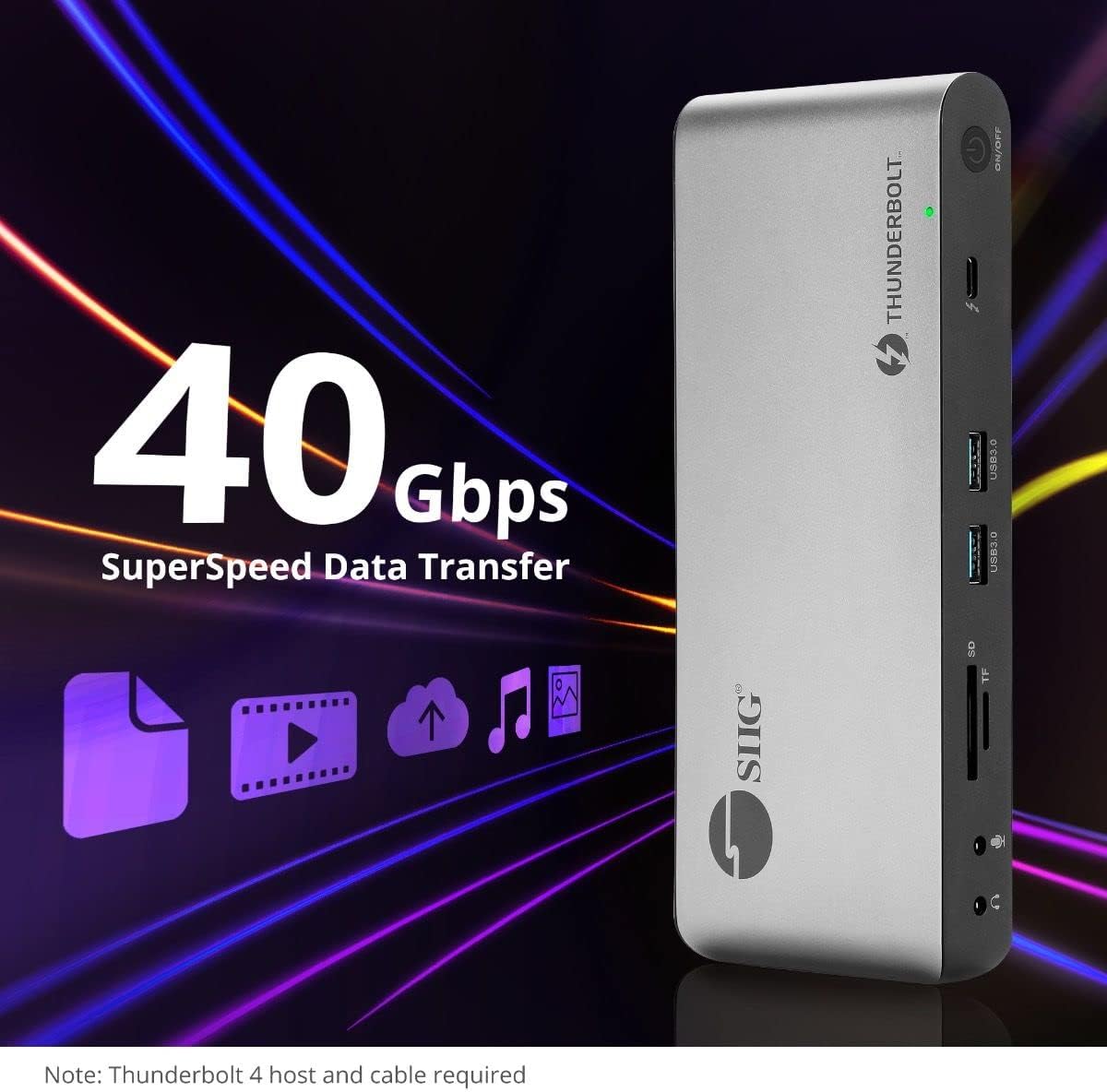
그림 5.4: 고속 데이터 전송 기능.
6. 호환성
The SIIG Thunderbolt 4 Docking Station is broadly compatible with various systems:
- 운영 체제: Mac M1/M2/M3 Pro & Max, Intel chip Macs, Windows PCs (Intel/AMD/Snapdragon), and Chromebooks.
- 이전 버전과의 호환성: Fully compatible with Thunderbolt 3, USB4, and USB-C equipped computers.
7. 유지관리
도킹 스테이션의 수명 연장 및 최적 성능 유지를 위해 다음 유지 관리 지침을 따르십시오.
- 청소: 기기 외부를 닦을 때는 부드럽고 마른 천을 사용하십시오. 액체 세척제나 용제는 사용하지 마십시오.
- 통풍: 과열을 방지하기 위해 도킹 스테이션을 환기가 잘 되는 곳에 두십시오. 환기구를 막지 마십시오.
- 저장: 본 기기는 직사광선과 극한의 온도를 피해 시원하고 건조한 곳에 보관하세요.
- 손질: 장치를 떨어뜨리거나 강한 충격을 가하지 마십시오.
8. 문제 해결
If you encounter issues with your SIIG Thunderbolt 4 Docking Station, refer to the following common problems and solutions:
- 전원 없음:
- 전원 어댑터가 도킹 스테이션과 작동하는 전원 콘센트에 제대로 연결되어 있는지 확인하십시오.
- Verify the power button on the docking station is pressed and the power indicator LED is on.
- 화면 표시 문제 (신호 없음/해상도 오류):
- Check all display cables (HDMI, DisplayPort, Thunderbolt) are securely connected to both the docking station and the monitors.
- Ensure your laptop's display settings are configured correctly to detect and extend/mirror displays.
- For multi-display setups, especially beyond two monitors, ensure DisplayLink drivers are installed and up to date on your operating system.
- Verify your monitors support the selected resolution and refresh rate.
- 주변 장치가 감지되지 않음:
- Ensure USB devices are properly connected to the docking station's USB ports.
- 주변기기를 노트북에 직접 연결하여 정상 작동하는지 확인해 보세요.
- Restart the docking station and your laptop.
- 과열:
- Ensure the docking station is placed in an area with adequate airflow and not covered.
- Reduce the number of high-power devices connected if possible, or consider using a cooling pad if persistent.
- 느린 데이터 전송:
- Ensure you are using Thunderbolt 4 certified cables for Thunderbolt connections.
- Verify the connected device supports the expected transfer speeds.
9. 사양
| 특징 | 세부 사항 |
|---|---|
| 모델 번호 | JU-DK0U11-S1 |
| 제품 치수 | 3.27 x 7.8 x 1.14 인치 |
| 품목 무게 | 15.4 온스(0.96 파운드) |
| 총 포트 수 | 15 (including 7 USB ports) |
| 호스트 연결 | 썬더볼트 4(USB-C) |
| 비디오 출력 | 1x HDMI, 1x DisplayPort, 3x Thunderbolt 4 (USB-C) |
| 최대 디스플레이 해상도 | Single 8K@30Hz, Quad 4K@60Hz |
| 전력 공급(호스트) | 최대 60W |
| Power Delivery (Downstream TB4) | 포트당 최대 45W |
| 데이터 전송 속도 | Thunderbolt 4: 40Gbps, USB-A 5Gbps: 5Gbps |
| 이더넷 | 기가비트 이더넷 |
| 카드 리더기 | SD 3.0 UHS-1, Micro SD (TF) 3.0 UHS-1 (up to 2TB) |
| 오디오 포트 | 3.5mm Stereo Out, 3.5mm Mic In |
| 호환 OS | Mac M1/M2/M3 Pro & Max, Intel Macs, Windows, Chromebooks |
| 색상 | 검은색 |
| 한국어: | 662774045689 |
10. 보증 및 지원
SIIG products are designed for reliability and performance. For warranty information and technical support, please refer to the documentation included with your product or visit the official SIIG web대지. 보증 청구를 위해 구매 영수증을 보관하십시오.