
소개
This manual provides essential information for the safe and effective use of your DEWALT IMPACT CONNECT PVC/PEX Cutter with Brace Bracket (model DWAPVCIR). This attachment transforms your compatible impact driver into a powerful tool for cutting PVC, PEX, CPVC, ABS, and plastic conduit. Please read and understand all instructions before operation.
안전 정보
WARNING: Always wear eye protection when operating power tools. Failure to do so could result in serious injury.
- Read and understand all instructions provided with your impact driver and this attachment before use.
- Ensure the workpiece is stable and secured before cutting.
- Keep hands and fingers clear of the cutting blade at all times.
- Only use this attachment with compatible DEWALT 20V MAX or other pro-grade 18V Impact Drivers.
- Disconnect the impact driver's battery pack before making any adjustments, changing accessories, or performing maintenance.
- Do not force the tool. Allow the cutter to work at its own pace for optimal results and to prevent damage to the pipe or tool.
패키지 내용
패키지에 모든 품목이 들어 있는지 확인하세요.
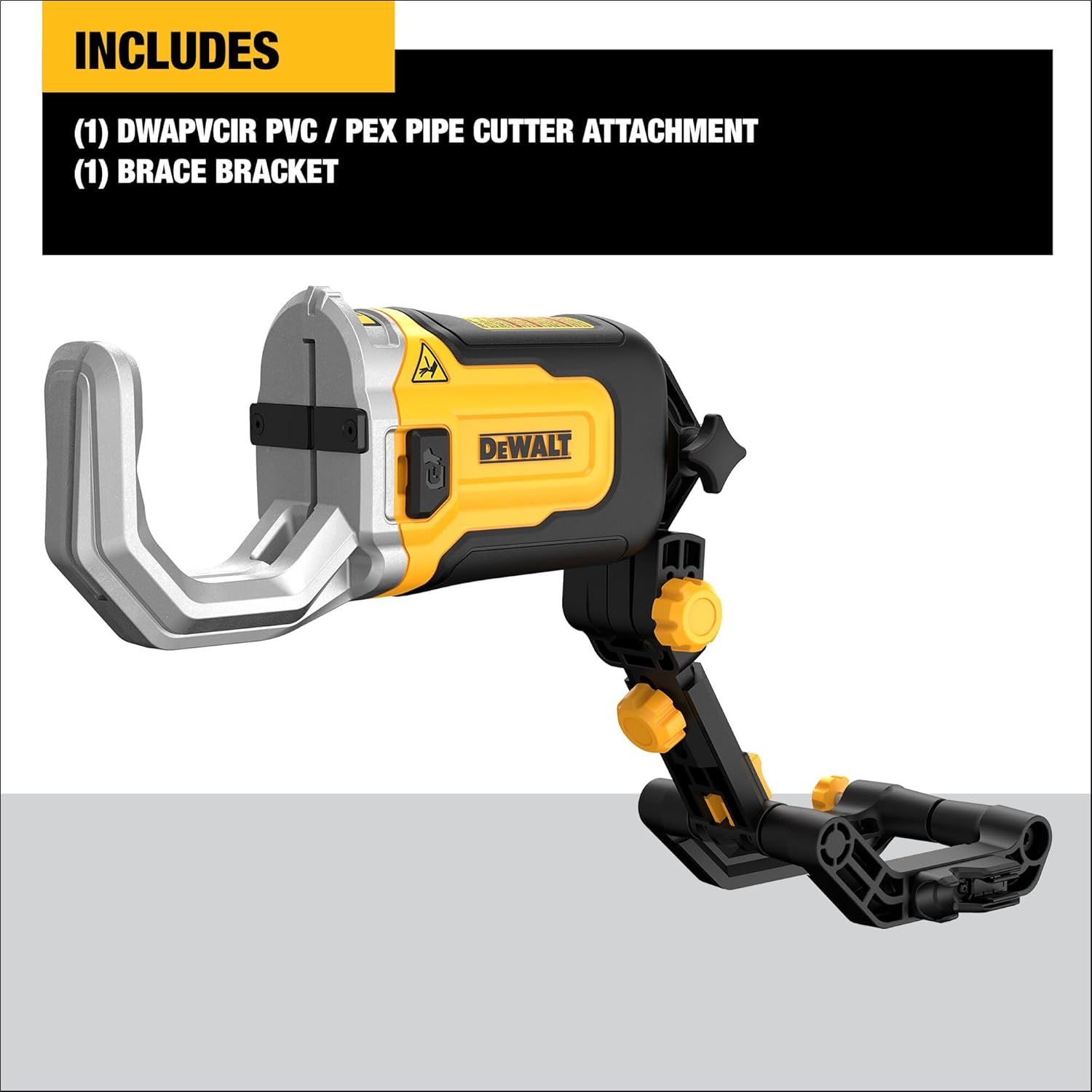
- DEWALT IMPACT CONNECT PVC/PEX Cutter Attachment (DWAPVCIR)
- 버팀대 브래킷
설정
Follow these steps to properly attach the PVC/PEX Cutter to your impact driver:
- Ensure your impact driver is turned off and the battery pack is removed.
- Insert the 1/4 inch hex shank of the cutter attachment into the chuck of your impact driver. Pull back the collar, insert the shank, and release the collar to secure it.
- Attach the brace bracket to the cutter attachment. The brace arm should lock securely onto the bar of the brace bracket.
- Ensure all connections are firm and secure before re-inserting the battery pack.

For a visual guide on attaching the cutter, please watch the following video:
작동 지침
The DEWALT IMPACT CONNECT PVC/PEX Cutter is designed for efficient and clean cuts in various pipe materials up to 2 inches in diameter.
- 파이프를 준비하세요: Mark the desired cut line on the pipe. Ensure the pipe is clean and free of debris.
- 커터 위치 지정: Open the cutter jaws and place the pipe into the jaws, aligning the cut line with the blade. Ensure the pipe is seated squarely in the jaws.
- 컷 시작: With a firm grip on the impact driver and the cutter, slowly press the trigger of your impact driver. Allow the blade to gradually close and cut through the pipe. For cleaner cuts, especially on larger or thicker pipes, use a slower speed setting on your impact driver if available.
- 완전한 컷: Continue applying pressure until the cut is complete. Release the trigger and remove the pipe.

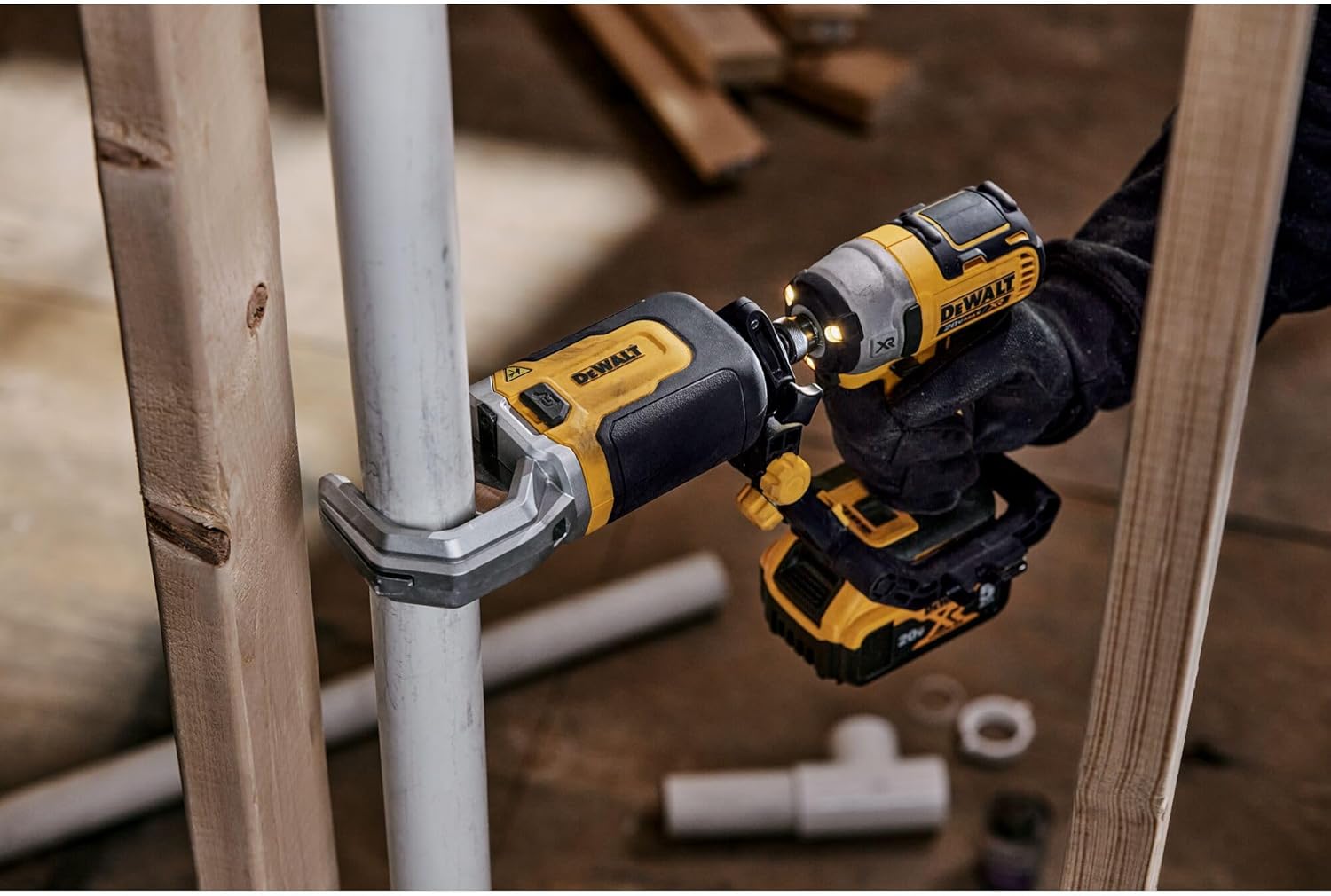

Observe the cutter in operation:
유지
Regular maintenance ensures the longevity and performance of your cutter attachment:
- 청소: After each use, clean the blade and jaws of the cutter to remove any plastic shavings or debris. Use a dry cloth or soft brush. Do not use solvents that may damage plastic components.
- 블레이드 검사: Periodically inspect the cutting blade for signs of wear, dullness, or damage. A dull blade can lead to uneven or cracked cuts. Replace the blade if necessary (replacement blades sold separately).
- 저장: Store the cutter attachment in a clean, dry place, away from direct sunlight and extreme temperatures.
문제 해결
| 문제 | 가능한 원인 | 해결책 |
|---|---|---|
| Uneven or cracked cuts | Impact driver speed too high; pipe not seated correctly; dull blade. | Reduce impact driver speed. Ensure pipe is squarely seated in the jaws. Inspect and replace blade if dull. |
| Cutter not engaging or slow operation | Attachment not securely connected; low impact driver battery; obstruction in jaws. | Verify secure attachment to impact driver. Charge or replace impact driver battery. Clear any obstructions. |
명세서
| 특징 | 세부 사항 |
|---|---|
| 상표 | 듀얼 |
| 모델 번호 | DWAPVCIR |
| 전원 | Impact Driver (Attachment) |
| 호환 장치 | DEWALT 20V MAX Impact Drivers, other pro-grade 18V Impact Drivers |
| 용량을 줄이세요 | Up to 2” schedule 40 and 80 PVC, CPVC, ABS, and PEX |
| 품목 무게 | 1.69 킬로그램 |
| 포함된 구성 요소 | Cutter Attachment, Brace Bracket |
보증
This DEWALT IMPACT CONNECT PVC/PEX Cutter (DWAPVCIR) is covered by the standard DEWALT Manufacturer Warranty. For specific details regarding warranty coverage, terms, and conditions, please refer to the warranty documentation included with your product or visit the official DEWALT web대지.
지원하다
For technical assistance, replacement parts, or further information, please contact DEWALT customer support. Contact details can typically be found on the DEWALT web웹사이트 또는 제품과 함께 제공되는 설명서를 참조하십시오.