
1. 서론
This manual provides essential information for the installation, operation, and maintenance of your Intenso 2TB M.2 SSD PCIe Premium. Please read these instructions carefully before proceeding with installation to ensure optimal performance and longevity of your device.
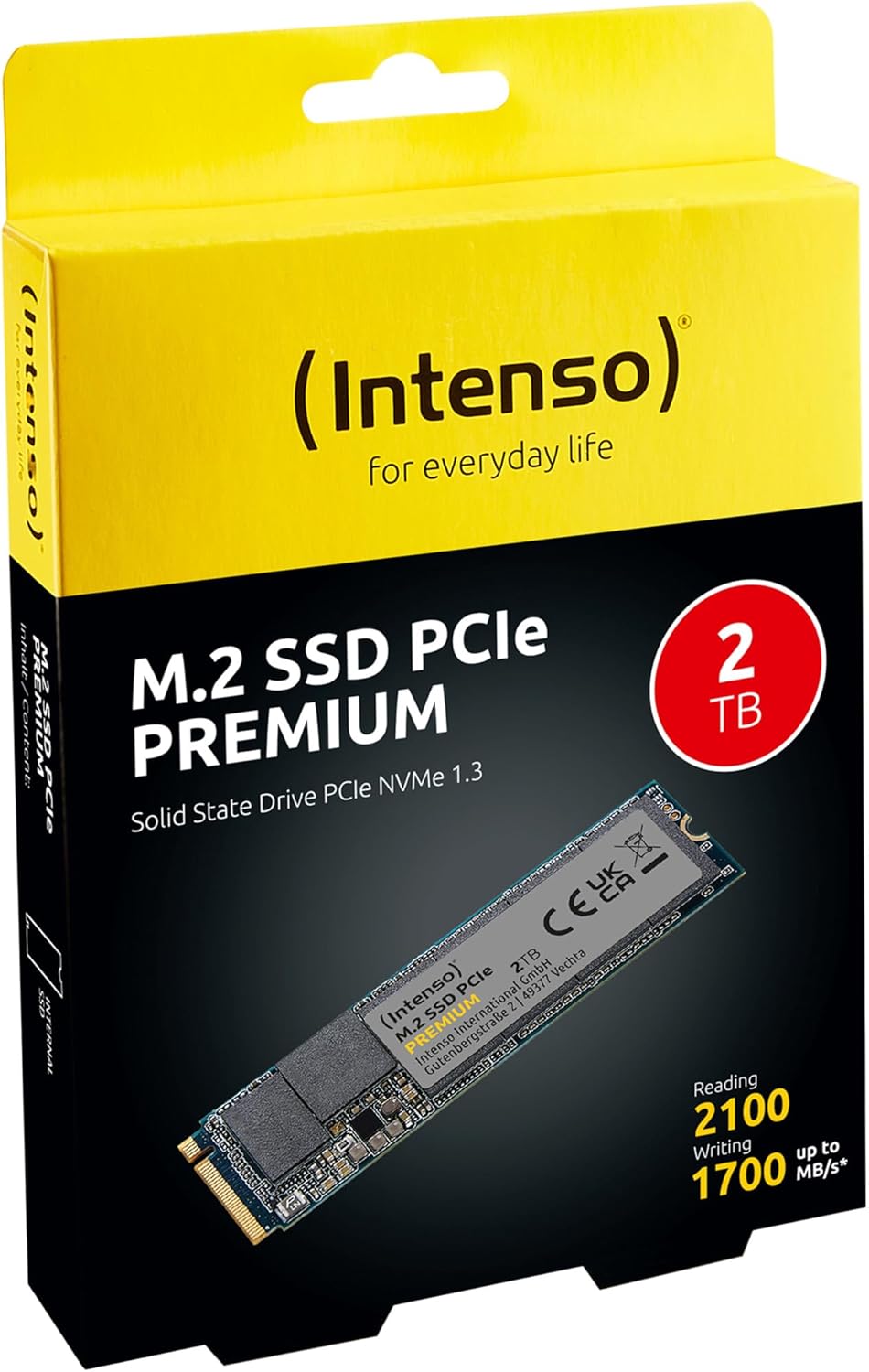
Image 1: Intenso 2TB M.2 SSD PCIe Premium product packaging. The box displays the SSD, capacity, and read/write speeds.
2. 설정 및 설치
Proper installation is crucial for the functionality of your M.2 SSD. Follow these steps carefully.
2.1 설치 전 체크리스트
- 호환성: Ensure your motherboard has an available M.2 slot that supports PCIe NVMe SSDs. Refer to your motherboard's manual for specific M.2 slot specifications.
- 정전기 : Take precautions against electrostatic discharge (ESD). Use an anti-static wrist strap or touch a grounded metal object before handling the SSD.
- 도구: You may need a small Phillips head screwdriver and a motherboard screw for securing the M.2 drive.
2.2 물리적 설치
- 전원 끄기 : Completely shut down your computer and disconnect the power cable.
- 열린 사건: 컴퓨터 케이스를 열어 마더보드에 접근하세요.
- M.2 슬롯 찾기: Identify an available M.2 slot on your motherboard. It typically looks like a small horizontal slot with a screw stand-off nearby.
- SSD 삽입: Gently insert the Intenso M.2 SSD into the slot at a 30-degree angle. The gold contacts on the SSD should align with the slot. Push it in until it is fully seated.
- 보안 SSD: Carefully push the SSD down until it is parallel with the motherboard. Secure it with the small screw provided with your motherboard or the SSD.
- 사건 종결: 컴퓨터 케이스를 닫고 전원 케이블을 다시 연결하세요.
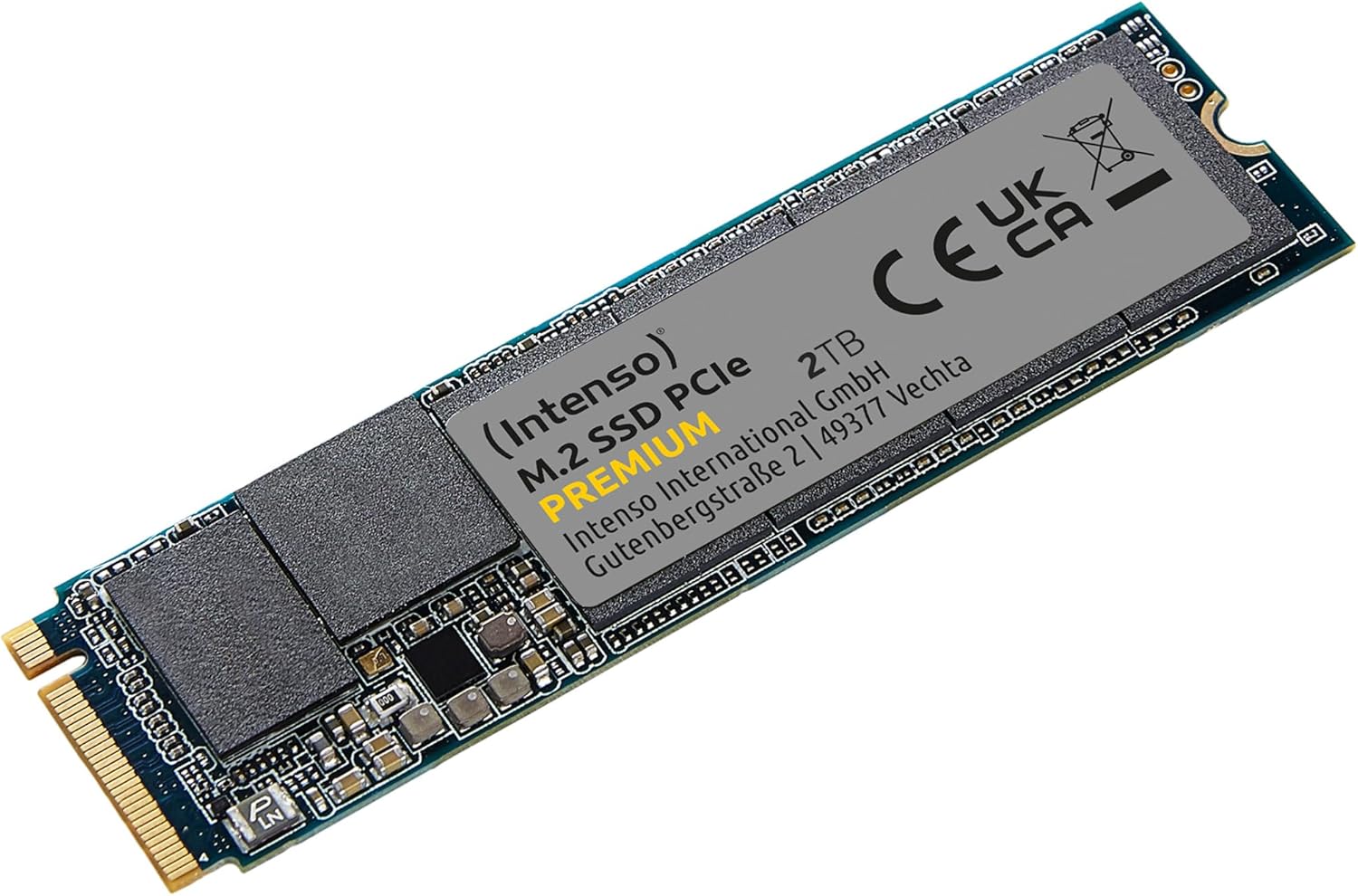
Image 2: The Intenso 2TB M.2 SSD PCIe Premium, showing its compact M.2 2280 form factor and labeling.
2.3 Initial Software Setup (Windows)
- 컴퓨터 부팅: 컴퓨터를 켜세요.
- 디스크 관리에 액세스: 시작 버튼을 마우스 오른쪽 버튼으로 클릭하고 '디스크 관리'를 선택합니다.
- 디스크 초기화: If prompted, initialize the new SSD. Choose GPT (GUID Partition Table) for modern systems.
- 새로운 단순 볼륨 만들기: Right-click on the unallocated space of your new SSD and select 'New Simple Volume'. Follow the wizard to assign a drive letter and format the drive (NTFS is recommended for Windows).
- 사용 준비: Your Intenso M.2 SSD is now ready for use as a storage drive. If you intend to install an operating system, refer to your OS installation guide.
3. SSD 작동
The Intenso M.2 SSD PCIe Premium is designed for high-speed data access, making it suitable for various applications from everyday computing to demanding tasks like gaming and graphic design.
- 부팅 드라이브: For fastest system startup and application loading, install your operating system on the SSD.
- 저장 드라이브: 자주 사용하는 파일은 SSD에 저장하세요. files, games, or applications that benefit from high read/write speeds.
- 성능: This SSD offers sequential read speeds up to 2100 MB/s and sequential write speeds up to 1700 MB/s, significantly faster than traditional SATA SSDs.
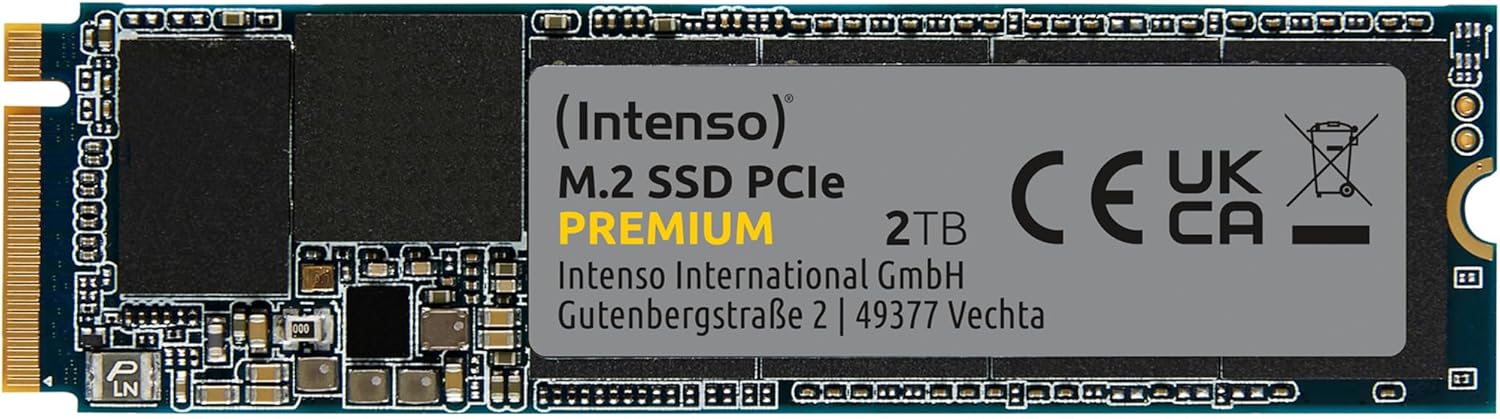
이미지 3: 자세한 view of the Intenso 2TB M.2 SSD PCIe Premium, highlighting its internal components and labeling.
4. 유지관리
To ensure the longevity and optimal performance of your Intenso M.2 SSD, consider the following maintenance practices:
- TRIM 명령: Ensure your operating system has TRIM enabled. TRIM helps the SSD manage data blocks more efficiently, preventing performance degradation over time. Modern operating systems typically enable TRIM by default.
- 조각 모음을 피하세요: Unlike traditional hard disk drives (HDDs), SSDs do not benefit from defragmentation. Defragmenting an SSD can reduce its lifespan by causing unnecessary write cycles.
- 펌웨어 업데이트: Periodically check the Intenso official web해당 사이트에서 사용 중인 SSD 모델에 대한 펌웨어 업데이트를 확인하세요. 펌웨어 업데이트는 성능, 안정성 및 호환성을 향상시킬 수 있습니다.
- 드라이브 상태 모니터링: Use S.M.A.R.T. (Self-Monitoring, Analysis and Reporting Technology) tools to monitor the health status of your SSD. Many operating systems and third-party utilities offer this functionality.
- 여유 공간을 유지하세요: Avoid filling your SSD to its maximum capacity. Keeping some free space (e.g., 10-15%) allows the SSD's wear-leveling algorithms to function effectively.
5. 문제 해결
If you encounter issues with your Intenso M.2 SSD, refer to the following common troubleshooting steps:
5.1 SSD가 감지되지 않음
- 물리적 연결을 확인하세요. SSD가 M.2 슬롯에 올바르게 장착되고 단단히 고정되었는지 확인하십시오.
- BIOS/UEFI 설정: Enter your computer's BIOS/UEFI settings. Verify that the M.2 slot is enabled and configured correctly (e.g., NVMe mode). Some motherboards may disable certain SATA ports when an M.2 drive is in use.
- 드라이버 설치: Ensure your operating system has the necessary NVMe drivers. Windows 10/11 typically includes native NVMe support.
- 디스크 관리: As described in Section 2.3, check Disk Management to see if the drive is detected but uninitialized.
5.2 느린 성능
- M.2 Slot Speed: Confirm that your M.2 slot supports PCIe Gen.3x4 speeds. Some slots may operate at lower speeds (e.g., Gen.2 or x2 lanes).
- TRIM 상태: 운영 체제에서 TRIM 기능이 활성화되어 있는지 확인하십시오.
- 펌웨어: SSD에 사용 가능한 펌웨어 업데이트가 있는지 확인하고 설치하십시오.
- 과열: Ensure adequate airflow within your computer case. Excessive heat can cause performance throttling.
- Full Drive: If the drive is nearly full, performance may decrease. Try to free up some space.
5.3 데이터 전송 문제
- Cable/Connection: If using an external enclosure, ensure the USB cable and enclosure connection are secure and functioning correctly.
- File 시스템 오류: 디스크 검사 유틸리티를 실행하세요(예:
chkdskin Windows) to scan for and repair any file 시스템 오류. - Source/Destination Drive: Ensure the source or destination drive is not experiencing issues that could bottleneck transfer speeds.
6. 사양
Key technical specifications for the Intenso 2TB M.2 SSD PCIe Premium:
| 특징 | 사양 |
|---|---|
| 모델 번호 | 3835470 |
| 용량 | 2테라바이트 |
| 인터페이스 | PCIe Gen.3x4 NVMe 1.3 |
| 폼 팩터 | 엠.2 2280 |
| 순차 읽기 속도 | 최대 2100MB/s |
| 순차 쓰기 속도 | 최대 1700MB/s |
| 치수(길이x너비x높이) | 3.15 x 0.87 x 0.16 인치 |
| 품목 무게 | 0.212 온스 |
| 하드웨어 플랫폼 | PC |
| 색상 | 검은색 |
| 상자 안에 무엇이 들어있나요? | M.2 SSD PCIe |
7. 보증 및 지원
For detailed warranty information and technical support, please refer to the official Intenso website or contact their customer service directly. The product is typically covered by a manufacturer's warranty against defects in materials and workmanship.
- 제조업체: 인텐소
- Web대지: 방문하다 www.intenso.de 지원 리소스, FAQ 및 연락처 정보를 확인하세요.
- 구매 증빙: 보증 청구를 위해 구매 증빙서류로 구매 영수증을 보관하세요.