
소개
This manual provides detailed instructions for the installation, operation, and maintenance of your hizpo 8-inch Android 12 Car Stereo. This unit features an 8-inch touchscreen, Android 12 operating system, GPS navigation, Apple CarPlay, Android Auto, Bluetooth, RDS, USB, WiFi, and 4G connectivity. Please read this manual thoroughly before using the product to ensure proper functionality and safety.
상자 안에 무엇이 들어있나요?
상자를 조심스럽게 개봉하여 아래 나열된 모든 품목이 있는지, 그리고 양호한 상태인지 확인하십시오.

Image: All components included in the hizpo car stereo package.
- hizpo 8-inch Android 12 Car Stereo Main Unit
- Power Cable & Canbus Decoder
- RCA Harness with 4G SIM Card Slot
- 후방 카메라 입력 RCA 케이블
- 2*USB Adapter Cables
- 4G LTE 안테나
- GPS 안테나
- 외부 마이크
- 라디오 안테나 어댑터 케이블
설정 및 설치
Professional installation is recommended for this car stereo. Ensure the vehicle's power is disconnected before beginning installation. Refer to the wiring diagram and connector pin pictures for correct connections.

Image: Wiring diagram and connector pin details for the car stereo installation.
배선 지침:
- If connected to the 'Connect 1' Power interface, connect the 'B' and 'A' interfaces.
- If connected to the 'Connect 2' Power interface, connect the 'Z' and 'A' interfaces.
- If connected to the 'Connect 3' Power interface, you need to connect the 'S' and 'A' interfaces. (For Mercedes-Benz B-class models, choose the appropriate connector from the three types shown in the figure: connector 1, connector 2, or connector 3).
- The Canbus Box is a decoder that adapts to the steering wheel control functions of your original car system.
- The tandem valve bridges the connection and disconnection of the cables to replace the male connector and the Canbus Box.
- If your car has a Command system, this unit is not compatible.
- This device cannot decode the AC conditioning information of your car.
작동 지침
기본 제어
The unit features an intuitive touchscreen interface. Power on/off by pressing the power button. Adjust volume using the dedicated volume controls or steering wheel controls.
애플 카플레이 & 안드로이드 오토
Connect your smartphone via USB or wirelessly to access Apple CarPlay or Android Auto. This allows for voice control of phone calls, GPS navigation, music playback, and messaging directly from the car stereo display.

Image: Apple CarPlay and Android Auto functionality on the car stereo screen.
Video: Demonstration of the 8-core radio with Apple CarPlay and Android Auto features, including various settings and applications.
블루투스 핸즈프리
Pair your mobile phone via Bluetooth for hands-free calling and music streaming. The system automatically connects to previously paired devices.

이미지: 블루투스 핸즈프리 통화 및 음악 스트리밍 인터페이스.
FM Radio & Music Playback
Tune into FM radio stations (87.5 - 108MHz) or AM stations (522 - 1620 KHz). The unit supports lossless music playback from USB drives or via Bluetooth streaming.

Image: FM Radio and music playback controls on the car stereo.
GPS 네비게이션
Utilize the built-in GPS navigation system for accurate routing. The system supports various map types and can be integrated with Apple CarPlay or Android Auto for enhanced navigation features.
스티어링 휠 제어
The unit supports original car steering wheel controls for convenient operation of audio and other functions, thanks to the integrated Canbus decoder.
Image: Steering wheel control interface for custom button mapping.
디스플레이 설정
Adjust display settings including day and night modes for optimal visibility in different lighting conditions. The unit also supports split-screen functionality to view 여러 애플리케이션을 동시에 실행합니다.

Image: Day and Night mode display settings.

Image: Split screen feature displaying two applications concurrently.
오디오 설정(DSP)
The built-in DSP (Digital Signal Processor) with BU32107EFV chip allows for advanced audio customization, including equalizer settings, bass enhancement, and sound field adjustments for an optimized listening experience.

Image: Digital Sound Processor (DSP) interface for audio adjustments.

Image: Optical and coaxial digital audio output ports on the rear of the unit.
CarAPP Functions
Access various car-related information and settings through the CarAPP interface, including car info display, AC settings, TPMS info, and drive mode selection.

Image: CarAPP menu displaying various vehicle information and settings.
음성 제어
The unit supports voice commands for various functions, enhancing convenience and safety while driving. Voice control sensitivity is increased by 30% for better recognition.

Image: Voice control feature in action, showing prompts and responses.
뒤쪽view 카메라 입력
후면 연결view camera to the unit for enhanced safety during parking and reversing. The display automatically switches to the camera view 후진할 때.
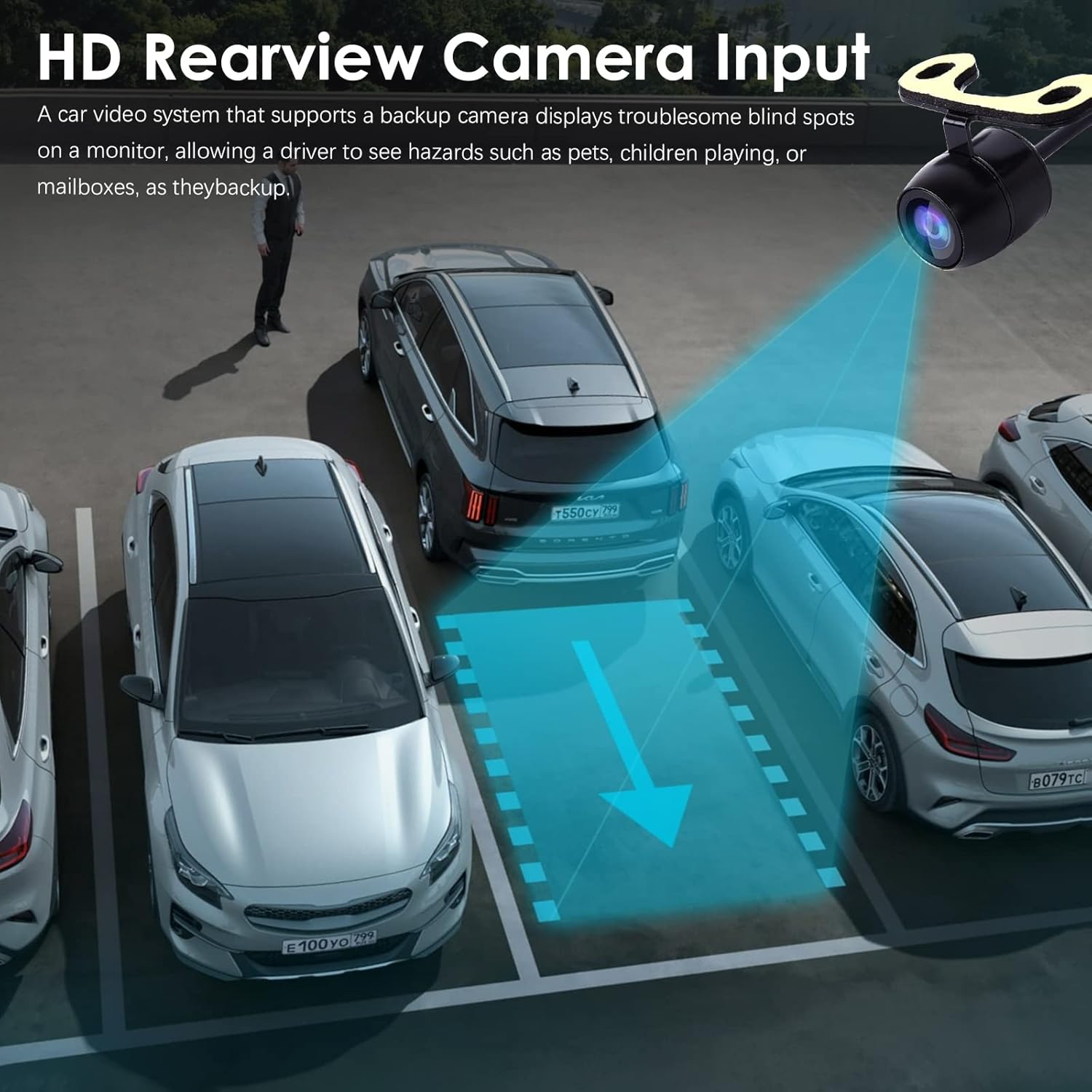
이미지: 후면view camera input display on the car stereo.
유지
To ensure the longevity and optimal performance of your hizpo car stereo, follow these maintenance guidelines:
- 청소: 부드럽고 마른 천을 사용하여 화면과 외부를 닦으세요. 연마성 세척제나 용제는 사용하지 마세요.
- 소프트웨어 업데이트: Periodically check for and install software updates to ensure the system has the latest features and bug fixes. Updates can typically be found in the system settings or on the manufacturer's web대지.
- 온도: 장시간 동안 뜨겁거나 차가운 극한의 온도에 장치를 노출시키지 마십시오.
- 냉각 팬: The unit includes a small cooling fan to maintain optimal operating temperature. Ensure the fan vents are not obstructed.

Image: Integrated cooling fan for thermal management.
문제 해결
차량용 스테레오에 문제가 발생하면 다음의 일반적인 문제 및 해결 방법을 참조하십시오.
- 전원 없음: 모든 전원 연결부와 퓨즈를 점검하십시오. 시동이 켜져 있는지 확인하십시오.
- 소리 없음: 스피커 연결 상태를 확인하십시오. 볼륨 레벨과 음소거 설정을 확인하십시오. 올바른 오디오 소스가 선택되었는지 확인하십시오.
- GPS가 작동하지 않음: GPS 안테나가 제대로 연결되었고 깨끗한지 확인하십시오. view 하늘의. 시스템의 GPS 설정을 확인하세요.
- 블루투스 연결 문제: 스테레오와 휴대폰 모두에서 블루투스가 활성화되어 있는지 확인하십시오. 이전에 연결했던 기기를 삭제하고 다시 연결해 보세요.
- 스티어링 휠 컨트롤이 응답하지 않음: Verify Canbus decoder connection. Check steering wheel control settings in the CarAPP.
- 터치스크린이 반응하지 않음: 기기를 재시작해 보세요. 문제가 지속되면 공장 초기화가 필요할 수 있습니다(참고: 공장 초기화 시 모든 사용자 데이터가 삭제됩니다).
For persistent issues, contact hizpo customer support.
명세서
| 특징 | 세부 사항 |
|---|---|
| 상표 | hizpo |
| 차량 서비스 유형 | 자동차 |
| 화면 크기 | 8 인치 |
| 특징 | 블루투스, 터치스크린 |
| 연결 기술 | 셀룰러, Wi-Fi |
| 지도 유형 | Europe (Pre-installed, other regions via download) |
| 오디오 출력 모드 | 스테레오 재생 |
| 장착 유형 | 대시 보드 마운트 |
| 해결 | 720 x 1280 |
| 운영 체제 | 안드로이드 12 |
| 차량 유형과 호환 가능 | Car (Mercedes-Benz A-Class B-Class V-Class Sprinter) |
| 인간 인터페이스 입력 | 터치스크린 |
| 호환 장치 | 스마트폰, 스피커 |
| 제어 방법 | 만지다 |
| 지원되는 위성 항법 시스템 | GPS |
| CPU | 8-Core Unisoc 7862 (1.8-2.0GHz) |
보증 및 지원
hizpo is committed to providing quality products and customer satisfaction. Your hizpo car stereo comes with a 1-Year Warranty from the date of purchase, covering manufacturing defects.
For technical assistance, troubleshooting, or warranty claims, please contact hizpo customer support through the retailer where the product was purchased or visit the official hizpo website for contact information. Please have your product model number (B0BL6KVL17) and proof of purchase ready when contacting support.

Image: hizpo's commitment to customer satisfaction and support.