
샤오미 BHR6032GL
Xiaomi Mi USB-A to Type-C Cable 6A 1m Instruction Manual
모델: BHR6032GL
소개
This manual provides essential instructions for the safe and efficient use of your Xiaomi Mi USB-A to Type-C Cable (Model BHR6032GL). This durable cable is designed for high-speed charging and data transfer between compatible devices. Please read this manual thoroughly before use.
제품 끝view
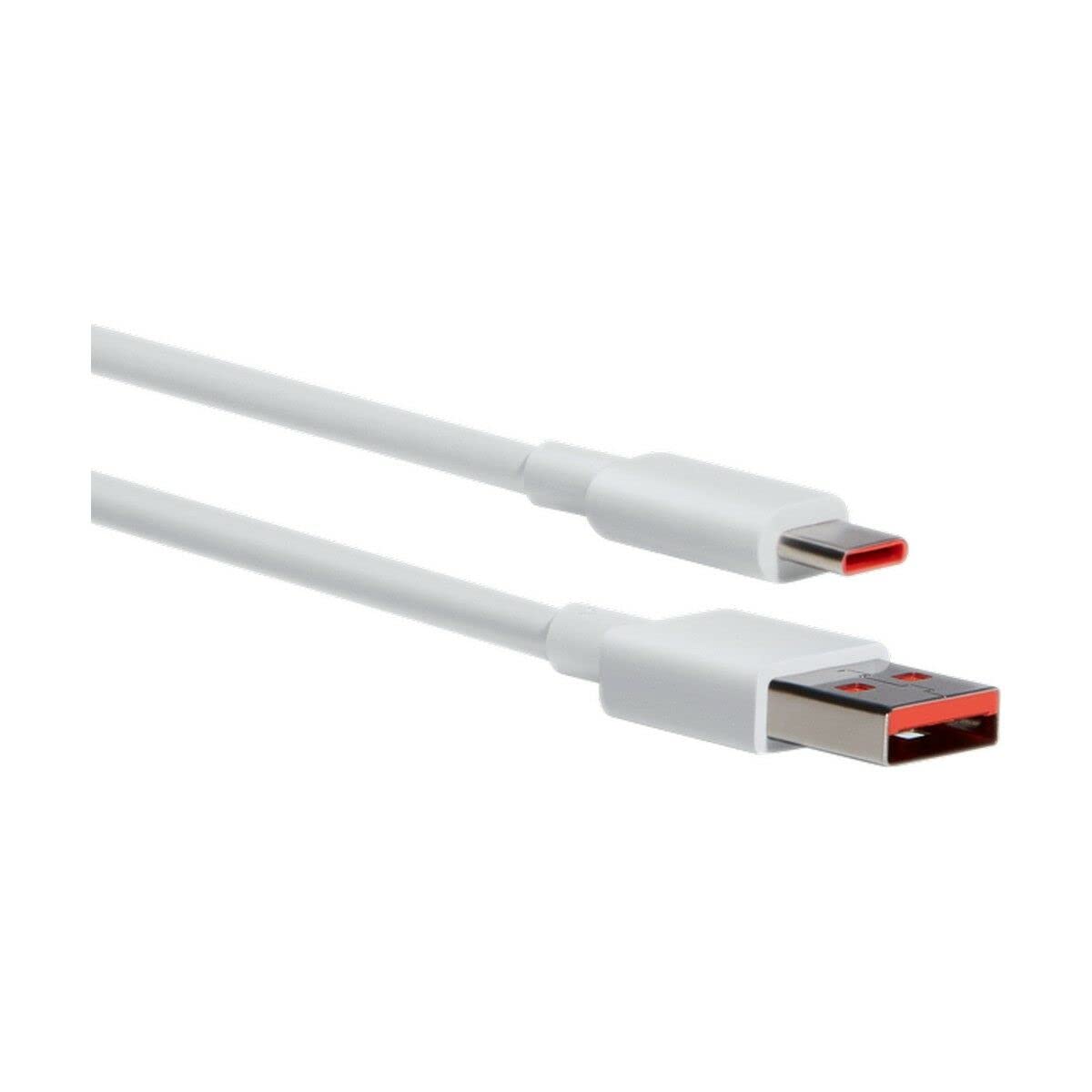
Figure 1: Xiaomi Mi USB-A to Type-C Cable (Model BHR6032GL). This image displays the cable's white color and its two distinct connectors: a standard USB-A plug and a reversible USB Type-C plug.
The Xiaomi Mi USB-A to Type-C Cable is a versatile accessory for your electronic devices. It features a USB-A connector for power sources or host devices and a USB Type-C connector for modern smartphones, tablets, laptops, and other compatible devices. The cable supports up to 6 Amps of current, enabling fast charging capabilities.
설정 및 연결
- 커넥터 식별: Locate the USB-A connector (rectangular) and the USB Type-C connector (oval, reversible) on your cable.
- Connect to Power Source/Host: Insert the USB-A connector into a compatible power adapter (e.g., wall charger, power bank) or a computer's USB-A port.
- 장치에 연결: Insert the USB Type-C connector into the charging/data port of your smartphone, tablet, laptop, or other Type-C enabled device.
- 연결 확인: Ensure both ends are securely inserted. For charging, your device should indicate that it is receiving power. For data transfer, your computer should recognize the connected device.
작동 지침
충전 중
- This cable supports fast charging with compatible power adapters and devices, delivering up to 6 Amps of current and 30 Watts of power at 5 Volts.
- For optimal fast charging, use a Xiaomi-compatible fast charger.
- The charging speed may vary depending on the power adapter, device, and environmental conditions.
데이터 전송
- Connect your Type-C device to a computer using this cable.
- Once connected, your device should appear as a removable drive or media device on your computer.
- Follow your device's instructions for transferring files (e.g., photos, videos, documents).
유지 보수 및 관리
- 청소: 케이블과 커넥터는 부드럽고 마른 천으로 닦으세요. 강한 화학 물질이나 연마재는 사용하지 마세요.
- 저장: Store the cable in a cool, dry place away from direct sunlight and extreme temperatures. The cable features a tangle-free design for easy storage.
- 손질: Avoid bending the cable sharply or pulling it by the cord. Always grasp the connector when plugging or unplugging.
- 내구성: This cable is designed to be durable and hard-wearing for everyday use.
문제 해결
| 문제 | 가능한 해결책 |
|---|---|
| 장치가 충전되지 않습니다. |
|
| 느린 충전 속도. |
|
| 데이터 전송이 작동하지 않습니다. |
|
명세서
- 모델 이름: Mi USB-A to Type-C Cable
- 모델 번호: BHR6032GL
- 상표: 샤오미
- 커넥터 유형(소스): USB-A
- Connector Type (Device): USB 타입-C
- 케이블 길이: 1 미터
- 최대 전류: 6 Amps
- 최대 볼륨tage: 5 볼트
- 왓tage: 30 와트
- 특징: 엉킴 프리
- 색상: 하얀색
- 재료: 플라스틱
- 추천 용도: Electronic device charging, data transfer
- 호환 장치: Smartphone, Tablet, Laptop, Charging adapter, Personal computer, Printer, Projector, Speaker, SSD, Power bank
보증 및 지원
This Xiaomi Mi USB-A to Type-C Cable (Model BHR6032GL) comes with a 2년 제조사 보증. 본 보증은 정상적인 사용 중에 발생하는 재료 및 제조상의 결함을 보장합니다.
For warranty claims, technical support, or further assistance, please contact your local Xiaomi customer service or the retailer from whom you purchased the product. Please retain your proof of purchase for warranty validation.
EU 예비 부품 공급 기간: 3년.
Ask a question about this manual
Ask about setup, troubleshooting, compatibility, parts, safety, or missing instructions. Manuals+ will review the question and use this page’s manual context to help answer it.