
소개
Thank you for choosing the Roxicosly Digital Wooden Alarm Clock. This manual provides detailed instructions for setting up, operating, and maintaining your new alarm clock. Please read this manual thoroughly before use to ensure proper functionality and to maximize your experience with its features, including dual alarms, USB charging ports, and temperature/humidity display.
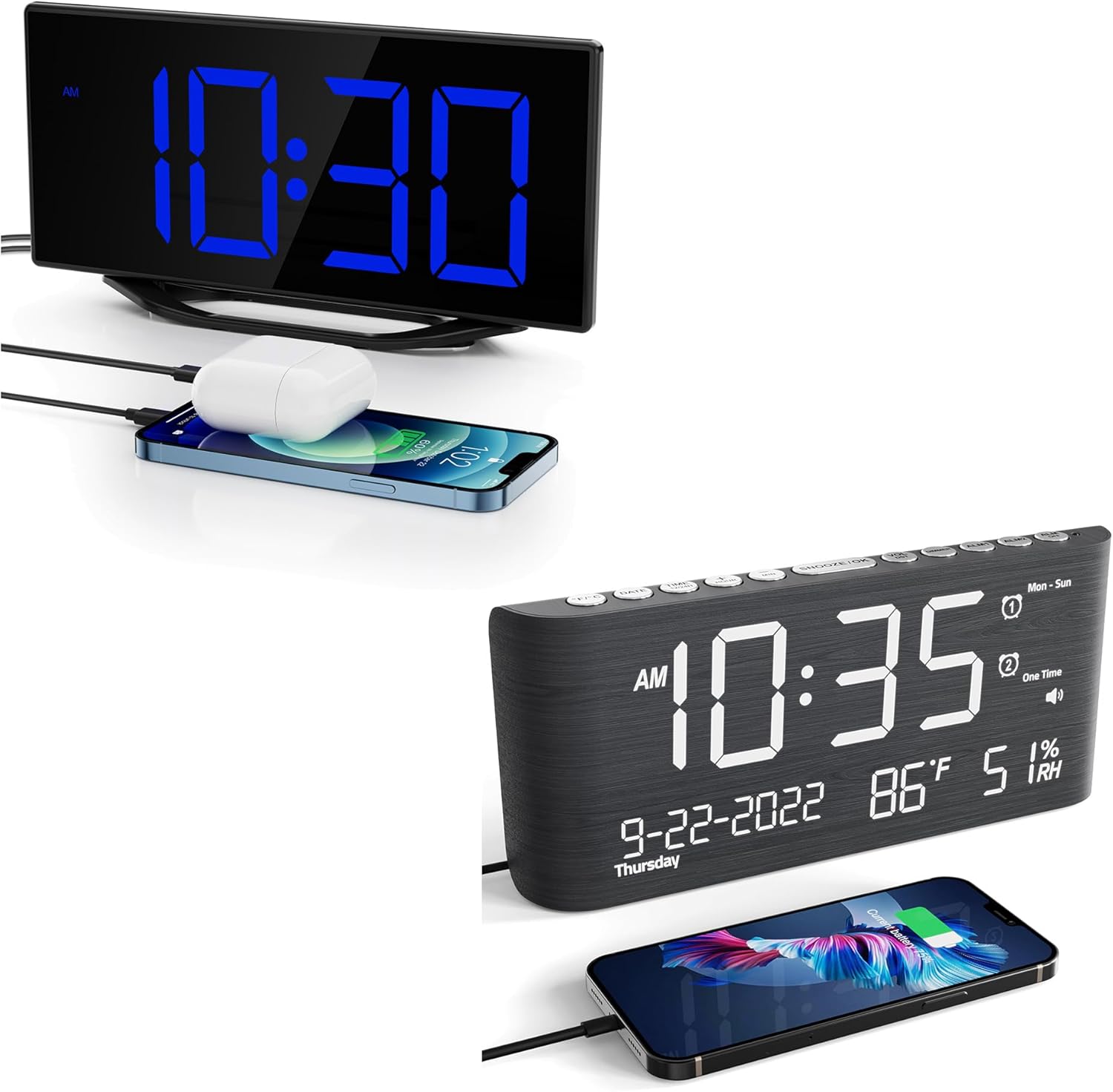
This image displays the Roxicosly Digital Wooden Alarm Clock, highlighting its prominent blue LED time display and the convenience of its integrated USB charging port, shown actively charging a smartphone.
설정
1. 전원 연결
Connect the provided AC adapter to the DC/Type-C power input port on the back of the alarm clock, then plug the adapter into a standard electrical outlet. The clock will power on and the display will illuminate.
2. 배터리 백업 설치
외출 중 백업 전원용tages, install two (2) AAA batteries (not included) into the battery compartment located on the back of the clock. The battery backup preserves time and alarm settings but does not power the display or USB charging ports.

The image details the power options for the clock, including the DC/Type-C power input and the battery backup compartment, where two AAA batteries (not included) can be installed to preserve settings during power outag에스.
작동 지침
1. 시간 및 날짜 설정
- 를 누르세요 시간 설정 버튼을 눌러 시간 설정 모드로 들어갑니다. 시 숫자가 깜빡입니다.
- 사용하세요 시간 그리고 분 시간과 분을 조정하는 버튼입니다.
- 누르다 시간 설정 again to confirm and move to the 12/24-hour format setting. Use 시간 or 분 선택하다.
- 계속 누르기 시간 설정 연도, 월, 일 설정을 순환하며 각각을 조정합니다. 시간 or 분.
- 누르다 시간 설정 one last time to exit time and date setting mode.
2. 알람 설정 (알람 1 및 알람 2)
이 시계는 두 개의 독립적인 알람을 지원합니다.
- 를 누르세요 경보 1 button to enter Alarm 1 setting mode. The hour digits for Alarm 1 will flash.
- 사용하세요 시간 그리고 분 원하는 알람 시간을 설정하려면 버튼을 누르세요.
- 누르다 경보 1 again to confirm. The alarm icon will appear on the display, indicating Alarm 1 is active.
- 다음을 사용하여 과정을 반복하십시오. 경보 2 button to set and activate Alarm 2.
- To deactivate an alarm, press its corresponding 경보 알람 아이콘이 화면에서 사라질 때까지 버튼을 누르세요.

This image visually explains the dual alarm clock settings and the 9-minute snooze feature. A hand is shown pressing the large snooze button located on the top of the clock.
3. 스누즈 기능
알람이 울리면 큰 버튼을 누르세요. 스누즈 / 라이트 button on the top of the clock. The alarm will pause for 9 minutes and then sound again. This can be repeated multiple times.
4. 디스플레이 밝기 조정
The LED display has 7 adjustable brightness levels. Press the 주차 button repeatedly to cycle through the brightness levels (Level 1 being the dimmest, Level 7 the brightest) to suit your preference.

This visual guide illustrates the seven distinct brightness levels of the clock's LED display, allowing users to customize visibility from very dim to bright, suitable for various lighting conditions.
5. 알람 소리 조절
The alarm volume can be adjusted to 5 different levels, ranging from 65dB to 120dB. While an alarm is sounding, or during alarm setup, press the 용량 button repeatedly to select your desired volume level.

The image demonstrates the adjustable alarm volume feature, contrasting a lower volume setting (92dB) with a higher one (110dB), indicating the range from gentle to loud for different user preferences.
6. USB 충전 포트
The clock features two USB charging ports on its side. Connect your USB-powered devices (e.g., smartphones, tablets, earbuds) to these ports for convenient charging. These ports are active when the clock is connected to AC power.
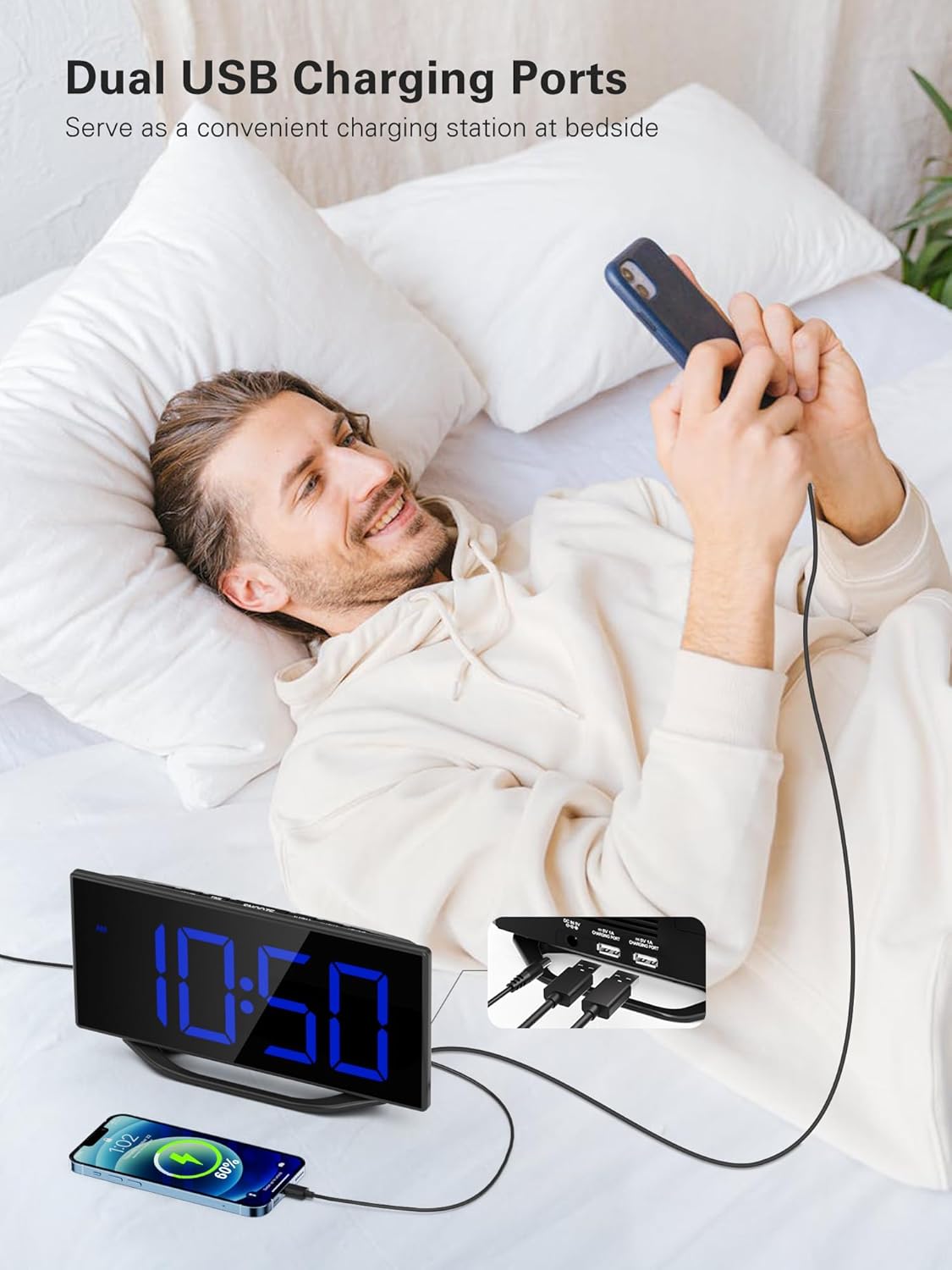
A user is depicted utilizing the dual USB charging ports on the side of the alarm clock to conveniently charge their smartphone, highlighting the clock's functionality as a bedside charging hub.
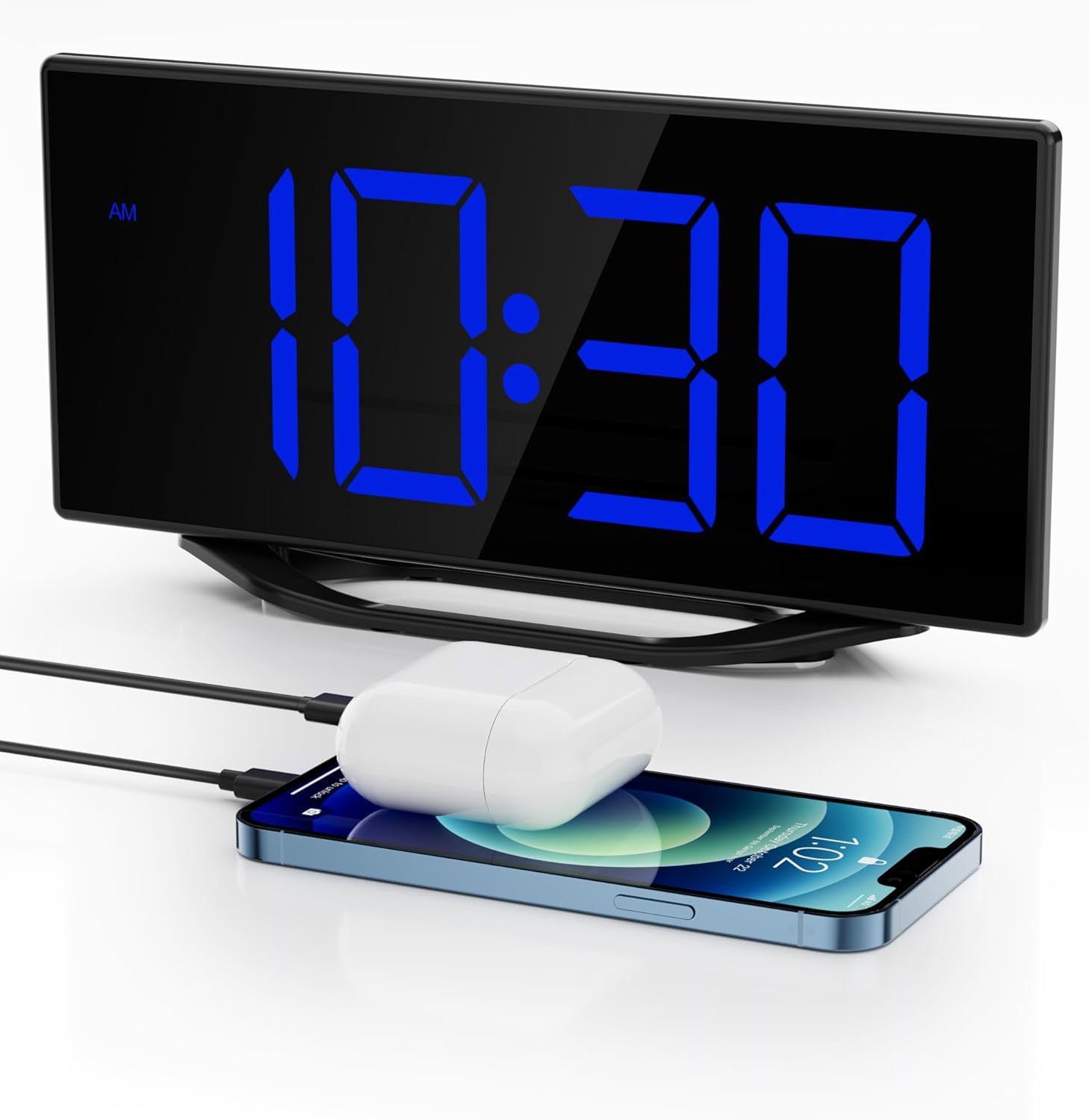
The image illustrates the clock's dual USB charging capability, with a smartphone and a pair of wireless earbuds connected and charging, demonstrating its utility as a bedside charging station.
7. 온도 및 습도 표시
The clock continuously monitors and displays indoor temperature and humidity. To switch between Celsius (C°) and Fahrenheit (F°) for temperature, press the C / F 단추.
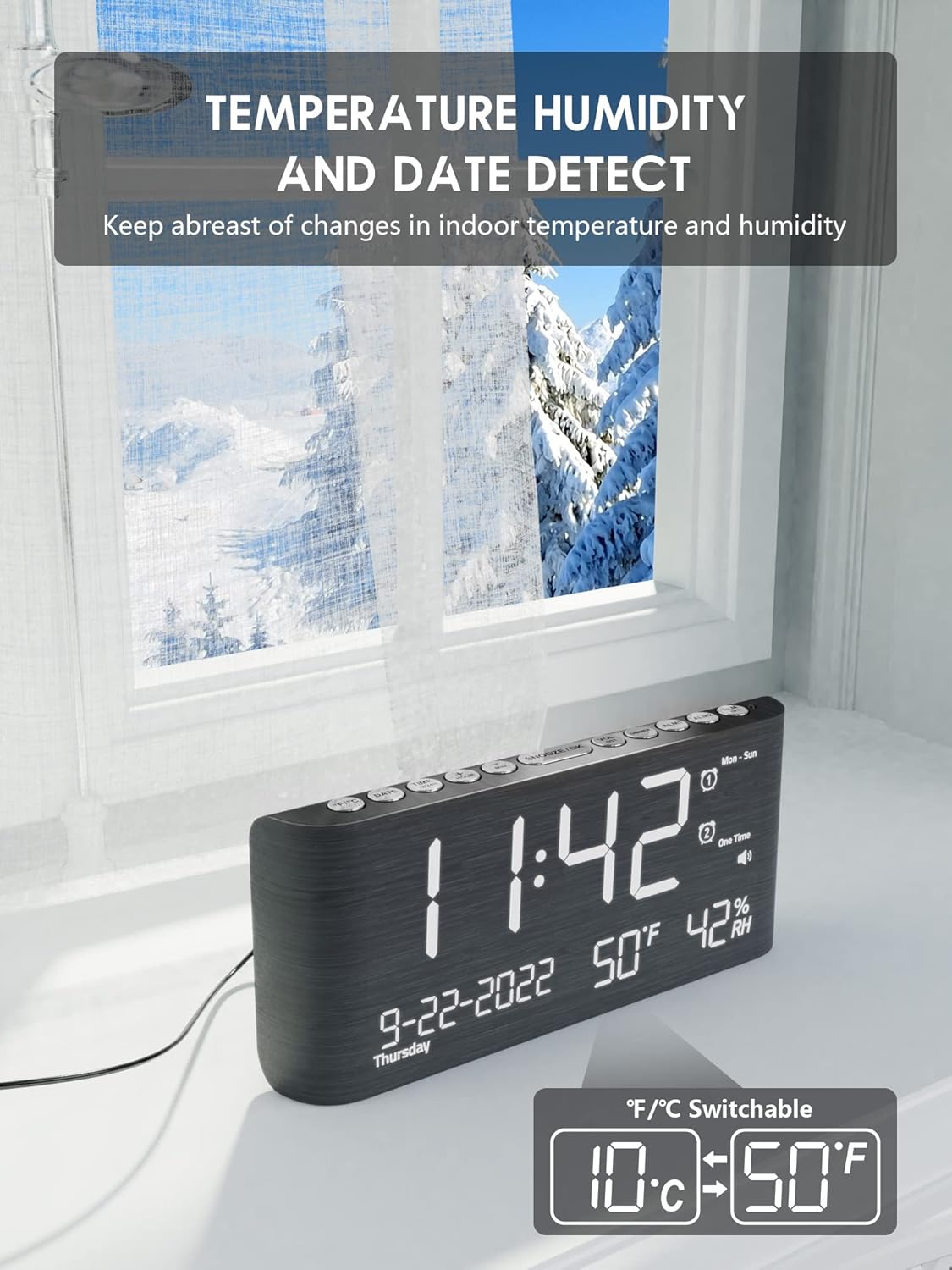
This image emphasizes the clock's built-in temperature and humidity sensors, showing the display with current indoor conditions against a backdrop of an outdoor winter scene, suggesting its utility for monitoring indoor climate.

이것 view shows the alarm clock's comprehensive display, including the current time, date, indoor temperature, and humidity. A smartphone is also visible, connected for charging.
8. 일광 절약 시간제(DST)
To activate or deactivate Daylight Saving Time, press and hold the 일광 절약 시간제 button. The time will adjust by one hour forward or backward, and a DST indicator will appear/disappear on the display.
유지
To ensure the longevity and optimal performance of your Roxicosly Digital Wooden Alarm Clock, follow these maintenance guidelines:
- 청소: Wipe the clock's surface with a soft, dry cloth. Avoid using abrasive cleaners, solvents, or chemical sprays, as these can damage the finish and electronic components.
- 놓기: 시계를 직사광선, 과도한 열, 습기 또는 강한 자기장을 피해 안정적이고 평평한 곳에 놓으십시오.
- 힘: Always use the provided AC adapter. If the clock will not be used for an extended period, disconnect it from the power outlet and remove the backup batteries.
문제 해결
알람시계 사용 중 문제가 발생하면 다음의 일반적인 문제 및 해결 방법을 참조하십시오.
- 디스플레이가 비어 있습니다:
- AC 어댑터가 시계와 작동하는 전원 콘센트에 제대로 꽂혀 있는지 확인하십시오.
- 다른 장치를 연결해 전원 콘센트가 작동하는지 확인하세요.
- 알람이 울리지 않습니다:
- Verify that the alarm (Alarm 1 or Alarm 2) is activated (its icon should be visible on the display).
- Check the alarm time to ensure it is set correctly (AM/PM).
- Ensure the alarm volume is not set to the lowest level or muted.
- USB 충전이 작동하지 않습니다.
- Confirm the clock is connected to AC power, as USB charging does not operate on battery backup.
- Ensure your USB cable is properly connected and not damaged.
- Try charging a different device to rule out an issue with the device or cable.
- 전원 꺼짐 후 시간/설정 초기화tage:
- Ensure fresh AAA batteries are installed in the battery backup compartment. The battery backup preserves settings during power interruptions.
- Incorrect temperature/humidity reading:
- Ensure the clock is placed in an area with good air circulation, away from direct heat sources or vents.
- 초기 설정이나 이전 후 센서가 안정화될 때까지 약간의 시간을 두십시오.
명세서
| 상표 | 록시코슬리 |
| 모델 | Digital Wooden Alarm Clock |
| 디스플레이 유형 | Digital LED (8.7 inches) |
| 디스플레이 밝기 | 7 Levels (Dimmable) |
| 알람 볼륨 | 5 Levels (65dB-120dB) |
| 알람 | 듀얼 알람 |
| 다시 알림 시간 | 9분 |
| 충전 포트 | USB 충전 포트 2개 |
| 특별 기능 | Temperature & Humidity Detection, DST Function, 12/24h Format |
| 전원 | Corded Electric (AC Adapter included), Battery Backup (2x AAA, not included) |
| 재료 | 목재 |
| 색상 | 검은색 |
보증 및 지원
This Roxicosly Digital Wooden Alarm Clock comes with a standard manufacturer's warranty. For specific warranty details, please refer to the product packaging or contact your retailer. For technical support, troubleshooting assistance beyond this manual, or inquiries regarding your product, please contact Roxicosly customer service through the retailer's platform or the official brand web대지.
보증 청구를 위해 구매 증빙서류로 구매 영수증을 보관하세요.