
Weiser 9GED92600-005
Weiser SmartCode 키리스 도어록 사용 설명서
Model: 9GED92600-005
1. 서론
The Weiser SmartCode Keyless Entry Door Lock provides a secure and convenient way to manage access to your home. This electronic deadbolt features a backlit keypad for easy code entry, a motorized locking mechanism, and the ability to store multiple user codes. With SmartKey re-key technology, you can easily re-key your lock without replacing the entire unit. This manual will guide you through the installation, setup, operation, and maintenance of your new SmartCode lock.
2. 안전 정보
잠금장치를 설치하고 작동하기 전에 모든 지침을 완전히 읽으십시오. 지침을 따르지 않을 경우 제품 손상, 재산 피해 또는 신체적 부상으로 이어질 수 있습니다.
- Do not use abrasive cleaners or chemicals on the lock.
- 사용하기 전에 모든 구성 요소가 단단히 고정되어 있는지 확인하십시오.
- 배터리를 어린이의 손이 닿지 않는 곳에 보관하세요.
- 현지 규정에 따라 배터리를 폐기하십시오.
3. 상자 안에 무엇이 들어있나요?
패키지에 다음 구성 요소가 모두 포함되어 있는지 확인하세요.
- Electronic Deadbolt (Interior/Exterior)
- 걸쇠
- 스트라이크 플레이트
- 장착 플레이트
- 칼라
- Hardware (Screws)
- 2개의 키
- 스마트키 도구
- 설치 설명서(본 문서)

Image: All components included in the Weiser SmartCode Keyless Entry Door Lock package.
4. 특징
The Weiser SmartCode Keyless Entry Door Lock offers a range of features designed for security and convenience:
- Modern Electronic Door Lock: Features a fast and quiet motorized deadbolt with one-touch motorized locking. ANSI Grade 2 certified for residential security.
- Keypad Operation: Gain entry by simply entering your personalized access code. The keypad is backlit for increased visibility at night and stays lit for 30 seconds after inactivity.
- Multiple User Access Codes: Supports up to 50 user codes and 1 master code option for flexible access management.
- 스마트키 보안: Re-key your lock in seconds with SmartKey technology. This allows you to maintain key control and protect against lost, stolen, or unauthorized keys without removing the lock from your door.
- 자동 잠금 기능: Automatically locks the deadbolt after a set period of inactivity, providing peace of mind.
- 내후성: 안정적인 실외 사용을 위해 다양한 기후 조건을 견딜 수 있도록 설계되었습니다.

Image: The Weiser SmartCode Keyless Entry Door Lock, showing both the exterior keypad and interior deadbolt unit.

Image: The keypad of the SmartCode lock, highlighting its capacity for multiple user access codes.
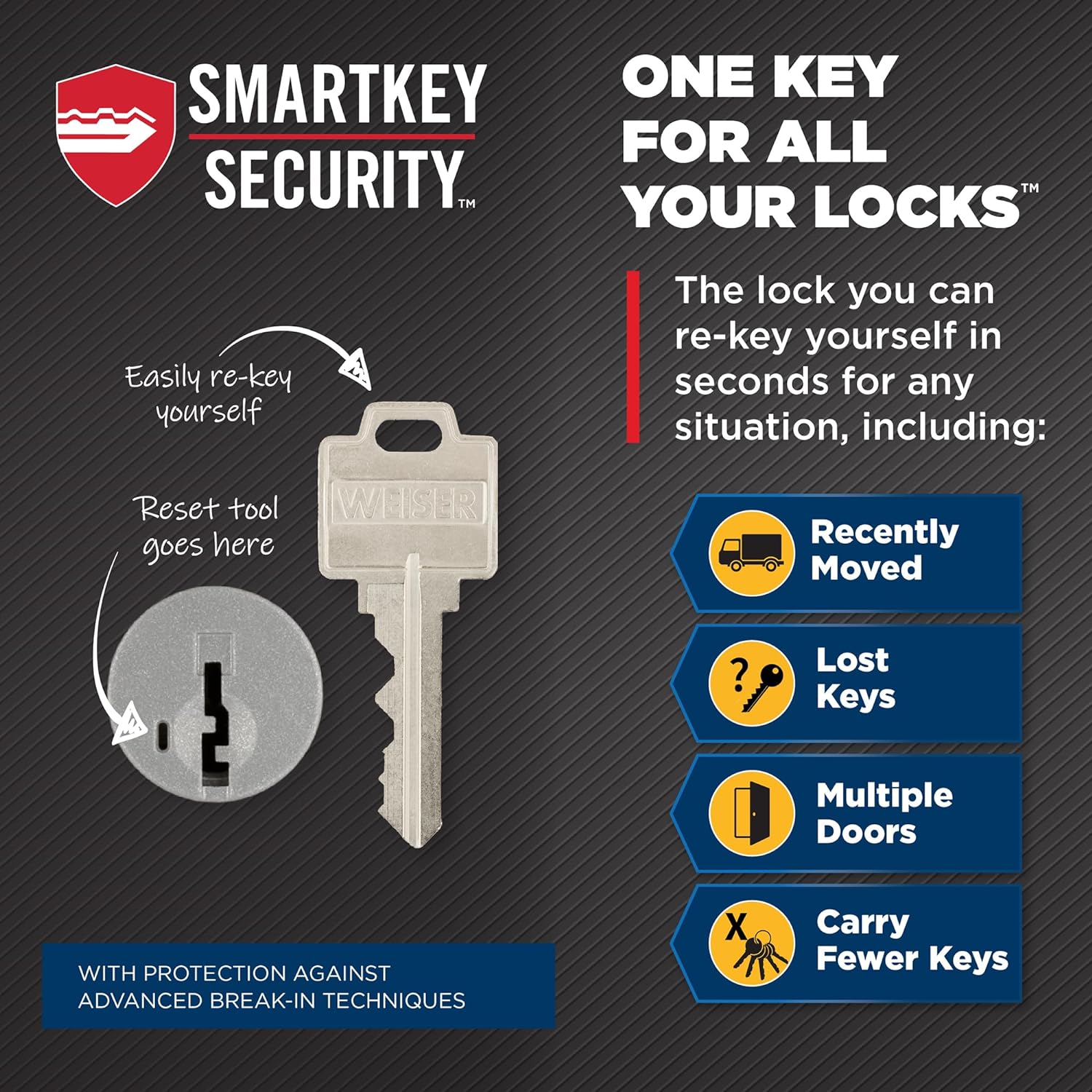
Image: Illustration of the SmartKey Security feature, demonstrating how to re-key the lock.

Image: The auto-lock feature in action, providing convenience and security.
5. 설치
The Weiser SmartCode lock is designed for easy installation. It fits standard doors 1-3/8" to 1-3/4" thick with an adjustable backset (2-3/8" or 2-3/4").
5.1 설치 전 확인
- Verify your door's thickness and backset measurement.
- Ensure the door frame is properly aligned and the existing strike plate is suitable.
5.2 설치 단계
- Prepare the door: If replacing an existing lock, remove it. Ensure the bore hole and backset are correct.
- Install the latch: Insert the latch into the door edge, ensuring the correct backset is selected.
- Install the exterior keypad assembly: Feed the cable through the door and secure the keypad.
- Install the interior assembly: Connect the cable and secure the interior unit to the mounting plate.
- Install batteries: Insert 4 AA batteries (not included) into the battery pack.
- Perform door handing process: This calibrates the lock to your door. Follow the specific instructions in the included installation guide.
For detailed, step-by-step interactive 3D instructions with voice and video guidance, download the free BILT app on your smartphone or tablet.

Image: Dimensions of the SmartCode lock components and adjustable latch backset.
6. 설정 및 프로그래밍
After installation, you will need to program your master code and user codes.
6.1 Programming the Master Code
The master code is used to add or delete user codes and to configure lock settings. It does not unlock the door.
- 내부 장치의 배터리 덮개를 엽니다.
- 프로그램 버튼을 한 번 누릅니다.
- Enter a new 4-8 digit master code.
- Press the Lock button.
6.2 사용자 코드 프로그래밍
User codes are used to unlock the door. You can program up to 50 unique user codes.
- 마스터 코드를 입력하세요.
- Press the Lock button.
- 프로그램 버튼을 한 번 누릅니다.
- 새로운 4~8자리 사용자 코드를 입력하세요.
- Press the Lock button.
6.3 사용자 코드 삭제
- 마스터 코드를 입력하세요.
- Press the Lock button.
- Press the Program button twice.
- Enter the user code you wish to delete.
- Press the Lock button.
6.4 Using SmartKey Re-key Technology
SmartKey allows you to re-key your lock to work with any other Weiser SmartKey key. This is useful if you move, lose a key, or want all your Weiser locks to use the same key.
- 현재 사용 중인 키를 실린더에 완전히 삽입하십시오.
- Rotate the key 90 degrees clockwise to the horizontal position.
- Insert the SmartKey tool firmly and fully into the SmartKey hole.
- SmartKey 도구를 제거하세요.
- Remove the original key.
- Insert your new key fully into the cylinder.
- Rotate the new key 90 degrees counter-clockwise to the vertical position.
- Remove the new key. Your lock is now re-keyed.
Image: Detailed steps for using the SmartKey re-keying feature.
7. 잠금 장치 작동
7.1 문 잠그기
- 바깥으로부터: Press the Lock button once. The deadbolt will extend automatically.
- 내부에서: Rotate the turn piece to the vertical position.
7.2 문 잠금 해제
- 사용자 코드 사용: 키패드에 4~8자리 사용자 코드를 입력하세요. 잠금장치가 내려갑니다.
- 키 사용: Insert the key into the cylinder and turn it to unlock.
- 내부에서: Rotate the turn piece to the horizontal position.
7.3 자동 잠금 기능
The lock can be set to automatically re-lock after a short delay (typically 30 seconds) once it has been unlocked. Refer to your specific installation guide for instructions on enabling or disabling this feature.

Image: Demonstrating the keyless entry function of the SmartCode lock.

Image: The backlit keypad provides easy code entry even in low light conditions.
8. 유지관리
8.1 배터리 교체
The lock operates on 4 AA batteries (not included). When the batteries are low, the lock will provide an audible and/or visual indicator. Replace all four batteries simultaneously with new, high-quality alkaline batteries.
8.2 청소
부드러운 천으로 자물쇠를 청소하세요.amp 천. 연마성 세제, 용제 또는 강한 화학 물질은 마감재와 전자 부품을 손상시킬 수 있으므로 사용하지 마십시오.
9. 문제 해결
If you encounter issues with your Weiser SmartCode lock, try the following steps:
- 잠금이 응답하지 않습니다. 배터리 잔량을 확인하고 필요하면 교체하십시오. 배터리가 올바른 극성으로 삽입되었는지 확인하십시오.
- 키패드에 불이 들어오지 않음: Verify battery power. The keypad backlight activates upon touch.
- Lock not locking/unlocking: Ensure the door is properly closed and aligned. Check for any obstructions in the door frame or deadbolt path. Re-perform the door handing process if the lock was recently installed or moved.
- 코드가 작동하지 않습니다: Double-check that the correct master code and user codes are being entered. Try reprogramming the codes.
- Motor sounds weak: This is an indication of low batteries. Replace them immediately.
If problems persist after attempting these solutions, please contact Weiser customer support.
10. 사양
| 특징 | 사양 |
|---|---|
| 모델 번호 | 9GED92600-005 |
| 제품 치수 | 6.99 x 2.86 x 13.97cm |
| 품목 무게 | 454g |
| 색상 | 새틴 크롬 |
| 스타일 | 현대의 |
| 마치다 | 닦았다 |
| 재료 | 금속 |
| 잠금 유형 | Deadbolt, Electronic |
| 사용자 코드 | 최대 50개 |
| 마스터 코드 | 1 |
| 도어 호환성 | 1-3/8" to 1-3/4" thick |
| 역수 | Adjustable (2-3/8" or 2-3/4") |
| 전원 | 4 AA 배터리(포함되지 않음) |
| 특별 기능 | Anti-Bump, Auto-Lock, Back-Lit Keypad, One-Touch Lock, Weather Resistant |
11. 보증 및 지원
11.1 보증 정보
The Weiser SmartCode Keyless Entry Door Lock comes with a 1-year warranty from the date of purchase. Please retain your proof of purchase for warranty claims. The warranty covers manufacturing defects and malfunctions under normal use. It does not cover damage caused by misuse, improper installation, or unauthorized modifications.
11.2 고객 지원
For further assistance, technical support, or warranty inquiries, please visit the official Weiser brand store or contact their customer service department.
Ask a question about this manual
Ask about setup, troubleshooting, compatibility, parts, safety, or missing instructions. Manuals+ will review the question and use this page’s manual context to help answer it.