
1. 서론
This manual provides comprehensive instructions for the installation, operation, and maintenance of your Weiser SmartCode Keypad Door Lock and Handle Set. This electronic deadbolt and handleset combination offers enhanced security and convenience for your home's entry door.
2. 안전 정보
Please read all instructions carefully before installation and use. Keep this manual for future reference. Do not attempt to disassemble or modify the lock beyond the instructions provided. Use only the specified battery type (4 AA batteries). Avoid exposing the lock to extreme temperatures or moisture.
3. 패키지 내용
설치를 시작하기 전에 모든 구성 요소가 있는지 확인하세요.
- Exterior Handle (Handleset)
- 내부 레버
- SmartCode Electronic Deadbolt (Keypad and Interior Unit)
- 래치
- 파업
- 나사와 볼트
- 2개의 키
- 스마트키 도구
- 설치 설명서(본 문서)

Figure 1: All components included in the Weiser SmartCode Keypad Door Lock and Handle Set, showing the exterior keypad, interior deadbolt unit, exterior handleset, and interior lever.
4. 설정 및 설치
The Weiser SmartCode Keypad Door Lock and Handle Set is designed for straightforward installation. For detailed, interactive 3D instructions with voice and video guidance, it is highly recommended to use the free BILT app.
4.1 도어 호환성
This lock set fits standard doors 1-3/8" to 1-3/4" (35mm to 44mm) thick with an adjustable backset (2-3/8" or 2-3/4"). It is suitable for most exterior residential doors.
4.2 설치 단계 (이상)view)
- Prepare the door and frame, ensuring proper drilling and alignment.
- 걸쇠와 스트라이크 플레이트를 설치하십시오.
- Install the exterior handleset and interior lever.
- Install the exterior keypad and interior deadbolt unit.
- Connect the cable between the exterior keypad and interior unit.
- 제공된 나사로 모든 구성 요소를 고정합니다.
- 내부 장치에 AA 배터리 4개를 장착하십시오.
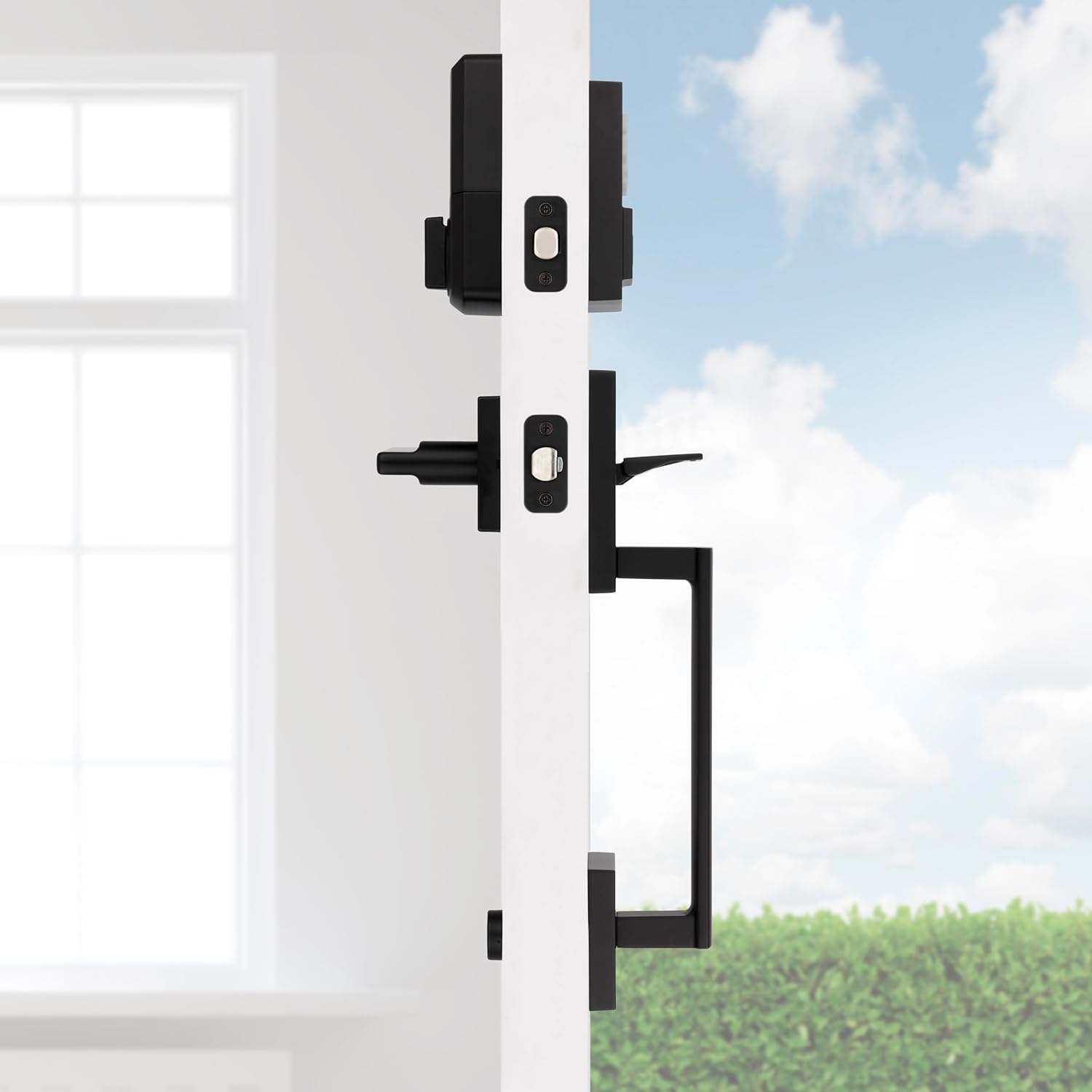
그림 2: 측면 view of the handleset and interior lever installed on a door, demonstrating how the components fit together.

Figure 3: The exterior handleset and keypad assembly, designed for use on entry doors.
5. 사용 설명서
5.1 키리스 엔트리
To unlock the door using the keypad, simply enter your personalized 4-8 digit user code. The deadbolt will retract, allowing you to open the door. To lock the door, press the 'Lock' button on the keypad.

Figure 4: A hand interacting with the keypad for keyless entry, highlighting the convenience and security.
5.2 Multiple User Access Codes
The SmartCode lock supports up to 50 unique user access codes, allowing you to provide personalized access to family members, friends, or service providers. It also features a master code option for enhanced security and programming control.
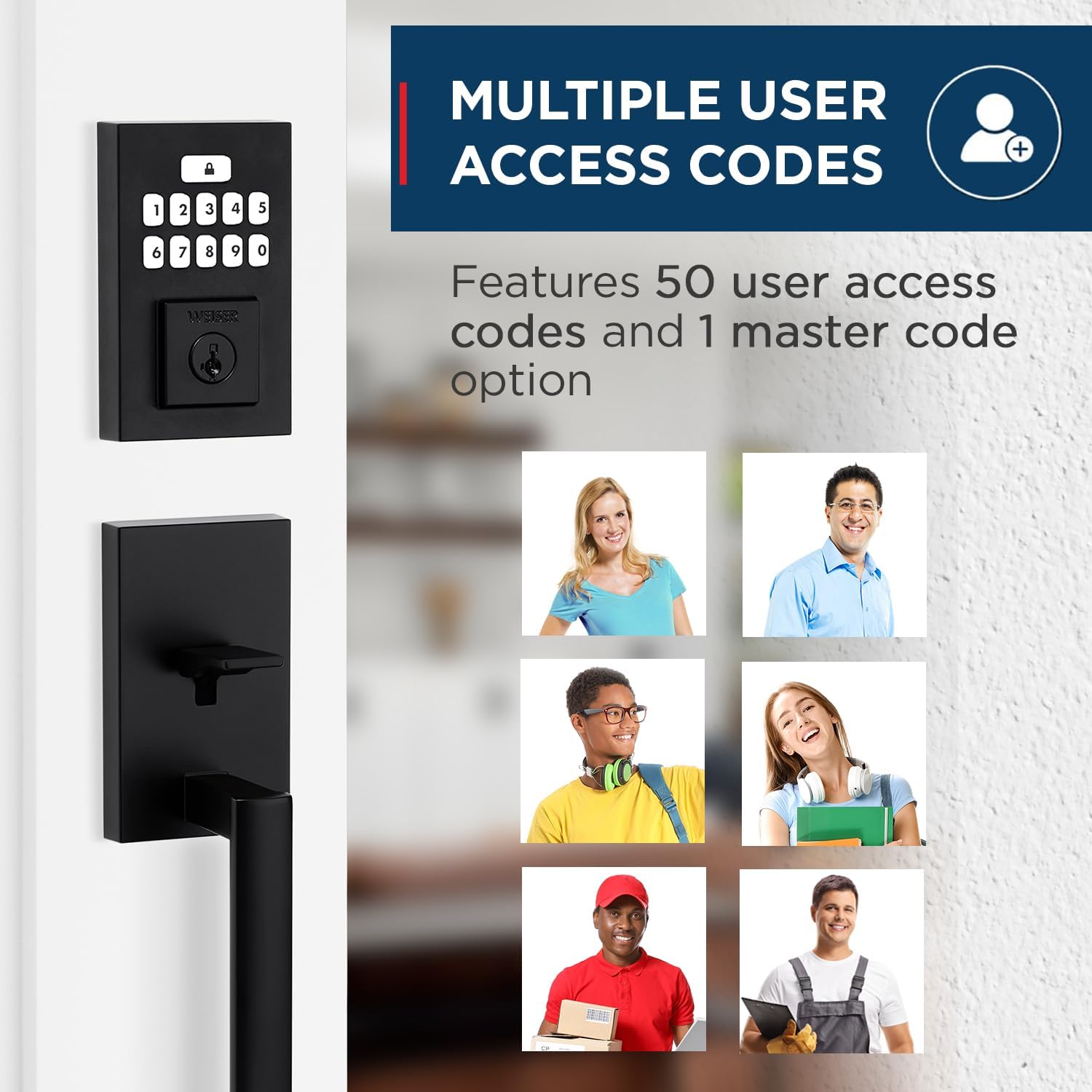
Figure 5: Visual representation of the multiple user access code feature, illustrating the ability to assign unique codes to various individuals.
5.3 자동 잠금 기능
For added peace of mind, the auto-lock feature can be enabled. When activated, the deadbolt will automatically re-lock itself after a set period (typically 30 seconds) once it has been unlocked. This ensures your door is always secured, even if you forget to lock it manually.
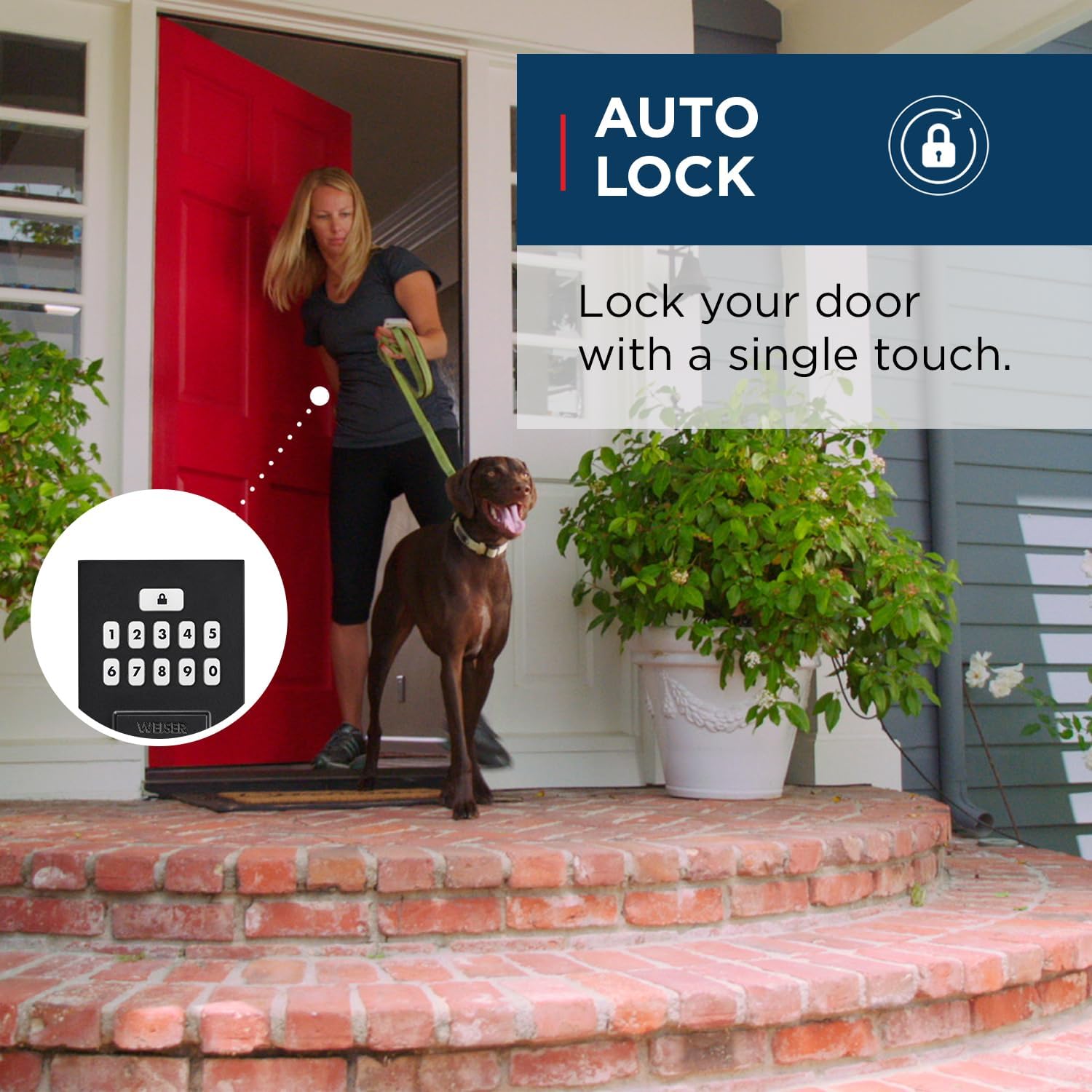
Figure 6: An illustration of the auto-lock feature, showing the convenience of the lock automatically securing the door after entry.
5.4 SmartKey Technology
The SmartCode lock incorporates Weiser's SmartKey re-key technology. This feature allows you to re-key your lock in seconds, providing control over who has access and protecting against lost, stolen, or unauthorized keys. This is particularly useful if you move, lose a key, or wish to have all your Weiser locks operate with a single key.
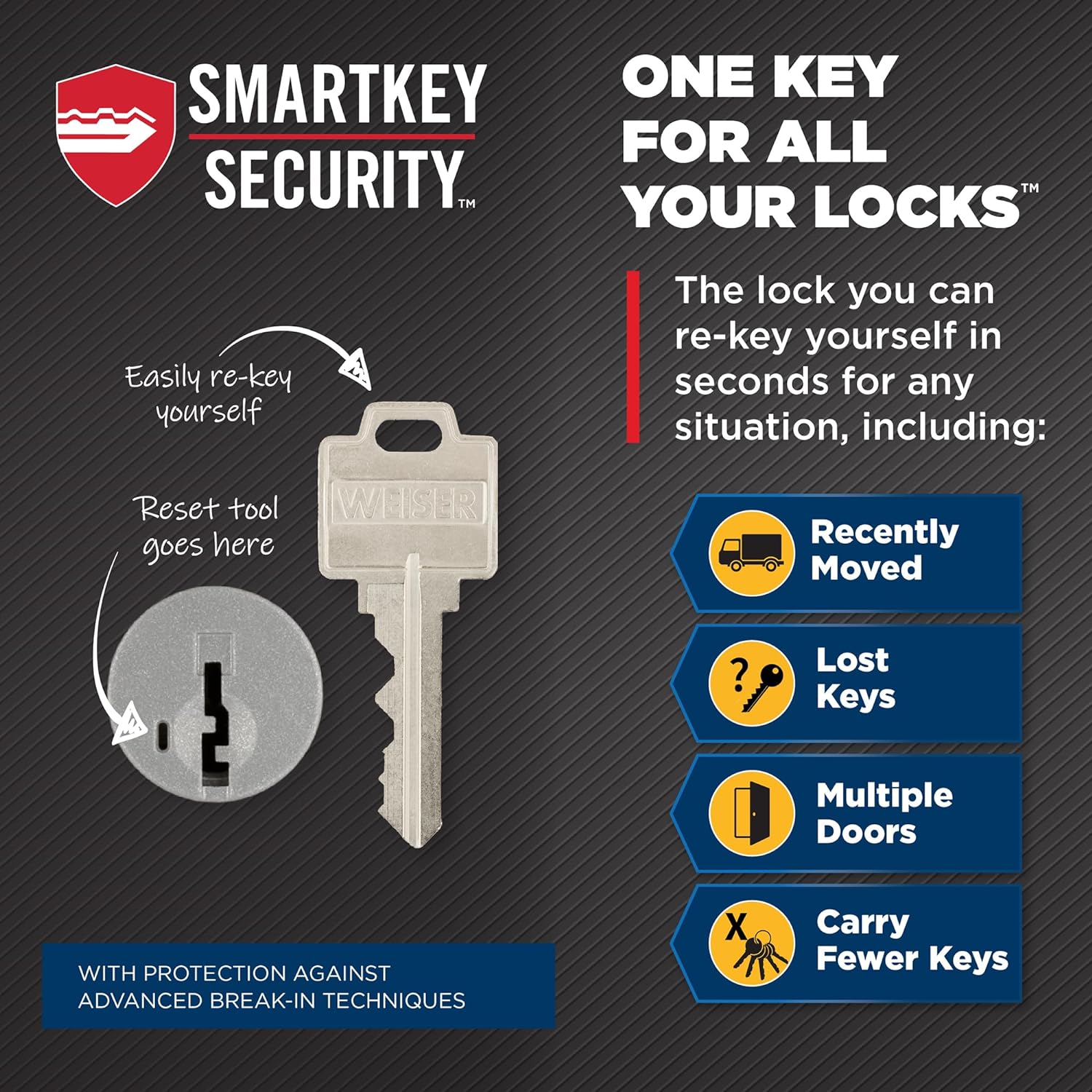
Figure 7: A diagram explaining the SmartKey Security feature, demonstrating how to easily re-key the lock using the provided tool.
6. 유지관리
6.1 청소
잠금장치 외부를 청소하려면 부드러운 천을 사용하십시오.amp 천을 사용하십시오. 연마성 세척제, 용제 또는 독한 화학 물질은 마감재와 전자 부품을 손상시킬 수 있으므로 사용하지 마십시오.
6.2 배터리 교체
The lock operates on 4 AA batteries. When the batteries are low, the lock will provide an audible and/or visual low battery warning. Replace all four batteries simultaneously with new, high-quality alkaline AA batteries. Ensure correct polarity during installation.
7. 문제 해결
If you encounter issues with your Weiser SmartCode lock, refer to the following common problems and solutions:
| 문제 | 가능한 원인 | 해결책 |
|---|---|---|
| 키패드 입력에 잠금 장치가 반응하지 않습니다. | 배터리가 부족하거나 방전되었습니다. 잘못된 코드를 입력했습니다. | Replace batteries. Verify the user code. |
| Lock makes a sound but does not lock/unlock. | Deadbolt is jammed or misaligned. | Check for obstructions in the door frame or strike plate. Ensure the deadbolt extends and retracts smoothly. |
| 새 사용자 코드를 프로그래밍할 수 없습니다. | Incorrect programming sequence. Master code not used. | Refer to the programming section of the full manual (or BILT app) for correct steps. Ensure you are using the master code if required. A factory reset may be necessary if programming issues persist. |
| 자동 잠금 기능이 작동하지 않습니다. | Feature is disabled. | Enable the auto-lock feature through the programming steps outlined in the full manual. |
For more complex issues or if troubleshooting steps do not resolve the problem, please contact Weiser customer support.
8. 사양
| 특징 | 세부 사항 |
|---|---|
| 모델 번호 | 9GLA92600-004 |
| 제품 치수 | 11.5 x 7 x 7 cm; 454g |
| 색상 | 매트블랙 |
| 스타일 | San Clemente x Smartcode |
| 재료 | 금속 |
| 전원 | 4 AA 배터리(포함되지 않음) |
| Keypad Design | 10버튼 |
| User Access Codes | 최대 50개 |
| 특별 기능 | SmartKey Security, Mastercode feature, Motorized Lock/Unlock |
| 도어 두께 호환성 | 1-3/8" to 1-3/4" |
| 역수 | Adjustable (2-3/8" or 2-3/4") |
| 원산지 | 중국 |
9. 보증 및 지원
9.1 보증 정보
This Weiser SmartCode Keypad Door Lock and Handle Set comes with a 1-year warranty. Please retain your proof of purchase for warranty claims. The warranty covers defects in material and workmanship under normal use.
9.2 고객 지원
For technical assistance, warranty claims, or additional information, please visit the official Weiser website or contact their customer service department. Contact details can typically be found on the Weiser brand store page or included documentation.