
소개
Thank you for choosing the Brookstone Sonic Electric Toothbrush. This manual provides essential information for the safe and effective use of your new toothbrush. Please read it thoroughly before first use and retain it for future reference.
This sonic toothbrush is designed for adults, featuring 16,500 vibrations per minute, five cleaning modes, and a built-in 2-minute timer to support comprehensive oral hygiene. It is IPX4 waterproof for durability and convenience.

Image: The Brookstone Sonic Electric Toothbrush standing upright on its white USB rechargeable base.
설정
언박싱 및 초기 충전
패키지를 열면 모든 구성품이 들어 있는지 확인하세요.
- 1 x Sonic Electric Toothbrush Handle
- 3 x Soft Toothbrush Replacement Heads
- 1 x USB Rechargeable Base with USB Cable
Before first use, fully charge the toothbrush. Place the toothbrush handle onto the charging pin of the rechargeable base. Connect the USB cable to the base and plug it into a compatible USB power source (e.g., wall adapter, computer USB port). A full charge takes approximately 12 hours and provides up to 30 days of use.
브러시 헤드 부착
칫솔모를 칫솔 손잡이의 금속 샤프트에 맞춰주세요. 칫솔모를 딸깍 소리가 날 때까지 아래로 단단히 눌러주세요. 사용 전에 칫솔모가 단단히 고정되었는지 확인하세요.

Image: A visual representation of the toothbrush handle, three replacement brush heads, and the USB charging base with its cable.
작동 지침
전원 켜기/끄기 및 모드 선택
- To turn on the toothbrush, press the power button once.
- To cycle through the cleaning modes, press the power button repeatedly while the toothbrush is on.
- 칫솔을 끄려면 전원 버튼을 2초 동안 길게 누르거나, 모든 모드를 순환하여 자동으로 꺼질 때까지 기다리세요.
청소 모드
The toothbrush features five distinct cleaning modes:
- 깨끗한: For daily cleaning with strong vibrations.
- 광택: For surface cleaning and whitening.
- 심층 세척: Provides extended pulses for thorough cleaning between teeth.
- 잇몸 관리: Features targeted vibrations for gentle gum line cleaning.
- 민감한: Offers a gentle vibrating mode for sensitive teeth and gums.

Image: A visual guide detailing the five operational modes of the toothbrush: Clean, Polish, Deep Clean, Gum Care, and Sensitive, with their respective descriptions.
2분 스마트 타이머
The toothbrush includes a built-in 2-minute timer, recommended by dental professionals for optimal brushing. The toothbrush will pause briefly every 30 seconds to indicate when to move to a different quadrant of your mouth, ensuring an even and thorough clean.
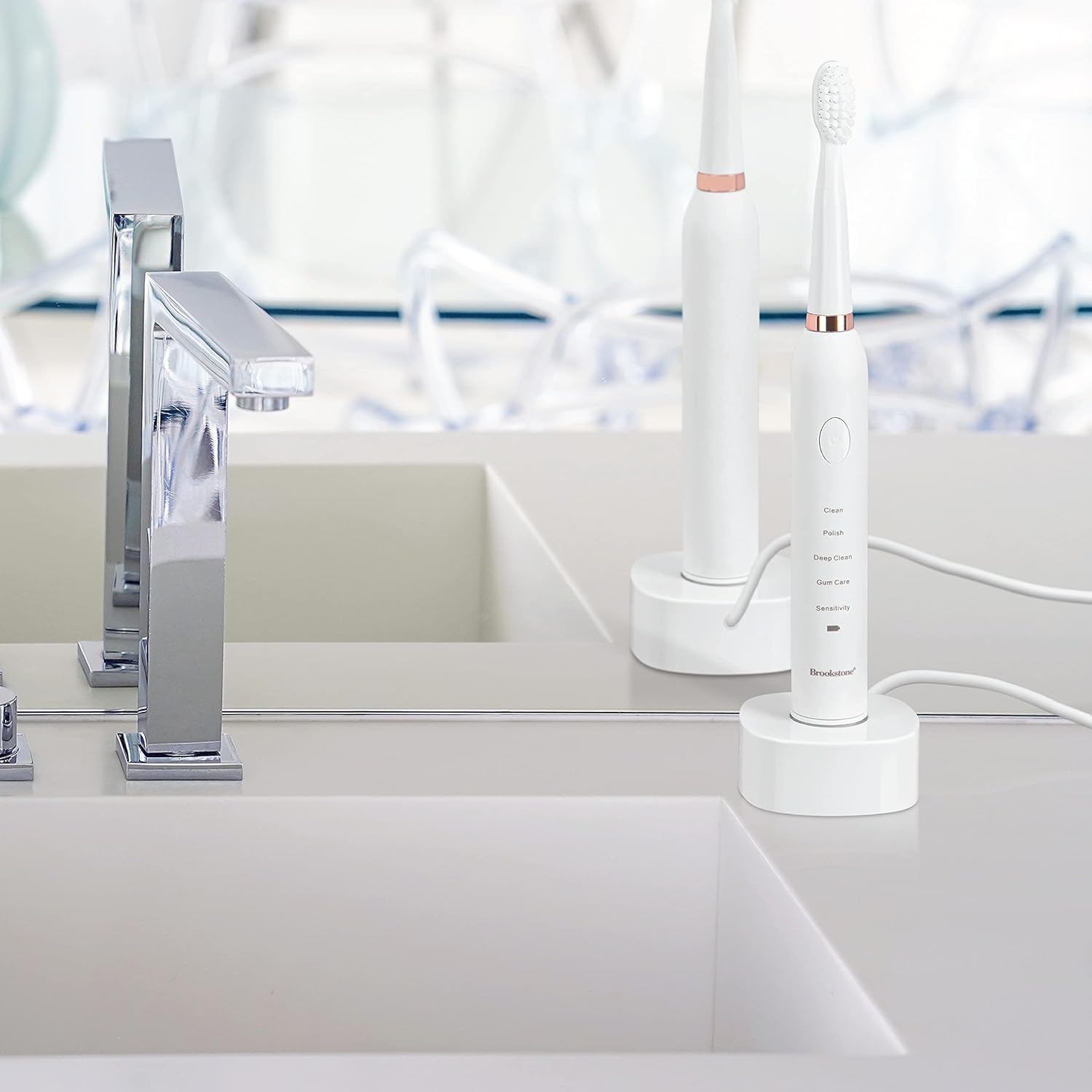
Image: A graphic highlighting key features including the 2-minute timer, sonic vibrations up to 16,500 per minute, and IPX7 waterproof rating.
브러싱 기법
Apply a small amount of toothpaste to the brush head. Place the brush head against your teeth at a slight angle towards the gum line. Gently move the brush across your teeth, allowing the sonic vibrations to do the work. Do not scrub aggressively. Divide your mouth into four quadrants and spend 30 seconds on each, guided by the timer pauses.
유지
칫솔 청소하기
- 사용 후에는 브러시 헤드를 흐르는 물에 깨끗이 헹구세요.
- 광고로 칫솔 손잡이를 닦으세요amp cloth. Do not immerse the handle in water for extended periods, despite its water resistance.
- Ensure the charging base is kept dry and clean.
충전 중
When the battery indicator light signals low power, place the toothbrush on its USB rechargeable base. The indicator light will show charging status and turn green when fully charged. Avoid overcharging by unplugging the charger once fully charged, especially for prolonged periods.
브러시 헤드 교체
For optimal cleaning performance and hygiene, it is recommended to replace the brush head every 3 months, or sooner if the bristles appear frayed or worn. Replacement heads are available from Brookstone.
문제 해결
| 문제 | 가능한 원인 | 해결책 |
|---|---|---|
| 칫솔이 켜지지 않습니다. | 배터리가 소진되었습니다. | 칫솔을 최소 12시간 동안 충전하세요. |
| 칫솔이 충전되지 않습니다. | Charging base or USB cable not properly connected. | Ensure the USB cable is securely plugged into both the base and the power source. Verify the toothbrush handle is correctly seated on the charging pin. |
| 진동이 약하거나 성능이 저하되었습니다. | 배터리 부족 또는 브러시 헤드 마모. | 칫솔을 충전하세요. 칫솔모가 오래되었거나 닳았다면 교체하세요. |
| 사용 중에 칫솔모가 분리됩니다. | 브러시 헤드가 제대로 부착되지 않았습니다. | 브러시 헤드가 딸깍 소리가 나면서 제자리에 고정될 때까지 단단히 눌러주세요. |
명세서
- 모델: OC0005-WH8
- 제품 크기: 0.85 x 0.85 x 8.5 인치
- 품목 무게: 5.5 온스
- 전원: 배터리 구동식 (리튬 이온 배터리 1개 포함)
- 진동: 분당 최대 16,500
- 작동 모드: 5 (Clean, Polish, Deep Clean, Gum Care, Sensitive)
- 방수 등급: IPX4
- 포함된 구성 요소: Toothbrush handle, 3 replacement brush heads, USB rechargeable base, USB cable
- 강모 재질: Nylon (Soft)
- 손잡이 소재: 플라스틱
- 제조업체: 아르젠토 SC
안전 정보
- 질식 위험: Keep out of reach of children. This product is for adult use only.
- 최적의 위생과 성능을 위해 3개월마다 칫솔모를 교체하십시오.
- 식이 보충제에 대한 진술은 FDA에서 평가하지 않았으며, 어떠한 질병이나 건강 상태를 진단, 치료, 치유 또는 예방하기 위한 것이 아닙니다.
- 제품이 손상된 것처럼 보이면 사용하지 마십시오.
- 잇몸 질환이 심하거나 구강 수술을 받은 경우에는 사용 전에 치과 의사와 상담하십시오.
보증 및 지원
For warranty information, technical support, or customer service inquiries, please refer to the contact information provided with your product packaging or visit the official Brookstone website. Please have your model number (OC0005-WH8) and purchase date available when contacting support.