
소개
Thank you for choosing the Leipan DM9-7" Digital Microscope. This device is designed to provide a clear and magnified view of various objects, suitable for adults and children aged eight years and above. It features a 7-inch LCD screen, 12MP camera, 1080P video recording, and compatibility with Windows and Mac operating systems. Please read this manual carefully to ensure proper setup, operation, and maintenance of your microscope.
패키지 내용
패키지에 모든 구성품이 들어 있는지 확인하세요.
- Leipan DM9-7" Digital Microscope Unit
- 받침대가 있는 높이 조절 스탠드
- 5인치 연장 튜브
- 유선 리모컨
- USB 케이블
- 32GB TF 카드 (사전 설치 또는 별도 구매)
- 12 준비된 슬라이드
- 사용자 설명서
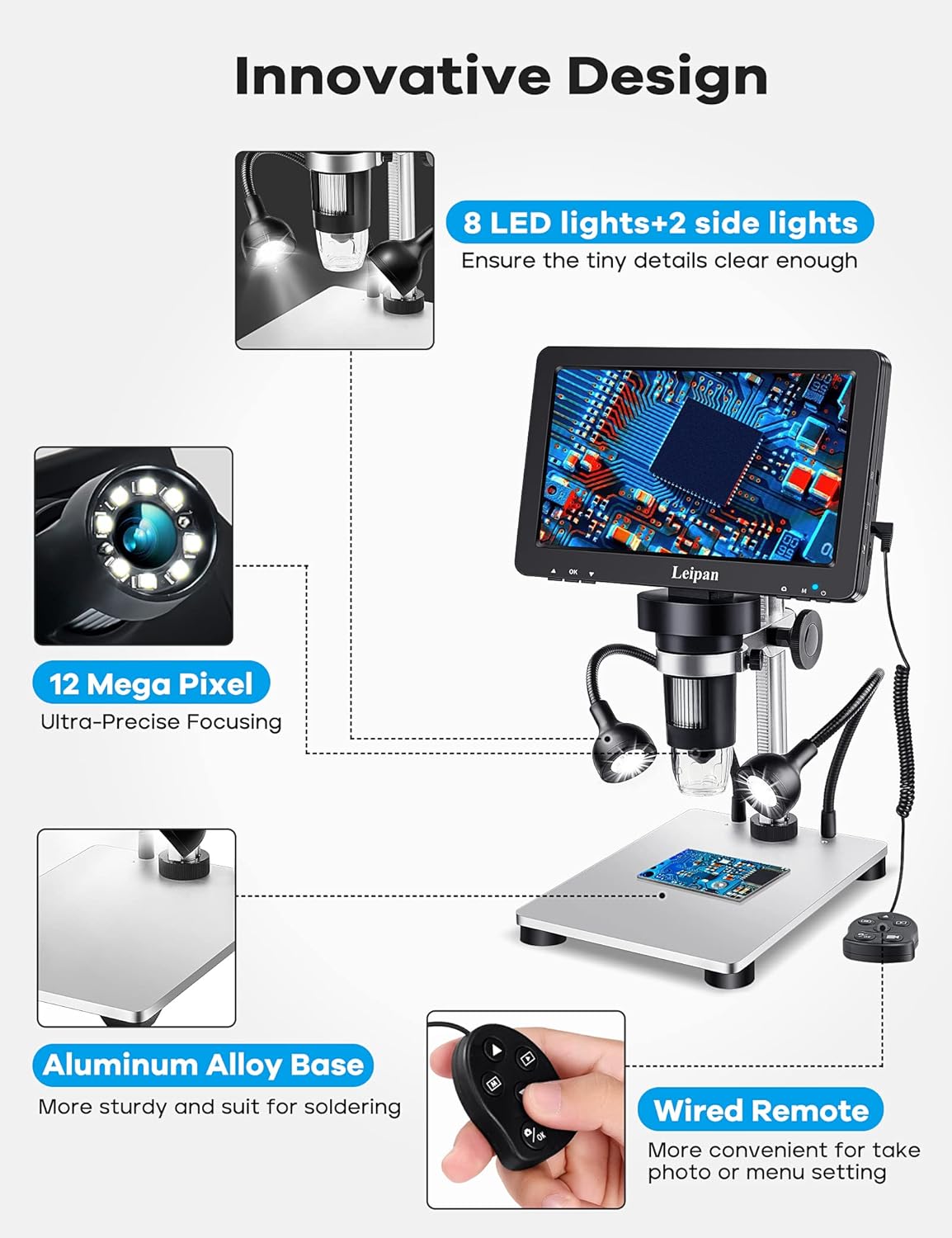
이미지: 이상view of the Leipan DM9-7" Digital Microscope components, highlighting the 7-inch screen, 12MP camera, aluminum alloy base, 8 main LED lights, 2 flexible side lights, and wired remote control.
설치 지침
- 스탠드 조립: Attach the microscope unit to the adjustable stand and secure it to the aluminum alloy base. Ensure all connections are firm.
- Install Extension Tube (Optional): For a wider and higher field of view, especially for larger objects like entire coins, attach the 5-inch extension tube between the microscope lens and the stand.
- Connect Side Lights: Plug the two flexible side lights into their designated ports on the microscope unit. These lights provide additional illumination for detailed observation.
- TF 카드 삽입: If not already installed, insert the provided 32GB TF card into the TF card slot on the microscope unit. This card is essential for storing photos and videos.
- 초기 충전: Connect the microscope to a power source (e.g., computer USB port, phone charger, power bank) using the USB cable. The micro end connects to the DC5V interface on the right side of the microscope screen. Allow the device to fully charge before first use.

Image: Comparison of the microscope's view with and without the 5-inch extension tube, demonstrating how the tube provides a wider and higher field of view for objects like coins.
Charging the Microscope
To charge your Leipan DM9-7" Digital Microscope, connect the USB cable to a power source. When powering on the microscope while connected, you will be presented with three options: Mass Storage, PC Camera, and Charging mode. Select "Charging mode" using the remote control to ensure proper charging. You can also use a phone charger, power bank, or wall socket for charging.
Video: This video demonstrates how to charge the Leipan DM9-7" Digital Microscope, including connecting the USB cable to a computer and selecting the 'Charging mode' option on the microscope screen.
작동 지침
- 전원 켜기/끄기: 현미경 본체의 전원 버튼을 길게 눌러 전원을 켜거나 끄십시오.
- 배율 조정: The microscope offers continuous 10X-1200X magnification. Adjust the focus wheel to change the magnification level and bring the object into clear view. Note that actual magnification may vary based on screen size and distance from the object.
- 초점: Rotate the focus knob to achieve a sharp image on the 7-inch LCD screen.
- 화면 회전 : The 7-inch HD screen is rotatable up to 90 degrees, allowing you to adjust it for comfortable view눈과 목의 피로를 줄여줍니다.
- 조명 조정: The microscope features eight adjustable LED illuminators around the lens and two flexible side lights. Adjust the brightness and position of the side lights to ensure all parts of your object are clearly illuminated.

Image: Illustrates the different magnification levels (10X, 100X, 500X, 1200X) achievable with the Leipan DM9-7" Digital Microscope, showing detailed views of a butterfly wing.
사진 촬영 및 비디오 녹화
The Leipan DM9-7" Digital Microscope can capture 12MP (4023*3024) photos and record 1080FHD (1920*1080 30 fps) videos. You can use either the button on the main unit or the wired remote control. Using the wired remote is recommended to minimize camera shake and achieve clearer results.

Image: Demonstrates the photo and video recording capabilities of the microscope, showing a magnified bee and beetle, with icons indicating photo capture and video recording to the included 32GB Micro SD card.
Connecting to a Computer (PC Camera Mode)
더 큰 것을 원하시면 viewing experience and easier data sharing/analysis, connect your microscope to a Windows or Mac computer. Simply plug the USB cable into both the microscope and your computer. No additional software download is required. For Windows 10, use the default "Windows Camera" application. For iMac/MacBook, use "Photo Booth."
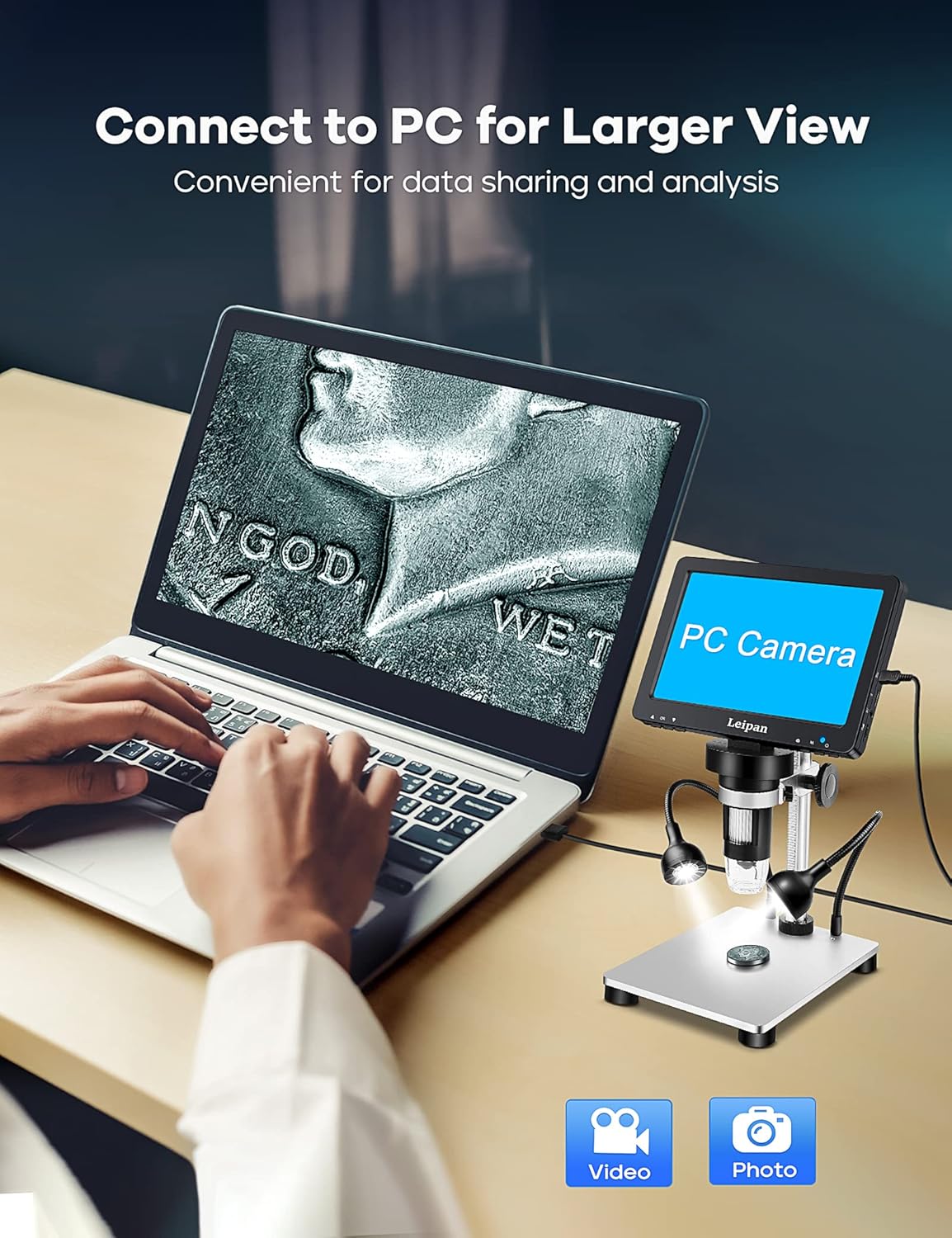
Image: Shows the Leipan DM9-7" Digital Microscope connected to a laptop, with the laptop screen displaying the microscope's live feed in 'PC Camera' mode, illustrating convenient data sharing and analysis.
Video: This video explains how to connect the Leipan DM9-7" Digital Microscope to a computer and use it as a PC camera for a larger view.
유지
- 청소: 부드럽고 보풀 없는 천으로 화면과 렌즈를 닦으세요. 잘 지워지지 않는 얼룩은 렌즈 세척액을 천에 소량 묻혀 사용하세요 (렌즈에 직접 닿지 않도록 주의하세요).
- 저장: Store the microscope in a dry, dust-free environment when not in use. Avoid extreme temperatures.
- 배터리 관리 : 배터리 수명을 연장하려면 배터리를 자주 완전히 방전하지 마십시오. 계속 사용하지 않더라도 정기적으로 충전하십시오.
문제 해결
| 문제 | 가능한 원인 | 해결책 |
|---|---|---|
| 현미경의 전원이 켜지지 않습니다. | 배터리가 부족하거나 전원 케이블이 연결되지 않았습니다. | 제공된 USB 케이블을 사용하여 현미경을 충전하세요. 전원 버튼을 누르고 있는지 확인하세요. |
| 이미지가 흐릿합니다. | Out of focus or incorrect working distance. | Adjust the focus knob. Ensure the object is within the microscope's working distance. Clean the lens if necessary. |
| PC에 연결할 수 없습니다. | Incorrect mode selected or cable issue. | Ensure "PC Camera" mode is selected on the microscope. Try a different USB port or cable. Verify your computer's camera application is open. |
| 측면등이 작동하지 않습니다. | Not connected or turned off. | Ensure side lights are securely plugged in. Check the light control on the wired remote or microscope unit. |
명세서
| 특징 | 세부 사항 |
|---|---|
| 모델 번호 | DM9-LP12 |
| 화면 크기 | 7인치 |
| 확대 | 10X-1200X (continuous) |
| 카메라 해상도 | 12MP(4023*3024) |
| 비디오 해상도 | 1080FHD (1920*1080 30 fps) |
| 광원 유형 | LED (8 main, 2 flexible side lights) |
| 저장 | 32GB TF Card included |
| 연결성 | USB (Windows/Mac Compatible) |
| 전원 | 배터리 구동(3.7볼트) |
| 제품 치수 | 7.1인치 길이 x 4.49인치 너비 x 5.5인치 높이 |
| 품목 무게 | 1.2 킬로그램 |
| 색상 | 은 |
보증 정보
This Leipan product is covered by a manufacturer's warranty. Please refer to the product packaging or contact Leipan customer support for specific warranty terms and conditions. Keep your purchase receipt as proof of purchase for any warranty claims.
고객 지원
If you encounter any issues or have questions regarding your Leipan DM9-7" Digital Microscope that are not addressed in this manual, please contact Leipan customer support. Contact information can typically be found on the product packaging, the official Leipan web사이트나 소매업체를 통해 구매할 수 있습니다.