
1. 서론
Thank you for choosing the Roxicosly CR1023 Digital Alarm Clock. This user-friendly device features a large, mirrored display, dual alarms, adjustable brightness, a night light, and convenient charging ports. This manual provides detailed instructions to help you set up and operate your new alarm clock effectively.

Image: The Roxicosly Digital Alarm Clock, highlighting its mirrored display and key features such as large digital display, dimmer, snooze, night light, dual alarm, volume knob, 12/24H format, USB/Type-C charging, and DST indicator.
2. 패키지 내용
- 1x Roxicosly CR1023 Digital Alarm Clock
- 1x DC Adapter & USB Cable
- 1x 사용자 설명서
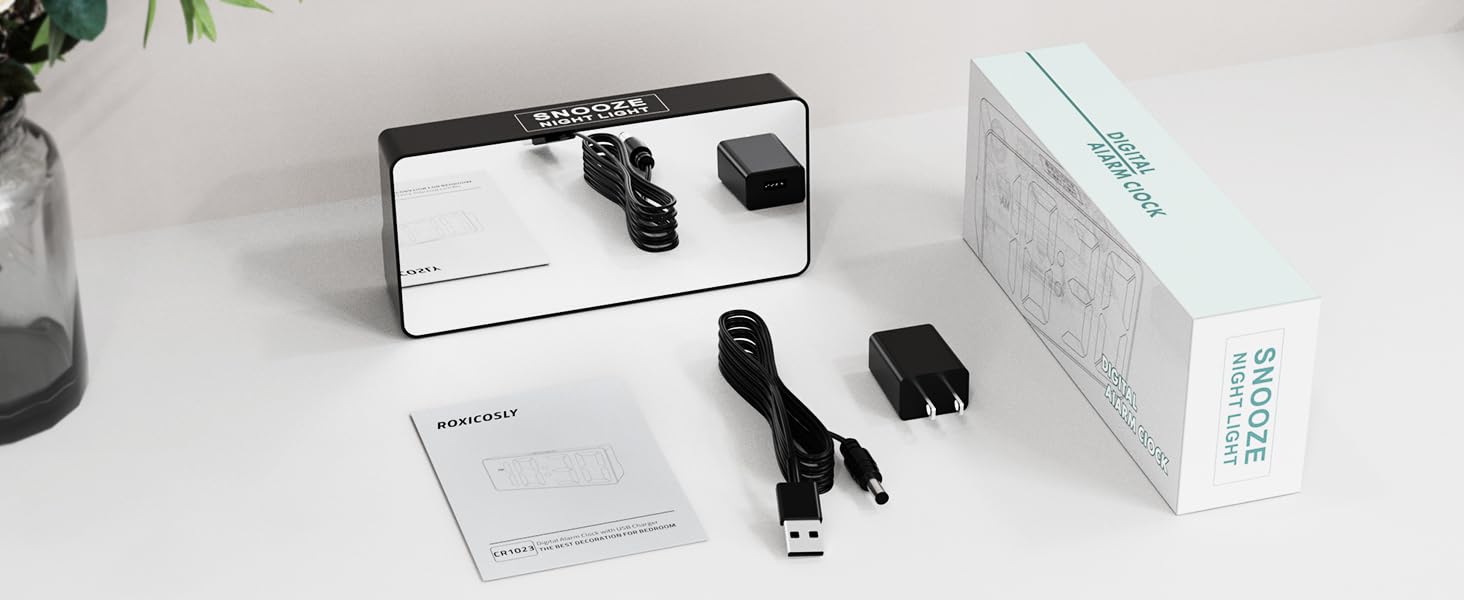
Image: The Roxicosly Digital Alarm Clock, its power adapter, and USB cable, laid out next to the product box and manual.
3. 설정
3.1 전원 연결
- Connect the provided DC adapter to the DC jack on the back of the alarm clock.
- Plug the DC adapter into a standard wall outlet. The clock display will illuminate.
3.2 배터리 백업(옵션)
외출 중 백업 전원용tages, install 2 AAA batteries (not included) into the reserved slot on the back of the clock. These batteries will preserve time and alarm settings. During a power outage, the screen will go blank, but the alarm function will remain active. The correct time will display once main power is restored.

이미지: 후면 view of the alarm clock with the battery compartment open, showing where to insert AAA backup batteries.
4. 사용 설명서
4.1 시간 및 날짜 설정
- 를 누르세요 시간/일광 절약 시간 button on the back of the clock. The hour digits will flash.
- 사용하세요 + or - 버튼으로 시간을 조정합니다.
- 누르다 시간/일광 절약 시간 again to set the minutes, then use + or - 조정하다.
- 계속 누르기 시간/일광 절약 시간 to cycle through setting the year, month, and day, adjusting each with + or -.
- 누르다 시간/일광 절약 시간 one last time to confirm all settings.
4.2 12H/24H Format & DST
- 12시간제와 24시간제 시간 형식을 전환하려면 버튼을 누르세요. 12/24시간 단추.
- To activate or deactivate Daylight Saving Time (DST), press and hold the 시간/일광 절약 시간 단추.

Image: The alarm clock displaying time in 12-hour, 24-hour, and with Daylight Saving Time (DST) activated.
4.3 알람 설정 (듀얼 알람)
이 시계는 두 개의 독립적인 알람(알람 1과 알람 2)을 지원합니다.
- 를 누르세요 경보 1 or 경보 2 button. The hour digits for the selected alarm will flash.
- 사용하세요 + or - 알람 시간을 조정하는 버튼입니다.
- 해당되는 것을 누르세요 경보 button again to set the minutes, then use + or - 조정하다.
- 를 누르세요 경보 마지막으로 버튼을 눌러 확인하세요.
- To turn an alarm ON or OFF, use the dedicated ALM 켜짐/꺼짐 switch for Alarm 1 or Alarm 2.
4.4 알람 볼륨 조절
Adjust the alarm volume using the physical twist knob located on the back of the clock. There are 7 volume levels (70-118 dB) to suit your preference.

Image: The alarm clock displaying two different alarm times (7:30 and 15:30) and illustrating the 7 adjustable increasing volume levels.
4.5 Display Brightness (0-100% Dimmer)
The digital display brightness can be adjusted from 0% to 100% using the physical twist knob on the back of the clock. This allows you to set a comfortable brightness level for day or night without disturbing your sleep.

Image: The alarm clock with large, bold numbers and a visual representation of the 0-100% full-range dimmer functionality.
4.6 Night Light & Snooze Function
- The clock features a built-in night light at the back with 3 adjustable brightness settings.
- To activate or adjust the night light, press the large button on the top of the clock.
- When an alarm sounds, press the large button on the top for a 9-minute snooze.
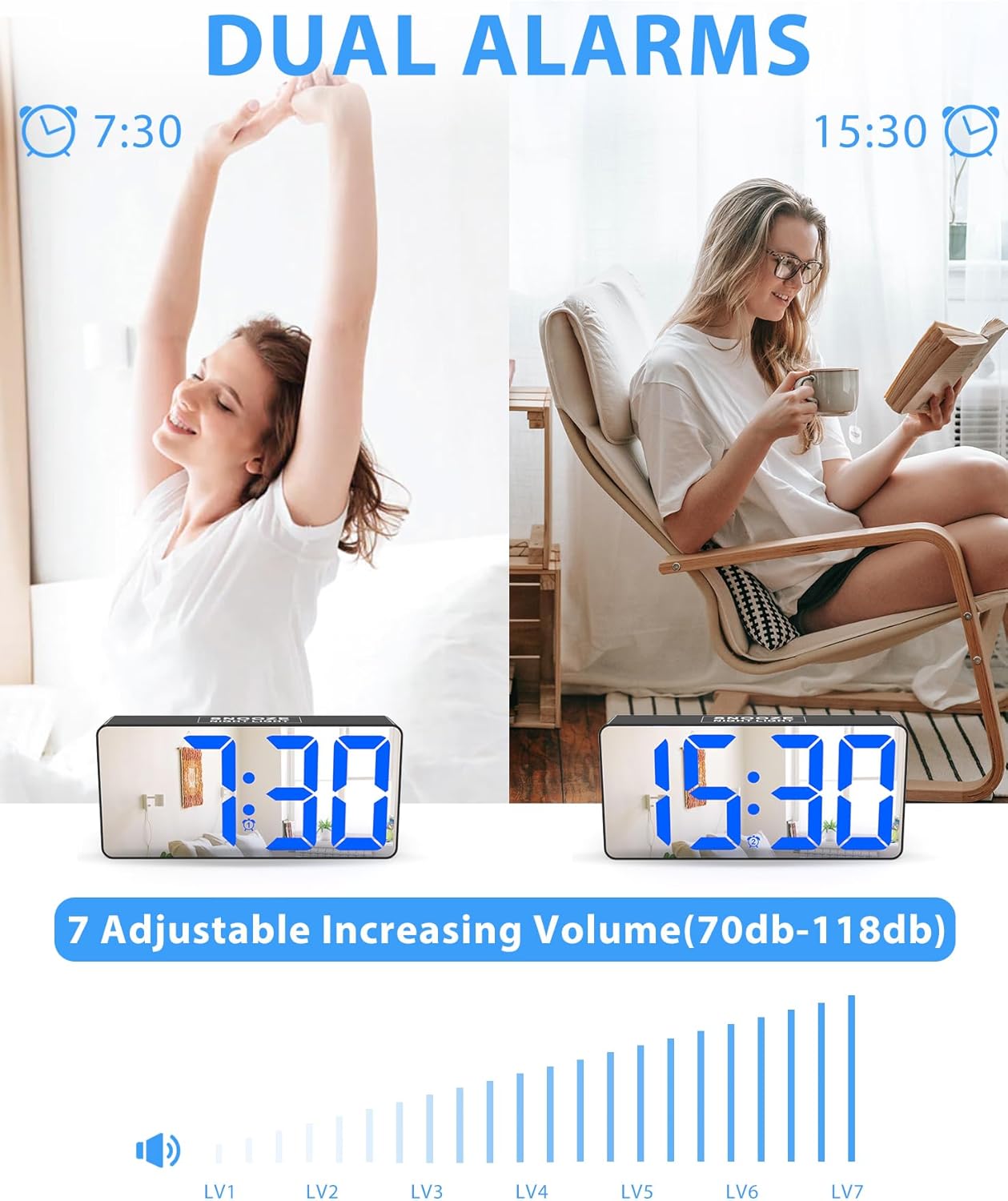
Image: The alarm clock on a nightstand, illustrating the night light feature with three brightness levels and the large top button for snooze.
4.7개의 충전 포트
The clock is equipped with two charging ports on the back:
- 1x USB charging port
- 1x Type-C charging port
These ports allow you to charge up to two mobile devices simultaneously, making it ideal for overnight charging.

Image: The alarm clock on a desk, showing a smartphone and wireless earbuds charging via its USB and Type-C ports.
5. 유지관리
- Clean the clock's mirrored surface and body with a soft, dry cloth. Avoid abrasive cleaners or solvents.
- 청소하기 전에 시계의 전원 플러그를 뽑으십시오.
- 시계를 물과 높은 습도로부터 멀리 두십시오.
6. 문제 해결
| 문제 | 해결책 |
|---|---|
| 시계 표시가 비어 있습니다. | Ensure the DC adapter is securely plugged into both the clock and a working wall outlet. If using battery backup, the screen will be blank during a power outage, but the alarm will still function. |
| 알람이 울리지 않습니다. | Check that the alarm is set correctly and the ALM 켜짐/꺼짐 switch is in the ON position. Verify the volume knob is not set to the lowest level. |
| 전원 꺼짐 후 시간/설정 초기화tage. | Install 2 AAA backup batteries (not included) to retain settings during power interruptions. |
| 디스플레이가 너무 밝거나 어둡습니다. | Adjust the display brightness using the physical twist knob on the back of the clock. |
7. 사양
- 상표: 록시코슬리
- 모델: CR1023
- 디스플레이 유형: Digital LED with Mirrored Face
- 디스플레이 크기: 7 inches (approx. 6.5"W x 3.03"H)
- 전원: DC(플러그인)
- 배터리 백업 : 2x AAA batteries (not included) for memory retention
- 주차: 0-100% Full Range Dimmer (adjustable via knob)
- 경보: Dual Alarms with 7 Volume Levels (70-118 dB)
- 다시 알림 : 9 분
- 야간 조명: Built-in, 3 adjustable brightness settings
- 충전 포트: 1x USB, 1x Type-C
- 시간 형식: 12시간/24시간 선택 가능
- 특별 기능: DST (Daylight Saving Time) function
- 재료: 아크릴로니트릴 부타디엔 스티렌(ABS)
- 장착 유형: 테이블탑
8. 공식 제품 영상
Video: An official demonstration of the Roxicosly Digital Alarm Clock with Mirror Screen, showcasin그 기능과 사용 편의성.
9. 보증 및 지원
If you have any questions or require assistance with your Roxicosly CR1023 Digital Alarm Clock, please feel free to contact us. Refer to your product packaging or purchase platform for specific warranty details and customer support contact information.