
HyperGear HYP-PD-45
HyperGear 45W USB-C PD 벽면 충전기 사용 설명서
Model: HYP-PD-45
1. 서론
The HyperGear 45W USB-C PD Wall Charger is designed to provide efficient and fast charging for a wide range of devices, including laptops, tablets, and smartphones. Featuring Power Delivery (PD) and Programmable Power Supply (PPS) technologies, this charger optimizes power output for rapid and safe charging.
This manual will guide you through the setup, operation, maintenance, and troubleshooting of your new charger, ensuring you get the most out of its advanced capabilities.
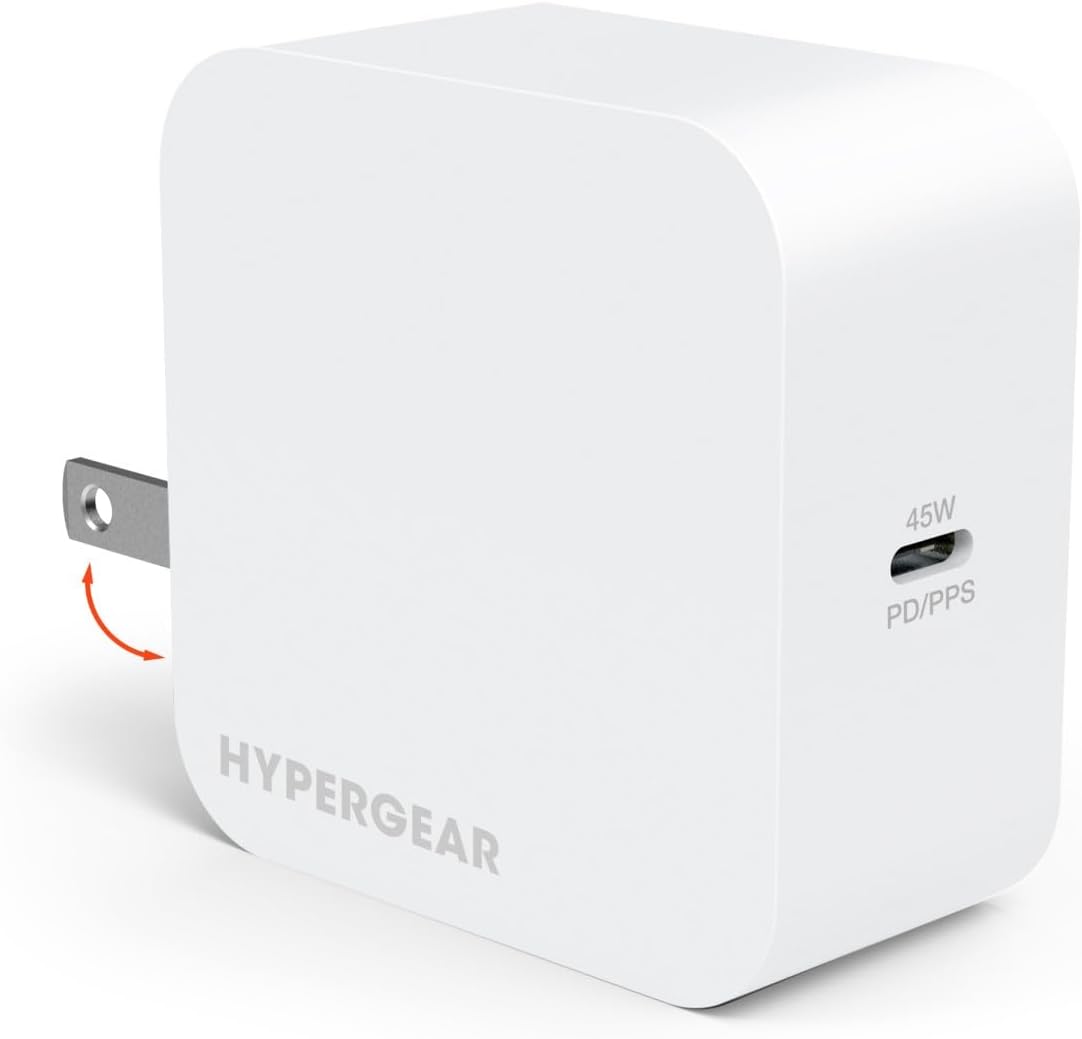
Image: The HyperGear 45W USB-C PD Wall Charger in white, featuring foldable prongs for portability.
2. 설정
Setting up your HyperGear 45W USB-C PD Wall Charger is straightforward. Follow these steps to begin charging your devices:
- 충전기 풀기: 충전기를 포장에서 조심스럽게 꺼내세요.
- 갈래를 펼치세요: If the prongs are folded, gently extend them until they click into place.
- Connect a Compatible Cable: Attach a USB-C to USB-C cable or a USB-C to Lightning cable (sold separately) to the charger's USB-C port. Ensure the cable is securely connected.
- 전원 콘센트에 꽂으세요: Insert the charger into a standard 120V AC wall outlet.
- 장치에 연결: Plug the other end of the charging cable into your laptop, tablet, or smartphone. The device should begin charging automatically.

Image: This diagram illustrates the two types of cables compatible with the charger: USB-C to USB-C for various devices and USB-C to Lightning for Apple devices.
3. 사용 설명서
The HyperGear 45W USB-C PD Wall Charger is designed for optimal performance across various devices. Here’s how to utilize its features:
- 보편적 인 호환성 : This charger is compatible with a wide range of devices that support USB-C Power Delivery, including MacBook laptops, various tablets, and both iPhone (15/14/13/12 series) and Android (Galaxy S24/23/22 series, Pixel) smartphones.
- Fast Charging with Power Delivery (PD): The charger's specialized PD/PPS chipset enables full-speed laptop charging and intelligently scales down to deliver an optimized super-fast charge for smartphones. Compatible phones can charge from 0% to 50% in under 30 minutes.
- Efficient Charging with PPS: Programmable Power Supply (PPS) support allows the charger to make micro-adjustments throughout the charging cycle. This boosts energy efficiency and protects your device's battery from excessive heat buildup, preserving its long-term capacity.
- 스마트 칩 기술: Built-in smart chip technology detects each device's specific charging needs and automatically regulates power flow. This reduces energy waste and maximizes charging efficiency to over 90%.

Image: The 45W USB-C PD Wall Charger providing full-speed charging to a laptop, demonstrating its high power output.

Image: A visual comparison highlighting the rapid charging performance of the 45W PD/PPS charger against a standard 5W charger, showing significant time savings.

Image: This infographic demonstrates how PPS technology ensures a stable and efficient charging process, preventing the instability often seen with standard charging methods.
4. 유지관리
To ensure the longevity and optimal performance of your HyperGear 45W USB-C PD Wall Charger, please follow these maintenance guidelines:
- 건조하게 유지하세요: Avoid exposing the charger to water, moisture, or high humidity.
- 부드럽게 청소하세요: 충전기 외부를 닦을 때는 부드럽고 마른 천을 사용하십시오. 독한 화학 약품이나 연마성 세척제를 사용하지 마십시오.
- 극한의 온도를 피하세요: Do not operate or store the charger in extremely hot or cold environments.
- 조심스럽게 다루십시오: 충전기를 떨어뜨리거나 강한 충격을 주지 마세요.
- 올바르게 보관하세요: 사용하지 않을 때에는 충전기를 직사광선이 닿지 않는 서늘하고 건조한 곳에 보관하세요.
5. 문제 해결
If you encounter any issues with your HyperGear 45W USB-C PD Wall Charger, please refer to the following common troubleshooting steps:
| 문제 | 가능한 원인 | 해결책 |
|---|---|---|
| 장치가 충전되지 않습니다. | 연결이 느슨하거나, 케이블에 결함이 있거나, 기기가 호환되지 않거나, 전원 콘센트에 문제가 있습니다. | Ensure all connections are secure. Try a different USB-C cable. Test the charger with another compatible device. Try a different wall outlet. |
| 느린 충전. | Cable not supporting fast charging, device not supporting PD/PPS, background apps consuming power. | Use a high-quality USB-C cable designed for fast charging. Verify your device supports Power Delivery or PPS for optimal speeds. Close unnecessary background applications on your device. |
| 충전기가 따뜻함을 느낀다. | 고출력 동안에는 정상적으로 작동합니다. | It is normal for the charger to become warm during use, especially during fast charging. If it becomes excessively hot or emits smoke/odor, unplug immediately and discontinue use. |
If the problem persists after trying these solutions, please contact HyperGear customer support for further assistance.
6. 사양
Below are the technical specifications for the HyperGear 45W USB-C PD Wall Charger:
- 모델 번호: HYP-PD-45
- 제품 크기: 4.73 x 4.73 x 1.38 인치
- 품목 무게: 7.5 온스
- 입력 Voltage: 120 볼트
- 왓tage: 45 와트
- 연결 기술 : USB
- 커넥터 유형: USB 타입 C
- 호환 장치: Laptops, Cellular Phones
- 색상: 하얀색
- 제조업체: HYPERCEL CORP / SHENZHEN SHI YING YUAN ELECTRONICS CO LTD
- 원산지: 중국
7. 보증 및 지원
보증 정보:
HyperGear products are manufactured with quality and reliability in mind. Specific warranty details for your 45W USB-C PD Wall Charger are typically included with the product packaging or can be found on the official HyperGear web사이트. 보증 청구를 위해 구매 증빙 자료를 보관하세요.
고객 지원:
For any questions, technical assistance, or support regarding your HyperGear 45W USB-C PD Wall Charger, please visit the official HyperGear web해당 웹사이트를 방문하거나 고객 서비스 부서에 문의하십시오. 연락처 정보는 일반적으로 제품 포장이나 브랜드의 공식 온라인 페이지에서 찾을 수 있습니다.
Ask a question about this manual
Ask about setup, troubleshooting, compatibility, parts, safety, or missing instructions. Manuals+ will review the question and use this page’s manual context to help answer it.