
1. 서론
Thank you for choosing the Calex Smart Ceiling Lamp. This 30cm smart ceiling light is designed for indoor use in spaces such as bedrooms and living rooms, offering versatile lighting options including 16 million colors and tunable white light. It can be controlled via the Calex Smart App and is compatible with popular voice assistants.

Figure 1: Calex Smart Ceiling Lamp (모델 5301000200)
2. 안전 정보
- 이 제품은 실내에서만 사용 가능습기가 많거나 건조한 곳에 설치하지 마십시오.amp 위치.
- Ensure the power supply is disconnected before installation, maintenance, or cleaning to prevent electric shock.
- 설치는 자격을 갖춘 전기 기술자가 수행하거나 해당 지역의 전기 규정에 따라 수행해야 합니다.
- l을 작동amp only within the specified voltage range of 230 Volts AC.
- l을 분해하거나 개조하지 마십시오.amp. 내부에는 사용자가 수리할 수 있는 부품이 없습니다.
- l을 유지하세요amp 열원과 직사광선을 피하세요.
3. 패키지 내용
패키지에 모든 구성 요소가 들어 있는지 확인하세요.
- 1x Calex Smart Ceiling Lamp (모델 5301000200)
4. 설정 및 설치
The Calex Smart Ceiling Lamp requires ceiling mounting and assembly. Follow these steps carefully:
- 준비: Turn off the main power supply at the circuit breaker before starting installation.
- 설치: l을 단단히 부착하십시오.amp's mounting bracket to the ceiling using appropriate screws and anchors (not included, typically supplied by installer). Ensure the mounting surface can support the lamp's weight (934 grams).
- 배선: 천장에서 내려오는 전선을 콘센트에 연결하세요.amp's terminals. Ensure correct polarity (Live, Neutral, Earth) as indicated in the lamp's wiring diagram.
- 집회: l을 부착하세요amp body to the mounting bracket, ensuring it is firmly secured.
- 전원 켜기: 회로 차단기에서 전원을 복구하십시오.amp should turn on or enter pairing mode.
5. L 작동amp
The Calex Smart Ceiling Lamp is primarily controlled via the Calex Smart App. It offers a wide range of lighting options:
- 색상 선택: Choose from 16 million colors to set the perfect mood.
- 조정 가능한 흰색: 따뜻한 색조에서 차가운 색조로 백색광을 조절하세요.
- 밝기 조절 가능: 밝기를 0%에서 100%까지 조절합니다.
- 장면과 일정: Create custom lighting scenes and set timers for automated operation.
6. Calex Smart App Control
To unlock the full potential of your Calex Smart Ceiling Lamp, download and install the Calex Smart App on your smartphone or tablet. The app allows you to control your lamp 인터넷에 연결된 곳이라면 어디서나.
- 앱 다운로드: 검색 "Calex Smart" in your device's app store (iOS or Android).
- 계정 생성: 앱을 열고 안내에 따라 새 사용자 계정을 만들거나 이미 계정이 있는 경우 로그인하세요.
- 장치 추가: In the app, select "Add Device" or the "+" icon. Choose "Lighting" and then "Ceiling Lamp" or a similar option.
- 편성: 당신의 l을 확인amp is powered on and in pairing mode (it may flash). Follow the in-app instructions to connect the lamp to your 2.4 GHz Wi-Fi network.
- 제어: 페어링이 완료되면 l을 제어할 수 있습니다.amp's color, brightness, and set schedules directly from the app.
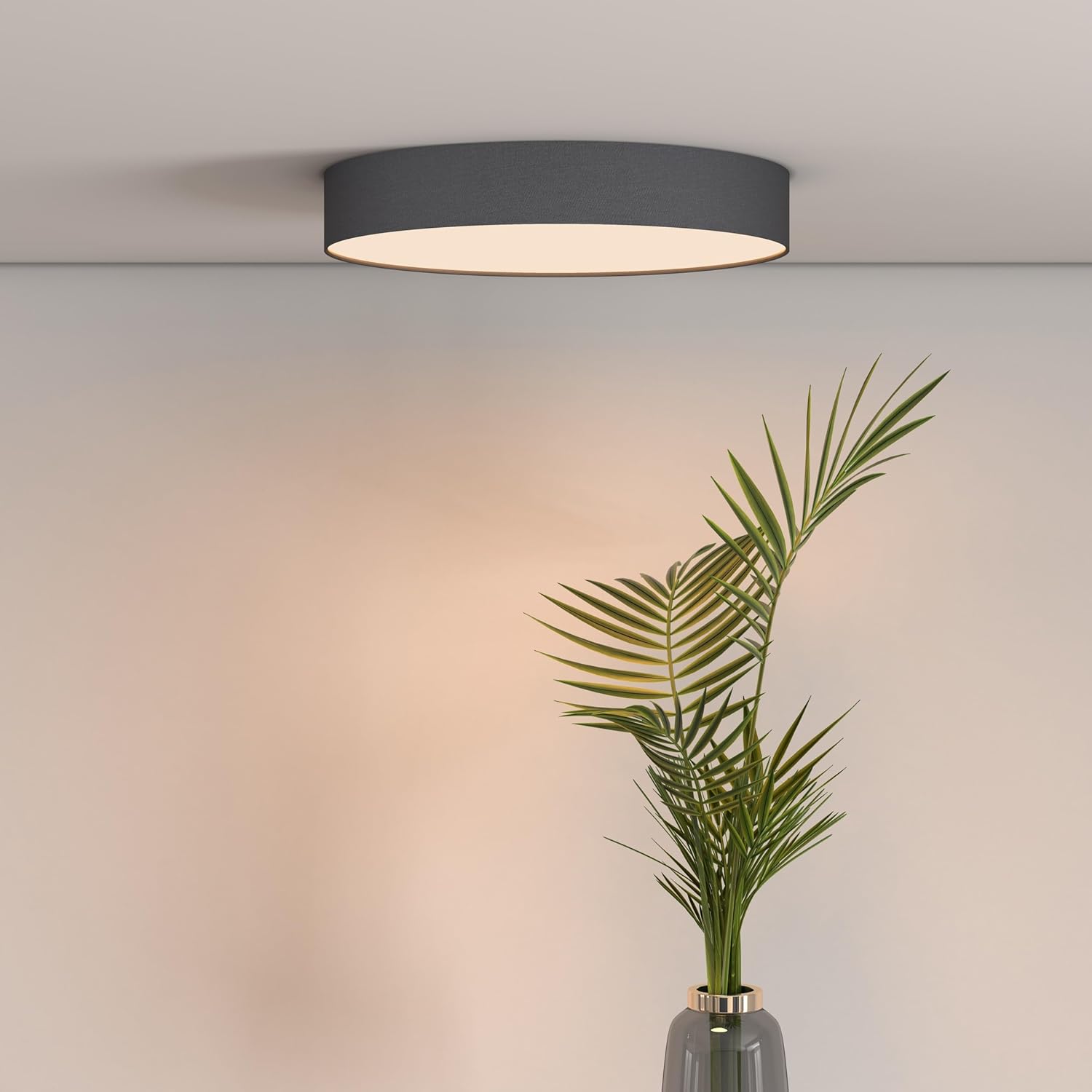
Figure 2: Calex Smart App Interface
7. 음성 제어
The Calex Smart Ceiling Lamp is compatible with leading voice assistants, allowing for hands-free control:
- 아마존 알렉사: Link your Calex Smart account to Alexa through the Alexa app.
- 구글 홈 어시스턴트: Link your Calex Smart account to Google Home through the Google Home app.
- 시리: Use Siri Shortcuts to control your lamp (setup via the Calex Smart App).
Once linked, you can use commands such as: "Alexa, turn on the ceiling lamp," "Hey Google, set the ceiling lamp to blue," or "Siri, dim the ceiling lamp 최대 50%."
8. 유지관리
To ensure the longevity and optimal performance of your Calex Smart Ceiling Lamp다음의 간단한 유지 관리 지침을 따르세요.
- 청소: 청소하기 전에 전원을 분리하세요. 부드럽고 건조하거나 약간 습한 천을 사용하세요.amp l의 표면을 닦는 천amp. Do not use abrasive cleaners, solvents, or harsh chemicals, as these can damage the finish.
- 점검: 주기적으로 확인하세요.amp for any signs of damage or loose connections. If any issues are found, disconnect power and consult a qualified technician.
- 사용자가 수리할 수 없는 부품: The LED light source is integrated and not replaceable by the user. Do not attempt to open the lamp.
9. 문제 해결
If you encounter issues with your Calex Smart Ceiling Lamp, 다음의 일반적인 솔루션을 참조하세요.
- Lamp 켜지지 않습니다:
- 메인 전원이 켜져 있는지 확인하십시오.
- l을 확인하세요amp is correctly wired and securely connected to the power source.
- Verify that the light switch (if applicable) is in the ON position.
- Lamp does not connect to Wi-Fi/App:
- Wi-Fi 네트워크가 2.4GHz 대역인지 확인하십시오.amp does not support 5 GHz Wi-Fi.
- Check your Wi-Fi signal strength at the lamp의 위치.
- Wi-Fi 라우터를 다시 시작하세요.
- l을 재설정합니다amp to pairing mode (usually by cycling power ON/OFF several times). Refer to the Calex Smart App for specific reset instructions.
- Ensure your smartphone is connected to the same 2.4 GHz Wi-Fi network during the pairing process.
- 음성 제어가 작동하지 않습니다:
- Verify that your Calex Smart account is correctly linked to your voice assistant app (Alexa, Google Home).
- 인터넷 연결을 확인하세요.
- l을 확인하세요amp is online and controllable via the Calex Smart App.
10. 사양
| 특징 | 사양 |
|---|---|
| 상표 | 칼렉스 |
| 모델 번호 | 5301000200 |
| GTIN | 08712879151081 |
| 색상 | Black (exterior) |
| 치수 | 30cm diameter (approx.) |
| 무게 | 934그램 |
| 전원 | AC |
| 권tage | 230볼트 |
| 왓tage | 16와트 |
| 명도 | 1500루멘 |
| 광원 | 통합 LED |
| 밝은 색상 | RGBW (16 million colors + Tunable White) |
| 밝기 조절 가능 | 예 |
| 연결성 | Wi-Fi (2.4GHz) |
| 제어 방법 | Calex Smart App, Voice Control (Alexa, Google Home, Siri) |
| 설치 유형 | 천장 마운트 |
| 실내/실외 사용 | 실내 전용 |
| 에너지 효율 등급 | F |

Figure 3: Energy Label for Model 5301000200
자세한 제품 정보는 EPREL 데이터베이스를 참조하십시오. https://eprel.ec.europa.eu/qr/711744
11. 보증 및 지원
Calex products are manufactured to high-quality standards and come with a manufacturer's warranty. For specific warranty terms and conditions, please refer to the documentation provided with your purchase or visit the official Calex web대지.
For technical support, troubleshooting assistance, or warranty claims, please contact Calex customer service through their official web사이트 또는 제품 포장에 제공된 연락처 정보를 참조하세요.