
1. 중요한 보호 조치
전기 제품을 사용할 때는 화재, 감전, 인명 피해 위험을 줄이기 위해 다음 사항을 포함한 기본적인 안전 예방 조치를 항상 따라야 합니다.
- 기기를 사용하기 전에 모든 지침을 읽으세요.
- 코드나 플러그가 손상된 경우 또는 기기가 오작동하거나 어떤 식으로든 손상된 경우에는 기기를 작동하지 마십시오.
- 옥외에서는 사용하지 마십시오.
- 코드, 플러그, 기기를 물이나 기타 액체에 담그지 마십시오.
- 어린이가 가전제품을 사용하거나 어린이 근처에서 사용할 때는 면밀한 감독이 필요합니다.
- 코드가 테이블이나 카운터 가장자리에 걸리거나 뜨거운 표면에 닿지 않도록 하세요.
- 뜨거운 가스나 전기 버너 근처 또는 가열된 오븐에 두지 마십시오.
- 항상 제품에 플러그를 먼저 꽂은 후, 코드를 벽면 콘센트에 꽂으세요. 전원을 끊으려면 모든 조절기를 "끔"으로 돌린 후 벽면 콘센트에서 플러그를 뽑으세요.
- 본 제품을 본래 용도 외에는 사용하지 마십시오.
- Always ensure the glass turntable is properly seated before operation.
- 폭발의 위험이 있으므로 밀폐된 용기에 담긴 액체나 기타 음식을 가열하지 마십시오.
- Maintain the inside of the oven. Food particles or spilled liquids can cause arcing or fire.
- 문을 열면 전자레인지 에너지에 유해한 노출이 발생할 수 있으므로 문이 열린 상태에서 이 오븐을 작동하지 마십시오.
- 오븐 앞면과 도어 사이에 어떤 물체도 두지 마십시오. 또한 밀봉 표면에 흙이나 세척제 잔여물이 쌓이지 않도록 하십시오.
- 오븐이 손상된 경우 작동하지 마십시오. 특히 오븐 도어가 제대로 닫히고 (1) 도어(구부러짐), (2) 힌지 및 래치(파손 또는 느슨함), (3) 도어 씰 및 밀봉 표면에 손상이 없는 것이 중요합니다.
- 적절한 자격을 갖춘 서비스 담당자가 아니면 오븐을 조정하거나 수리해서는 안 됩니다.
2. 제품 오버view
The West Bend 900-Watt 0.9 Cu. Ft. Compact Microwave Oven (Model WBMW92W) is designed for convenient and efficient cooking in various settings. It features a compact footprint, electronic control panel, and a rotating glass turntable for even heating.

그림 2.1: The West Bend Microwave Oven (Model WBMW92W) positioned on a kitchen countertop, showcasing its compact design and white finish. The microwave features a black door and control panel, with a silver trim.
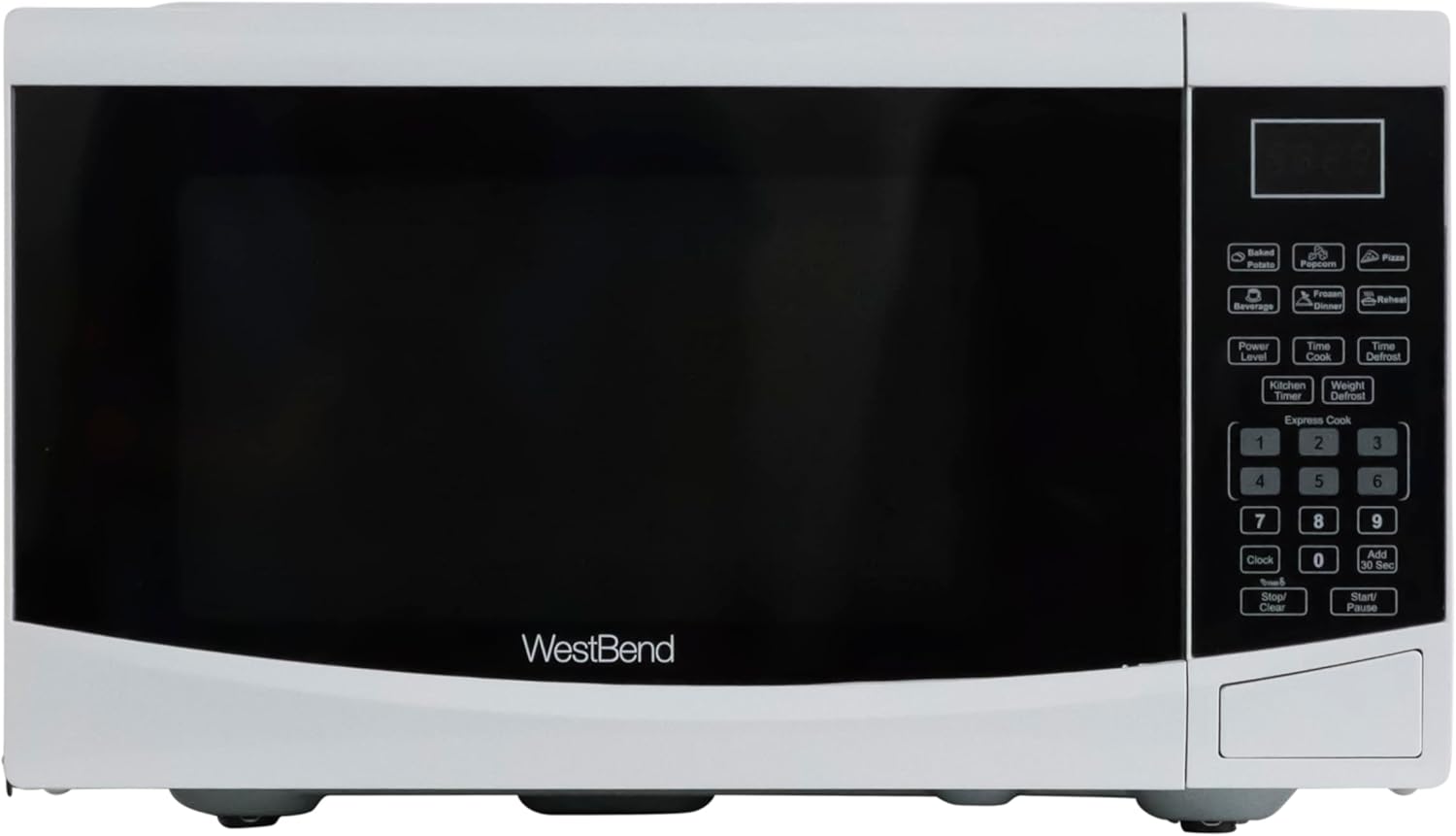
그림 2.2: 직접적인 정면 view of the West Bend Microwave Oven, highlighting the door, control panel, and the West Bend logo. The unit is white with a black door and silver accents.
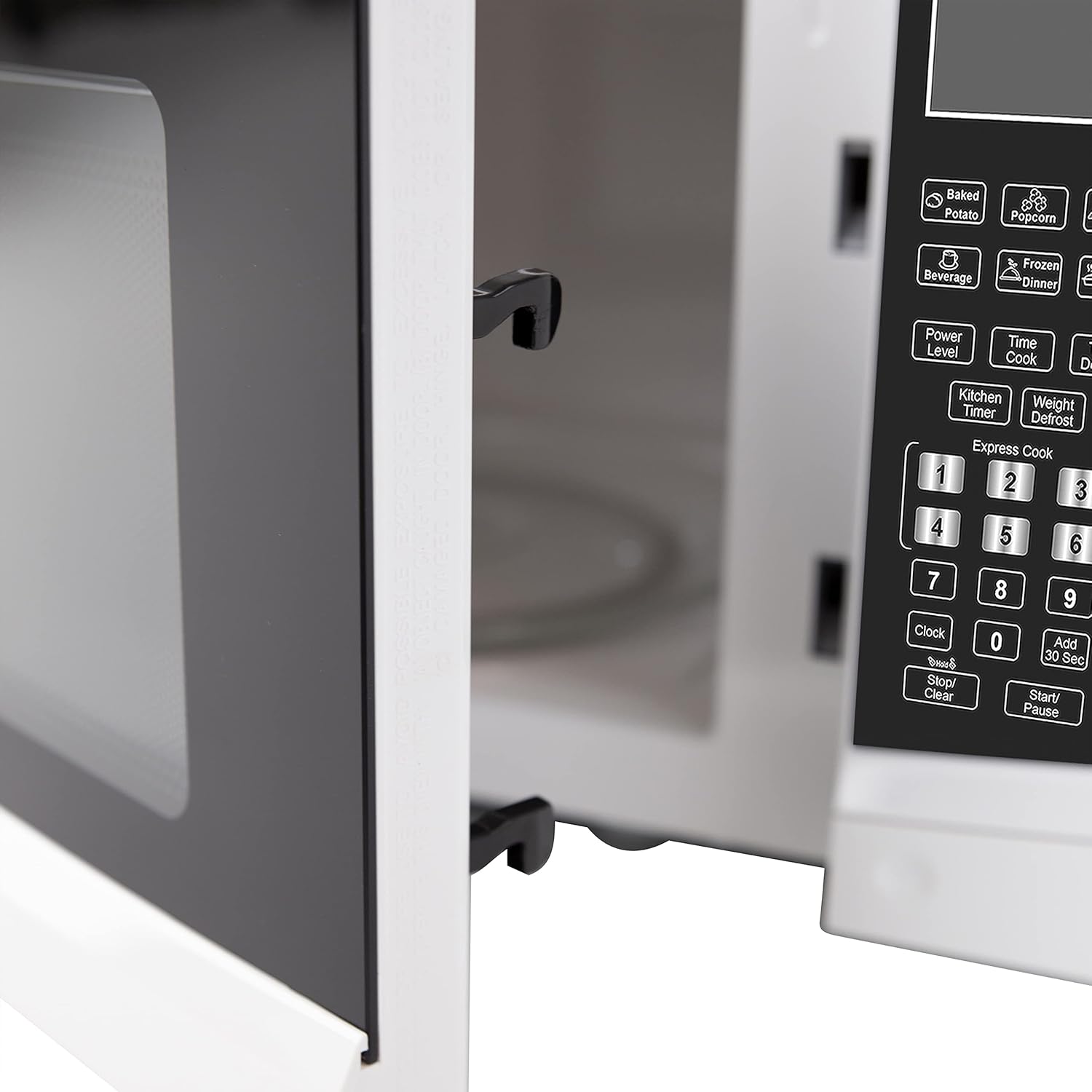
그림 2.3: The interior of the microwave oven with the door open, revealing the glass turntable and the oven cavity. The interior is white, and the 900 WATTS power rating is visible above the door opening.
3. 설정 및 설치
3.1 풀기
Carefully remove the microwave oven from its packaging. Remove all packing materials, including any protective film or tape from the oven surfaces. Check the oven for any damage, such as dents or a misaligned door. Do not operate the oven if it is damaged. Contact customer support if any damage is found.
3.2 턴테이블 조립
Place the roller ring in the depression in the bottom of the microwave oven. Place the glass turntable on top of the roller ring, ensuring it is securely seated in the center support.
- 유리 트레이를 거꾸로 두지 마십시오.
- The glass tray and roller ring must always be used during cooking.
- 모든 음식과 음식이 담긴 용기는 항상 유리 쟁반에 올려놓고 조리해야 합니다.
3.3 배치
Place the microwave oven on a flat, stable surface that can support its weight and the heaviest food item likely to be cooked in it. Ensure there is adequate ventilation around the oven. Maintain a minimum of 3 inches (7.5 cm) of space on the top, sides, and rear for proper airflow.
3.4 전기적 요구 사항
The microwave oven requires a standard 120V AC, 60Hz electrical outlet. Do not use an extension cord. Ensure the outlet is properly grounded.
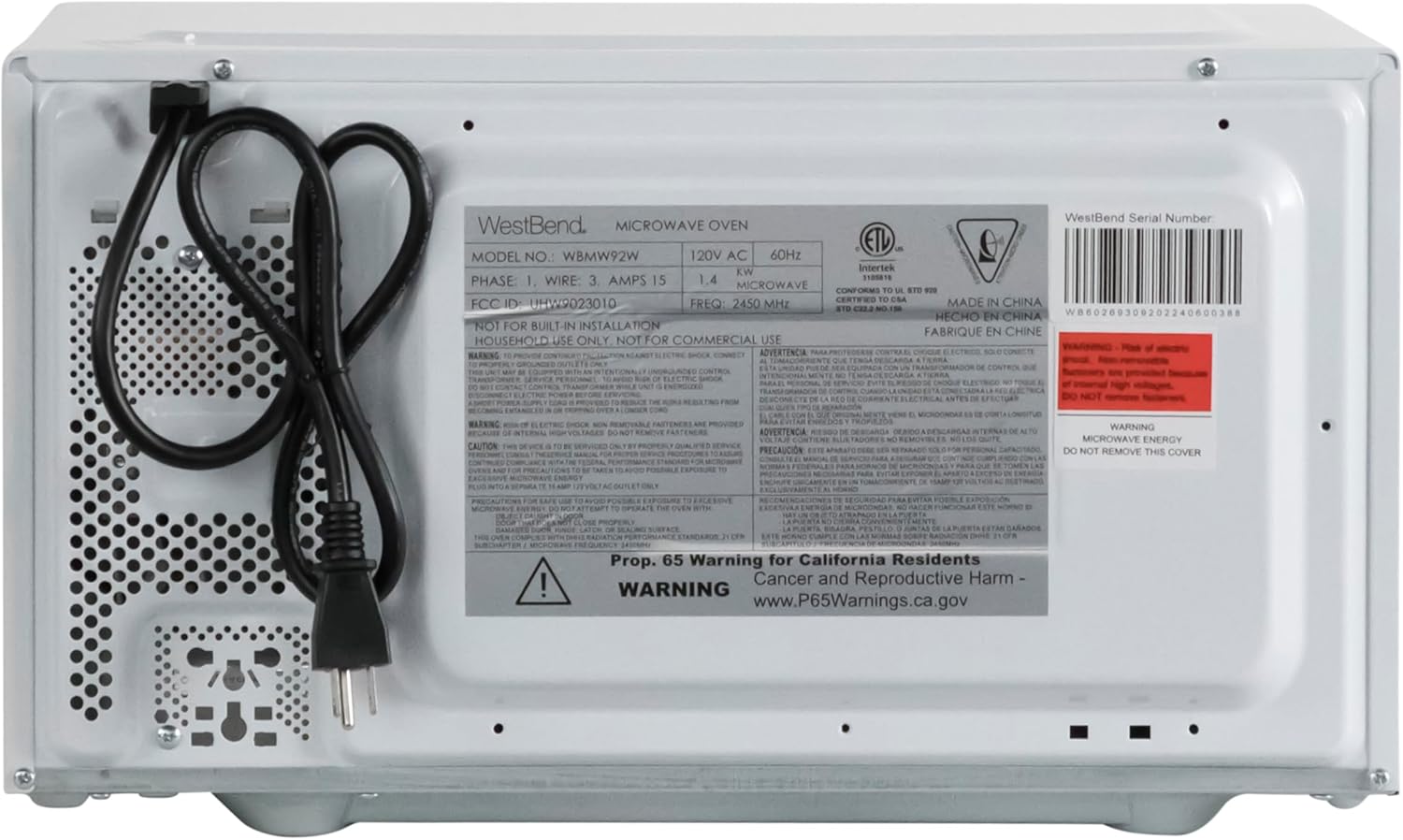
그림 3.1: The rear of the microwave oven, displaying the power cord and the product information label with electrical specifications and model number WBMW92W.
4. 사용 설명서
The control panel allows you to set cooking times, power levels, and use pre-programmed functions.

그림 4.1: 자세한 view of the electronic control panel, showing buttons for Time Cook, Time Defrost, Weight Defrost, Power Level, Clock, Kitchen Timer, Popcorn, Potato, Pizza, Frozen Vegetable, Beverage, Dinner Plate, Express Cook numbers, Stop/Clear, and Start/+30 Sec.
4.1 시계 설정
- 를 누르세요 시계 버튼을 한 번 누릅니다.
- 숫자 패드를 사용하여 현재 시간을 입력하세요(예: 오후 12시 30분인 경우 12:30).
- 를 누르세요 시계 확인하려면 다시 버튼을 누르세요.
4.2 전자레인지 기본 조리 (시간 조리)
- 전자레인지에 음식을 넣으세요.
- 를 누르세요 타임 쿡 단추.
- 숫자 패드를 사용하여 원하는 조리 시간을 입력하세요.
- (선택 사항) 전력 레벨을 조절하려면 누르세요. 파워 레벨 그다음에는 1부터 10까지의 숫자(10은 100% 출력)를 입력합니다.
- 누르다 시작/+30초 요리를 시작하다.
4.3 익스프레스 쿡
For quick cooking at 100% power, simply press one of the number buttons (1-6) to cook for that many minutes. Press 시작/+30초 to add 30 seconds to the current cooking time or to start cooking for 30 seconds at 100% power if no other function is selected.
4.4 Pre-Set Cooking Functions
The microwave includes 6 pre-set cooking options for common food items:
- 팝콘: 전자레인지용 팝콘.
- 감자: 감자를 굽는 데 사용.
- 피자: 피자 조각을 다시 데울 때 사용합니다.
- FROZEN VEGETABLE: 냉동 야채를 요리하는 데 사용합니다.
- 음료: 음료를 데우는 데 사용.
- DINNER PLATE: 저녁 식사 접시를 다시 데울 때 사용합니다.
To use a pre-set function, simply press the corresponding button. The oven will automatically set the cooking time and power level. For some functions, you may need to press the button multiple times to select the desired quantity (e.g., number of potatoes).

그림 4.2: The interior of the microwave oven with a bag of microwave popcorn placed on the glass turntable, ready for cooking using the Popcorn pre-set function.
4.5 해동 기능
The microwave offers two defrost modes:
- 시간 해동:
- 누르다 시간 해동.
- 원하는 해동 시간을 입력하세요.
- 누르다 시작/+30초.
- 무게 해동:
- 누르다 무게 해동.
- 음식의 무게를 온스 단위로 입력하세요(예: 1파운드의 경우 16).
- 누르다 시작/+30초.
4.6 주방 타이머
The Kitchen Timer operates independently of the microwave cooking functions.
- 를 누르세요 주방 타이머 단추.
- 숫자패드를 사용하여 원하는 시간을 입력하세요.
- 누르다 시작/+30초. The timer will count down without activating the microwave.
4.7 차일드락
The Child Lock feature prevents unintended operation of the microwave oven, enhancing safety.
- 활성화하려면 : 를 누르고 계세요 중지/지우기 버튼을 3초간 누르세요. 디스플레이에 잠금 표시가 나타납니다.
- 비활성화하려면: 를 누르고 계세요 중지/지우기 버튼을 3초 동안 다시 누르세요. 잠금 표시등이 사라집니다.

그림 4.3: An informational graphic detailing the new mandatory 2-step child safety lock feature, explaining how it reduces risks by preventing the oven door from being opened during cooking cycles when enabled.
5. 관리 및 유지 보수
정기적인 청소와 유지관리는 전자레인지의 수명과 최적의 성능을 보장해줍니다.
5.1 외부 청소
부드러운 d로 외부 표면을 닦으십시오.amp 천을 사용하십시오. 마감재를 손상시킬 수 있는 연마성 세척제나 독한 화학 물질은 사용하지 마십시오.
5.2 내부 청소
To clean the interior, wipe with a soft, damp cloth and mild soap. For stubborn food splatters, place a bowl of water with lemon slices inside and microwave on high for 2-3 minutes. The steam will loosen the residue, making it easier to wipe clean. Ensure the oven is unplugged before cleaning.
5.3 유리 회전판 청소
유리 회전판과 롤러 링은 세척을 위해 분리할 수 있습니다. 따뜻한 비눗물이나 식기세척기를 사용하여 세척하세요. 오븐에 다시 넣기 전에 완전히 말랐는지 확인하세요.
6. 문제 해결 가이드
If you experience issues with your microwave oven, consult the following table for common problems and solutions.
| 문제 | 가능한 원인 | 해결책 |
|---|---|---|
| 오븐이 시작되지 않습니다. | 전원 코드가 꽂혀 있지 않음; 문이 제대로 닫히지 않음; 퓨즈가 끊어졌거나 회로 차단기가 작동함; 어린이 안전 잠금 장치가 작동됨. | Ensure power cord is securely plugged into a grounded outlet; Close the oven door firmly; Check household fuse/circuit breaker; Deactivate child lock by holding STOP/CLEAR for 3 seconds. |
| 음식이 데워지지 않아요. | 조리 시간이나 전력 수준이 잘못 설정되었습니다. 문이 제대로 닫히지 않았습니다. | Adjust cooking time and power level as needed; Ensure the door is fully closed and latched. |
| 턴테이블이 회전하지 않습니다. | Turntable or roller ring not positioned correctly; Obstruction under the turntable. | Remove and re-seat the turntable and roller ring; Check for any debris or obstructions. |
| 오븐 내부에서 스파크가 튀거나 아크가 발생하는 현상. | Metal in microwave; Food splatters or grease buildup. | Remove any metal objects or containers; Clean the oven interior thoroughly. |
| 디스플레이에 "E" 또는 오류 코드가 표시됩니다. | 내부 오류. | 오븐의 전원 플러그를 1분간 뽑았다가 다시 꽂으세요. 오류가 계속 발생하면 고객 지원 센터에 문의하십시오. |
7. 사양
Key technical specifications for the West Bend 900-Watt 0.9 Cu. Ft. Compact Microwave Oven.
| 특징 | 세부 사항 |
|---|---|
| 모델 번호 | WBMW92W |
| 용량 | 0.9입방 피트 |
| 왓tage | 900 와트 |
| 파워 레벨 | 10 |
| 제품 치수(W x D x H) | 19" x 14.5" x 11"(대략) |
| 품목 무게 | 27 파운드 |
| 색상 | 하얀색 |
| 턴테이블 소재 | 유리 |
| 설치 유형 | 카운터탑 |
| 포함된 구성 요소 | 전자레인지, 유리 턴테이블, 관리 및 사용 설명서 |

그림 7.1: A diagram illustrating the approximate dimensions of the microwave oven: 19 inches wide, 14.5 inches deep, and 11 inches high.
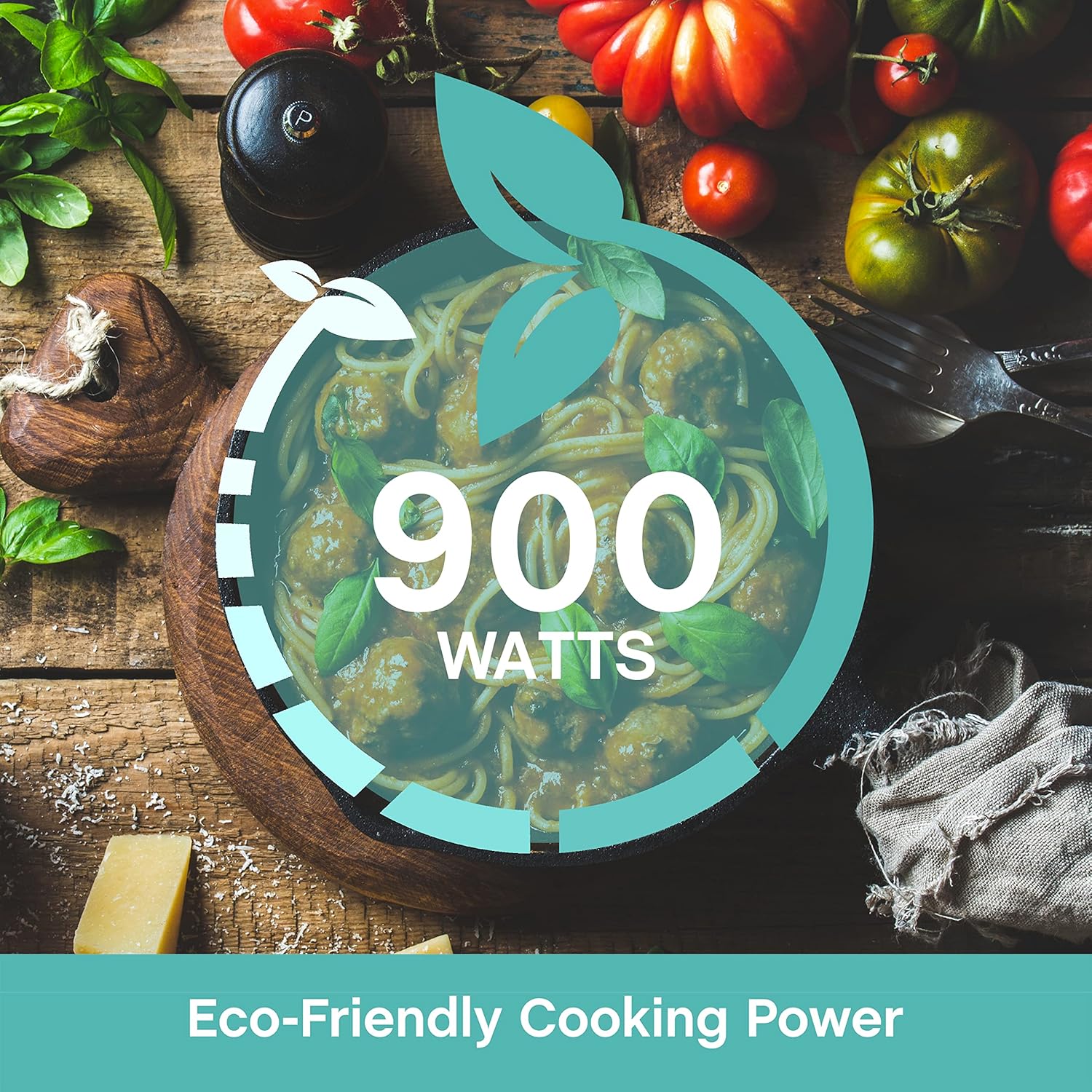
그림 7.2: A graphic emphasizing the 900 Watts of cooking power, indicating efficient performance.
8. 보증 및 지원
This West Bend microwave oven is covered by a manufacturer's warranty. Please refer to the included "Care and Use Manual" for specific warranty details, terms, and conditions. For technical assistance, troubleshooting beyond this guide, or warranty claims, please contact West Bend Customer Support.
고객 지원: Refer to the official West Bend website or the contact information provided in your product's packaging for the most up-to-date support details.