
1. 서론
This manual provides detailed instructions for the installation, operation, and maintenance of your PGST PG103-4G Wireless Home Security Alarm System. This advanced system offers comprehensive protection for your home or business, featuring WiFi, GSM, and 4G connectivity, smart home integration with Alexa and Google Assistant, and a user-friendly interface. Please read this manual thoroughly before using the system to ensure proper functionality and safety.
2. 패키지 내용
Upon unpacking, please verify that all the following components are included in your package:
- PGST PG103-4G Main Alarm Panel
- PIR 동작 감지기
- Door/Window Sensors (multiple units)
- 리모컨(2개)
- 무선 주파수 식별(RFID) Tags (2 개)
- 유선 사이렌
- 전원 어댑터
- 장착 하드웨어
- 사용자 설명서

This image displays the full contents of the PGST PG103-4G alarm system kit, including the central control panel, a passive infrared (PIR) motion detector, several magnetic door/window sensors, two remote controls, two RFID key fobs, and the necessary power and mounting accessories.
3. 주요 특징
The PGST PG103-4G system is designed with advanced features for robust home security:
- Multi-Network Connectivity: Supports WiFi, GSM, and 4G for reliable communication and remote control.
- 사용자 친화적인 인터페이스: 2.4-inch TFT display with real-time status, date, and clock.
- 스마트 홈 통합: 아마존 알렉사 및 구글 어시스턴트와 호환되어 음성 제어가 가능합니다.
- 원격 제어: Arm and disarm via SMS, voice calls, or the dedicated mobile application.
- 확장 가능한 시스템: Supports up to 100 wireless detectors, remote controls, and RFID cards.
- 양방향 음성 인터콤: Communicate directly through the main panel.
- 예정된 무장/무장 해제: Automate security routines based on your daily schedule.
- 안티 -Tamp어 알람: Alerts if the main unit or sensors are tamp로 이루어짐.
- Low Battery & Power Failure Alerts: Notifies you of critical power status.
- SOS 기능: Dedicated emergency button for immediate assistance.
4. 설정 가이드
4.1 메인 패널 설치
- 전원 연결: Connect the main alarm panel to a power outlet using the provided adapter. The panel has a built-in backup battery for power outag에스.
- SIM 카드 삽입(선택 사항): If using GSM/4G features, carefully insert a compatible SIM card into the designated slot on the side of the main panel. Ensure it clicks into place.
- 설치: Choose a central location in your home, away from direct sunlight and heat sources. Use the provided mounting hardware to secure the panel to a wall at an accessible height.

This image shows the main control panel of the PGST alarm system, highlighting its modern design and digital display. It serves as the central hub for all security operations.
4.2 앱 다운로드 및 연결
- 앱 다운로드 : 검색 'Smart Life' or 'Tuya Smart' in your smartphone's app store (iOS or Android) and install it.
- 등록/로그인: 계정을 만들거나 기존 계정에 로그인하세요.
- 장치 추가: Follow the in-app instructions to add your PGST PG103-4G alarm panel. Ensure your phone is connected to a 2.4GHz Wi-Fi network during the pairing process.

This image illustrates the intelligent alarm host, which is the main panel of the PGST system. It features a clear display showing system status, time, and temperature, along with a numeric keypad for operation.
4.3 센서 페어링
The system supports various wireless sensors. Follow these general steps to pair them:
- 페어링 모드 시작: On the main panel, navigate to the 'Sensor Pairing' or 'Add Device' menu.
- 센서 활성화: For door/window sensors, separate the two parts. For PIR detectors, trigger motion. The panel will confirm successful pairing.
- Name Sensor: Assign a descriptive name (e.g., 'Front Door', 'Living Room PIR') to each sensor for easy identification.
- 센서 설치: Mount door/window sensors on frames ensuring the two parts are aligned and within 1cm when closed. Install PIR detectors in corners or high traffic areas, avoiding direct heat sources or windows.

This image shows a PGST door sensor installed on a window frame. When the window is opened, separating the two magnetic parts of the sensor, an alarm is triggered, providing immediate notification of unauthorized access.

This image displays the PGST PIR (Passive Infrared) motion detector, which offers 110-degree detection and high sensitivity. It is designed to alert users to abnormal movement within its detection range.
5. 사용 설명서
5.1 무장 및 무장해제
이 시스템은 여러 가지 방법을 사용하여 활성화 또는 비활성화할 수 있습니다.
- 메인 패널: Enter your password and press the 'Arm' or 'Disarm' button.
- 원격 제어: Press the 'Arm' or 'Disarm' button on your remote.
- 모바일 앱: Use the 'Smart Life' or 'Tuya Smart' app to remotely arm or disarm the system.
- 예정된 무장/무장 해제: Set specific times for the system to automatically arm or disarm.
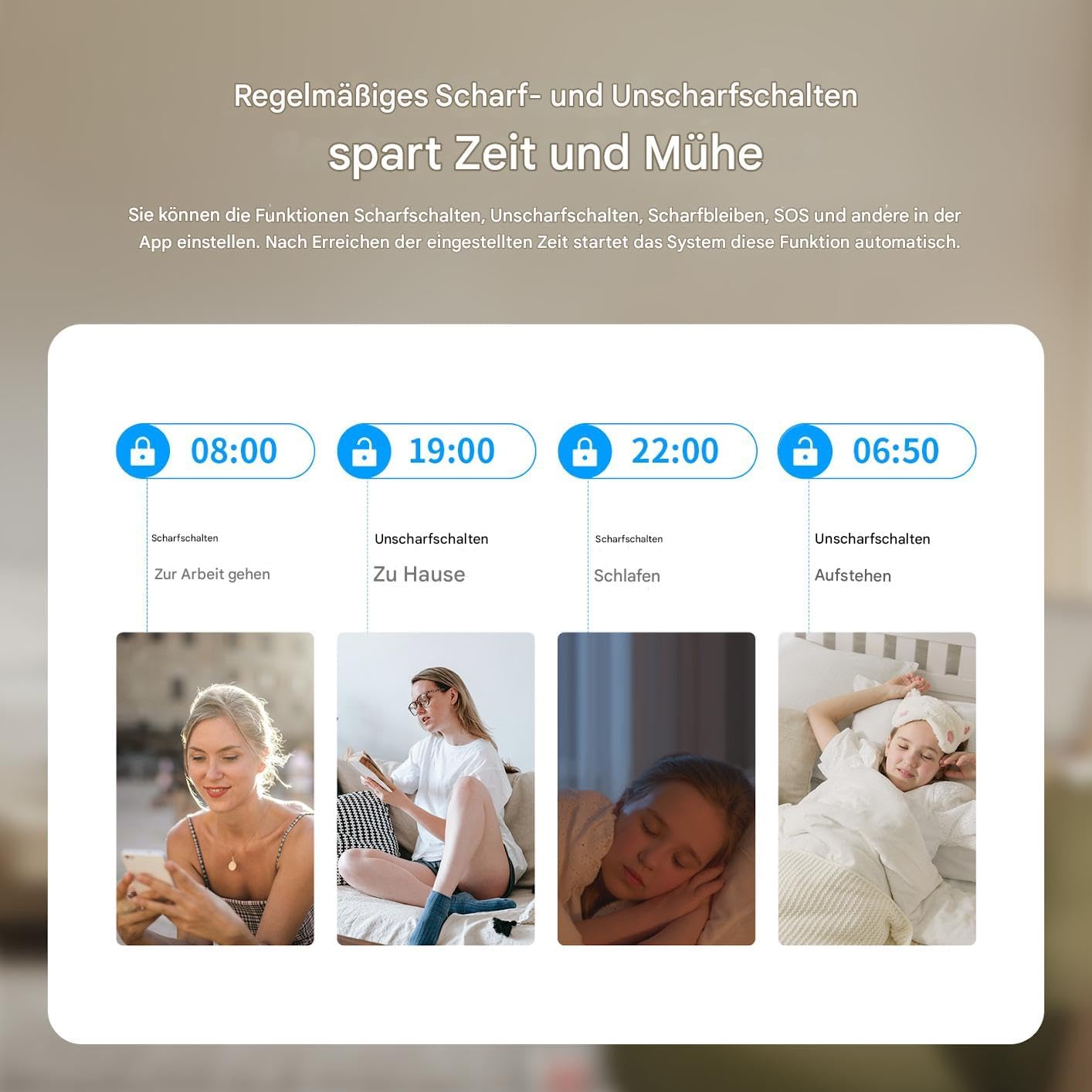
This graphic illustrates the convenience of setting regular schedules for arming and disarming your PGST alarm system, such as arming when leaving for work and disarming upon returning home, or arming at bedtime and disarming in the morning.
5.2 음성 제어
Integrate your PGST system with smart assistants for hands-free control:
- 아마존 알렉사: Enable the 'Smart Life' or 'Tuya Smart' skill in the Alexa app and link your account. You can then use commands like "Alexa, arm my home security."
- 구글 어시스턴트: Link your 'Smart Life' or 'Tuya Smart' account in the Google Home app. Use commands such as "Hey Google, disarm the alarm."

This image demonstrates the voice control capability of the PGST alarm system, showing a user disarming the system using an Alexa voice command, highlighting its compatibility with smart home platforms.
5.3 양방향 음성 통신
The main panel supports two-way voice calls, allowing you to communicate with individuals at home directly through the alarm system.

This image illustrates the two-way voice communication feature of the PGST alarm panel, enabling interaction between a remote user via phone and someone near the panel, such as a child playing at home. It also highlights app push notifications and SMS capabilities.
5.4 SOS 기능
비상 상황 발생 시, 메인 패널 또는 리모컨의 SOS 버튼을 누르십시오. 시스템에서 즉시 경보가 울리고 미리 설정된 비상 연락처로 알림이 전송됩니다.

This image depicts a person activating the SOS function by pressing the dedicated button on a remote control, signifying the immediate emergency alert capability of the PGST alarm system.
6. 유지관리
6.1 배터리 관리
The main panel has a built-in lithium-polymer battery for backup power. Sensors are typically battery-powered. The system will notify you of low battery levels for both the main unit and connected sensors.
- 메인 패널: Ensure the main panel is always connected to power. The backup battery provides temporary operation during power outag에스.
- 센서 배터리: Replace sensor batteries promptly when low battery alerts are received to ensure continuous protection. Refer to individual sensor manuals for specific battery types and replacement procedures.

This image illustrates the PGST alarm panel's built-in battery feature, indicating its ability to provide alerts for low battery status and power blackouts, ensuring continuous operation even during power interruptions.
6.2 청소
Wipe the main panel and sensors with a soft, dry cloth. Avoid using abrasive cleaners or solvents, which can damage the devices.
7. 문제 해결
If you encounter issues with your PGST alarm system, refer to the following common problems and solutions:
| 문제 | 가능한 원인 | 해결책 |
|---|---|---|
| 시스템이 Wi-Fi에 연결되지 않습니다 | 와이파이 비밀번호가 잘못됐거나, 5GHz 네트워크를 사용 중이거나, 신호가 약합니다. | Ensure correct 2.4GHz Wi-Fi network and password. Move panel closer to router. Restart router and panel. |
| 센서가 페어링되지 않음 | Sensor too far, low battery, not in pairing mode | Bring sensor closer to panel. Replace sensor battery. Ensure panel is in pairing mode. |
| 허위 경보 | Improper sensor placement, pets, drafts | Adjust PIR sensor sensitivity. Reposition sensors away from direct heat or moving objects. Ensure doors/windows are fully closed. |
| No GSM/4G connection | SIM card not inserted correctly, no signal, expired plan | Reinsert SIM card. Check SIM card balance and plan. Move panel to an area with better cellular reception. |
| 앱 제어 문제 | App not updated, network issues, incorrect account linking | Update the app. Check phone's internet connection. Relink your Smart Life/Tuya account. |
If the problem persists, please contact PGST customer support for further assistance.
8. 사양
| 특징 | 세부 사항 |
|---|---|
| 모델 번호 | PG103-4G |
| 연결 기술 | WiFi, GSM, 4G |
| 표시하다 | 2.4 인치 TFT 스크린 |
| 전원 | AC Powered with Lithium-Polymer Backup Battery |
| 호환 장치 | Smartphone, Tablet (via Smart Life/Tuya App) |
| 제어 방법 | Voice, App, Remote Control, Keypad |
| 설치 방법 | Self-adhesive / Wall Mount |
| 경고 유형 | Audio Only (Siren) |
| 제품 치수 | 32 x 18 x 10cm; 900그램 |
| 제조업체 | PGST |
9. 보증 및 지원
PGST products are designed for reliability and performance. For warranty information, please refer to the documentation included with your purchase or visit the official PGST website. If you require technical assistance, troubleshooting, or have questions about your PGST PG103-4G system, please contact PGST customer support through the contact information provided on their web사이트 또는 구매 플랫폼.