
소개
This manual provides detailed instructions for the Mohard BC61 Bluetooth FM Transmitter. Please read this manual thoroughly before use to ensure proper operation and to maximize the device's features, including quick charging, hands-free calling, and Hi-Fi music streaming.
중요한 안전 정보
경고:
- This device contains a lithium-ion battery. Do not expose to extreme temperatures.
- Use only with compatible vehicles and charging systems.
- Disconnect the device immediately in case of malfunction.
- Refer to this user manual for proper usage and disposal instructions.
제품 특징
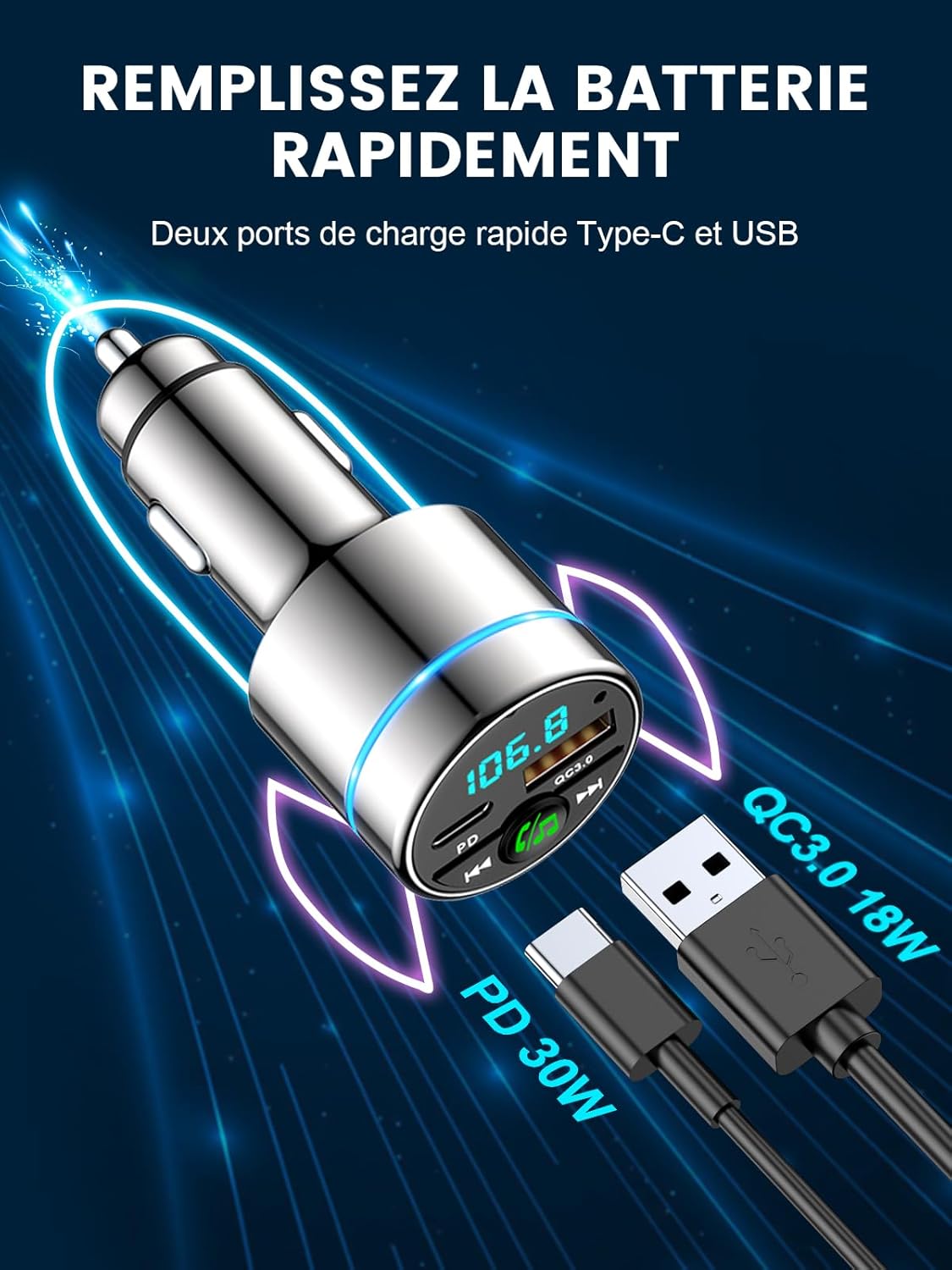
- 듀얼 고속 충전 포트: Equipped with 18W USB-A QC3.0 and 30W USB-C PD ports for simultaneous fast charging of multiple devices. Intelligent circuits protect against overcurrent, short-circuit, overheating, and overcharging.
- Bluetooth 5.3 & Hi-Fi Music: Advanced Bluetooth 5.3 ensures stable, fast pairing and transmission for seamless, lossless music streaming from any Bluetooth-enabled device.
- Compact Metal Casing: Features an attractive, elegant unibody design made entirely of highly durable zinc alloy for superior heat dissipation and long-lasting use, offering enhanced safety compared to plastic alternatives.
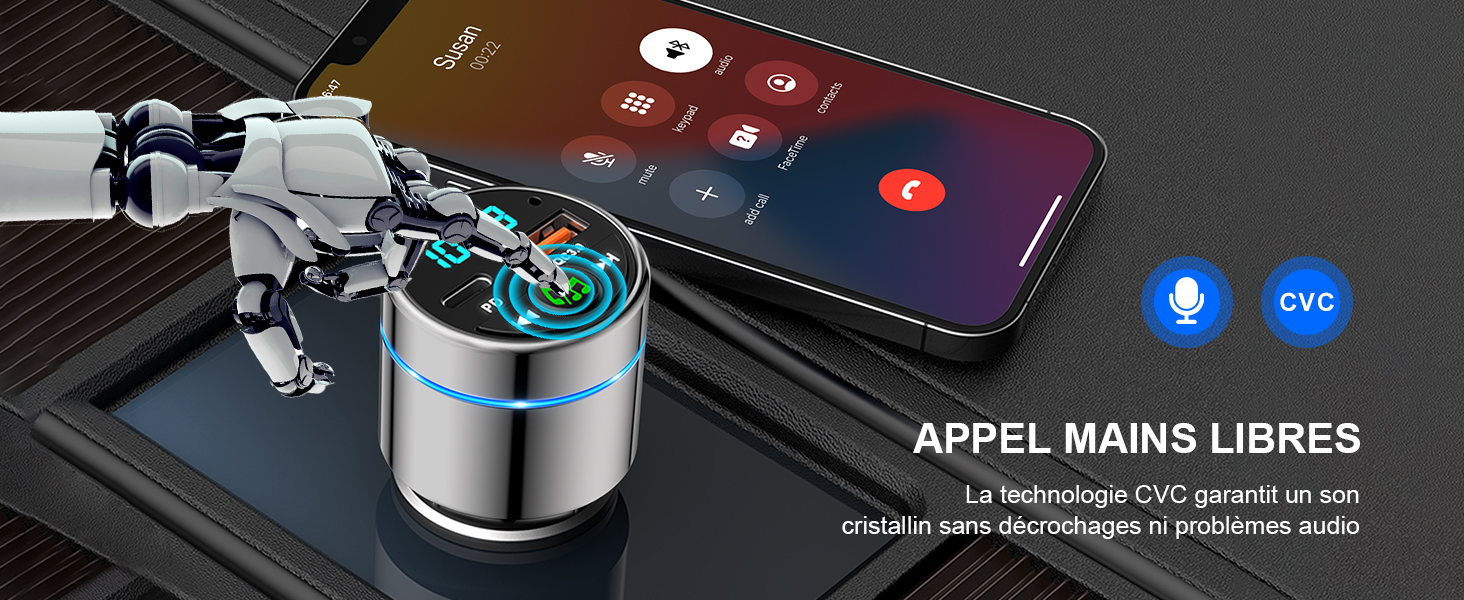
- High-Performance Hands-Free Calling: Integrated high-sensitivity microphone with CVC noise suppression technology ensures clear calls for both driver and caller. Answer and reject calls with a single button press.
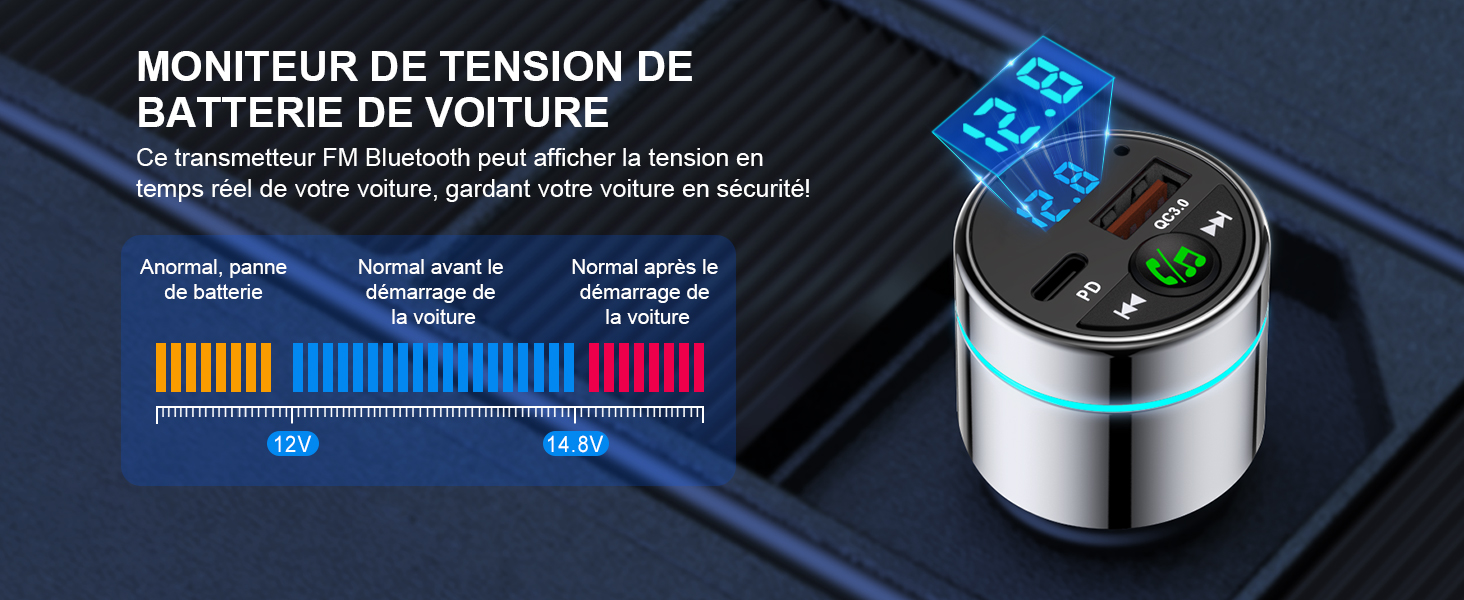
- 향상된 운전 경험: Monitors car voltage and features a blue ambient light ring for easy location in the dark, adding a stylish touch. Transmits phone audio, including navigation and voice assistant, to your car's system.
설치 가이드
Follow these steps to set up your Mohard BC61 Bluetooth FM Transmitter:
- 차량용 시거잭에 삽입하세요: Plug the Mohard BC61 into your car's 12V/24V cigarette lighter socket. The device will power on automatically.
- 차량용 라디오 튜닝: Set your car radio to an unused FM frequency (e.g., 87.5 MHz - 108.0 MHz). Choose a frequency with no strong broadcast signal to minimize interference.
- 송신기 주파수 설정: Long-press the MFB (Multi-Function Button) on the transmitter to enter FM mode. Rotate the MFB to match the transmitter's frequency to the one selected on your car radio.
- 블루투스 페어링: 스마트폰에서 블루투스를 활성화하세요. 검색 "BC61" in the list of available devices and connect. Once paired, the device will confirm the connection.
작동 지침
음악 재생
- Once connected via Bluetooth, open your preferred music application on your smartphone.
- Music will stream wirelessly through the FM transmitter to your car's audio system.
- 재생을 제어하려면 송신기의 "이전 트랙" 및 "다음 트랙" 버튼을 사용하십시오.
- Adjust volume via your smartphone or car radio.

핸즈프리 통화
- When a call comes in, press the MFB once to answer.
- To reject an incoming call, long-press the MFB.
- To end an ongoing call, press the MFB once.
- To redial the last number, double-press the MFB.

충전 장치
- Connect your device's charging cable to either the USB-A QC3.0 port (18W) or the USB-C PD port (30W) on the transmitter.
- The device supports fast charging for compatible smartphones, tablets, and other USB-powered devices.
자동차 권tage 모니터링
- The LED display on the transmitter shows your car's real-time voltage.
- 볼륨을 모니터링합니다tage to ensure your car battery is in good condition.
- 메모: Refer to your car's manual for normal voltage 범위.
유지
- 기기를 건조하고 깨끗하게 유지하십시오. 습기나 극한 온도에 노출시키지 마십시오.
- 기기를 분해하거나 개조하지 마십시오. 보증이 무효화됩니다.
- 부드럽고 마른 천으로 표면을 닦으십시오. 독한 화학 약품이나 연마성 세척제를 사용하지 마십시오.
- 최적의 연결을 위해 시가잭 소켓이 깨끗하고 이물질이 없는지 확인하십시오.
문제 해결
| 문제 | 해결책 |
|---|---|
| 전원이 들어오지 않음/기기가 켜지지 않음. | Ensure the device is fully inserted into the car's cigarette lighter socket. Check if the car's socket is functioning (e.g., by testing with another device). |
| Poor audio quality/Static noise. |
|
| 블루투스가 연결되지 않습니다. |
|
| Slow charging or no charging. |
|
명세서
| 특징 | 세부 사항 |
|---|---|
| 상표 | 모하드 |
| 모델 번호 | 기원전 61 |
| 색상 | 은 |
| 연결 기술 | USB, 블루투스 5.3 |
| 전원 | Vehicle Powered (12V/24V cigarette lighter) |
| 재료 | 금속(아연 합금) |
| 제품 치수 | 8.4L x 4.7W x 4.2H 센티미터 |
| 품목 무게 | 36그램 |
| 특별 기능 | Bluetooth Car Adapter, Fast Car Charger (PD 30W Type C + QC3.0), All Metal Construction, FM Transmitter Bluetooth 5.3 |
| 총 USB 포트 | 2 |
| 호환 장치 | Smartphones (e.g., iPhone, Samsung Galaxy), Tablets, and other Bluetooth-compatible devices. |
보증 및 지원
제조업체 보증: One year after-sales service is provided by Mohard.
For technical support, warranty claims, or further assistance, please contact Mohard customer service through the retailer where the product was purchased or visit the official Mohard web대지.