
제품 끝view
The Feit Electric 13 Inch Smart WiFi LED Coach Lantern is designed to enhance your home's exterior with both traditional aesthetics and modern smart technology. This lantern allows for control via the Feit Electric app, enabling users to manage on/off functions, set timers, and create schedules. It offers a wide spectrum of millions of RGBW colors, as well as various shades of white light, to suit any occasion or mood. Constructed with an all-bronze housing and frosted glass, it provides 500 lumens of light, ensuring adequate illumination for doorways and porches.
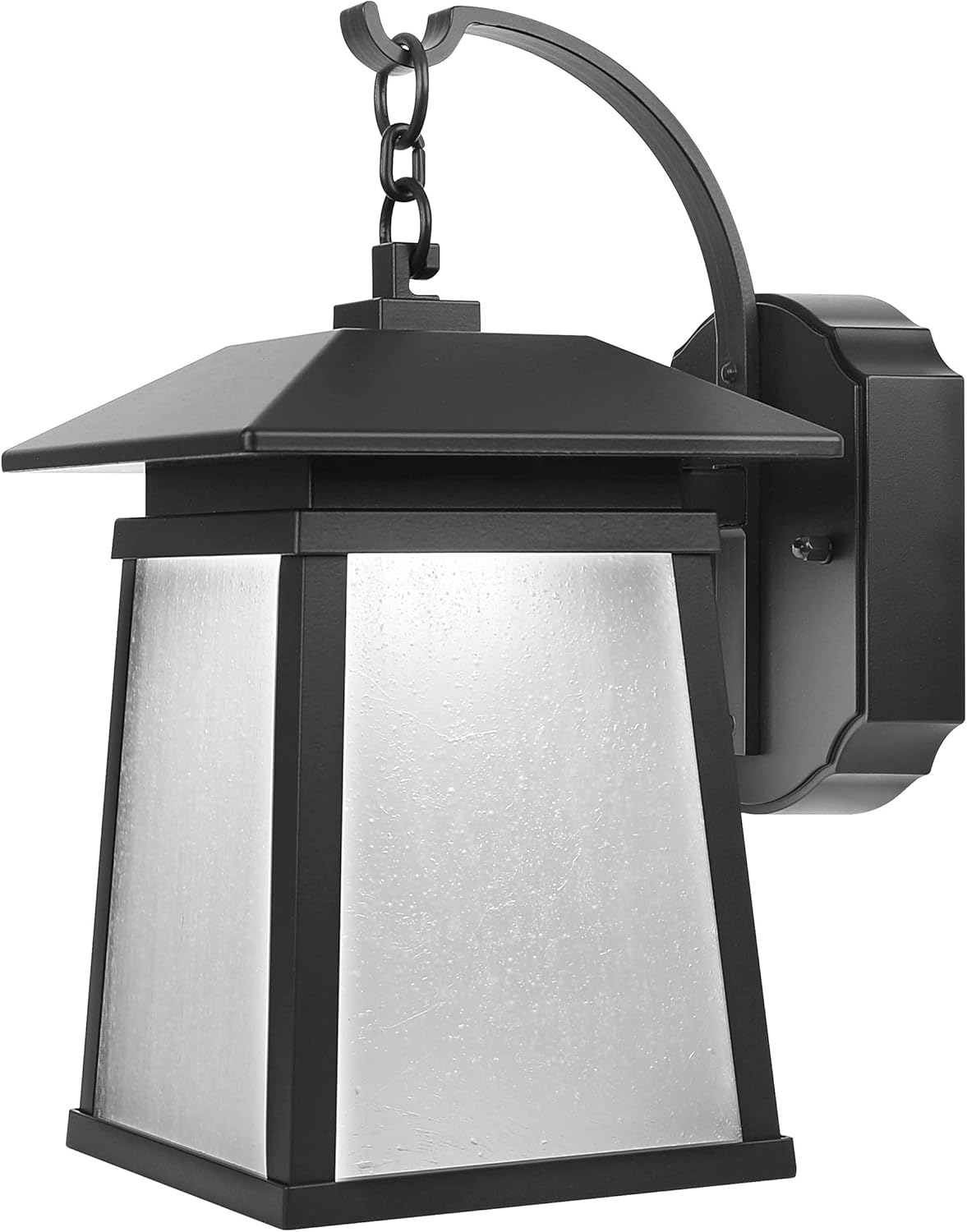
그림 1: 전면 view of the Feit Electric Smart WiFi LED Coach Lantern, showcasing its bronze finish and frosted glass panels.
상자 안에 무엇이 들어있나요?
패키지를 열 때 모든 구성품이 들어 있고 손상되지 않았는지 확인하세요.
- Feit Electric 13 Inch Smart WiFi LED Coach Lantern (integrated LED)
- LED 렌즈 (사전 설치됨)
- Installation Hardware (screws, wire nuts, mounting bracket) - Standard hardware for electrical fixture installation.
- 사용 설명서 (본 문서)
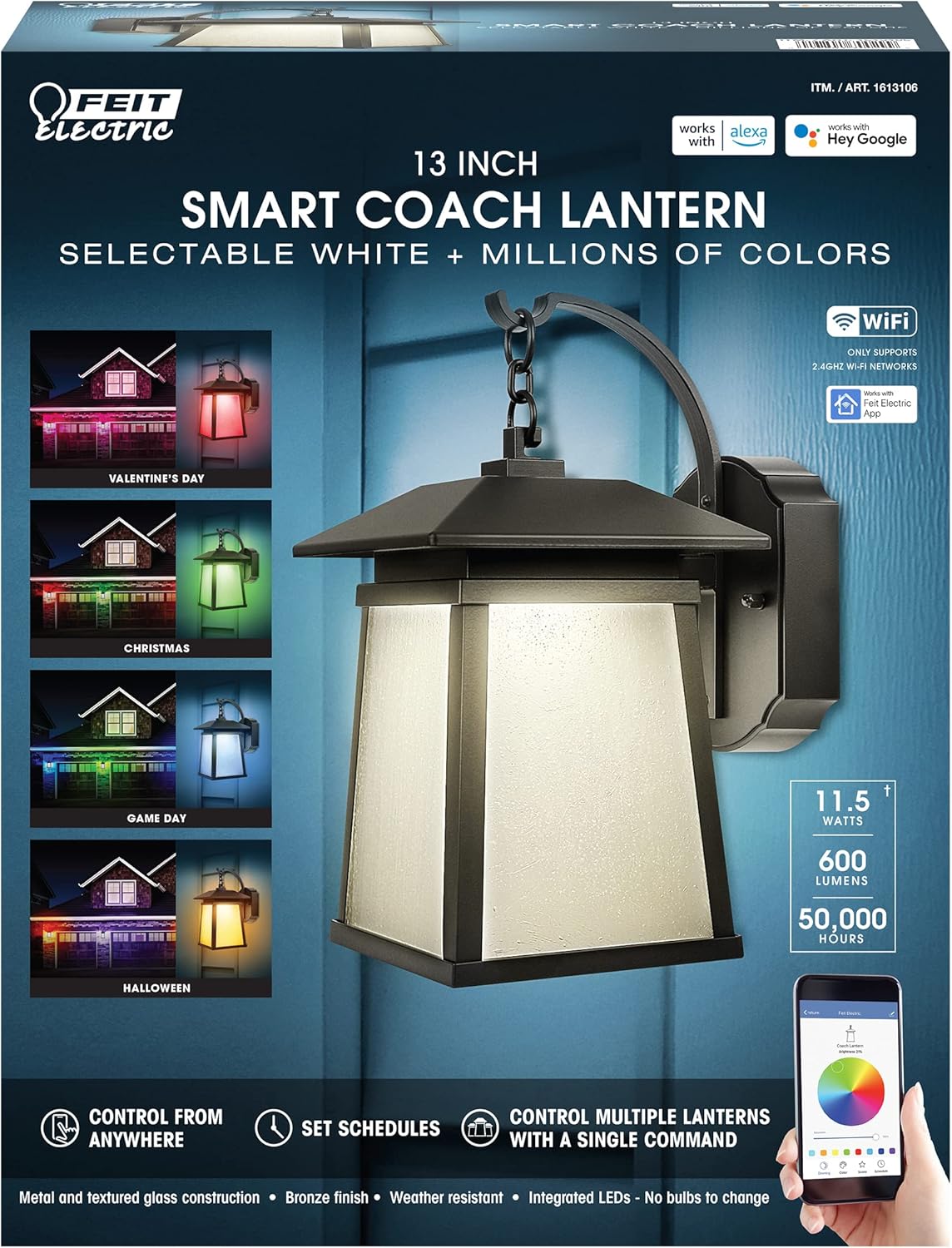
Figure 2: Product packaging highlighting key features such as Smart WiFi, RGBW colors, and compatibility with Alexa and Hey Google.
설정 및 설치
안전 정보
- 경고: 감전의 위험이 있습니다. 설치 또는 수리하기 전에 퓨즈 또는 회로 차단기의 전원을 차단하십시오.
- 경고: 화재 위험이 있습니다. 120V AC 정격 회로에서만 사용하십시오.
- 설치 과정에 대해 확신이 없다면 자격을 갖춘 전기 기술자에게 문의하세요.
- 모든 전기 연결이 안전한지 확인하고 해당 지역의 전기 규정을 준수하세요.
설치 전 체크리스트
- Ensure the power is turned OFF at the circuit breaker.
- Gather necessary tools: screwdriver, wire strippers, electrical tape, ladder (if needed).
- Confirm the mounting surface is suitable for the fixture's weight and size.
설치 단계
- 전원 끄기: 실외 조명 회로를 제어하는 차단기를 찾아 끄십시오. 전압계를 사용하여 전원이 차단되었는지 확인하십시오.tag전자 테스터.
- 기존 고정장치 제거(해당되는 경우): Carefully disconnect the wiring from the existing fixture and remove it from the mounting surface.
- 마운팅 브래킷 설치: Attach the provided mounting bracket to the electrical junction box using the screws. Ensure it is securely fastened.
- 와이어 연결:
- 연결하다 검은색 고정물에서 전선까지 검은색 와이어 너트를 사용하여 접합 상자에서 (뜨거운) 전선을 제거합니다.
- 연결하다 하얀색 고정물에서 전선까지 하얀색 와이어 너트를 사용하여 접속함에서 (중성)선을 분리합니다.
- 연결하다 녹색 or 벌거벗은 구리 ground wire from the fixture to the ground wire from the junction box (or to the junction box itself if no ground wire is present).
- Secure all connections with electrical tape if desired.
- 마운트 고정 장치: Carefully tuck the wires into the junction box. Align the fixture with the mounting bracket and secure it using the provided screws.
- 복원력 : 회로 차단기에서 전원을 다시 켜세요.
작동 지침
Connecting to the Feit Electric App
To unlock the full smart features of your lantern, you must connect it to the Feit Electric app.
- 앱 다운로드 : Download the Feit Electric app from the Apple App Store or Google Play Store.
- 계정 생성: 앱을 열고 새 계정을 만들거나 기존 계정에 로그인하세요.
- 장치 추가: Tap the "+" icon in the app to add a new device. Select "Lighting" or "Outdoor Lighting" and follow the on-screen prompts.
- 페어링 모드 : Ensure your lantern is powered on. The lantern should blink rapidly to indicate it's in pairing mode. If not, turn it off and on quickly several times until it blinks.
- Wi-Fi에 연결: Enter your 2.4GHz WiFi network name and password when prompted in the app. Note: This device only supports 2.4GHz WiFi networks.
- 완성: Once connected, the app will confirm successful pairing, and you can rename your lantern.
App Features and Control
- 온/오프 제어: Turn the lantern on or off from anywhere using the app.
- 밝기 조정: 조명 강도를 1%에서 100%까지 조절합니다.
- 색상 선택: Choose from millions of RGB colors or select various shades of white (warm to cool).
- 장면 및 효과: Apply pre-set scenes or create custom lighting effects for different occasions (e.g., holidays, parties).
- 일정: Set daily or weekly schedules for the lantern to turn on/off automatically.
- 타이머: Set countdown timers for the lantern to turn off after a specified duration.
- 그룹 제어: Control multiple Feit Electric smart devices simultaneously by grouping them in the app.

Figure 3: Smart Coach Lanterns illuminating a home's exterior with vibrant red and purple lighting, demonstrating color-changing capabilities.
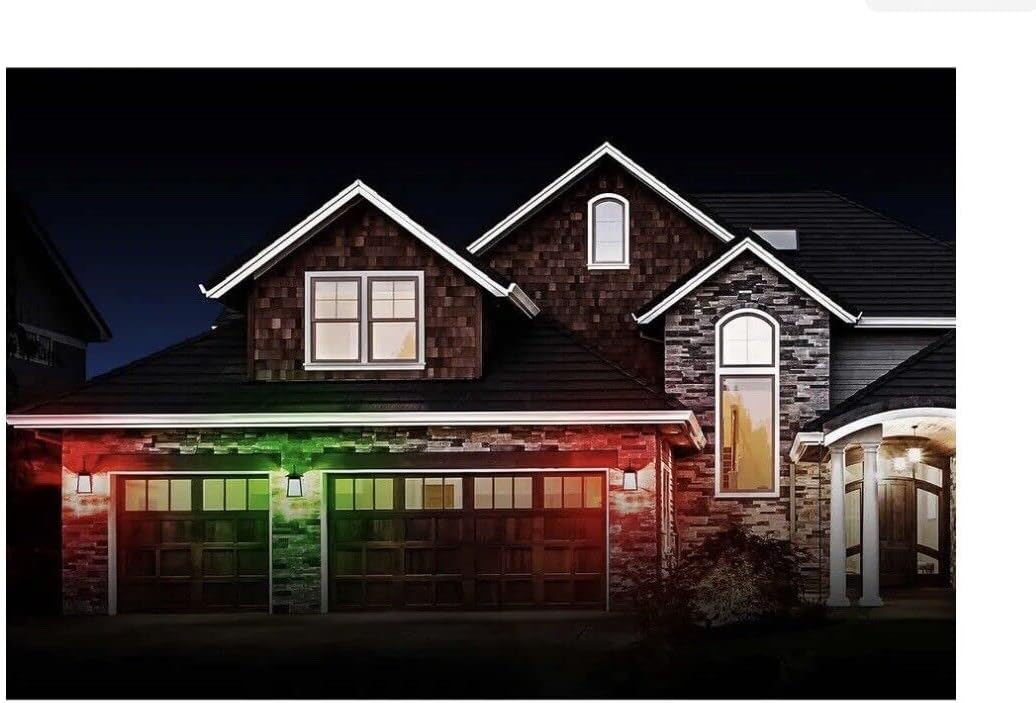
Figure 4: Smart Coach Lanterns providing festive green and red illumination to a home's facade, suitable for holiday themes.

Figure 5: Smart Coach Lanterns casting a uniform purple glow on a residential exterior, showcasing a single color option.
음성 제어 통합
The Feit Electric Smart Coach Lantern is compatible with Amazon Alexa and Hey Google. To enable voice control:
- 계정 연동: In your Alexa or Google Home app, search for the "Feit Electric" skill/action and enable it.
- 로그인: Log in with your Feit Electric app credentials when prompted.
- 장치 검색: 연결이 완료되면 음성 비서에게 "기기 검색"을 요청하거나 앱에서 수동으로 기기 검색을 시작하세요.
- 음성 명령: 이제 다음과 같은 명령어를 사용할 수 있습니다.
- "Alexa, turn on the [Lantern Name]."
- "Hey Google, set [Lantern Name] to blue."
- "Alexa, dim [Lantern Name] to 50%."
유지
- 청소: To clean the lantern, ensure power is off. Use a soft, damp 천으로 닦으세요. 연마성 세제나 용제는 마감재나 유리를 손상시킬 수 있으므로 사용하지 마세요.
- 통합 LED: The LED light source is integrated and not user-replaceable. It is designed for long-term operation (up to 50,000 hours).
- 펌웨어 업데이트: Periodically check the Feit Electric app for firmware updates to ensure optimal performance and access to new features.
- 내후성: While designed for outdoor use, the lantern is not water resistant. Avoid direct exposure to high-pressure water jets.
문제 해결
| 문제 | 가능한 원인 | 해결책 |
|---|---|---|
| 랜턴이 켜지지 않습니다. | 전기가 들어오지 않음; 배선이 느슨함; 설비에 결함이 있음. | Check circuit breaker. Ensure all wire connections are secure. Test power at the junction box. If issues persist, contact support. |
| Cannot connect to Feit Electric app. | Incorrect WiFi network (not 2.4GHz); incorrect password; lantern not in pairing mode; WiFi signal too weak. | Ensure you are on a 2.4GHz WiFi network. Double-check password. Cycle power to the lantern (off/on quickly 3-5 times) to enter pairing mode. Move router closer or use a WiFi extender. |
| 음성 제어가 작동하지 않습니다. | Accounts not linked; device not discovered; incorrect voice command. | Verify Feit Electric skill/action is enabled and accounts are linked in Alexa/Google Home app. Ask voice assistant to "Discover devices." Use correct device name and commands. |
| Lantern disconnects frequently. | 와이파이 신호가 약하고 네트워크 간섭이 있습니다. | Improve WiFi signal strength near the lantern. Reduce interference from other 2.4GHz devices. |
명세서
| 기인하다 | 값 |
|---|---|
| 모델 번호 | 1613106 |
| 부품 번호 | LAN13/RGBW/RP |
| 상표 | 피트 일렉트릭 |
| 치수(길이 x 너비 x 높이) | 15 x 12 x 8 인치 |
| 품목 무게 | 4파운드 |
| 광원 유형 | 통합 LED |
| 명도 | 500루멘 |
| 색상 옵션 | RGBW (Millions of colors + Tunable White) |
| 제어 방법 | Feit Electric App, Amazon Alexa, Hey Google |
| 전원 | 코드식 전기 |
| 권tage | 120 볼트 |
| 재료 | 알루미늄, 유리 |
| 마무리 유형 | 청동 마감 |
| 실내/실외 사용 | 집 밖의 |
| 방수 레벨 | 방수가 되지 않음 |
| 한국어: | 017801700299 |
보증 및 지원
For warranty information and details regarding your Feit Electric Smart WiFi LED Coach Lantern, please refer to the warranty card included with your product or visit the official Feit Electric web보증 조건은 일반적으로 정상적인 사용 중에 발생하는 재료 및 제조상의 결함을 보장합니다.
For technical support, troubleshooting assistance beyond this manual, or to inquire about replacement parts, please contact Feit Electric Customer Service:
- Web대지: www.feit.com
- 핸드폰: Refer to the Feit Electric web현재 연락처 정보는 사이트에서 확인하세요.
- 이메일: Refer to the Feit Electric web현재 연락처 이메일 사이트입니다.
지원팀에 문의할 때는 모델 번호(1613106)와 구매일을 준비해 주세요.