
1. 서론
구매해주셔서 감사합니다asing the ORCC 10-in-1 Turntable Record Player. This versatile audio system combines a classic vinyl turntable with modern functionalities including CD, cassette, USB, SD/MMC card playback, Bluetooth connectivity, FM/AM radio, and MP3 recording. This manual provides detailed instructions to help you set up, operate, and maintain your device for optimal performance and enjoyment.
제품을 사용하기 전에 이 설명서를 자세히 읽고 나중에 참조할 수 있도록 보관하세요.
2. 안전 정보
안전한 작동을 보장하고 손상을 방지하려면 다음 예방 조치를 준수하세요.
- 본 제품을 비, 습기 또는 극한의 온도에 노출시키지 마십시오.
- 라디에이터, 난방기, 스토브 또는 기타 열을 발생시키는 기기와 같은 열원 근처에 제품을 두지 마십시오.
- 적절한 환기를 유지하세요. 환기구를 막지 마세요.
- 제조사가 지정한 부속품/액세서리만 사용하세요.
- 번개가 치거나 장기간 사용하지 않을 때에는 장치의 플러그를 뽑아 두십시오.
- 모든 서비스는 자격을 갖춘 서비스 담당자에게 의뢰하세요.
- 장치를 강한 자기장으로부터 멀리 두십시오.
3. 설정
Follow these steps to set up your ORCC 10-in-1 Turntable Record Player:
- 짐 풀기: 제품을 포장에서 조심스럽게 꺼내십시오. 향후 운송 또는 보관을 위해 모든 포장재를 보관하십시오.
- 놓기: 직사광선, 열원, 과도한 먼지 또는 진동을 피해 안정적이고 평평한 곳에 제품을 놓으십시오.
- 전원 연결: Connect the power adapter to the DC input jack on the unit and then plug it into a wall outlet.
- 먼지 커버: Ensure the dust cover is properly attached to protect the turntable.
- 턴테이블 설치: Remove the stylus protector from the needle. Unlock the tone arm clip.
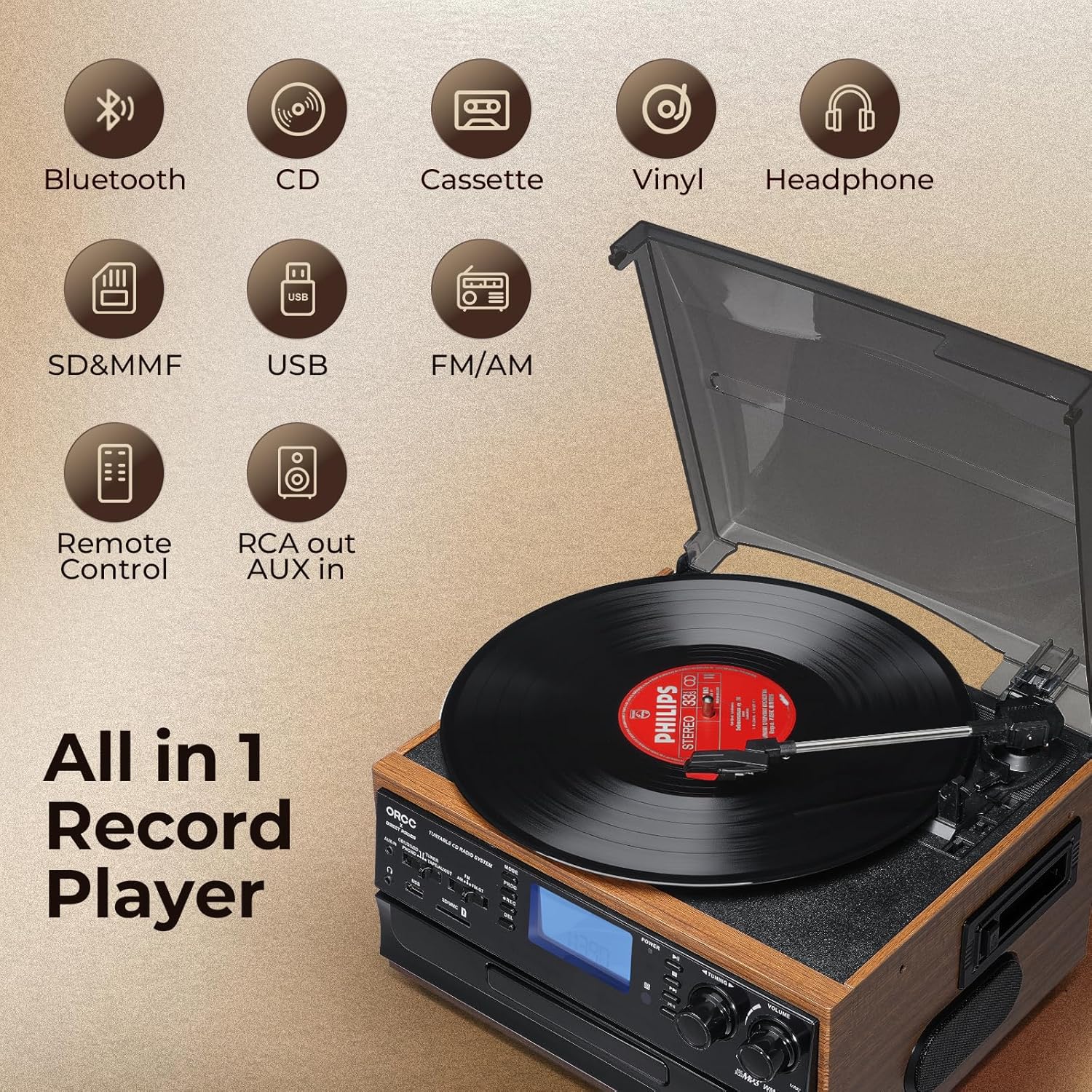
이미지: 이상view of the ORCC 10-in-1 Turntable Record Player, highlighting its various functions including Bluetooth, CD, Cassette, Vinyl, Headphone, SD/MMC, USB, FM/AM Radio, Remote Control, and RCA out/AUX in.
4. 사용 설명서
4.1. 턴테이블 조작
This unit supports 33, 45, and 78 RPM records in 7", 10", and 12" sizes.
- 턴테이블 플래터에 레코드를 놓습니다.
- Select the appropriate speed (33/45/78 RPM) using the speed selector switch. Use the included 45 RPM adapter for 7-inch records.
- 큐 레버를 사용하여 톤암을 들어 올려 레코드의 원하는 트랙 위에 위치시키십시오.
- Lower the tone arm gently onto the record using the cue lever. Playback will begin.
- At the end of the record, the auto-stop function will automatically stop the platter rotation. Lift the tone arm and return it to its rest.

이미지: 상세 view of the turntable section, illustrating the 45 RPM adapter, 3-speed control, auto-stop feature, and tone arm lock lever for vinyl record playback.
4.2. CD 플레이어 작동
- MODE 버튼을 눌러 CD 모드를 선택하세요.
- OPEN/CLOSE 버튼을 눌러 CD 트레이를 엽니다.
- CD의 라벨이 위로 향하도록 트레이에 넣어주세요.
- Press the OPEN/CLOSE button again to close the tray. The unit will read the CD.
- Press the PLAY/PAUSE button to start playback. Use the SKIP buttons to navigate tracks.

Image: The built-in CD player with a disc partially inserted into the tray, ready for playback.
4.3. 카세트 플레이어 작동법
- MODE 버튼을 눌러 TAPE 모드를 선택하세요.
- 카세트 테이프를 장치 측면의 카세트 슬롯에 삽입합니다.
- Press the PLAY button to start playback. Use the FAST FORWARD/REWIND buttons as needed.
- 재생을 종료하려면 STOP 버튼을 누르세요.

Image: A cassette tape being inserted into the dedicated cassette player slot on the side of the unit.
4.4. 블루투스 연결
- Press the MODE button to select Bluetooth (BT) mode. The display will show "BT" and flash, indicating it's in pairing mode.
- Bluetooth가 활성화된 기기(예: 스마트폰, 태블릿)에서 Bluetooth를 활성화하고 사용 가능한 기기를 검색하세요.
- Select "ORCC" from the list of devices to pair. Once connected, the "BT" indicator will stop flashing.
- You can now stream audio wirelessly from your device to the ORCC system.

Image: A smartphone displaying a Bluetooth connection to the ORCC turntable, illustrating wireless audio streaming.
4.5. FM/AM Radio Operation
- Press the MODE button to select TUNER mode.
- Use the FM/AM switch to select your desired band.
- Rotate the TUNING knob to manually search for radio stations.
- For automatic scanning, press and hold the SCAN button. The unit will search and stop at the next available station.

Image: A hand adjusting the tuning knob on the ORCC turntable, which displays an FM radio frequency on its screen.
4.6. USB & SD Card Playback
- USB 포트에 USB 플래시 드라이브를 삽입하거나 카드 슬롯에 SD/MMC 카드를 삽입하세요.
- Press the MODE button to select USB or SD mode.
- 이 장치는 MP3를 자동으로 감지하고 재생합니다. files. Use the PLAY/PAUSE and SKIP buttons to control playback.

이미지: 클로즈업 view of the USB port and SD/MMC card slot on the front panel of the ORCC turntable, indicating digital media playback options.
4.7. MP3 Recording Function
The unit allows direct recording from Vinyl, CD, Cassette, or AUX-in to a USB flash drive or SD card in MP3 format.
- Insert a USB flash drive or SD card into its respective slot.
- Select the desired source (Vinyl, CD, Cassette, or AUX-in) using the MODE button.
- Start playback of the source material.
- Press the REC button to begin recording. The recording indicator will illuminate.
- Press the REC button again to stop recording. The recorded MP3 file USB 드라이브 또는 SD 카드에 저장됩니다.

Image: A visual representation of the recording function, demonstrating how audio from vinyl, CD, or cassette can be converted and saved as MP3 fileUSB 드라이브에 저장합니다.
4.8. Headphone Jack & RCA Output
- 헤드폰 잭: Plug 3.5mm headphones into the headphone jack for private listening. The built-in speakers will mute automatically.
- RCA 출력 : Use RCA cables (not included) to connect the RCA LINE OUT ports to an external amp오디오 출력을 향상시키려면 앰프 또는 액티브 스피커를 사용하십시오.
- 보조 입력: Connect external audio devices (e.g., MP3 players, smartphones) to the 3.5mm AUX IN jack using an audio cable (not included) to play their audio through the ORCC system.

Image: A pair of black headphones connected to the built-in headphone jack on the ORCC turntable, indicating private listening capability.

Image: A close-up of the rear panel of the ORCC turntable, showing the AUX In and RCA Line Out ports for connecting external devices or speakers.
5. 유지관리
Proper care and maintenance will ensure the longevity of your ORCC audio system:
- 청소: 부드럽고 마른 천으로 닦으세요. 연마성 세제나 용제는 사용하지 마세요.
- 스타일러스 관리: Handle the stylus carefully. Clean it periodically with a soft brush, brushing from back to front. Replace the stylus when sound quality deteriorates.
- 먼지 커버: Keep the dust cover closed when not in use to prevent dust accumulation on the turntable and stylus.
- CD/카세트 관리 방법: Keep CDs and cassette tapes clean and free of scratches or damage.
6. 문제 해결
If you encounter issues with your ORCC 10-in-1 Turntable, refer to the following common problems and solutions:
| 문제 | 가능한 원인 | 해결책 |
|---|---|---|
| 전원이 없습니다 | 전원 코드가 연결되지 않았습니다. 전원 콘센트가 활성화되지 않았습니다. | 전원 코드가 제대로 꽂혀 있는지 확인하세요. 다른 장치로 콘센트를 테스트해 보세요. |
| 소리가 나지 않습니다 | 볼륨이 너무 낮음; 잘못된 모드가 선택됨; 헤드폰이 연결됨. | Increase volume. Select correct input mode. Disconnect headphones if using speakers. |
| 턴테이블이 회전하지 않습니다 | Power off; Auto-stop engaged; Belt issue. | Ensure unit is on. Check auto-stop switch. If belt is dislodged or broken, contact support. |
| 블루투스가 페어링되지 않습니다 | Unit not in BT mode; Device too far; Device already paired. | Ensure unit is in BT mode. Move device closer. Forget device on your phone and re-pair. |
| 바이닐 음질이 좋지 않음 | Dirty record; Worn stylus; Incorrect speed. | Clean record. Replace stylus. Verify correct RPM speed. |
7. 사양
- 모델 이름: 19-WD
- 상표: ORCC
- 제품 크기: 127.95 x 116.14 x 78.74 인치
- 품목 무게: 10.63파운드
- 재료: 목재
- 색상: 갈색
- 최대 회전 속도: 78 RPM
- 모터 유형: 교류 모터
- 포함된 구성 요소: 내장 스피커
- 특별 기능: AUX Input, Built-In Bluetooth Receiver, RCA Output
- 호환 장치: 헤드폰, 스피커
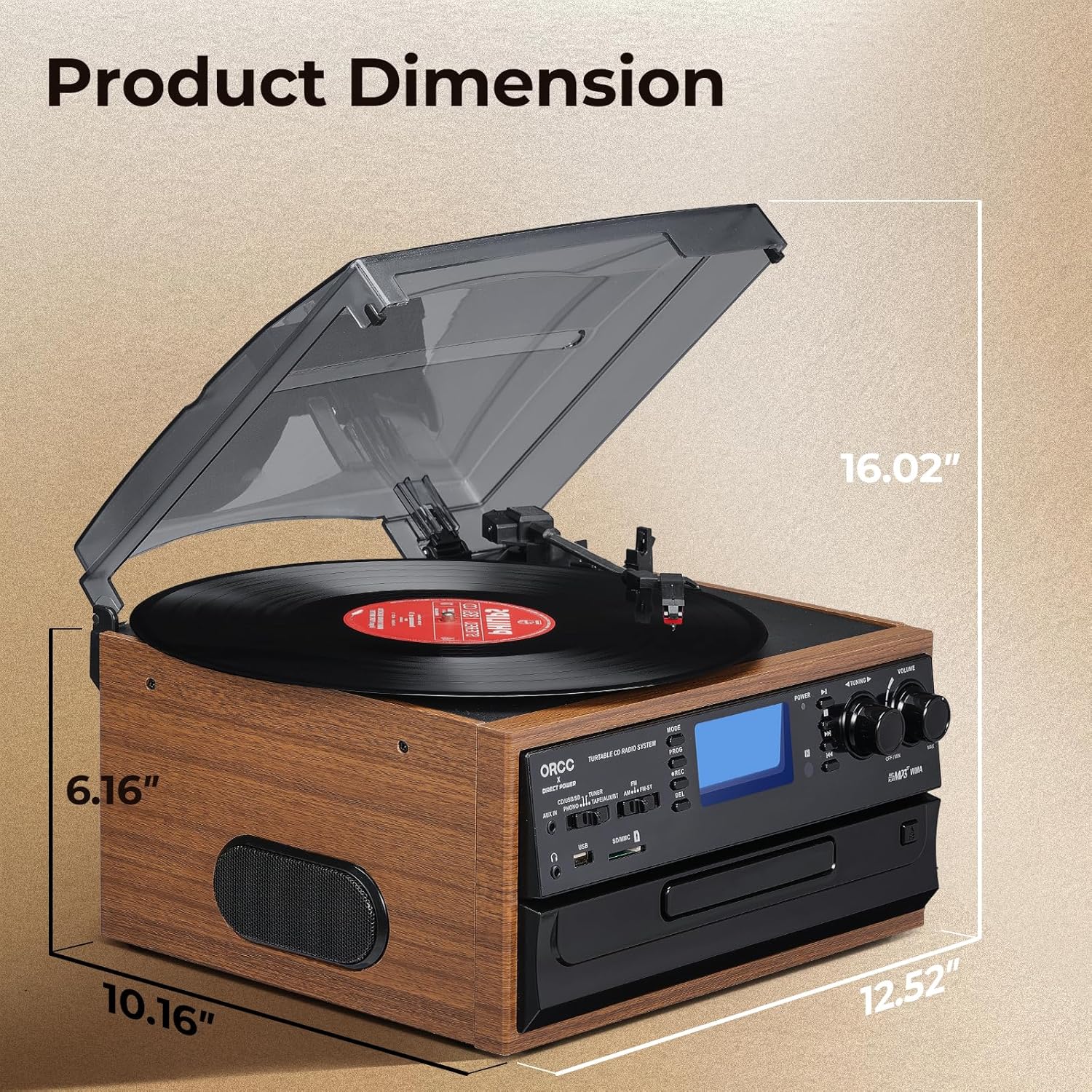
Image: A diagram illustrating the product dimensions of the ORCC turntable, showing height, width, and depth measurements.
8. 보증 및 지원
For warranty information and customer support, please refer to the warranty card included with your product or visit the official ORCC web사이트. 구매 증빙 자료로 구매 영수증을 보관하세요.
If you experience any issues not covered in the troubleshooting section, please contact ORCC customer service for assistance.
