
소개
This manual provides detailed instructions for the setup, operation, maintenance, and troubleshooting of your Pokitter Go Pro Mini Portable Projector. Please read this manual thoroughly before using the product to ensure proper functionality and to extend the lifespan of your device.
The Pokitter Go Pro is a compact and powerful portable projector featuring integrated Android TV 10.0, Google Assistant, 200 ANSI lumens brightness, 1080p Full HD resolution with 4K support, dual-band 2.4G/5G WiFi, and a maximum projection size of 120 inches. It is designed for versatile entertainment, offering a cinematic experience on the go.
패키지 내용
패키지에 모든 품목이 들어 있는지 확인하세요.
- Pokitter Go Pro Mini Portable Projector
- 원격 제어
- 전원 어댑터
- 사용 설명서 (본 문서)
- 캐리 스트랩

Image: The Pokitter Go Pro Mini Portable Projector, highlighting its compact design and integrated handle for easy portability.
제품 끝view
앞쪽 View
프로젝터 전면에는 투사 렌즈와 통풍구가 있습니다.
뒤쪽 View
The rear panel typically includes various ports for connectivity.
- HDMI 포트 : 노트북, 게임 콘솔, 블루레이 플레이어 등의 외부 기기를 연결하는 데 사용합니다.
- USB 포트: For connecting USB drives for media playback or external peripherals.
- 오디오 출력(3.5mm 잭): 외부 스피커나 헤드폰을 연결하는 데 사용합니다.
- DC 입력: 전원 입력 포트.
맨 위 View
The top surface may include control buttons or indicators.
옆 View
The sides often feature additional ventilation and a carrying handle.
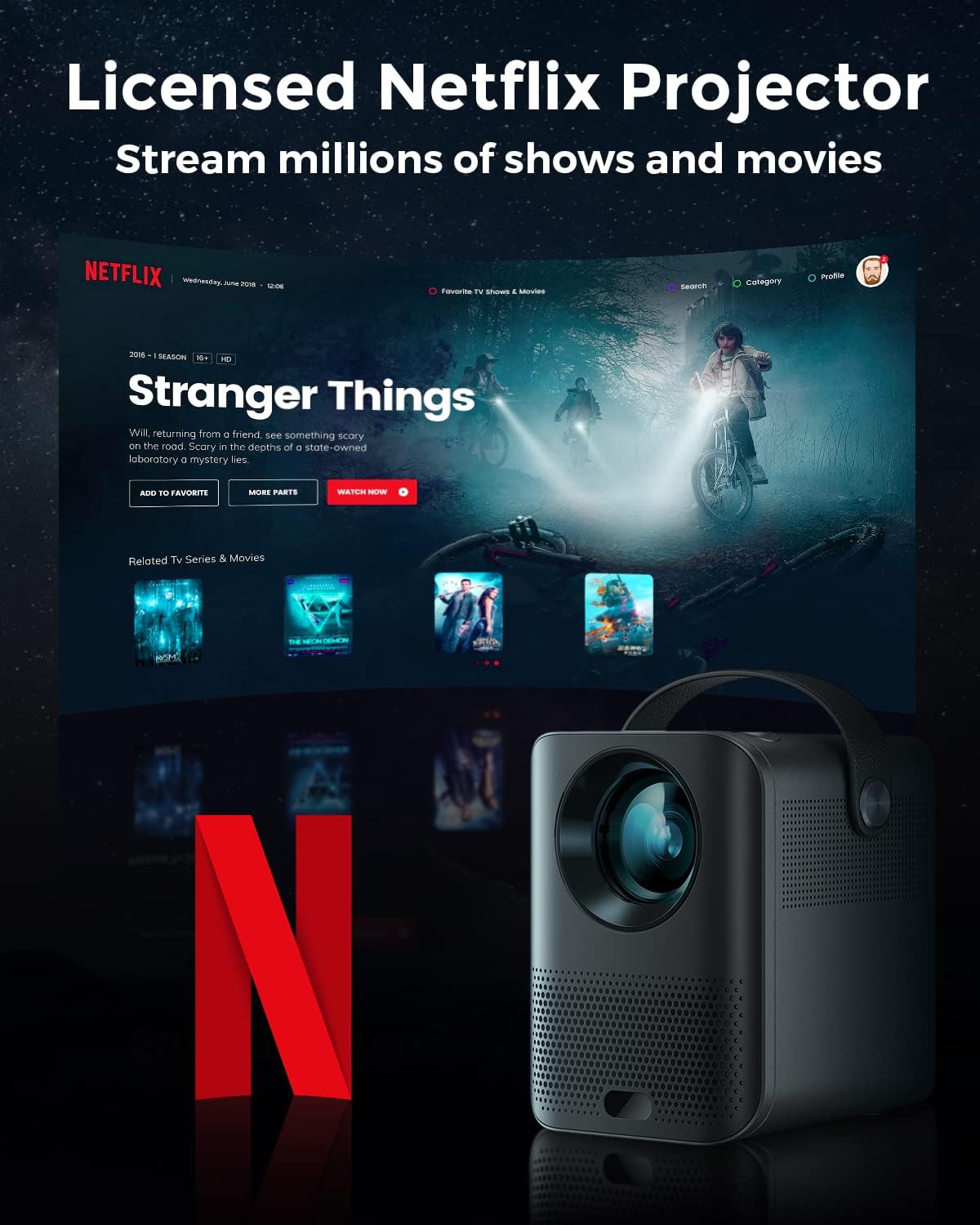
Image: The Pokitter Go Pro projector showcasing its integrated Netflix license and streaming capabilities.

Image: A size comparison of the Pokitter Go Pro projector with a smartphone, illustrating its mini and portable form factor.
설정
1. 전원 연결
- Connect the power adapter to the DC In port on the projector.
- 전원 어댑터를 벽면 콘센트에 꽂으세요.
- 전원 표시등이 켜집니다.
2. 초기 전원 켜기
- 프로젝터나 리모컨의 전원 버튼을 눌러 장치를 켜세요.
- Allow a few moments for the Android TV system to boot up.
3. 초점 조정
Use the focus ring (if mechanical) or the remote control's focus buttons to achieve a clear image. The Pokitter Go Pro features automatic vertical keystone correction up to 40 degrees.

Image: Illustration of the automatic keystone correction feature, which adjusts the image for optimal viewing even when the projector is not perfectly aligned.
4. Screen Size Adjustment
Adjust the distance between the projector and the projection surface to achieve the desired screen size. The projector supports a screen size up to 120 inches.

Image: Guide for optimal projection distances to achieve screen sizes of 40, 80, and 120 inches.
5. 네트워크 연결(Wi-Fi)
- Navigate to the Wi-Fi settings in the Android TV interface.
- 목록에서 원하는 Wi-Fi 네트워크를 선택하세요.
- 메시지가 나타나면 비밀번호를 입력하세요.
- The projector supports dual-band 2.4G and 5G Wi-Fi for stable and fast transmission.

Image: The Pokitter Go Pro projector demonstrating its 2.4/5GHz WiFi capabilities for seamless wireless screen casting from various devices.
작동 지침
리모컨 사용
The included remote control allows full navigation and control of the Android TV interface. Key functions include:
- 전원 버튼: 프로젝터를 켜거나 끕니다.
- 탐색 패드: For moving through menus.
- 확인 버튼: 선택 사항을 확인합니다.
- 뒤로가기 버튼: 이전 화면으로 돌아갑니다.
- 홈 버튼: Android TV 홈 화면으로 돌아갑니다.
- 볼륨 버튼: 오디오 볼륨을 조절합니다.
- Google 어시스턴트 버튼: 음성 명령을 활성화합니다.
안드로이드 TV 인터페이스
The Pokitter Go Pro runs on Android TV 10.0, providing access to a wide range of streaming applications such as Netflix, YouTube, Amazon Prime Video, and Disney+.
- 앱 탐색: Use the remote's navigation pad to select and open applications.
- 콘텐츠 스트리밍: Log in to your streaming accounts to access content.
- 구글 어시스턴트: Press the Google Assistant button on the remote and speak your commands to search for content, control playback, or get information.

이미지: 오버view of the Pokitter Go Pro's key features, including its Android TV operating system, Google Assistant integration, and display capabilities.
Screen Mirroring (Chromecast Built-in)
The projector features built-in Chromecast for easy screen mirroring from compatible devices (smartphones, tablets, laptops).
- 기기와 프로젝터가 동일한 Wi-Fi 네트워크에 연결되어 있는지 확인하십시오.
- 기기에서 Chromecast를 지원하는 앱(예: YouTube, Netflix)을 엽니다.
- 캐스트 아이콘을 탭하세요 (일반적으로 Wi-Fi 기호가 있는 사각형) 앱 내에서.
- Select your Pokitter Go Pro projector from the list of available devices.
- The content from your device will be mirrored or cast to the projector.

Image: Demonstrating the Chromecast built-in feature, allowing users to stream content from their smartphone to the projector's large display.
외부 장치 연결 (HDMI/USB)
- HDMI : Connect an HDMI cable from your external device (e.g., laptop, game console) to the HDMI port on the projector. The projector will automatically switch to the HDMI input or you may need to select it from the input source menu.
- USB: Insert a USB flash drive into the USB port. The Android TV system will typically prompt you to open a file browser to access media file운전 중이에요.
유지
렌즈 청소
광학 렌즈 전용으로 제작된 부드럽고 보풀 없는 천으로 프로젝터 렌즈를 살살 닦아주세요. 연마성 세척제나 과도한 힘을 사용하면 렌즈에 흠집이 생길 수 있으므로 사용하지 마십시오.
프로젝터 본체 청소
프로젝터 외부를 부드럽고 마른 천으로 닦으십시오. 잘 지워지지 않는 얼룩은 약간 건조한 천으로 닦아내십시오.amp cloth can be used, followed by a dry cloth. Avoid getting liquids inside the projector.
통풍
Ensure that the ventilation grilles are not blocked during operation to prevent overheating. The Pokitter Go Pro features a dust-proof design to maintain picture quality.

Image: An internal diagram of the Pokitter Go Pro, illustrating its dust-proof design for long-lasting, flawless picture quality.
저장
장시간 사용하지 않을 경우, 프로젝터를 서늘하고 건조한 곳에 직사광선과 극한의 온도를 피해 보관하십시오. 원래 포장재나 보호 케이스를 사용하는 것이 좋습니다.
문제 해결
| 문제 | 가능한 원인 | 해결책 |
|---|---|---|
| 전원이 없습니다 | 전원 케이블이 연결되지 않았습니다. 전원 콘센트에 결함이 있습니다. | 전원 케이블이 제대로 연결되어 있는지 확인하세요. 다른 콘센트에 연결해 보세요. |
| 이미지 없음 / 흐릿한 이미지 | Lens out of focus; Incorrect input source; Obstruction in projection path. | Adjust focus using the remote or focus ring. Select correct input source. Remove any obstructions. |
| 소리가 나지 않습니다 | Volume too low; Muted; External speakers not connected properly. | Increase volume. Unmute the projector. Check external speaker connections. |
| Wi-Fi 연결 문제 | 잘못된 비밀번호; 라우터와의 거리가 너무 멀음; 네트워크 간섭. | Wi-Fi 비밀번호를 확인하세요. 프로젝터를 라우터 가까이로 이동하세요. 라우터와 프로젝터를 재시작하세요. |
| 리모컨이 작동하지 않음 | 배터리 방전; 리모컨과 프로젝터 사이에 장애물이 있음. | 배터리를 교체하세요. 프로젝터의 IR 수신기가 시야에 잘 들어오도록 하세요. |
명세서
- 모델: F1A
- 상표: 포키터
- 디스플레이 기술: 주도의
- 네이티브 해상도: 1920 x 1080(풀HD)
- 최대 지원 해상도: 3840 x 2160(4K)
- 명도: 최대 200 ANSI 루멘
- 투사 크기: 최대 120인치
- 운영 체제: 안드로이드 TV 10.0
- 음성 어시스턴트 : Google 어시스턴트 내장
- 무선 연결 : 2.4G/5G Dual-band Wi-Fi, Bluetooth 5.1
- 연결 포트: HDMI, USB, 3.5mm Audio Out, DC In
- 스피커: Integrated (2x5W as per infographic)
- Average Lifespan (Light Source): 50,000시간
- 폼 팩터: 가지고 다닐 수 있는
- 장착 유형: 테이블 마운트

Image: An illustration of the projector's internal speaker system, designed to provide true-to-life sound for a cinematic view경험.
보증 및 지원
The Pokitter Go Pro Mini Portable Projector comes with a 2년 보증. For any questions or professional assistance regarding this product, please contact Pokitter customer support. We are committed to supporting our customers.
For the latest support information, FAQs, and contact details, please visit the official Pokitter web해당 사이트를 참조하거나 구매 시 제공된 연락처 정보를 참조하세요.