
1. 서론
This manual provides essential information for the safe and efficient use of your Innostyle Magnetic Wireless Power Bank. Please read this manual thoroughly before using the product and retain it for future reference.

Image 1.1: The Innostyle Magnetic Wireless Power Bank (Purple) magnetically attached to the back of an iPhone.
2. 상자 안에 무엇이 들어있나요?
포장을 풀 때 모든 품목이 있는지 확인하세요.
- 1x Magnetic Wireless Power Bank (Model: IM20PD)
- 1x USB-A-USB-C 케이블
- 1x 사용자 매뉴얼(이 문서)
3. 제품 오버view
Familiarize yourself with the components and features of your power bank.

Image 3.1: Key components of the Innostyle Magnetic Wireless Power Bank, including the power button, USB-C IN/OUT port, Lightning IN port, and LED indicators.
- 전원 버튼: Used to turn the device on/off and activate low-power mode.
- USB-C IN/OUT Port (20W): For charging the power bank and for wired fast charging of external devices.
- Lightning IN Port (18W): 라이트닝 케이블을 사용하여 보조 배터리를 충전하려면.
- LED 표시등: 배터리 잔량과 충전 상태를 표시합니다.
- 자기 충전 표면: 호환되는 기기의 무선 충전용입니다.
4. 설정
4.1 파워뱅크 초기 충전
Before first use, fully charge the power bank. Connect the provided USB-A to USB-C cable to the power bank's USB-C IN/OUT port and a compatible USB wall adapter (not included). Alternatively, use a Lightning cable with the Lightning IN port. The LED indicators will show charging progress.
4.2 전원 켜기/끄기
- 켜려면: Short press the power button once. The LED indicators will light up.
- 끄기: Short press the power button twice. The LED indicators will turn off.
5. 사용 설명서
5.1 Magnetic Wireless Charging (7.5W Max)
Align your compatible iPhone (iPhone 15/14/13/12 series) or AirPods with the magnetic charging surface on the power bank. The magnets will snap into place, and wireless charging will begin automatically. Ensure your iPhone is without a case or uses a magnetic-compatible case for optimal attachment and charging efficiency.

Image 5.1: Demonstrates the seamless magnetic attachment of the power bank to an iPhone for wireless charging.
5.2 Wired Fast Charging (20W PD Max)
Connect your device to the power bank's USB-C IN/OUT port using a USB-C to USB-C cable (for compatible devices) or a USB-C to Lightning cable (for iPhones). The power bank supports Power Delivery (PD) 20W fast charging, capable of charging an iPhone 13 from 0% to 50% in approximately 30 minutes.

Image 5.2: Illustration of 2-in-1 fast charging, showing both wireless (7.5W Max) and wired (20W Max) charging options.
5.3 패스스루 충전
The power bank supports pass-through charging, allowing you to recharge the power bank itself while simultaneously charging your iPhone wirelessly or via cable. Connect the power bank to a wall adapter, then attach your iPhone for charging.

Image 5.3: Depiction of the power bank being recharged from a wall outlet while simultaneously charging an iPhone.
5.4 두 대의 기기를 동시에 충전하기
You can charge two devices at the same time: one wirelessly via the magnetic surface and another via the USB-C port.
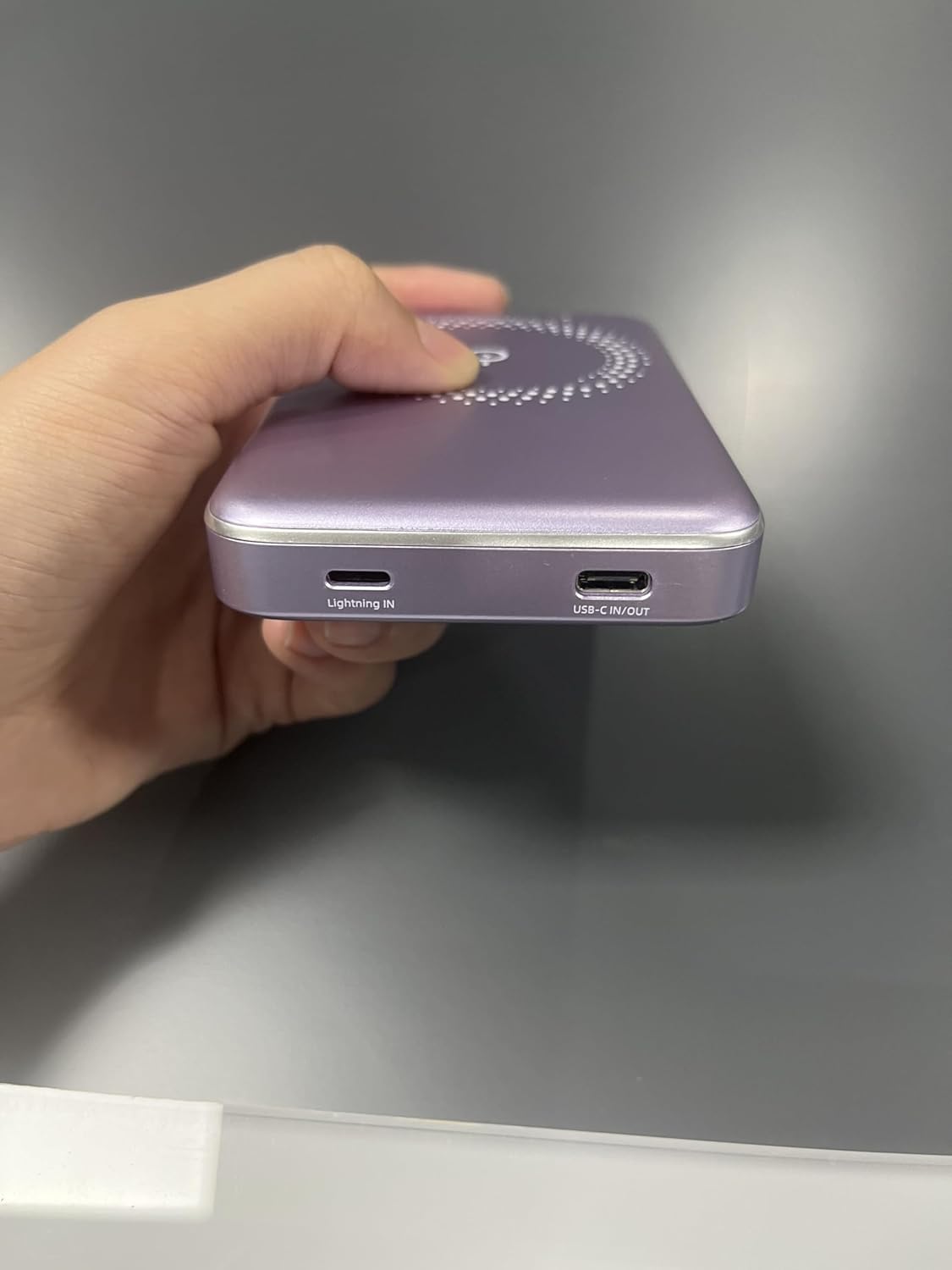
Image 5.4: The power bank simultaneously charging an iPhone wirelessly and another device via a wired connection.
5.5 Low-Power Mode
To enter low-power mode (for charging low-current devices like earbuds or smartwatches), press and hold the power button for 3 seconds. To exit low-power mode, press and hold the button for 3 seconds again.
5.6 Using Phone/Camera While Charging
The design of the power bank ensures that it does not obstruct your phone's camera lens, allowing for uninterrupted use while charging.
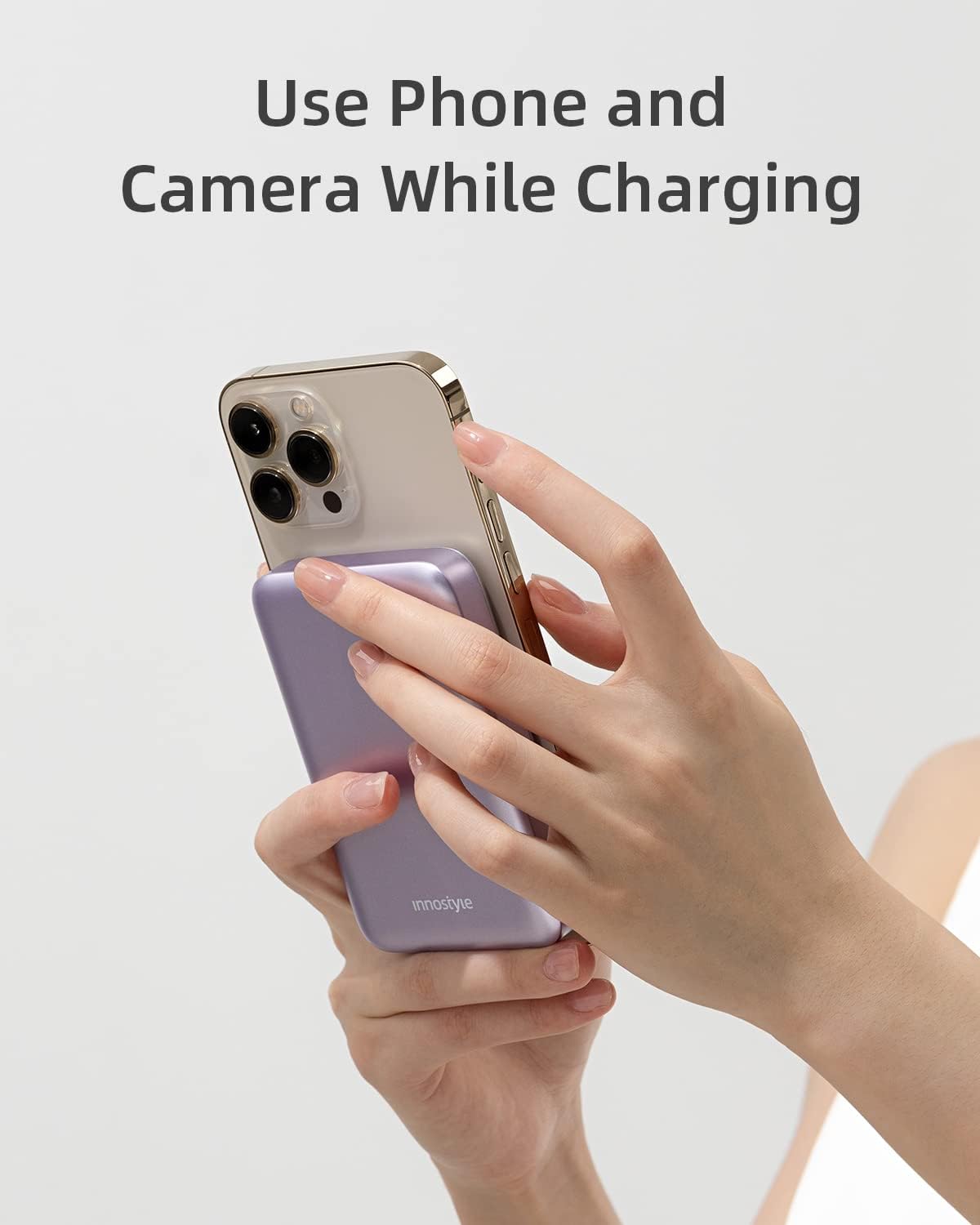
Image 5.5: The power bank attached to an iPhone, showing that the camera remains unobstructed during use.
6. 유지관리
- 청소: 부드럽고 마른 천을 사용하여 보조배터리 표면을 닦으세요. 강한 화학 물질이나 연마재는 사용하지 마세요.
- 저장: 모바일 배터리는 직사광선, 극한의 온도, 습도를 피해 서늘하고 건조한 곳에 보관하세요.
- 배터리 관리 : 배터리 수명을 연장하려면 정기적으로 사용하지 않더라도 3개월에 한 번씩 전원 은행을 완전히 충전하세요.
7. 문제 해결
| 문제 | 가능한 원인 | 해결책 |
|---|---|---|
| 보조 배터리가 충전되지 않음 | 케이블이 제대로 연결되지 않았거나, 케이블/어댑터에 문제가 있거나, 보조 배터리가 완전히 방전된 경우입니다. | Ensure cables are securely connected. Try a different cable or wall adapter. Allow a few minutes for the power bank to respond if deeply discharged. |
| 기기가 무선으로 충전되지 않습니다 | Device not aligned; non-magnetic case; device not compatible; foreign object between power bank and device. | Realign the device. Remove any non-magnetic cases. Ensure your device supports wireless charging. Remove any foreign objects. |
| 느린 충전 | Using a standard charger instead of fast charger; cable not supporting fast charging; device not supporting fast charging. | Use a PD-compatible wall adapter and cable for fast charging. Ensure your device supports fast charging. |
| 보조 배터리가 예기치 않게 꺼졌습니다 | Low battery; overheating; short circuit protection activated. | Recharge the power bank. Allow the power bank to cool down. If the issue persists, contact customer support. |
8. 사양
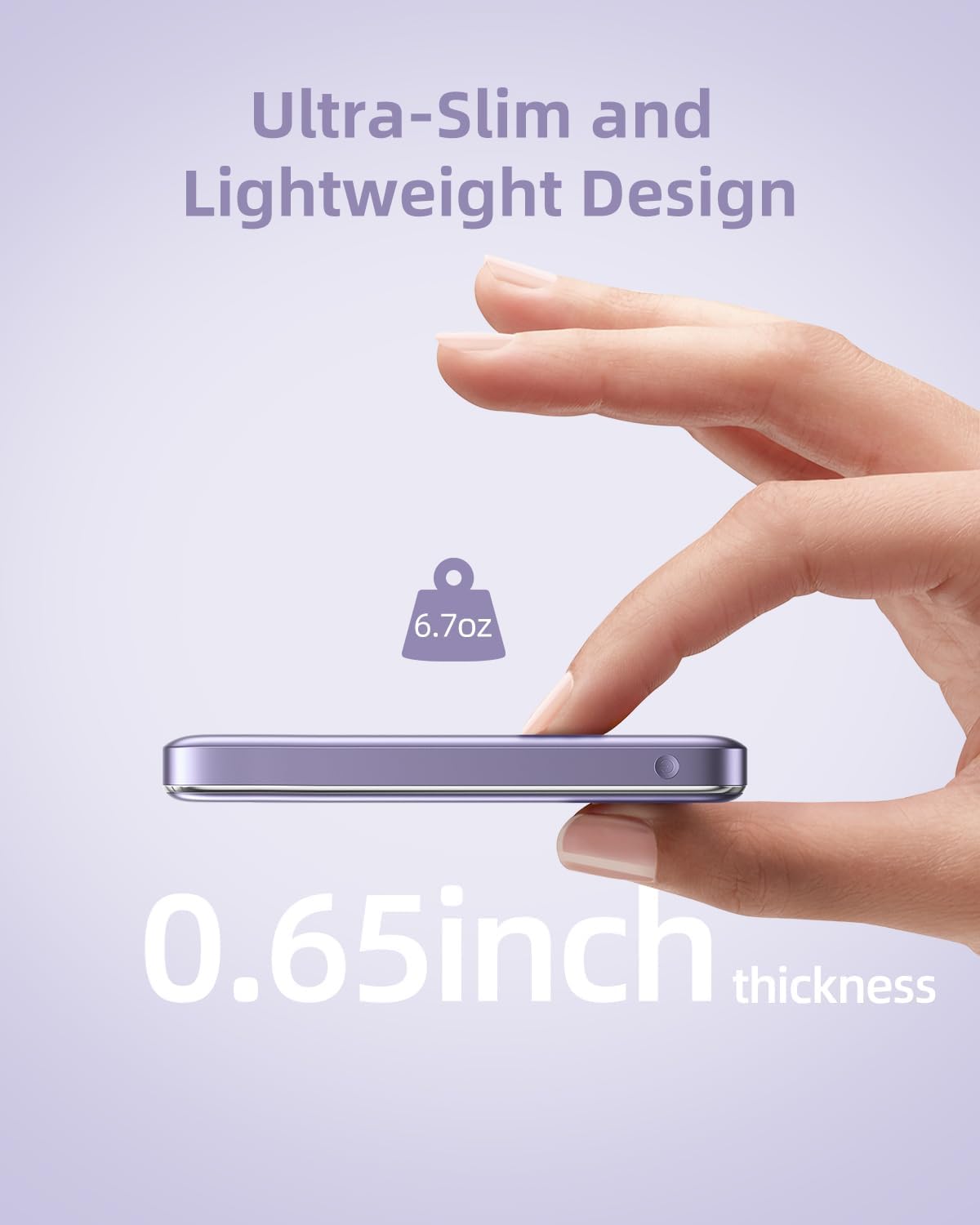
Image 8.1: The compact dimensions and light weight of the Innostyle Magnetic Wireless Power Bank.
| 특징 | 세부 사항 |
|---|---|
| 모델 번호 | IM20PD |
| 배터리 용량 | 10000밀리amp 시간(mAh) |
| 제품 치수 | 4.17 x 2.72 x 0.65 인치 |
| 품목 무게 | 6.7 온스 |
| 무선 충전 출력 | 맥스 맥스 맥스 |
| USB-C 입력/출력 | 20W 전력 공급(PD) |
| Lightning IN | 18와트 |
| 특별 기능 | Auto Shut-Off, Fast Charging, Pocket Size, Short Circuit Protection, Wireless Charging |
| 색상 | 보라 |
9. 안전 정보
- 모바일 기기를 극한의 온도(45°C 이상 또는 0°C 이하)에 노출시키지 마세요.
- 기기를 떨어뜨리거나, 분해하거나, 직접 수리하려고 하지 마세요.
- 물, 습기, 가연성 물질로부터 멀리하세요.
- 무선 충전 중에는 보조 배터리와 기기 사이에 금속 물체나 자기 카드를 놓지 마십시오.
- 전자 폐기물 처리 관련 지역 규정에 따라 보조 배터리를 폐기하십시오.
10. 보증 및 지원
For warranty information and customer support, please refer to the product packaging or visit the official Innostyle web해당 사이트를 이용하세요. 또한 구매 플랫폼을 통해 판매자에게 직접 문의하여 도움을 받을 수도 있습니다.
Manufacturer: INNOSTYLE (Innostyle Innovations Co., Limited)