
맥스시마 MEW-DM680
Maxxima Digital Dimmer Wall Light Switch User Manual
모델: MEW-DM680
1. 서론
제품 끝view
The Maxxima 3-Way/Single Pole Digital Dimmer Wall Light Switch is designed to provide versatile lighting control for your home or commercial space. It features a button-controlled dimmer with green LED indicator lights to display brightness levels. This switch is compatible with incandescent, halogen, and dimmable LED/CFL bulbs, offering a flexible solution for various lighting needs.
- 다양한 호환성: Supports both 3-way and single-pole wiring configurations.
- 밝기 표시기: Green LED lights clearly show the current dimming level.
- 대용량: Handles up to 600W for incandescent/halogen and 150W for dimmable LED/CFL.
- 중성선 필요 없음: Simplifies installation in many existing setups.
- 정확한 제어: Independent on/off button and dedicated dimming buttons for fine-tuning light levels.
- 조정 가능한 감도: Trim buttons allow for fine-tuning compatibility with various LED lamps.
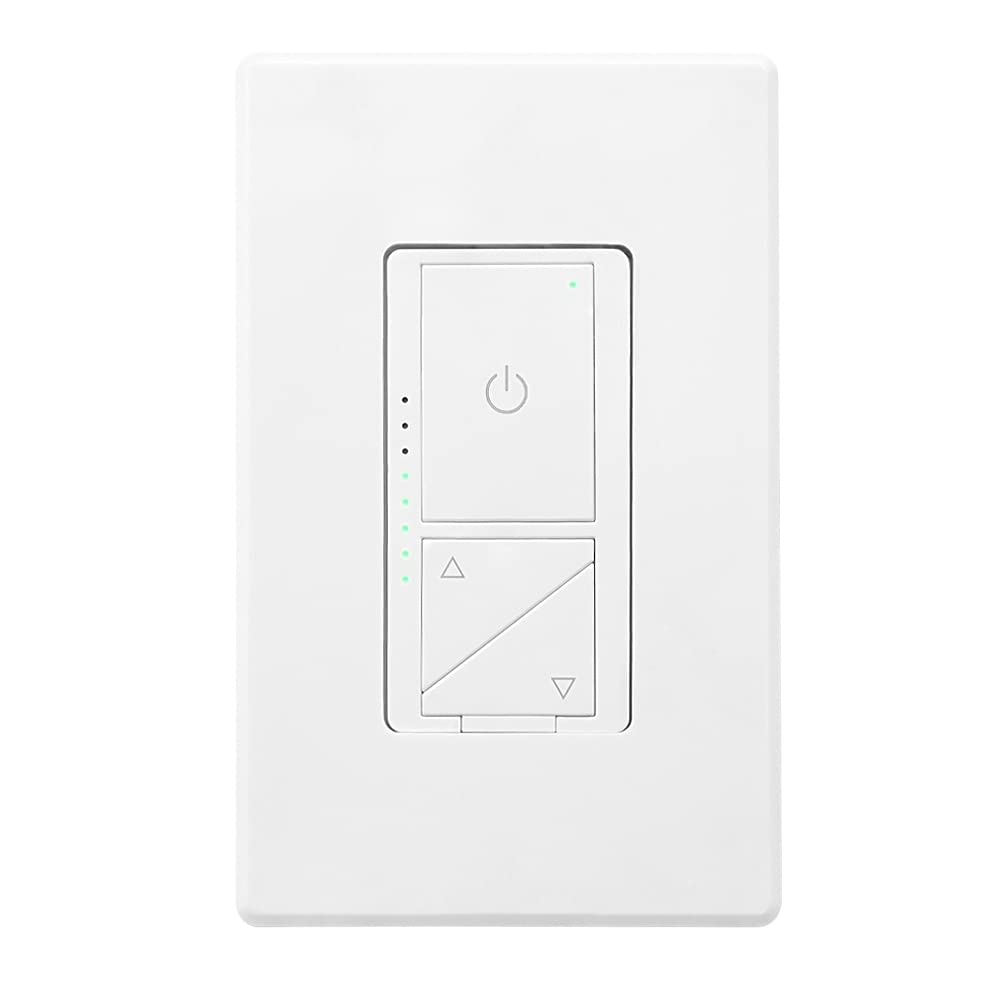
그림 1: 전면 view of the Maxxima Digital Dimmer Wall Light Switch.
2. 설정 및 설치
시작하기 전에
경고: To avoid fire, shock, or death, turn off power at the circuit breaker or fuse box and test that the power is off before wiring. Installation should be performed by a qualified electrician or a person with a thorough understanding of electrical wiring.
- Ensure the power is OFF at the circuit breaker before beginning installation.
- This dimmer is designed for use with 120VAC, 60Hz.
- Do NOT use with non-dimmable lighting or ceiling fans.
필요한 도구
- 드라이버(십자 드라이버 및 일자 드라이버)
- 전선 스트리퍼
- 전기 테이프
- 권tag전자 테스터
배선도
The Maxxima Digital Dimmer is compatible with both single-pole and 3-way wiring configurations. Refer to the detailed wiring instructions provided in the official installation manual for specific diagrams. The switch operates at 120VAC and does not require a neutral wire.

그림 2: 뒤로 view of the dimmer switch with wiring details.
설치 단계
- 전원 끄기: Locate the circuit breaker controlling the switch location and turn it OFF. Verify power is off using a voltag전자 테스터.
- 이전 스위치 제거: 벽면 콘센트 커버와 스위치를 벽면 박스에서 조심스럽게 제거합니다. 전선을 분리합니다.
- Wire the New Dimmer: Connect the wires from the wall box to the dimmer switch according to the wiring diagram in the full manual. Ensure all connections are secure.
- 디머 장착: Gently push the wired dimmer into the wall box. Secure it with the provided screws.
- 벽면 플레이트 부착: Snap the screwless wall plate onto the dimmer for a clean finish.
- 복원력 : 회로 차단기에서 전원을 다시 켜세요.

Figure 3: Maxxima Digital Dimmer Switch installed on a wall.
3. 운영
기본 제어
The Maxxima Digital Dimmer features intuitive controls for easy light management:
- 켜기/끄기 버튼: The large button with the power symbol (⏻) at the top controls the main power to the lights. Press once to turn lights ON or OFF.
- 밝기 조절 버튼: The two triangular buttons below the power button control the brightness. The top triangle increases brightness, and the bottom triangle decreases brightness.
Figure 4: Controls of the Maxxima Digital Dimmer Switch.
밝기 조정
밝기 수준을 조정하려면:
- 연속 디밍: Press and hold the up (▲) or down (▼) arrow button to smoothly increase or decrease the light intensity. Release the button when the desired brightness is reached.
- 사전 설정 레벨: Short-click the up (▲) or down (▼) arrow button to cycle through preset brightness levels.
- 표시등: The green LED lights on the left side of the switch illuminate to indicate the current brightness level. More lights mean brighter illumination.
감도 조정
For optimal performance with various LED lamps, the dimmer includes sensitivity adjustment trim buttons located below the cover plate. These allow you to fine-tune the dimmer's response to prevent flickering or ensure proper dimming range.

Figure 5: Trim buttons for sensitivity adjustment located under the cover plate.
4. 유지관리
The Maxxima Digital Dimmer Wall Light Switch requires minimal maintenance. Follow these guidelines to ensure its longevity and proper function:
- 청소: To clean the switch and wall plate, gently wipe with a soft, damp cloth. Do NOT use abrasive cleaners, solvents, or chemical sprays, as these can damage the finish or internal components.
- 점검: 스위치에 손상, 연결 불량, 또는 비정상적인 작동 흔적이 있는지 정기적으로 점검하십시오. 문제가 발견되면 회로 차단기의 전원을 끄고 자격을 갖춘 전기 기술자에게 문의하십시오.
- 사용자가 수리할 수 없는 부품: There are no user-serviceable parts inside the dimmer. Do not attempt to open or repair the unit yourself.
5. 문제 해결
If you experience issues with your Maxxima Digital Dimmer, refer to the table below for common problems and their solutions.
| 문제 | 가능한 원인 | 해결책 |
|---|---|---|
| 불이 켜지지 않습니다. | No power to the switch; Loose wiring connection; Burnt-out bulb. | Check circuit breaker; Verify wiring connections are secure; Replace bulb. |
| 조명이 어두워지거나 깜빡이지 않습니다. | Non-dimmable bulbs; Incompatible LED/CFL bulbs; Sensitivity not adjusted. | Ensure dimmable bulbs are used; Adjust sensitivity using trim buttons (refer to Section 3); Try different brand/type of dimmable LED/CFL. |
| 디머는 만지면 따뜻합니다. | 정상 작동; 과부하. | Slight warmth is normal. If excessively hot, turn off power and check total wattage of connected bulbs. Do not exceed maximum capacity. |
| LED indicator lights are not working. | 내부 오류입니다. | Contact Maxxima customer support for assistance. |
If the problem persists after attempting these solutions, please contact Maxxima customer support or a qualified electrician.
6. 사양
| 사양 | 세부 사항 |
|---|---|
| 모델 번호 | MEW-DM680 |
| 제품 치수 | 1.74” W x 4.14” L x 1.28” D (4 x 2 x 1 inches) |
| 무게 | 5.29 온스 |
| 입력 Voltage | 120VAC, 60Hz |
| Max. Incandescent/Halogen Load | 600와트 |
| Max. Dimmable LED/CFL Load | 150와트 |
| 배선 유형 | 단극 또는 3방향 |
| 중성선 필요 | 아니요 |
| 작동 모드 | 수동 |
| 인증 | ETL 등록됨 |
| 포함된 액세서리 | 나사 없는 벽면 플레이트 |
7. 보증 및 지원
보증 정보
The Maxxima Digital Dimmer Wall Light Switch (Model: MEW-DM680) comes with a 2년 보증 from the date of purchase. This warranty covers defects in materials and workmanship under normal use. It does not cover damage resulting from improper installation, misuse, abuse, or unauthorized modifications.
고객 지원
For technical assistance, troubleshooting, or warranty claims, please contact Maxxima customer support:
- Web대지: Visit the official Maxxima web지원 리소스와 연락처 정보를 제공하는 사이트입니다.
- 이메일: Refer to your product packaging or the Maxxima web고객 서비스 이메일 주소입니다.
- 핸드폰: Refer to your product packaging or the Maxxima web고객 서비스 전화번호 안내 사이트입니다.
You can also find the official Installation Manual (PDF) for this product 여기.
Ask a question about this manual
Ask about setup, troubleshooting, compatibility, parts, safety, or missing instructions. Manuals+ will review the question and use this page’s manual context to help answer it.