
1. 서론
This manual provides detailed instructions for the Waveshare RS485 CAN Expansion Board, designed for seamless integration with the Jetson Nano. The board offers robust RS485 and CAN communication capabilities, featuring digital isolation and built-in protection circuits for enhanced reliability in various applications.
2. 패키지 내용물

The image displays the Waveshare RS485 CAN Expansion Board along with mounting hardware (standoffs and screws) included in the package.
패키지에는 일반적으로 다음이 포함됩니다.
- Waveshare RS485 CAN Expansion Board
- Mounting hardware (standoffs and screws)
3. 특징
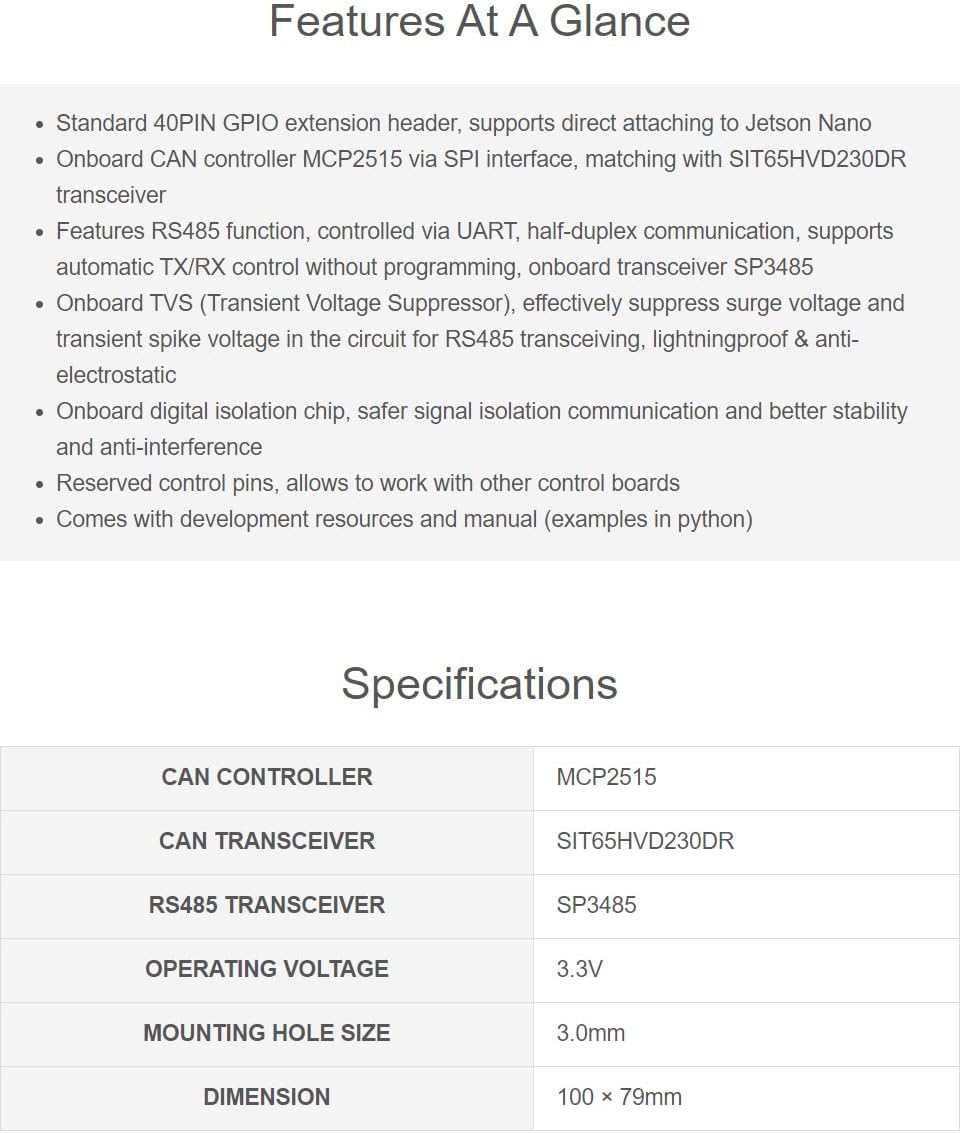
오버view of the key features of the RS485 CAN Expansion Board, including its GPIO header, CAN controller, RS485 function, TVS, and digital isolation.
- Standard 40-pin GPIO extension header for direct attachment to Jetson Nano.
- Onboard CAN controller MCP2515 via SPI interface, paired with SIT65HVD230DR transceiver.
- Integrated digital isolation chip for safer signal communication, improved stability, and anti-interference.
- RS485 function controlled via UART, supporting half-duplex communication with automatic TX/RX control (no programming required). Onboard transceiver SP3485.
- Onboard Transient Voltage Suppressor (TVS) for effective suppression of surge voltage 및 과도 스파이크 voltage in the RS485 transceiving circuit, providing lightning protection and anti-electrostatic capabilities.
- Reserved control pins allow compatibility with other control boards.
- 3.3V 작동 볼륨tage.
- 3.0mm mounting hole size.
4. 사양
Detailed technical specifications of the Waveshare RS485 CAN Expansion Board, including controller types, operating voltage, 그리고 차원.
| 매개변수 | 값 |
|---|---|
| CAN 컨트롤러 | MCP2515 |
| CAN 트랜시버 | SIT65HVD230DR |
| RS485 트랜시버 | SP3485 |
| 운영 볼륨tage | 3.3V |
| 장착 구멍 크기 | 3.0mm |
| 차원 | 100 년 × 79mm |
5. What's On Board (Component Overview)

An annotated diagram highlighting the main components on the RS485 CAN Expansion Board, including the CAN controller (MCP2515), CAN transceiver (SIT65HVD230DR), RS485 transceiver (SP3485), digital isolator (ADUM1412), power isolator (B0505LS), and indicators.
- CAN Controller: MCP2515
- CAN Transceiver: SIT65HVD230DR
- RS485 Transceiver: SP3485
- Power Isolator: B0505LS
- Digital Isolator Chip: ADUM1412
- Optocoupler Isolation Chip: PC817X3CSP9F
- TVS(트랜지언트 볼륨tage 억제기)
- RXD & TXD Indicator
- 전원 표시기
- Power Chip: RT9193-33
6. 핀 정의

A diagram illustrating the pinout and functions of the 40-pin GPIO header on the RS485 CAN Expansion Board, showing 5V, GND, RS485 TX/RX, CAN SPI, and other control pins.
The 40-pin GPIO header provides the following connections:
- 5V : 5V 전원 공급 장치
- GND : 지면
- TX : RS485 전송
- RX : RS485 수신
- P17: Not connected, automatic TX/RX control by default
- 모시: CAN SPI Data Input
- 미소: CAN SPI Data Output
- SCK: CAN SPI Clock Input
- CE0: CAN SPI Chip Select
- 언어: CAN SPI Interrupt
7. 설정 및 설치

This image shows the Waveshare RS485 CAN Expansion Board connected to a Jetson Nano B01 4GB Version and a 2GB Version, demonstrating how it attaches to the 40-pin GPIO header.
- Prepare Jetson Nano: Ensure your Jetson Nano is powered off and disconnected from any power source.
- Attach Expansion Board: Carefully align the 40-pin GPIO header of the RS485 CAN Expansion Board with the corresponding header on your Jetson Nano. Gently press down until the board is securely seated.
- 하드웨어로 보안: Use the provided standoffs and screws to firmly attach the expansion board to the Jetson Nano, ensuring stability.
- 주변기기 연결: Connect your RS485 or CAN devices to the appropriate terminal blocks on the expansion board. Ensure correct polarity for RS485 (A, B, G) and CAN (H, L, G) connections.
- 전원 켜기: Once all connections are secure, power on your Jetson Nano.
8. 사용 설명서
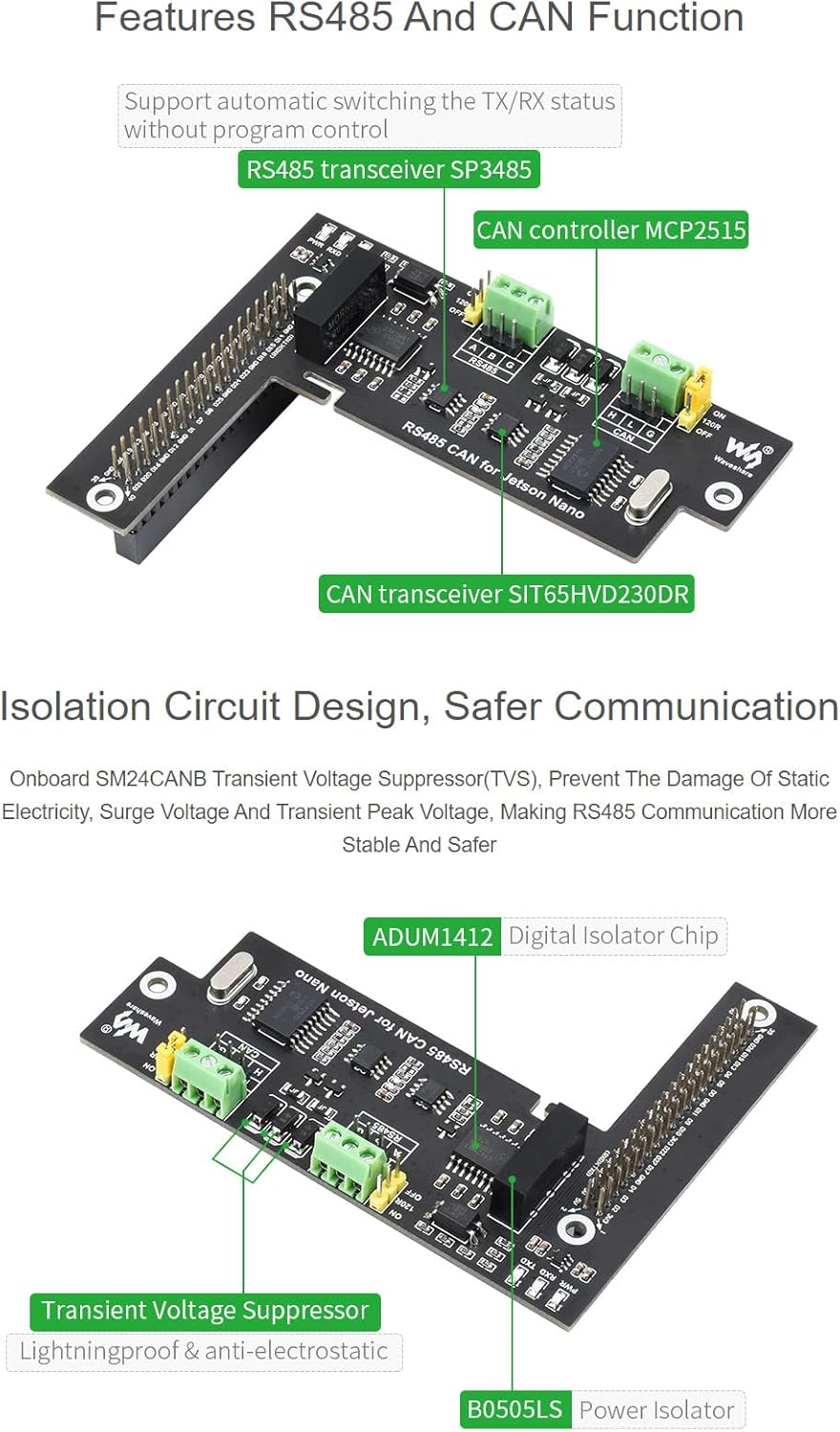
A visual representation of the RS485 and CAN functions on the board, highlighting the SP3485 RS485 transceiver, MCP2515 CAN controller, and SIT65HVD230DR CAN transceiver, and noting automatic TX/RX status switching.
8.1 RS485 통신
- The RS485 function operates via the UART interface of the Jetson Nano.
- It supports half-duplex communication.
- The onboard SP3485 transceiver features automatic TX/RX control, eliminating the need for software-based direction control.
- Refer to the Jetson Nano documentation for configuring the UART pins for communication.
8.2 CAN 통신
- The CAN function is managed by the MCP2515 controller, which communicates with the Jetson Nano via the SPI interface.
- The SIT65HVD230DR acts as the CAN transceiver.
- Ensure the SPI interface on your Jetson Nano is enabled and configured correctly.
- Software libraries and examples for CAN communication on Jetson Nano are typically available from Waveshare's official resources.
8.3 120R Resistor Selection
The board includes jumpers for enabling or disabling the 120Ω termination resistors for both RS485 and CAN buses. Set these jumpers according to your network topology:
- 에: Enables the 120Ω termination resistor. Typically used at the ends of a bus line.
- OFF : Disables the 120Ω termination resistor. Used for intermediate nodes on a bus line.
9. 유지관리
The Waveshare RS485 CAN Expansion Board is designed for durability and requires minimal maintenance. Follow these guidelines to ensure optimal performance and longevity:
- 깨끗하게 유지하십시오: 먼지와 이물질을 제거하기 위해 부드럽고 마른 브러시나 압축 공기를 사용하여 정기적으로 보드를 청소하십시오. 액체나 독한 화학 약품은 사용하지 마십시오.
- 환경 조건: Operate the board within its specified temperature and humidity ranges. Avoid extreme conditions.
- 보안 연결: Periodically check all connections (GPIO header, terminal blocks) to ensure they are secure and free from corrosion.
- 펌웨어 업데이트: Keep your Jetson Nano's operating system and any relevant communication libraries updated to benefit from performance improvements and bug fixes.
10. 문제 해결
If you encounter issues with your RS485 CAN Expansion Board, consider the following troubleshooting steps:
- 전원 없음/표시등 꺼짐:
- Ensure the Jetson Nano is powered on correctly.
- Verify the expansion board is securely seated on the Jetson Nano's GPIO header.
- 통신 오류(RS485/CAN):
- Check wiring connections to external devices for correct polarity and secure contact.
- Verify the 120Ω termination resistor jumpers are set correctly for your network configuration.
- For RS485, confirm UART settings (baud rate, parity, stop bits) match between the Jetson Nano and the connected device.
- For CAN, ensure the SPI interface is enabled and configured on the Jetson Nano, and that CAN bus parameters (baud rate) are consistent.
- Check for conflicts with other devices or software using the same UART or SPI pins.
- 간헐적인 연결:
- 연결 부위가 헐거워졌거나 케이블이 손상되었는지 점검하십시오.
- Ensure proper grounding of all connected devices.
- Environmental interference might be a factor; ensure proper shielding if necessary.
- 소프트웨어 문제:
- Consult Waveshare's official documentation and examples for software setup and usage.
- Ensure necessary drivers or libraries are installed and correctly configured on your Jetson Nano.
11. 외형 치수

A technical drawing showing the precise dimensions of the Waveshare RS485 CAN Expansion Board in millimeters, useful for integration and enclosure design.
The board dimensions are approximately 100mm x 79mm. Refer to the diagram for detailed measurements and mounting hole positions.
12. 추가 리소스
12.1 공식 제품 영상
An official product video from Waveshare demonstrating the RS485 CAN Expansion Board for Jetson Nano, showcasing its features and potential applications.
12.2 Online Documentation
For the latest documentation, development resources, and example code (including Python examples), please visit the official Waveshare product page or their Wiki.
13. 보증 및 지원
Information regarding product warranty and technical support can typically be found on the Waveshare official website or through your point of purchase. Please refer to those resources for details.