
HOCO X70 - White
HOCO X70 페리 충전 및 데이터 전송 케이블 사용 설명서
Model: X70 - White
1. 서론
Thank you for choosing the HOCO X70 Ferry Charging and Data Transmission Cable. This cable is designed to provide efficient charging and reliable data transfer for your Apple devices, including iPhone, iPad, and AirPods. Please read this manual carefully to ensure proper use and maintenance of your cable.
2. 제품 오버view

그림 2.1: HOCO X70 Ferry Cable showing USB-A and Lightning connectors.
This image displays the full length of the HOCO X70 cable, highlighting its USB-A connector on one end and the Lightning connector on the other. The cable features a durable white nylon weave exterior.
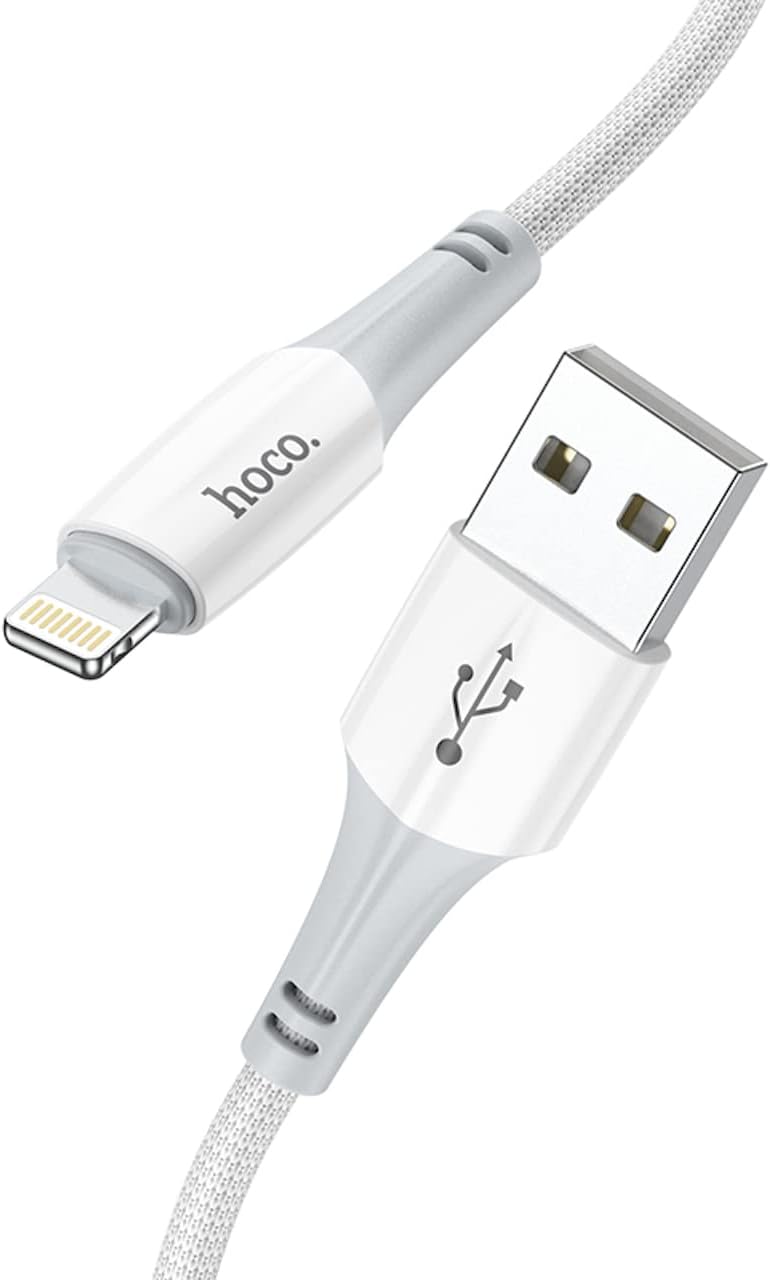
그림 2.2: 클로즈업 view of the HOCO X70 cable's connectors.
자세한 view of both the USB-A and Lightning connectors of the HOCO X70 cable, emphasizing the quality of the ABS+TPE joint material and the braided cable design.

그림 2.3: HOCO X70 cable coiled for easy storage.
This image shows the HOCO X70 cable neatly coiled, demonstrating its flexibility and ease of storage. Both the USB-A and Lightning connectors are visible.
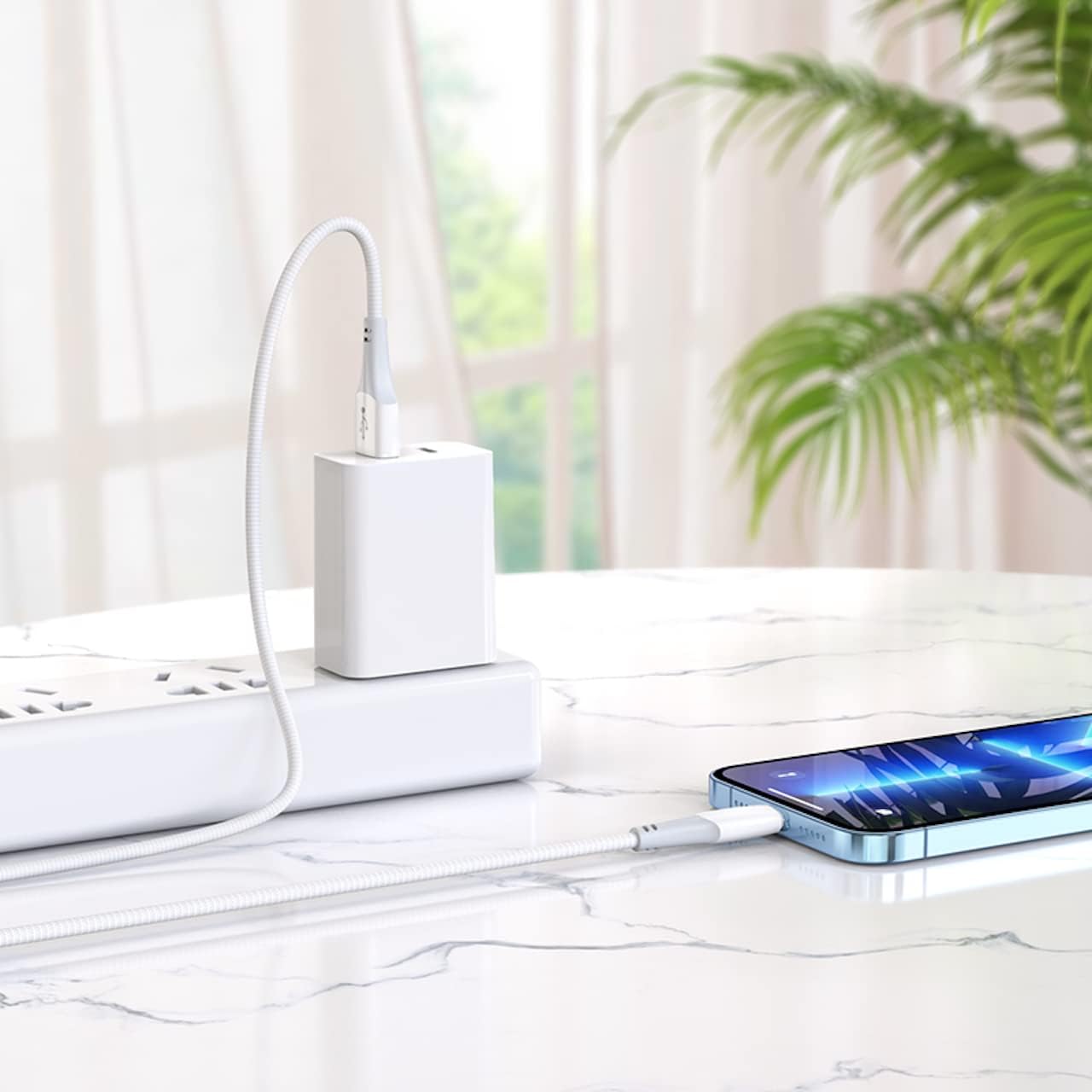
그림 2.4: HOCO X70 cable connected to a power adapter and iPhone.
An illustrative image showing the HOCO X70 cable in action, connecting an iPhone to a wall charger, demonstrating its practical application for charging.

그림 2.5: Retail packaging for the HOCO X70 cable.
The front and back of the HOCO X70 cable's retail packaging, displaying key features like "Fast Charging" and "2.4A Output Max," along with product specifications and manufacturer information.
3. 사양
| 특징 | 세부 사항 |
|---|---|
| 모델 | X70 - White |
| 길이 | 1 meter (1m) |
| 무게 | 22 grams (22g) |
| 겉감 소재 | Nylon weave |
| Joint Material | ABS+TPE |
| 핵심 사양 | (43/0.08)*2C+(16/0.08)*2 OD3.5mm |
| Current Support | 최대 2.4A |
| 커넥터 유형(입력) | USB-A |
| 커넥터 유형(출력) | 번개 플러그 |
| 호환성 | Apple iPhone, iPad, AirPods |
| 제조업체 | 호코 |
| ASIN | B0B3HDK7XG |
4. 설정 및 연결
The HOCO X70 cable is designed for plug-and-play functionality. Follow these simple steps to connect your device:
- 충전:
- Insert the USB-A end of the cable into a compatible USB power adapter (e.g., wall charger, car charger) or a USB port on a computer.
- Insert the Lightning end of the cable into the charging port of your Apple iPhone, iPad, or AirPods.
- 두 연결이 모두 안전한지 확인하십시오. 기기에 충전 중이라는 표시가 나타날 것입니다.
- For Data Transmission:
- Insert the USB-A end of the cable into an available USB port on your computer (PC or Mac).
- Insert the Lightning end of the cable into the port of your Apple iPhone or iPad.
- Your computer should recognize the connected device. You can then use iTunes, Finder, or other file 데이터 전송용 관리 소프트웨어.
5. 사용 설명서
The HOCO X70 cable operates automatically once connected. No special software or drivers are required for its basic function.
- 충전 중: The cable supports up to 2.4A current, allowing for efficient charging of compatible devices. Charging speed may vary depending on the power adapter used and the device's battery status.
- 데이터 동기화: When connected to a computer, the cable facilitates high-speed data transfer for syncing photos, videos, music, and other files between your Apple device and computer.
- 동시 사용: You can charge your device while simultaneously transferring data, provided the connected USB port supports both functions.
6. 관리 및 유지 보수
To ensure the longevity and optimal performance of your HOCO X70 cable, please follow these maintenance guidelines:
- 조심스럽게 다루십시오: Always grasp the connector head when plugging or unplugging the cable. Avoid pulling directly on the cable itself, as this can damage the internal wires or the connector joints.
- 저장: When not in use, coil the cable loosely. Avoid tight coiling or sharp bends, which can stress the cable and lead to damage over time. Store in a cool, dry place away from direct sunlight.
- 청소: If the cable or connectors become dirty, gently wipe them with a soft, dry, lint-free cloth. Do not use liquid cleaners or abrasive materials.
- 극한의 환경을 피하세요: Do not expose the cable to extreme temperatures, humidity, or corrosive substances.
- 정기적으로 검사하세요: Periodically check the cable for any signs of wear, fraying, or damage to the connectors. Discontinue use if any damage is observed.
7. 문제 해결
If you encounter issues with your HOCO X70 cable, refer to the following common troubleshooting steps:
- 장치가 충전되지 않음:
- Ensure both ends of the cable are securely plugged into the power source and your device.
- 다른 전원 어댑터나 USB 포트를 사용해 보세요.
- 다른 호환 장치로 케이블을 테스트하여 장치 특정 문제를 배제하세요.
- Check the charging port on your device for any debris or lint that might be obstructing the connection.
- 데이터 전송 문제:
- Ensure the USB-A end is connected to a data-enabled USB port on your computer, not just a charging-only port.
- Restart your computer and your Apple device.
- Update your computer's operating system and iTunes/Finder software to the latest version.
- Check your device's settings to ensure it allows data access when connected to a computer.
- 간헐적인 연결:
- This could indicate a damaged cable. Inspect the cable for any visible signs of wear or fraying, especially near the connectors.
- 커넥터가 깨끗하고 먼지나 이물질이 없는지 확인하십시오.
이러한 단계를 시도한 후에도 문제가 지속되면 케이블에 결함이 있을 수 있으므로 교체해야 합니다.
8. 보증 및 지원
HOCO products are manufactured with high-quality standards. For information regarding warranty coverage and customer support, please refer to the warranty card included with your product packaging or visit the official HOCO web사이트. 보증 청구를 위해 구매 증빙 자료를 보관하세요.
For further assistance, you may contact HOCO customer service through their official channels. Contact details are typically available on the product packaging or their web대지.
Ask a question about this manual
Ask about setup, troubleshooting, compatibility, parts, safety, or missing instructions. Manuals+ will review the question and use this page’s manual context to help answer it.