
소개
This manual provides detailed instructions for the proper use and care of your Hoco UA17 USB-C Male to USB 3.0 Female Adapter. Please read this manual thoroughly before using the product to ensure optimal performance and longevity.
제품 끝view
The Hoco UA17 is a compact and versatile adapter designed to connect USB-A devices to USB-C enabled hosts. It supports data transmission, On-The-Go (OTG) functionality, and various charging capabilities.
주요 특징:
- 커넥터 유형: USB-C Male to USB 3.0 Female.
- 데이터 전송: 고속 데이터 전송을 지원합니다.
- OTG 기능: Enables connection of peripherals like keyboards, mice, or USB drives to compatible smartphones and tablets.
- 충전 지원:
- With USB-A to Lightning cable: Charges iP interface devices at 5V/2A (does not support PD fast charging).
- With USB-A to USB-C cable: Charges USB-C interface devices with a maximum current of 4A.
- Fast Charge Compatibility: Supports fast charging for Huawei, Xiaomi, and OPPO mobile phones.
- 설계: Compact and portable with a matte finish.
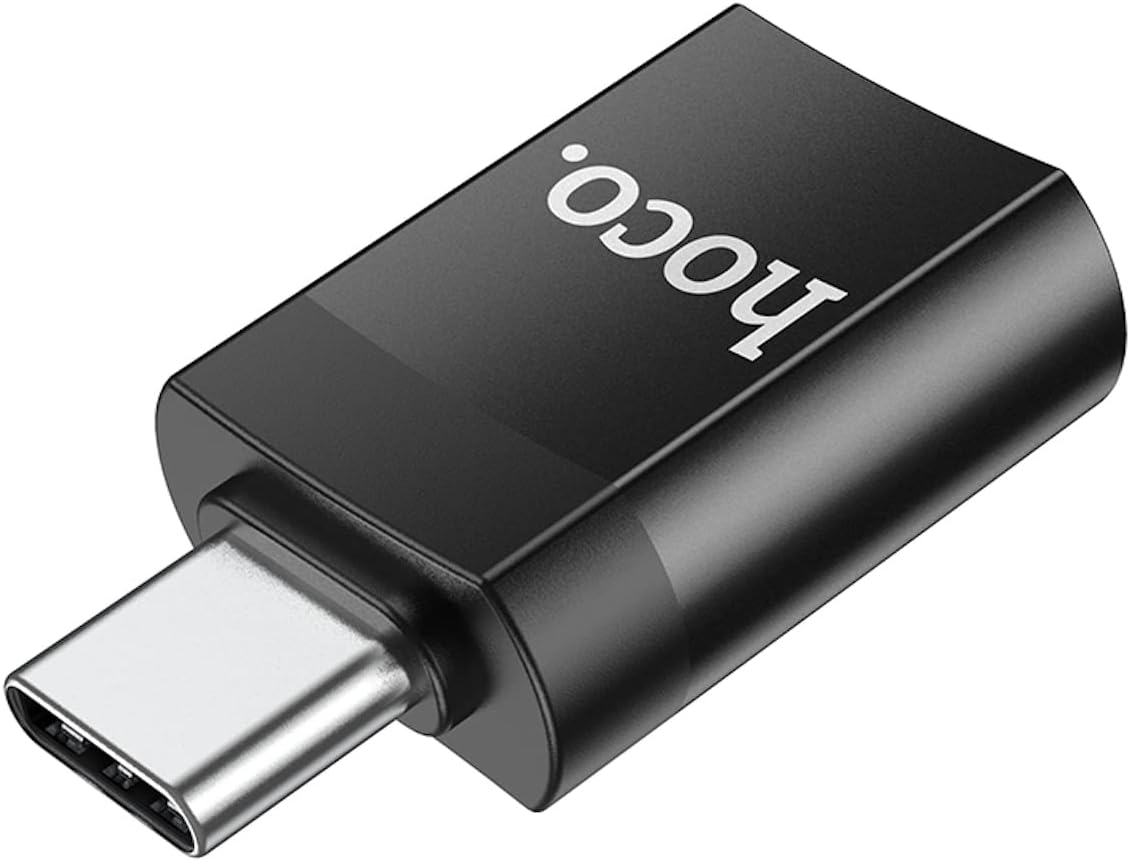
그림 1: 상단 view of the Hoco UA17 adapter, highlighting its compact design and USB-C male connector.
설정
The Hoco UA17 adapter is designed for plug-and-play functionality, requiring no additional drivers or software installation.
- 포트 식별: Locate the USB-C port on your host device (e.g., smartphone, tablet, laptop) and the USB-A port on your peripheral device (e.g., USB flash drive, keyboard, charging cable).
- Connect Adapter to Host: Insert the USB-C male connector of the Hoco UA17 adapter into the USB-C port of your host device. Ensure it is fully seated.
- 주변기기 연결: Insert the USB-A male connector of your peripheral device (or USB-A end of a charging cable) into the USB 3.0 female port of the Hoco UA17 adapter.

그림 2: 측면 view of the Hoco UA17 adapter, showing the USB 3.0 female port where peripheral devices connect.
작동 지침
Data Transfer and OTG Function:
Once connected, your host device should automatically recognize the connected peripheral. For data transfer, navigate to your device's file manager to access the connected storage device. For OTG functionality, ensure your host device supports OTG and the peripheral is compatible.

Figure 3: The Hoco UA17 adapter facilitating OTG function, connecting a USB flash drive to a smartphone.
충전 기능:
The adapter supports charging for various devices. Connect the appropriate USB-A charging cable to the adapter, and then connect the other end to your device.
- For iP interface devices (e.g., iPhone, iPad): Use a USB-A to Lightning cable. The adapter will provide 5V/2A charging. Note that PD (Power Delivery) fast charging is not supported through this adapter for these devices.
- For USB-C interface devices: Use a USB-A to USB-C cable. The adapter can deliver a maximum current of 4A, supporting fast charging for compatible devices like Huawei, Xiaomi, and OPPO phones.

Figure 4: The Hoco UA17 adapter in use for charging a smartphone via a wall adapter.
유지
To ensure the longevity and proper functioning of your Hoco UA17 adapter, follow these maintenance guidelines:
- 청소: Use a soft, dry cloth to wipe the adapter. Avoid using liquid cleaners or solvents, as they may damage the product.
- 저장: 어댑터는 직사광선과 극한의 온도를 피해 서늘하고 건조한 곳에 보관하세요.
- 손질: Avoid dropping the adapter or subjecting it to strong impacts. Do not force connectors into ports.
- 수분: 어댑터를 물과 높은 습도로부터 멀리하십시오.
문제 해결
If you encounter issues with your Hoco UA17 adapter, refer to the following common solutions:
- 어댑터가 인식되지 않음:
- Ensure the adapter is fully inserted into the USB-C port of your host device.
- Try connecting the adapter to a different USB-C port on your device, if available.
- Test the adapter with a different peripheral device to rule out peripheral issues.
- 호스트 장치를 다시 시작합니다.
- Peripheral Not Functioning (OTG):
- Verify that your host device supports OTG functionality.
- Ensure the peripheral device is compatible with your host device via OTG.
- Some high-power peripherals may require external power, which this adapter does not provide.
- 충전이 느리거나 충전이 안됨:
- Check if the charging cable is securely connected to both the adapter and the device.
- Ensure the power source (wall adapter, power bank) is functioning correctly and provides sufficient power.
- Confirm that the charging cable itself is not faulty.
- Remember that PD fast charging is not supported for iP interface devices through this adapter.
명세서
| 특징 | 세부 사항 |
|---|---|
| 모델 번호 | UA17 |
| 커넥터 유형 | USB-C Male to USB 3.0 Female |
| 데이터 전송 | 지원됨 |
| OTG 기능 | 지원됨 |
| 입력 Voltage | 5 볼트 |
| 현재 평가 | 최대 4개 Amps |
| 제품 치수 | 3.5 x 2 x 1cm(35 x 20 x 10mm) |
| 품목 무게 | 3그램 |
| 포트 수 | 1 (USB 3.0 Female) |
| 마무리 유형 | 매트 |
| 제조업체 | 호코 |

Figure 5: Product packaging for the Hoco UA17, displaying key features and specifications.
For more information, visit the official Hoco website or refer to the product packaging. UPC: 6931474762016
보증 및 지원
For warranty information and customer support, please refer to the documentation included with your purchase or visit the official HOCO web사이트. 보증 청구에 대비해 구매 증빙 자료로 구매 영수증을 보관하세요.