
소개
This user manual provides comprehensive instructions for the installation, operation, and maintenance of your Haloview BTC128 Wireless FHD 1080P High Definition Rear View Camera. Designed for seamless integration with Haloview BT7/BT6 systems, this camera enhances visibility and safety for your vehicle. Please read this manual thoroughly before installation and use to ensure proper function and longevity of the product.
안전 정보
- Ensure all power connections are secure and correctly polarized to prevent electrical damage.
- 카메라를 분해하거나 개조하지 마십시오. 보증이 무효화될 수 있으며 손상이 발생할 수 있습니다.
- Keep the camera and its components away from extreme temperatures, direct sunlight for prolonged periods, and corrosive substances.
- When cleaning, use a soft, dry cloth. Avoid abrasive cleaners or solvents.
- Always ensure the antenna is securely tightened to maintain optimal signal strength.
패키지 내용
패키지를 열면 다음 구성품이 모두 포함되어 있는지 확인하세요.
- BTC128 카메라
- 틈 메우는 물건
- Camera conversion cable
- 사용자 설명서

Figure 1: Package Contents. This image displays the BTC128 camera, a gasket, a camera conversion cable, and the user manual, illustrating all items included in the product package.
제품 끝view
헤일로view BTC128 camera is a robust, high-definition wireless camera designed for rear view applications. It features a durable housing and an integrated antenna for reliable signal transmission.

그림 2: 전면 view of the BTC128 camera. This image shows the camera's lens, surrounding LED lights, and the attached wireless antenna.
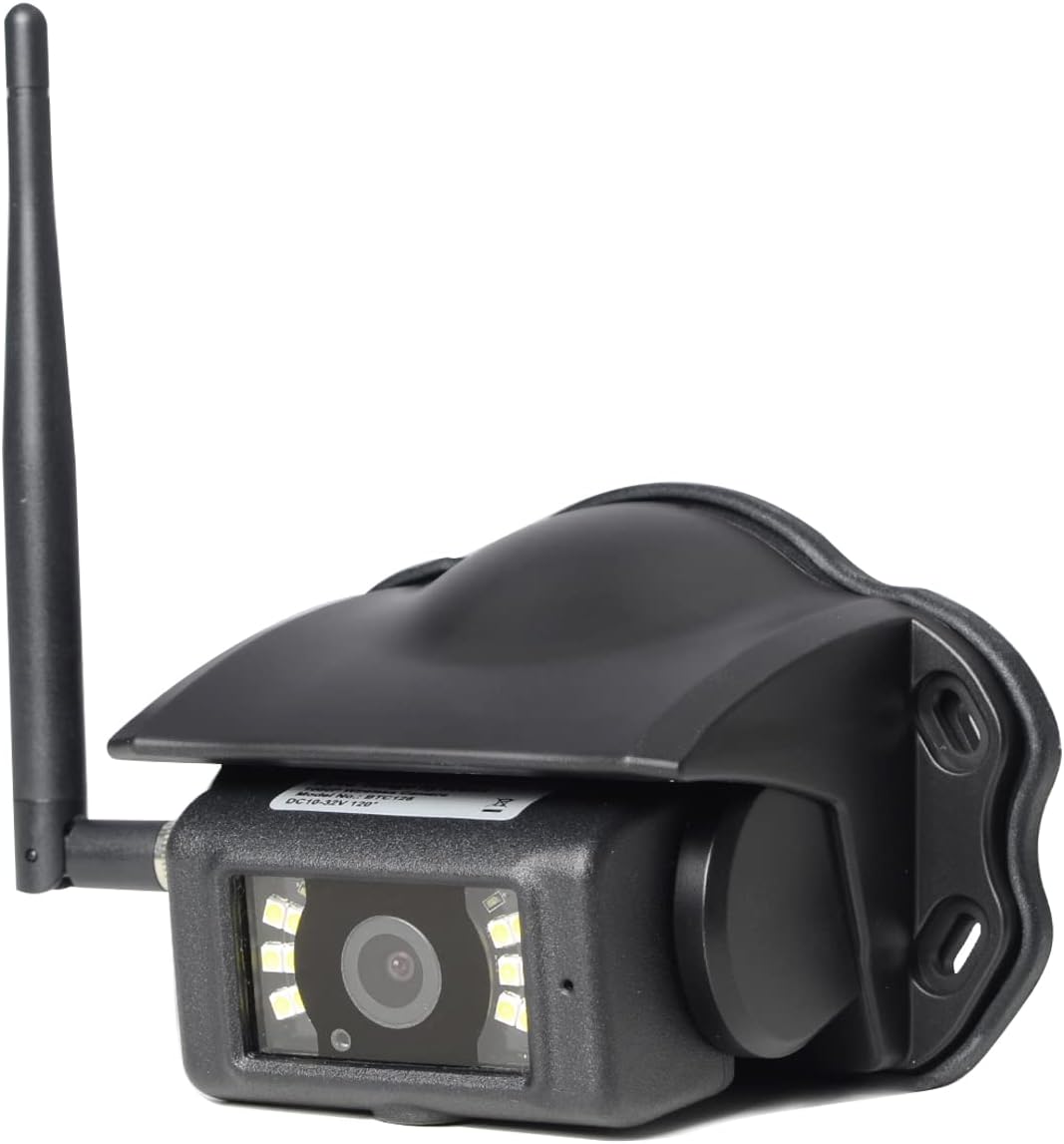
그림 3: 각도 view of the BTC128 camera. This perspective highlights the camera's protective housing and the angle of the antenna.
설정
1. 카메라 장착
The BTC128 camera is designed for surface mounting. Choose a location that provides a clear, unobstructed view of the area you wish to monitor. Ensure the mounting surface is flat and stable. Use the provided gasket as a template for drilling pilot holes if necessary, and secure the camera using appropriate fasteners (not included, as mounting hardware varies by application).

그림 4: 측면 view of the BTC128 camera. This image illustrates the camera's profile and the pre-drilled mounting holes on its base.
2. 전원 연결
Connect the camera to a stable power source (DC 10-32V) using the camera conversion cable. Ensure proper polarity. The camera is compatible with 12V and 24V vehicle electrical systems. The cable typically includes a trigger wire for specific system integrations, if applicable to your setup.
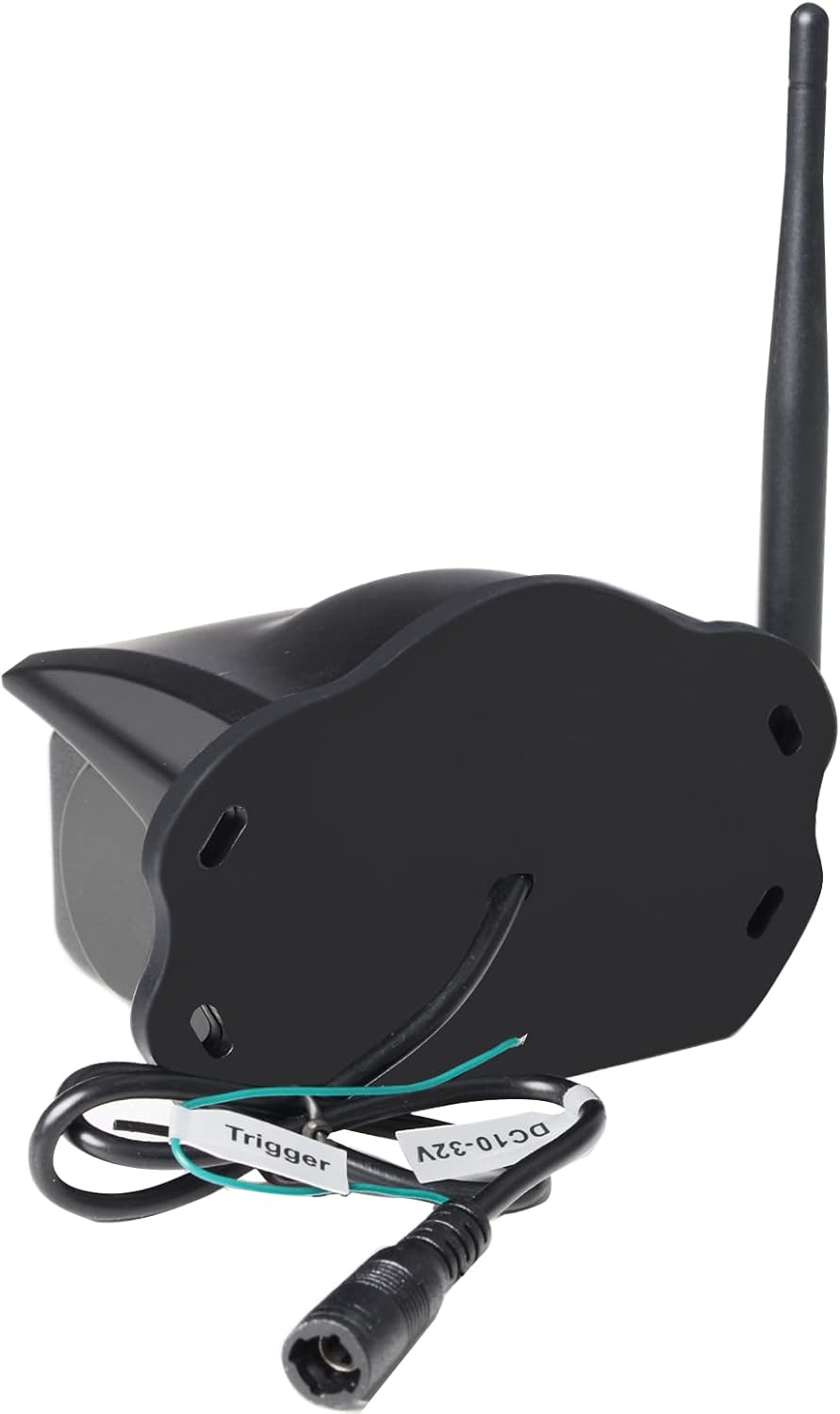
그림 5: 후면 view of the BTC128 camera. This image shows the power input port and the labeled trigger wire for electrical connection.
3. Pairing with Haloview BT7/BT6 System
Refer to your Haloview BT7 or BT6 monitor's user manual for specific instructions on pairing the BTC128 camera. Generally, the process involves activating pairing mode on the monitor and then powering on the camera. The system should automatically detect and connect to the camera.
운영
View카메라 피드
Once paired, the camera feed will be displayed on your Haloview BT7/BT6 monitor. The camera provides a Full HD 1080P resolution image, offering clear and detailed visuals. The system allows for real-time viewing, which is crucial for backing up or monitoring blind spots.
저조도 성능
The BTC128 camera is equipped with white-light LEDs to illuminate the area in low-light conditions. These LEDs provide visible light to enhance the camera's image clarity at night. Please note: This system utilizes white-light illumination, not infrared (IR) night vision.
유지
- 청소: 카메라 렌즈와 하우징을 부드러운 천으로 정기적으로 닦아주세요.amp cloth to remove dirt, dust, or water spots. Do not use harsh chemicals or abrasive materials.
- 안테나 점검: Periodically check the antenna connection to ensure it remains tight and secure. A loose antenna can lead to signal degradation.
- 케이블 검사: Inspect the power cable and conversion cable for any signs of wear, fraying, or damage. Replace if necessary.
문제 해결
| 문제 | 가능한 원인 | 해결책 |
|---|---|---|
| 모니터에 이미지가 없습니다 | Camera not powered, not paired, or signal interference. | Check power connection. Re-pair the camera with the monitor. Ensure no large metallic objects are blocking the signal path. |
| 이미지가 흐릿하거나 불분명합니다 | Dirty lens, condensation, or camera not focused (if adjustable). | Clean the camera lens. Allow time for condensation to dissipate. |
| Intermittent signal or flickering image | Loose antenna, signal interference, or distance too great. | Tighten the antenna. Reduce distance between camera and monitor if possible. Check for other wireless devices causing interference. |
| 카메라가 켜지지 않음 | 전원이 들어오지 않고 볼륨이 틀립니다tag또는 배선 불량. | 전원 전압을 확인하십시오.tage (10-32V). Check all wiring connections for continuity and correct polarity. |
명세서
| 특징 | 세부 사항 |
|---|---|
| 모델 | 비트코인128 |
| 장착 유형 | 표면 실장 |
| 비디오 캡처 해상도 | 1080p (FHD) |
| 무선 통신 기술 | 와이파이 |
| 권tage | 10-32 볼트 DC |
| 품목 무게 | 1.04파운드(0.47킬로그램) |
| 국제 보호 등급 | IP67 |
| 패키지 크기 | 7.64 x 5.91 x 4.02 인치 |
| 호환 장치 | 후광view BT7/BT6 Systems |
| 실내/실외 사용 | 실내, 실외 |
| 비디오 캡처 형식 | MPEG-4 |
| 채널 수 | 1 |
보증 및 지원
후광view products typically come with a manufacturer's warranty. Please refer to the warranty card included with your product or visit the official Haloview website for detailed warranty terms and conditions. For technical support, troubleshooting assistance beyond this manual, or warranty claims, please contact Haloview customer service directly. Contact information can usually be found on the product packaging or the official Haloview web대지.
참고: 제공된 데이터에서 해당 제품에 대한 공식 판매자 동영상을 찾을 수 없습니다.