
UPULTRA E27 Smart Security Camera
UPULTRA E27 Smart Security Camera
사용 설명서
Model: E27 Smart Security Camera (2-Pack)
소개
Thank you for choosing the UPULTRA E27 Smart Security Camera. This device offers advanced surveillance features, including 1080P Full HD video, 360-degree pan and tilt functionality, motion detection with real-time alerts, two-way audio communication, and versatile night vision modes. Designed for easy installation into a standard E27 light bulb socket, it provides comprehensive monitoring for your home or office.
This manual will guide you through the installation, operation, and maintenance of your security camera to ensure optimal performance and security.

Image: The UPULTRA E27 Smart Security Camera and its accompanying mobile application interface.
설정
패키지 내용
- UPULTRA E27 Smart Security Camera(s)
- E27 Bulb Base (if included with your package)
- 사용 설명서
설치
The UPULTRA E27 Smart Security Camera is designed for quick and easy installation, similar to replacing a standard light bulb. It can be installed using a normal E27 bulb base (110V~240V).
- 설치하기 전에 전구 소켓의 전원이 꺼져 있는지 확인하세요.
- Carefully screw the camera into a standard E27 light bulb socket.
- 전등 소켓의 전원을 켜세요. 카메라가 켜지고 시작 시퀀스가 시작됩니다.

Image: Simple screw-in installation of the camera into an E27 socket.
앱 연결
To access and control your camera, you need to download and set up the companion mobile application.
- Scan the QR code provided in the manual or on the camera itself to download the recommended app (e.g., YI IoT app).
- 앱을 열고 화면의 지시에 따라 계정을 만들거나 로그인하세요.
- 앱 내에서 '기기 추가' 또는 이와 유사한 옵션을 선택하세요.
- When prompted, use your smartphone to scan the QR code displayed on the camera device. Ensure the camera is powered on and close to your Wi-Fi router for initial setup.
- Follow the voice prompts from the camera and the app to complete the Wi-Fi connection and pairing process.
- Once connected, you can name your camera and begin adjusting its settings.
Video: Demonstrates the unboxing, installation, and app setup process for the light bulb camera. It shows how to screw in the camera, scan the QR code for app download, and connect the camera to Wi-Fi, including voice prompts from the device.
Video: Explains how the security camera functions with your phone, covering app features, pan/tilt control, and night vision capabilities.
작동 지침
팬 및 틸트 제어
The camera features a 355-degree horizontal pan and a 95-degree vertical tilt, allowing you to monitor almost every corner of your space without blind spots. Use the directional controls within the mobile app to remotely adjust the camera's view잉 각도.
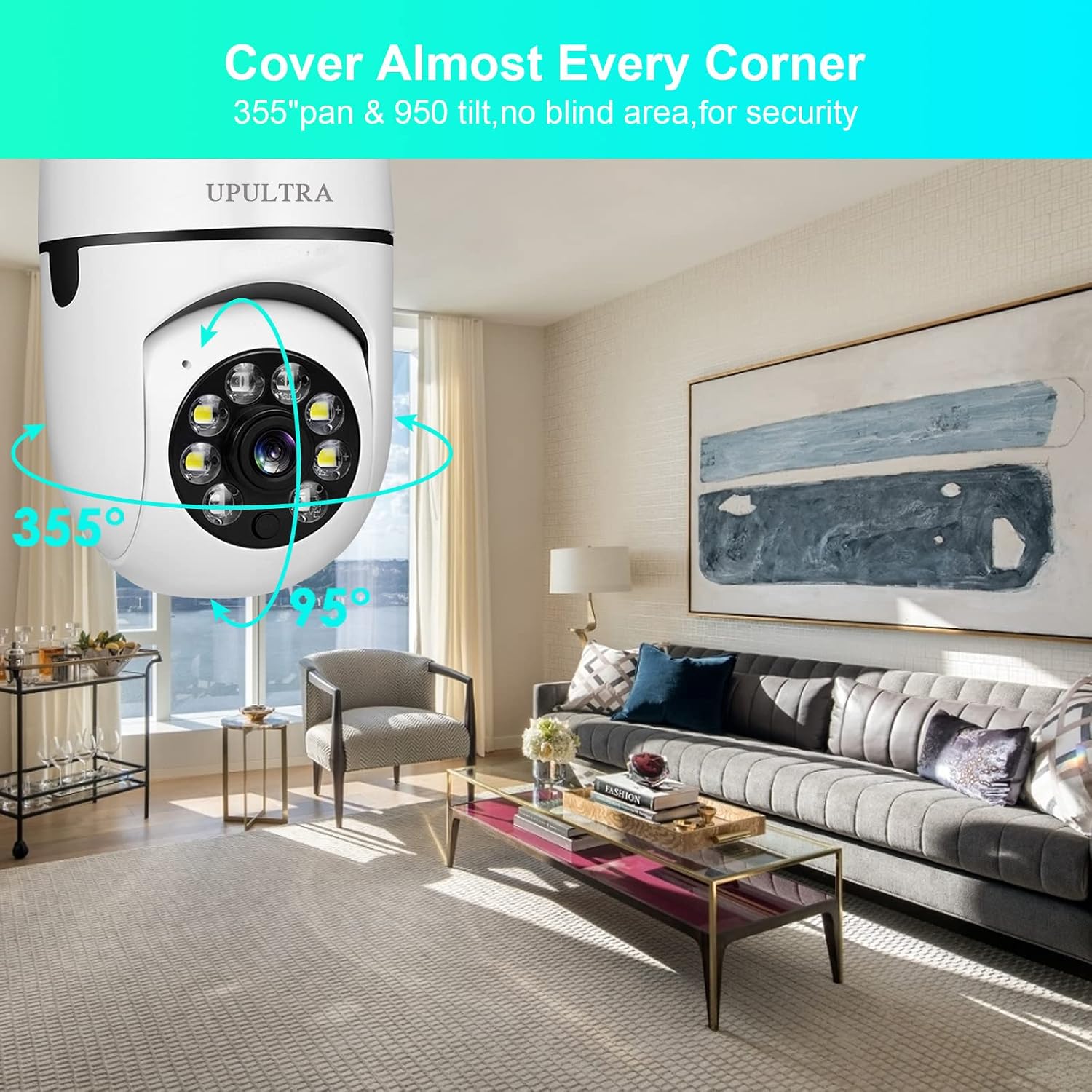
Image: Demonstrates the camera's extensive pan and tilt range.
Motion Detection & Real-time Alerts
Equipped with a highly sensitive motion sensor, the camera detects movement and automatically records the event. You will receive real-time notifications on your mobile device when motion is detected, allowing you to stay informed about activities in the monitored area.

Image: Motion detection and alert functionality.
Video: A short clip demonstrating the camera's motion detection and tracking capabilities, highlighting how it follows movement. Useful for understanding sensitivity settings.
양방향 오디오
The built-in microphone and speaker enable two-way audio communication. You can listen to what's happening around the camera and speak through the camera using your mobile app, allowing for interaction with visitors or deterring intruders.
나이트 비전
The camera supports both infrared (black and white) and full-color night vision modes. Even in complete darkness, you can view clear images, ensuring round-the-clock surveillance.

Image: Illustrates the difference between infrared and full-color night vision.
Spotlight Function
The camera includes a spotlight function that can be controlled via the app. You can turn it on, off, or set it to an auto mode, which can be useful for illuminating an area or as a deterrent.
저장 옵션
녹화된 푸tage can be stored locally on a micro SD card (not included) or via cloud service (subscription may be required). The app provides options to manage and review 당신의 녹음.

Image: Storage options for recorded video.
유지
- 청소: 부드럽고 마른 천으로 카메라 렌즈와 본체를 살살 닦아주세요. 강한 화학 약품이나 연마성 세척제는 사용하지 마세요.
- 펌웨어 업데이트: Periodically check the mobile app for available firmware updates. Keeping your camera's firmware up-to-date ensures optimal performance, security, and access to new features.
- SD 카드 관리 : If using a micro SD card, regularly back up important footage and format the card to maintain recording efficiency.
문제 해결
일반적인 문제 및 해결책:
- 카메라 오프라인:
- Ensure the camera is properly powered and the light socket is active.
- Check your Wi-Fi connection and router.
- Restart the camera by turning off and on the power to the light socket.
- If issues persist, try resetting the camera using the reset button (refer to the detailed camera view (위치 정보는 이미지를 참조하세요.)
- 이미지 품질이 좋지 않음:
- 카메라 렌즈가 깨끗하고 먼지나 얼룩이 없는지 확인하세요.
- 인터넷 연결 속도를 확인하세요. 1080p 스트리밍을 위해서는 안정적이고 빠른 연결이 필수적입니다.
- Adjust video quality settings within the app if your network bandwidth is limited.
- 동작 감지가 작동하지 않거나 너무 민감합니다.
- 앱 설정에서 동작 감지가 활성화되어 있는지 확인하세요.
- Adjust the motion detection sensitivity level in the app to reduce false alarms or improve detection.
- 카메라의 시야각을 확인하십시오 view is clear of obstructions that might trigger false alerts (e.g., tree branches, reflections).
- 양방향 오디오 문제:
- 앱에서 마이크와 스피커 설정을 확인하세요.
- Ensure your mobile device's volume is up.
- 원활한 의사소통을 위해 배경 소음을 최소화하십시오.

Image: Key components of the camera, including the reset button and SD card slot.
명세서
| 특징 | 사양 |
|---|---|
| 비디오 캡처 해상도 | 1080p |
| 연결 기술 | 무선(Wi-Fi) |
| 전원 | Corded Electric (E27 Bulb Socket, 110V~240V) |
| 분야의 View | 360도 회전 (좌우 회전 355°, 상하 회전 95°) |
| 특별 기능 | 2 Way Audio, Night Vision (Color & Infrared), Motion Sensor, PTZ Technology, HD Resolution, Spotlight |
| 실내/실외 사용 | 야외(지붕 있음), 실내 |
| 저장 | TF Card (Micro SD) & Cloud Service |
| 장착 유형 | Ceiling Mount / Screw In |
| 품목 무게 | 1.04파운드 |
보증 및 지원
UPULTRA is committed to providing high-quality products and excellent customer service. We offer lifetime technical support for your E27 Smart Security Camera. If you encounter any issues or have questions regarding your product, please do not hesitate to contact our support team.
For assistance, please refer to the contact information provided on the product packaging or the official UPULTRA web대지.