
1. 서론
The Rettru XDWIFI Mini Wireless WiFi Camera is a compact surveillance device designed for discreet monitoring. It offers HD1080P video resolution, night vision capabilities, motion detection, and remote viewing via a mobile application. This manual provides detailed instructions for setting up, operating, and maintaining your camera.
비디오: 끝view of the Rettru XDWIFI Mini Wireless WiFi Camera, highlighting its compact size and features.
2. 패키지 내용
다음 품목이 모두 패키지에 포함되어 있는지 확인하세요.
- 1 x Rettru XDWIFI Camera
- 1 x 사용자 설명서
- 1 x USB 케이블
- 1 X 마이크로 SD 카드 리더
- 1 x 마그네틱베이스

Image: All components included in the Rettru XDWIFI Mini Wireless WiFi Camera package.
3. 제품 특징
- 초소형 디자인: The camera measures approximately 1.57 x 1.18 x 0.5 inches, making it highly discreet and easy to conceal.
- HD1080P Video: Records high-definition video for clear surveillance.
- 향상된 야간 투시경: Equipped with two 940nm infrared lights, providing clear visibility up to 26 feet in low light or total darkness without visible glow.
- 지능형 동작 감지: Features customizable motion detection zones and times. Sends alarm notifications with images to your phone upon detection.
- 루프 녹음: Supports continuous recording, overwriting the oldest files 메모리 카드가 가득 찼을 때.
- 클라우드 스토리지: Offers cloud service for video storage (subscription may be required).
- 원격 Viewing: Access live video remotely via the mobile application on iOS/Android devices.
- 유연한 설치: Includes a magnetic base and mounting options for versatile placement.

Image: The camera's compact size, held between two fingers.
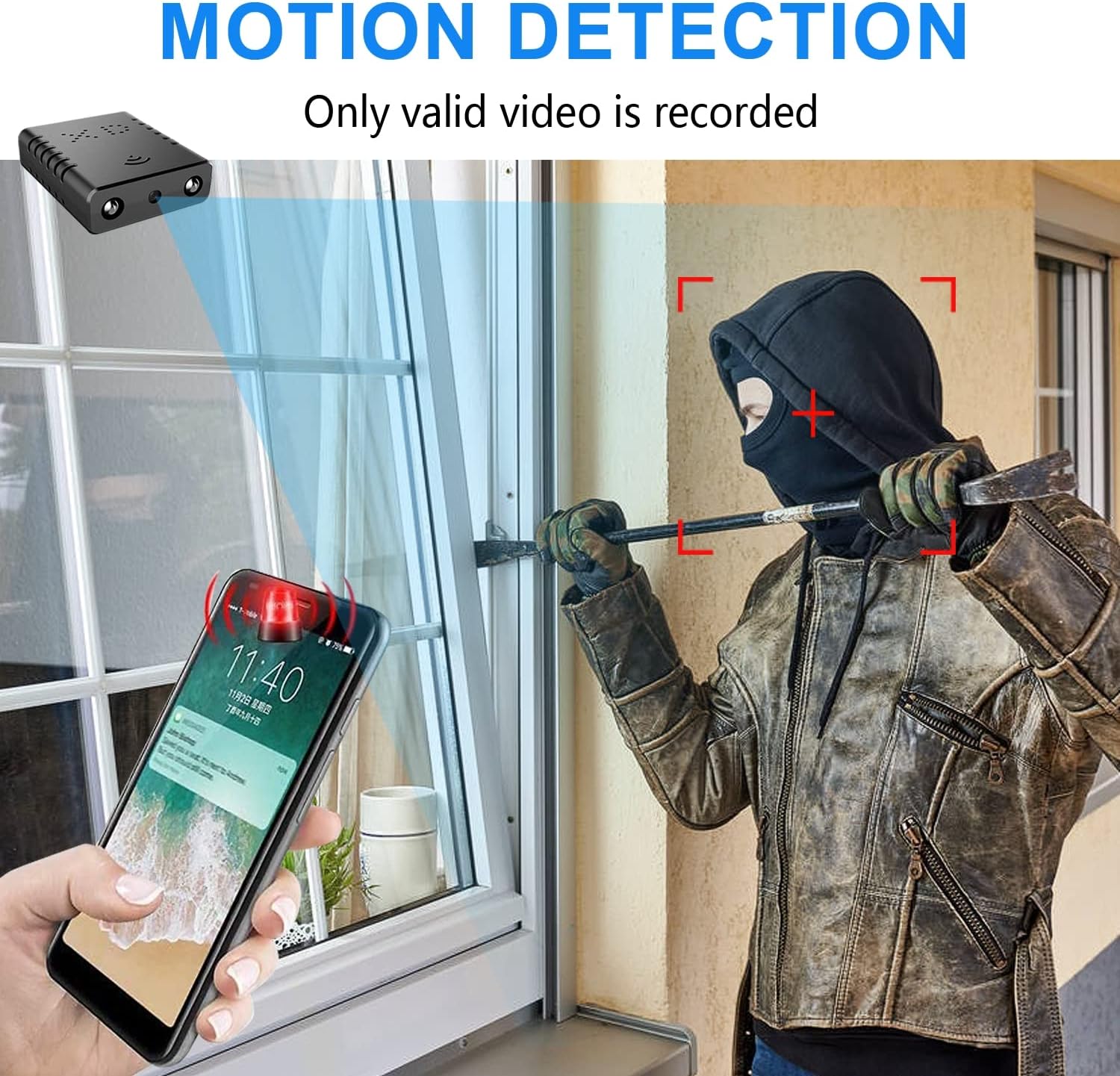
Image: Illustration of the motion detection feature, showing an alert on a smartphone.

Image: Day and night vision comparison, showing clear infrared night vision.
4. 설정 가이드
4.1. 초기 충전
Before first use, fully charge the camera for approximately 6 hours. During charging, a yellow light will illuminate. The camera charges via a USB-C port.
4.2. No-WiFi Recording Mode
To record without a WiFi connection, insert a compatible Micro SD card (16GB to 128GB, formatted in FAT32) into the TF card slot. Press the power button. When the blue light flashes, continuous recording will begin automatically in 5-minute clips. No app registration or device binding is needed for this mode. (Micro SD card not included, purchased separately).

이미지: 측면 view of the camera highlighting the TF card slot and charging port.
4.3. WiFi Recording Mode (App Connection)
원격용 viewing and advanced features, connect the camera to your home WiFi network via the mobile application. The recommended app is V380 Pro.
- 앱 다운로드: 검색 "V380 Pro" in your device's app store (iOS/Android) and install it.
- 계정 등록: 앱을 열고 화면의 지시에 따라 새 계정을 등록하세요.
- 카메라 전원 켜기: 카메라를 켭니다.
- Hotspot Connection (Method 1):
- Hold the "Reset" button until both red and blue lights flash simultaneously.
- When the blue light flashes again, the camera will send out a hotspot signal.
- On your phone's WLAN settings, connect to the camera's hotspot (e.g., "@MC-********" or "@IPC-********"). No password is required.
- The device should be added automatically in the app. Go to "Device Settings" > "Wi-Fi Network" and choose your available home WiFi network. Enter the password and confirm.
- Bluetooth Connection (Method 2):
- 휴대전화의 블루투스를 켜세요.
- Log into the O-KAM Pro app (or V380 Pro), go to the "Mine" page, tap "System Permissions," and enable Bluetooth.
- In the app, click the "+" button in the upper right corner. The app will automatically detect the camera's UID. Click "Connect."
- Enter your correct WiFi password and complete the connection steps. Finally, click "Get Start" to begin using your camera.

Image: Step-by-step guide for easy app installation and WiFi connection.
Video: Detailed tutorial on camera setup and app connection for the Rettru XDWIFI camera.
5. 사용 설명서
5.1. 원격 View잉
Once connected to the app, you can view live video from anywhere in the world. The app allows multiple users to view 동시에 카메라를 켜세요.
5.2. 동작 감지
Configure intelligent motion detection settings within the app. You can manually set monitoring areas and schedules. Upon detection, the camera sends alarm notifications with images to your phone.
5.3. 야간 투시경
The camera automatically switches to night vision in low light conditions, providing clear black and white video up to 26 feet.
5.4. 연속녹화
With an inserted Micro SD card, the camera supports loop recording. When the card is full, new footage will automatically overwrite the oldest files, ensuring continuous surveillance.
5.5. 클라우드 스토리지
Utilize the powerful cloud service for secure storage of your video data. This ensures your recordings are safe even if the camera is tamp어리거나 잃어버렸습니다.
6. 유지관리
To ensure optimal performance and longevity of your Rettru XDWIFI camera, follow these maintenance guidelines:
- 청소: 부드럽고 마른 천으로 카메라 렌즈와 본체를 부드럽게 닦으세요. 강한 화학 물질이나 연마재는 사용하지 마세요.
- 배터리 수명: For prolonged use, ensure the camera is regularly charged. While battery-powered, continuous live viewing or frequent motion alerts can drain the battery faster.
- SD 카드 관리 : Regularly check the status of your Micro SD card. If using loop recording, ensure the card is functioning correctly. Periodically back up important footage.
- 펌웨어 업데이트: Check the V380 Pro app for any available firmware updates to ensure your camera has the latest features and security enhancements.
7. 문제 해결
카메라 사용 중 문제가 발생하면 다음의 일반적인 해결 방법을 참조하십시오.
- 연결 실패: If the camera fails to connect to the app or WiFi, try resetting the camera and attempting to reconnect.
- 장치 재설정: To restore factory settings, power on the camera and hold the "Reset" button until both red and blue lights flash simultaneously. This will clear previous settings and allow for a fresh connection attempt.
- No QR Code for Setup: Some users have reported issues with missing or non-functional QR codes. Follow the manual connection methods (hotspot or Bluetooth) as detailed in Section 4.3.
- 녹음 문제: Ensure a compatible Micro SD card (16GB-128GB, FAT32) is properly inserted. Check app settings for recording mode (continuous, motion-activated) and storage preferences.
- 오프라인 상태: Verify your WiFi network is stable and within range. Ensure the camera is powered on and fully charged.
8. 사양
| 특징 | 세부 사항 |
|---|---|
| 모델 | XDWIFI |
| 비디오 캡처 해상도 | 1080p |
| 연결 기술 | 무선(Wi-Fi) |
| 호환 장치 | iOS/Android Phone/Window/Mac PC |
| 전원 | 배터리 구동 |
| 컨트롤러 유형 | V380 프로 앱 |
| 장착 유형 | Surface Mount (Magnetic Base) |
| 나이트 비전 범위 | 26-28피트 |
| 품목 치수(L x W x H) | 1.6 x 1.2 x 0.5 인치 |
| 품목 무게 | 0.8 온스 |
| 특별 기능 | HD1080P, Local Recording, Motion Sensor, Night Vision, Portable |
| 실내/실외 사용 | 실내/실외용 (IP65 등급) |
| 시청각 녹화 기능 | 동영상 |
| IR LED 수 | 2 |
9. 보증 및 지원
For any issues or inquiries regarding your Rettru XDWIFI Mini Wireless WiFi Camera, please contact our after-sales service. The contact email is typically provided in the user manual included in your package. We are committed to providing support and assistance.