
1. 서론
This manual provides essential information for the proper installation, operation, and maintenance of your Diydeg Electric LCD Display Meter, Model Diydegbadhv3eocm5585. This display is designed for electric bicycles and scooters, offering clear, real-time data and control over your vehicle's functions. Please read this manual thoroughly before use to ensure optimal performance and safety.
2. 제품 오버view
The Diydeg Electric LCD Display Meter is a versatile control panel featuring a large, backlit LCD screen for enhanced visibility. It is built with durable ABS material, ensuring longevity and protection for its internal components. Key features include:
- LCD 백라이트 디스플레이: 선명한 제공 viewing of data and status, even in low-light conditions.
- 간편한 설치: Designed for quick and effortless mounting on 22.2mm (0.9in) handlebars without specialized tools.
- 폭넓은 호환성: Suitable for 24V, 36V, and 48V electric bicycles and scooters.
- 내구성 있는 구조: Made from robust ABS material, offering good toughness and performance.
- 실시간 데이터 표시: Shows essential parameters such as battery power, current speed, and trip distance.

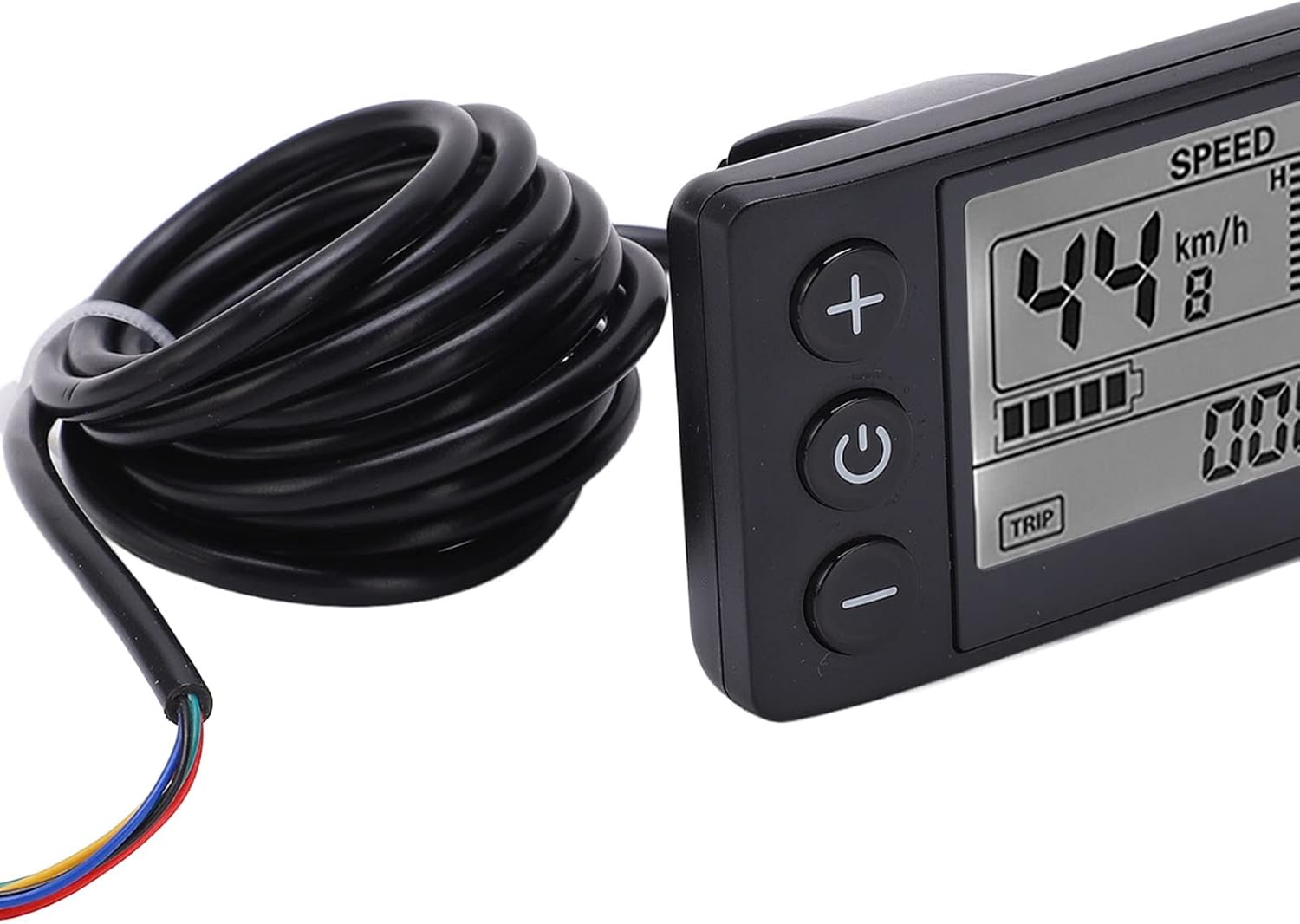
그림 2.1: 전면 view of the Diydeg Electric LCD Display Meter (Model S866) with its integrated cable.
제품 비디오
비디오 2.1: 간략한 설명view of the Diydeg Electric LCD Display Meter, highlighting its features and appearance. This video is 6 seconds long.
Video 2.2: Another short presentation of the Electric LCD Display Meter, showcasing its design. This video is 11 seconds long.
Video 2.3: A detailed visual of the Electric Bicycle LCD Display Meter, demonstrating its various angles and components. This video is 24 seconds long.
3. 설정 지침
Follow these steps to properly install your LCD Display Meter:
- 핸들바 준비: Ensure the handlebar area where the display will be mounted is clean and free of obstructions. The display is designed for 22.2mm (0.9in) diameter handlebars.
- 디스플레이 장착: Position the display on your handlebar. Use the integrated bracket and secure it with the removable screw. Ensure the display is oriented for optimal viewing 및 버튼 접근.

Figure 3.1: The LCD Display Meter correctly mounted on a bicycle handlebar.
- 케이블 연결: Locate the SM plug on the display's cable. Connect this plug to the corresponding port on your electric vehicle's controller. Ensure the connection is firm and secure.

Figure 3.2: Detail of the SM plug (ordinary plug) for connecting the display meter.
- 케이블 관리 : Route the cable neatly along the frame and secure it with cable ties to prevent interference with moving parts or accidental damage.
4. 사용 설명서
The display meter features three main buttons: '+', Power, and '-'. There is also a 'TRIP' button for cycling through data.

그림 4.1: 전면 view of the display meter with clearly visible control buttons.
- 전원 켜기/끄기: Press and hold the central 힘 버튼(
 ) for a few seconds to turn the display on or off.
 - 지원 수준 조정: 사용하세요 + button to increase the pedal assist level and the - button to decrease it. The current assist level (e.g., 'ASSIST 5') will be shown on the screen.
- View 여행 정보: 를 누르세요 여행 button (located at the bottom left of the screen) to cycle through various trip data, such as trip distance, total distance, and other relevant metrics.
- 백라이트: The LCD screen features an automatic backlight for clear visibility in various lighting conditions, including dark environments.
5. 유지관리
Proper maintenance ensures the longevity and reliable operation of your display meter:
- 청소: 디스플레이 화면과 본체는 부드러운 천으로 닦아주세요.amp 천. 연마성 세제, 용제 또는 강한 화학 물질은 화면이나 c를 손상시킬 수 있으므로 사용하지 마십시오.asing.
- 연결 확인: Periodically inspect all cable connections, especially the SM plug, to ensure they are secure and free from corrosion or damage. Loose connections can lead to intermittent functionality.
- 방수 기능: The unit has an IP65 international protection rating, meaning it is protected against dust and low-pressure water jets. While it can withstand splashes and light rain, avoid prolonged submersion in water.
- 저장: When not in use for extended periods, store the display meter in a dry, cool place, away from direct sunlight and extreme temperatures.
6. 문제 해결
If you encounter issues with your display meter, refer to the following common problems and solutions:
| 문제 | 가능한 원인 | 해결책 |
|---|---|---|
| 디스플레이가 켜지지 않습니다 | Low or no battery power; Loose cable connection; Faulty display unit. | Check your electric vehicle's battery charge. Ensure the SM plug is securely connected. If the problem persists, contact support. |
| 속도/거리 측정 오류 | Speed sensor malfunction; Incorrect wheel circumference setting (if applicable). | Verify the speed sensor is properly installed and clean. Consult your electric vehicle's manual for wheel circumference adjustment if available. |
| Assist level not changing | Loose connection to controller; Controller malfunction. | Check all cable connections. Ensure the electric vehicle's system is powered on. |
| Screen is dim or flickering | Low battery; Environmental factors; Internal fault. | Ensure the battery is adequately charged. The backlight adjusts automatically; if it remains dim in bright conditions, contact support. |
If these troubleshooting steps do not resolve the issue, please contact Diydeg customer support for further assistance.
7. 사양
Detailed technical specifications for the Diydeg Electric LCD Display Meter:
- 상표: 디덱
- 모델: Diydegbadhv3eocm5585 (S866)
- 디스플레이 유형: 액정표시장치
- 권tage 호환성: 24V, 36V, 48V
- 핸들바 직경: 22.2mm (0.9in)
- 재료: ABS, 플라스틱
- 연결성: Wired (SM Plug)
- 국제 보호 등급: IP65
- 케이블 길이: 180cm(70.9인치)
- 치수(길이 x 너비 x 높이): 크기는 약 8cm x 4.8cm x 4.8cm (3.1인치 x 1.9인치 x 1.9인치)입니다.

Figure 7.1: Dimensions and cable length of the LCD Display Meter.
8. 보증 및 지원
Diydeg is committed to providing high-quality products and customer satisfaction. This display meter comes with a quality assurance guarantee.
- 보증: Diydeg offers a warranty or refund for this product. Specific terms and conditions may apply.
- 고객 지원: For any questions, concerns, or support needs regarding your purchase, please contact Diydeg customer service. We aim to resolve your inquiries within 24 hours.