
1. 서론
Welcome to the ChefRobot Smart Food Processor UltraCook User Manual. This all-in-one kitchen appliance is designed to simplify your cooking experience with its versatile functions and smart features. It combines over 15 functionalities, including slow cook, steam, mix, blend, scale, fry, puree, sous-vide, whisk, knead, and chop, replacing multiple kitchen tools.
The ChefRobot features a 3.5L capacity, a built-in scale for precise measurements, and a 7-inch TFT screen for easy navigation. With access to over 600 online recipes via the ChefRobot app, you can effortlessly create delicious meals for your entire family. Its self-cleaning function ensures convenient cleanup.
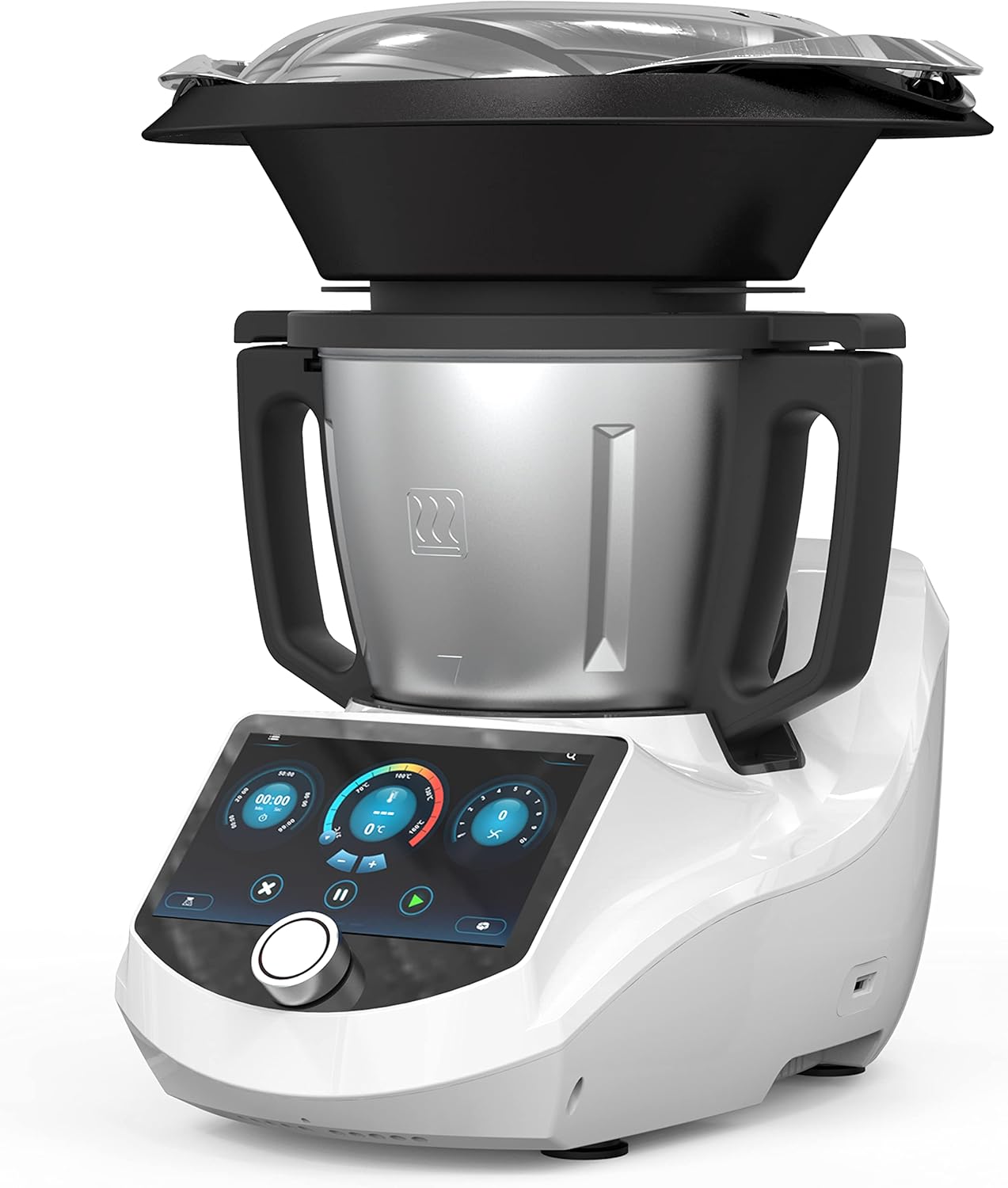
Figure 1.1: The ChefRobot Smart Food Processor, showcasin세련된 디자인과 일체형 화면이 특징입니다.
2. 주요 특징
- Versatile and Multifunctional: Offers 15+ functions including Slow Cook, Steam, Mix, Blend, Scale, Fry, Puree, Sous-Vide, Whisk, Knead, and Chop.
- 스마트 레시피: Access over 600 online recipes through the ChefRobot APP for endless cooking inspiration and culinary creativity.
- 대용량: 3.5L capacity is ideal for preparing meals for the whole family.
- Built-in Scale: Allows for precise and accurate measurements of ingredients.
- 앱 제어: Monitor and adjust cooking settings from your smartphone or tablet.
- 7인치 TFT 화면: Provides a user-friendly interface for easy navigation and recipe selection.
- 자체 청소 기능: Simplifies cleanup, saving time and effort.
- 안전 잠금 장치 디자인: Ensures peace of mind during operation.
- 광범위한 온도 범위: 98-320°F (37-160°C) for versatile cooking options.

Figure 2.1: The ChefRobot's smart screen displaying recipe options, alongside a smartphone showing the ChefRobot app interface.
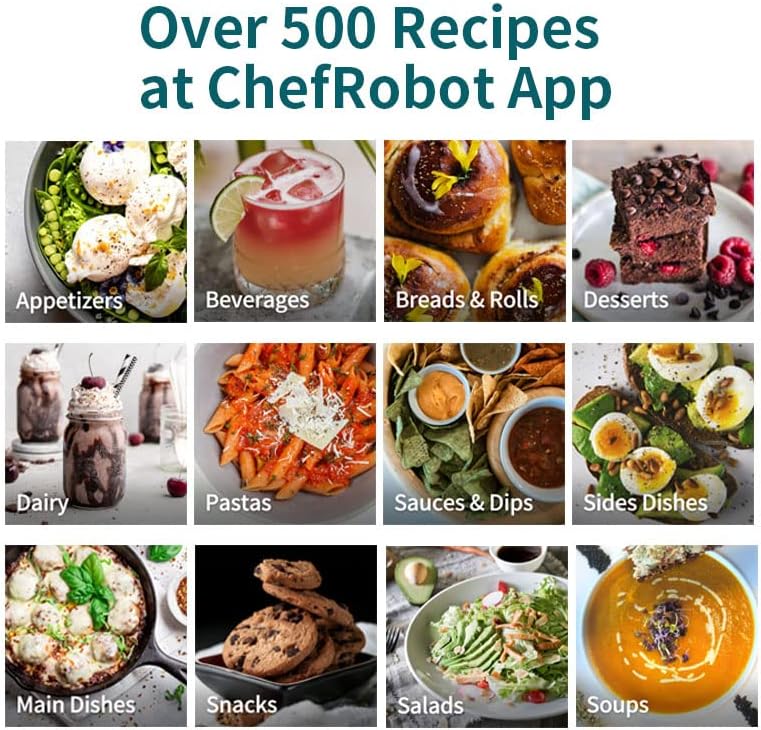
그림 2.2: 클로즈업 view of the ChefRobot's 7-inch touchscreen, demonstrating easy navigation for recipe selection.
3. 구성품 및 액세서리
The ChefRobot comes with several essential components and accessories designed to enhance its versatility and ease of use. Please ensure all parts are present before initial setup.

그림 3.1: 폭발된 view diagram illustrating all included accessories for the ChefRobot.
포함된 구성 요소:
- Steamer Basket & Lid: Designed for multi-level cooking, allowing simultaneous steaming of meats and vegetables.
- 섞는 잎: Designed to attach easily on top of the main blade, ensuring thick and even consistencies.
- 주걱: Sculpted curve to efficiently scrape all food from the bowl, with a soft nib to easily and safely unhook the simmering basket.
- Simmering Basket: Deeper design for faster cooking, allowing easy draining of foods like rice and vegetables.
- Main Blade Assembly: The blades can be turned forward and reversed to accommodate different cooking patterns, such as stir-frying and chopping.
- Stainless Steel Bowl (3.1 QT/3L capacity): The main cooking vessel, durable and dishwasher safe.
- Main Unit with 7-inch TFT Screen: The brain of every operation, housing the recipe library and control interface.
4. 설정
Before using your ChefRobot for the first time, please follow these setup instructions carefully:
- 짐 풀기: 모든 구성품을 포장에서 조심스럽게 꺼내세요. 나중에 보관하거나 운반할 수 있도록 포장을 보관하세요.
- 초기 청소: Wash the stainless steel bowl, lid, and all accessories (steamer basket, mixing blade, spatula, simmering basket) with warm, soapy water. Rinse thoroughly and dry completely. The main unit should be wiped with a damp 옷감.
- 그릇을 조립하세요: Place the main blade assembly into the bottom of the stainless steel bowl. Ensure it is securely seated.
- Place the Bowl on the Main Unit: Carefully place the assembled bowl onto the main unit. Ensure it clicks into place securely.
- 뚜껑을 고정하십시오: Place the lid onto the bowl and rotate it clockwise until it locks into position. The safety lock mechanism ensures the appliance will not operate unless the lid is properly secured.

그림 4.1: 상단 view of the ChefRobot lid, illustrating the locking mechanism for secure operation.
5. 사용 설명서
5.1 Smart Recipes & App Control
The ChefRobot offers a vast library of online recipes accessible directly from its 7-inch TFT screen or through the dedicated ChefRobot mobile application.
- On-Screen Recipes: Navigate the main screen to find 'Cloud Recipes' or 'Internal Recipes'. Select a recipe, and the screen will guide you step-by-step through the cooking process, including ingredient measurements, cooking times, and temperatures.
- ChefRobot App: Download the ChefRobot app from your smartphone's app store. Pair your device with the ChefRobot via Bluetooth or Wi-Fi (refer to the app's instructions for pairing). The app allows you to browse, select, and even create your own recipes. You can also monitor cooking progress and adjust settings remotely.

Figure 5.1: A couple interacting with the ChefRobot's screen and the mobile app, demonstrating the integrated smart cooking experience.
5.2 조리 모드
The ChefRobot supports a wide array of cooking modes to handle various culinary tasks:
- 종기: For heating liquids or cooking pasta/vegetables.
- 총채: For whipping cream, egg whites, or making light batters.
- 증기: Utilizes the steamer basket for healthy, gentle cooking.
- 소테 : For browning ingredients at higher temperatures.
- 혼합 : 스무디, 수프, 퓨레에 사용 가능.
- 이기다: For preparing dough for bread and pastries.
- 달다: Utilizes the built-in scale for precise ingredient measurement.
- And many more, including Slow Cook, Fry, Puree, Sous-Vide, and Chop.

Figure 5.2: Visual representation of various cooking modes available on the ChefRobot, including Boil, Whisk, Steam, Sauté, Blend, Self-Clean, Knead, and Weigh.
5.3 Built-in Scale
The integrated scale allows for precise measurement of ingredients directly in the bowl. To use the scale, select the 'Weigh' function on the screen. Place ingredients into the bowl, and the weight will be displayed. You can tare the scale to add multiple ingredients accurately.
6. 유지관리 및 청소
Proper maintenance and regular cleaning will ensure the longevity and optimal performance of your ChefRobot.
6.1 자체 세척 기능
The ChefRobot features a convenient self-cleaning mode for easy cleanup of the bowl and blade assembly.
- After cooking, remove any large food residues from the bowl.
- Add approximately 1 liter of water and a few drops of dish soap to the bowl.
- 뚜껑을 단단히 닫습니다.
- Select the 'Self-Clean' mode from the main menu on the screen.
- The ChefRobot will run a cleaning cycle, agitating the water to dislodge food particles.
- Once the cycle is complete, carefully empty the bowl and rinse it thoroughly with clean water.

Figure 6.1: A user pouring water into the ChefRobot bowl to initiate the self-cleaning mode.
No relevant seller videos for self-cleaning were found in the provided product data.
6.2 수동 청소
- 그릇 및 부속품: The stainless steel bowl, lid, and all accessories (steamer basket, mixing blade, spatula, simmering basket) are recommended for hand washing. Use warm, soapy water and a non-abrasive sponge. Rinse thoroughly and dry immediately to prevent water spots.
- 메인 유닛: The main unit, including the screen, should be wiped clean with a soft, damp cloth. Do not immerse the main unit in water or spray cleaning liquids directly onto it.
- 블레이드: Exercise caution when cleaning the blades as they are sharp. Use a brush to remove any stuck-on food.
- 식기 세척기 안전: The product specifications indicate that the ChefRobot is ~ 아니다 dishwasher safe. Please adhere to hand washing instructions for all components.
7. 문제 해결
If you encounter any issues with your ChefRobot, please refer to the following common troubleshooting tips:
- 기기가 켜지지 않음: Ensure the power cord is securely plugged into both the ChefRobot and a working electrical outlet. Check if the safety lock on the lid is properly engaged.
- 모터가 작동하지 않음: Verify that the bowl and lid are correctly assembled and locked into place. The appliance has safety features that prevent operation if components are not properly secured.
- 화면 응답 없음: Try restarting the appliance by unplugging it for a few minutes and then plugging it back in. If the issue persists, contact customer support.
- 부정확한 저울 측정값: Ensure the ChefRobot is placed on a flat, stable surface. Avoid placing anything on the bowl or main unit when not in use, as this can affect calibration.
- Food Not Processing Properly: Check that the correct blade or accessory is installed for the task. Ensure ingredients are cut to an appropriate size for processing. Do not overload the bowl beyond its maximum capacity.
- 오류 메시지: If an error code appears on the screen, consult the full user guide (link provided in Section 9) for specific meanings and solutions.
For issues not covered here, or if troubleshooting steps do not resolve the problem, please contact Chef Robot customer support.
8. 사양
Detailed technical specifications for the ChefRobot Smart Food Processor UltraCook:
| 특징 | 사양 |
|---|---|
| 상표 | 요리사 로봇 |
| 모델명 | Smart Food Processor (Item model number: CR-8) |
| 특징 | 안전 잠금 장치 |
| 제품 치수 | 16.5인치 깊이 x 15.3인치 너비 x 19.6인치 높이 |
| 색상 | 하얀색 |
| 볼 용량 | 3리터(3.1쿼트) |
| 추천 용도 | Blend, Mix, Steam, Knead, Chop, Fry, Puree, Sous-Vide, Whisk, Slow Cook, Scale |
| 속도의 수 | 10 |
| 제품 관리 지침 | 손세탁 (식기세척기 사용 불가) |
| 블레이드 소재 | 스테인리스 스틸 |
| 전원 | AC 어댑터 |
| 품목 무게 | 21.2파운드 |
| 온도 범위 | 98-320°F(37-160°C) |

Figure 8.1: Diagram illustrating the dimensions of the ChefRobot Smart Food Processor.
9. 보증 및 지원
Chef Robot is committed to providing high-quality products and customer satisfaction. For detailed warranty information, please refer to the documentation included with your purchase or visit the official Chef Robot web대지.
보호 계획:
Extended protection plans may be available for your ChefRobot appliance. These plans typically offer coverage beyond the standard manufacturer's warranty. Please check with your retailer or the Chef Robot website for available options, such as 3-Year or 4-Year Protection Plans.
고객 지원:
If you require assistance, have questions about your ChefRobot, or need to report an issue, please contact Chef Robot customer support through their official channels. You can often find contact information on the product packaging, the Chef Robot website, or within the ChefRobot mobile application.
For a more comprehensive guide, you can download the official Instructions for Use (IFU) PDF document: 사용자 가이드 다운로드(PDF)