
ASWEE P6
ASWEE Smart Watch User Manual
Model: P6 | Brand: ASWEE
1. 서론
Thank you for choosing the ASWEE Smart Watch. This device is designed to enhance your daily life by providing convenient access to communications, health monitoring, and fitness tracking. Featuring a 1.83-inch HD touchscreen, Bluetooth calling capabilities, and a wide array of sports modes, your ASWEE Smart Watch is a versatile companion for both men and women. This manual will guide you through the setup, operation, and maintenance of your new smartwatch.

Figure 1: ASWEE Smart Watch Overview
The ASWEE Smart Watch is equipped with advanced sensors for 24/7 heart rate and sleep monitoring, a step counter, and support for over 123 sports activities. Its IP67 waterproof rating ensures durability for various environments, including workouts and outdoor adventures. Enjoy seamless connectivity with your Android or iOS smartphone for notifications, music control, and weather updates.
2. 상자 안에 무엇이 들어있나요?
패키지 내용물을 확인하여 모든 품목이 들어 있는지 확인하세요.
- ASWEE Smart Watch (P6)
- 충전 케이블
- 사용자 설명서
- 시계 밴드
3. 설정
3.1 초기 충전
Before first use, fully charge your ASWEE Smart Watch. Connect the magnetic charging cable to the charging points on the back of the watch and plug the USB end into a standard USB power adapter (not included). A full charge typically takes approximately 2 hours.
3.2 앱 설치 및 페어링
To unlock the full functionality of your smartwatch, download and install the 'Keep Health' app on your smartphone.
- Scan the QR code provided in the quick start guide or search for 'Keep Health' in your phone's app store (App Store for iOS, Google Play Store for Android).
- Install the 'Keep Health' app.
- 앱을 열고 계정을 만들거나 로그인하세요.
- 스마트폰에서 Bluetooth가 활성화되어 있는지 확인하세요.
- In the 'Keep Health' app, navigate to the 'Device' section and select 'Add Device'.
- The app will search for nearby devices. Select 'ASWEE P6' from the list of found devices.
- 화면의 안내에 따라 페어링 과정을 완료하세요. 휴대폰과 시계 양쪽에서 페어링 요청을 확인해야 할 수도 있습니다.

Figure 2: Keep Health App Interface
4. 운영
4.1 기본 탐색
The ASWEE Smart Watch features a full touch screen for easy navigation:
- 위/아래로 스와이프: 메뉴와 알림을 스크롤합니다.
- 왼쪽/오른쪽으로 스와이프: 빠른 기능 또는 다양한 데이터 화면(예: 심박수, 걸음 수, 날씨)에 액세스할 수 있습니다.
- 수도꼭지: 항목을 선택하거나 작업을 확인하세요.
- 누르고 있기: 시계 화면에서 길게 눌러 시계 화면을 변경하세요.
4.2 블루투스 통화
Once paired with your smartphone, you can make and answer calls directly from your watch:
- 전화 받기: When a call comes in, the watch will vibrate and display the caller ID. Tap the green phone icon to answer.
- 전화 걸기: Access the 'Call' function on your watch to dial numbers or select contacts from your synced phonebook.
4.3 스마트 알림
Receive real-time alerts for calls, messages, and app notifications directly on your wrist. Ensure notification permissions are enabled in the 'Keep Health' app and your phone settings.
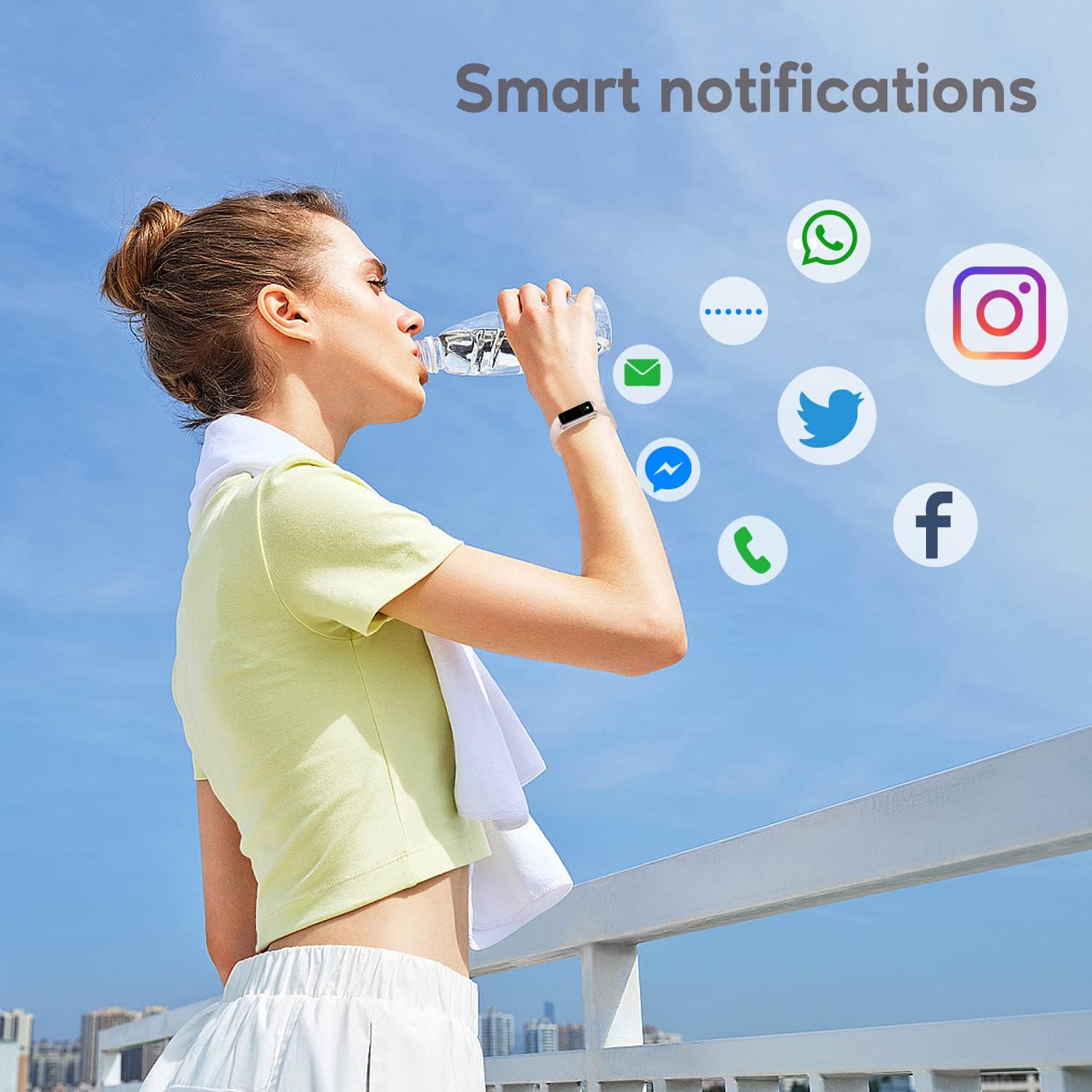
그림 3: 스마트 알림
4.4가지 스포츠 모드
The watch supports over 123 sports modes to track your workouts. Select your desired activity from the 'Sports' menu to record data such as heart rate, calories burned, and distance.

그림 4: 주요 기능view
4.5 상태 모니터링
Your ASWEE Smart Watch continuously monitors key health metrics:
- 심박수: 24시간 내내 심박수를 모니터링합니다. View 시계에서 실시간 데이터를 확인하거나 앱에서 자세한 추세를 확인하세요.
- 수면 모니터링: Tracks your sleep patterns, including deep, light, and REM sleep stages. Review your sleep quality score and duration in the 'Keep Health' app.
- 걸음 수 카운터: Automatically tracks your daily steps, distance, and calories burned.
- 여성 주기 추적: For women, the watch can help track menstrual cycles and log symptoms through the app.

Figure 5: Heart Rate Monitor in Use

그림 6: 수면 모니터링 기능
4.6 사용자 지정 시계 화면
Personalize your watch by choosing from a variety of pre-installed watch faces or uploading your own photos and designs via the 'Keep Health' app.

그림 7: 사용자 정의 가능한 시계 화면
4.7 카메라 제어
Use your smartwatch as a remote shutter for your phone's camera. Open the camera function in the 'Keep Health' app and tap the camera icon on your watch to take a photo.

Figure 8: Camera Remote Control
5. 유지관리
5.1 방수성
The ASWEE Smart Watch is IP67 waterproof, meaning it is resistant to splashes, rain, and brief immersion in water. It is suitable for daily use, hand washing, and light rain. However, it is not recommended for hot showers, saunas, or diving, as steam and hot water can damage the seals.

그림 9: 방수
5.2 청소 및 관리
시계의 외관과 기능을 유지하려면:
- 부드럽고 마른 천으로 시계와 시계줄을 정기적으로 닦아주세요.
- 필요한 경우 약간의 d를 사용하십시오.amp 천으로 닦아낸 후 완전히 말리세요.
- 강한 화학 물질, 연마 세척제 또는 용제의 사용을 피하세요.
- 적절한 충전을 위해 충전 접점을 깨끗하고 건조하게 유지하세요.
6. 문제 해결
6.1 Watch Won't Connect or Keeps Disconnecting
연결 문제가 발생하는 경우:
- 휴대폰의 블루투스가 켜져 있는지 확인하세요.
- Verify the watch and phone are within the maximum Bluetooth range (8-10 meters). Obstacles can affect connection.
- If issues persist, delete the watch's Bluetooth serial number from the 'Keep Health' app, then uninstall and reinstall the app. Repeat the pairing process.
6.2 Watch Not Receiving Message Notifications
If notifications are not appearing on your watch:
- Confirm your phone is successfully connected to the watch in the 'Keep Health' app.
- Check your phone's settings: Go to phone settings > find the 'Keep Health' app > turn on 'Notifications' permission.
- Within the 'Keep Health' app, ensure the 'notification' function is enabled for the specific apps you wish to receive alerts from.
- If the problem continues, delete the watch's Bluetooth serial number from the 'Keep Health' app, then uninstall and reinstall the app.
7. 사양
| 특징 | 세부 사항 |
|---|---|
| 상표 | ASWEE |
| 모델 번호 | P6 |
| 화면 크기 | 1.83 Inches (HD Touch Screen) |
| 운영 체제 | OS 3.0을 착용하세요 |
| 연결 기술 | 블루투스 |
| 배터리 용량 | 240밀리amp Hours (up to 7 days heavy use, 25 days standby) |
| 방수성 | IP67 |
| 특별 기능 | Touchscreen, Lightweight, Activity Tracker, Daily Workout Memory, Phone Call |
| 제품 치수 | 1.2 x 1.5 x 25 cm; 80g |
8. 보증 및 지원
ASWEE products are manufactured to high quality standards. For any issues or inquiries regarding your ASWEE Smart Watch, please refer to the warranty information provided at the time of purchase or contact ASWEE customer support through the official website or your retailer. Please have your model number (P6) and purchase details ready when contacting support.
관련 문서 - P6
 |
ASWEE Smart Watch Manual: Features, Setup, and Care User manual for the ASWEE Smart Watch, detailing app download and connection, watch functions like health tracking (heart rate, sleep, steps), weather, music control, and device care. Includes setup instructions and operational guides for various features. |
 |
ASWEE 스마트워치 사용 설명서: 설정, 기능 및 작동 가이드 ASWEE 스마트워치 설정 및 사용 방법을 알아보세요. 이 가이드에서는 휴대폰 연결, 건강 모니터링 기능 사용, 스포츠 모드 사용, 문제 해결 방법을 다룹니다. |
Ask a question about this manual
Ask about setup, troubleshooting, compatibility, parts, safety, or missing instructions. Manuals+ will review the question and use this page’s manual context to help answer it.